
1. Introduction
This manual provides essential information for the safe and efficient operation of your EAPRO TRON-1800 AI-MPPT Solar PCU Inverter. Please read these instructions carefully before installation and use. Proper installation and maintenance will ensure optimal performance and longevity of the product.
2. Key Features
The EAPRO TRON-1800 AI-MPPT Solar PCU Inverter is designed with advanced technology to provide reliable and efficient power solutions for your home or commercial needs. Key features include:
- Smart MPPT Solar Inverter with RTC-Based Control: Equipped with a Real-Time Clock (RTC) for intelligent solar energy management, optimizing solar utilization based on weather patterns and time of day.
- High Efficiency 100A MPPT Charge Controller: Advanced Interleaved MPPT technology supports up to 1100W–1350W solar input, maximizing charging efficiency even in fluctuating sunlight conditions.
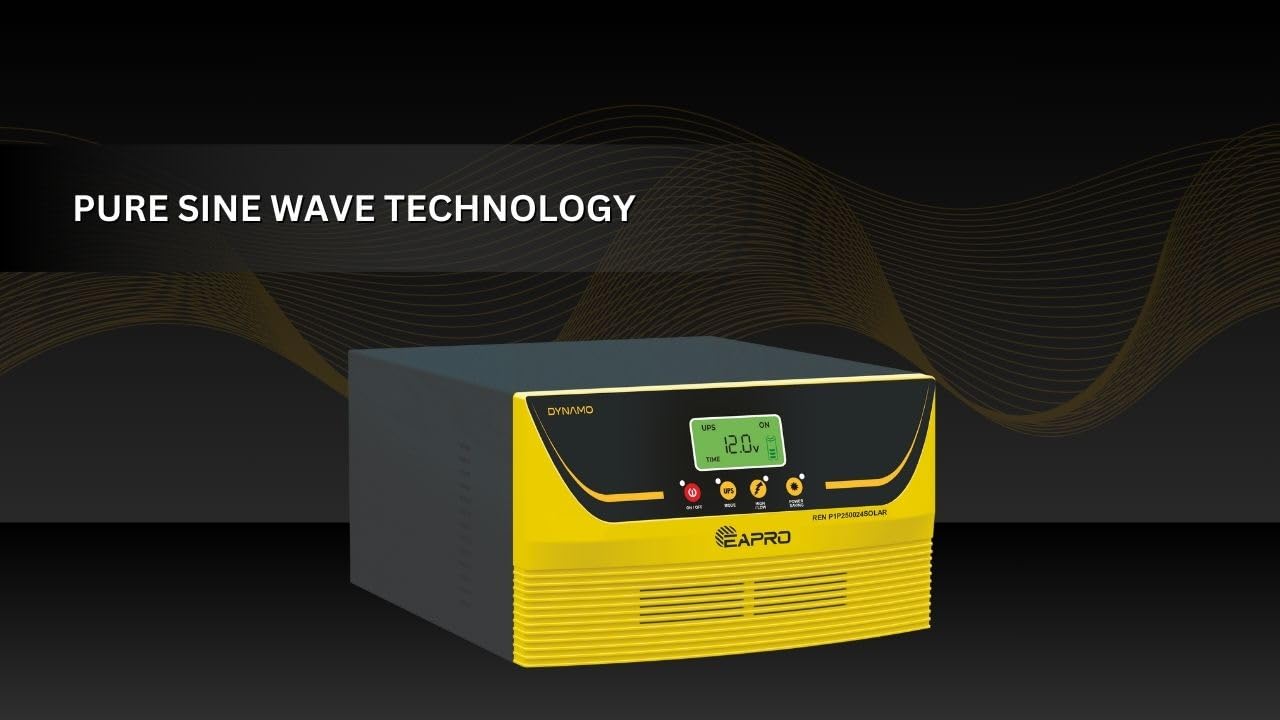
- Heavy Load Compatible Pure Sine Wave Output: Delivers clean, stable power suitable for sensitive appliances like computers, fridges, and motors. Built to handle high loads without compromise.
- Smart Display with Remote Monitoring Support: Multicolor LCD shows solar usage (KWH), battery status, load %, input voltage, and more. Optional Wi-Fi / GSM / Bluetooth for remote app/web monitoring.
- Advanced Power Saving Mode: A dedicated “Power Saving” button minimizes grid usage by maximizing solar charging and intelligently controlling inverter performance.
- Flexible Solar Charging Settings: Customize solar charging current (5A to 50A) based on battery type and size for optimal performance and longer battery life.
- Comprehensive Protections: Includes Solar PV reverse voltage protection and Electronic over current charging protection.

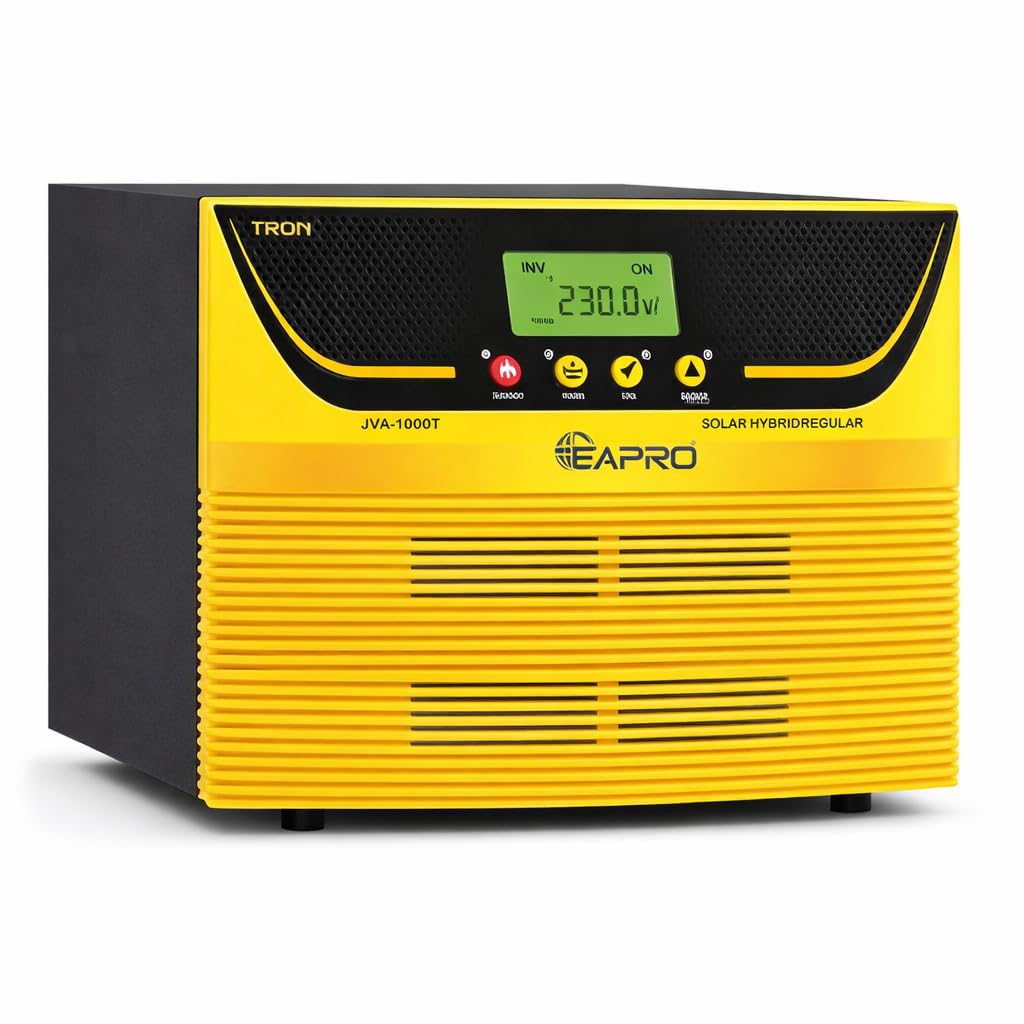
The EAPRO TRON-1800 inverter is engineered with smart features for maximum performance, including power saving, real-time clock for smart solar usage, and pure sine wave technology.
3. Product Overview (Physical Components)
Familiarize yourself with the various components and connection points of your EAPRO TRON-1800 inverter for proper setup and operation.
This image shows the rear panel of the EAPRO TRON-1800 inverter, highlighting key connection points such as the solar connector, AC output socket, positive and negative battery wires, cooling fans, and fuse.
Rear Panel Connections:
- Solar Connector: For connecting solar PV panels.
- AC Output Socket: For connecting household appliances.
- +VE Battery Wire: Positive terminal for battery connection.
- -VE Battery Wire: Negative terminal for battery connection.
- Cooling Fan: Ensures proper heat dissipation for optimal performance.
- Fuse: Overcurrent protection for the inverter.
4. Technical Specifications
Below is a summary of the technical specifications for the EAPRO TRON-1800 AI-MPPT Solar PCU Inverter:
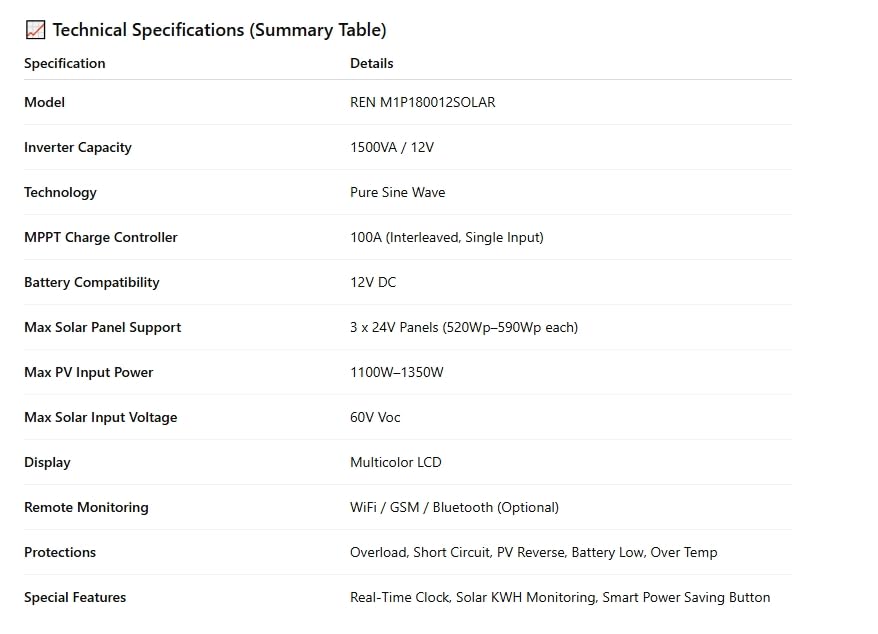
A detailed table summarizing the technical specifications of the EAPRO TRON-1800 inverter.
| Specification | Details |
|---|---|
| Model | REN M1P180012SOLAR |
| Inverter Capacity | 1500VA / 12V |
| Technology | Pure Sine Wave |
| MPPT Charge Controller | 100A (Interleaved, Single Input) |
| Battery Compatibility | 12V DC |
| Max Solar Panel Support | 3 x 24V Panels (520Wp–590Wp each) |
| Max PV Input Power | 1100W–1350W |
| Max Solar Input Voltage | 60V Voc |
| Display Type | Multicolor LCD |
| Remote Monitoring | WiFi / GSM / Bluetooth (Optional) |
| Protections | Overload, Short Circuit, PV Reverse, Battery Low, Over Temp |
| Special Features | Real-Time Clock, Solar KWH Monitoring, Smart Power Saving Button |
| Dimensions (L x W x H) | 30L x 30W x 30H Centimeters |
| Weight | 10 Kilograms |
| Electrical Output Waveform | Pure Sine Wave |
| Frequency | 50 Hz |
5. Setup and Installation
Proper installation is crucial for the safe and efficient operation of your inverter. It is recommended that installation be performed by a qualified technician.
Installation Steps:
- Mounting: Choose a dry, well-ventilated area away from direct sunlight and heat sources. Ensure sufficient clearance around the inverter for proper airflow to the cooling fans.
- Battery Connection: Connect the positive (+VE) battery wire to the positive terminal of your 12V battery and the negative (-VE) battery wire to the negative terminal. Ensure connections are secure and tight.
- Solar Panel Connection: Connect your solar panels to the designated solar connector on the rear panel. Ensure the total PV input power and voltage are within the specified limits (1100W–1350W, 60V Voc).
- AC Output Connection: Plug your appliances into the AC output socket. Ensure the total load does not exceed the inverter's capacity.
- Initial Power-Up: Once all connections are secure, switch on the inverter. Observe the multicolor LCD display for status updates.
6. Operating the Inverter
The EAPRO TRON-1800 features an intuitive interface and smart functionalities for ease of use.
LCD Display:
The multicolor LCD display provides real-time information on:
- Solar usage (KWH)
- Battery status
- Load percentage
- Input voltage
- Operational modes
Power Saving Mode:
Activate the dedicated “Power Saving” button to optimize energy consumption. This mode prioritizes solar charging and intelligently manages inverter performance to minimize reliance on grid power.
Solar Charging Settings:
The inverter allows customization of the solar charging current from 5A to 50A. Adjust this setting based on your battery type and size to ensure optimal charging and extend battery life.

The EAPRO TRON-1800 inverter intelligently manages solar power, ensuring maximum utilization and efficiency.
7. Maintenance
Regular maintenance helps ensure the longevity and optimal performance of your EAPRO TRON-1800 inverter.
- Cleaning: Periodically clean the exterior of the inverter with a soft, dry cloth. Ensure the cooling fans and vents are free from dust and debris to prevent overheating.
- Connection Checks: Regularly inspect all electrical connections (battery, solar, AC output) to ensure they are secure and free from corrosion.
- Battery Health: Monitor your battery's health and water levels (if applicable) as per the battery manufacturer's recommendations.
- Environmental Conditions: Ensure the inverter is operating within its specified environmental conditions (temperature, humidity) to prevent damage.
8. Troubleshooting
If you encounter issues with your EAPRO TRON-1800 inverter, refer to the following basic troubleshooting steps. For complex problems, contact customer support.
- No Power Output: Check all input and output connections. Ensure the battery is charged and the inverter is switched on. Verify the fuse is intact.
- Overload Warning: Reduce the connected load. The inverter may have shut down due to exceeding its capacity.
- Solar Charging Issues: Check solar panel connections and ensure panels are clean and receiving adequate sunlight. Verify solar input voltage on the display.
- Unusual Noises/Smells: Immediately switch off the inverter and disconnect it from all power sources. Contact customer support.
9. Warranty and Support
Your EAPRO TRON-1800 AI-MPPT Solar PCU Inverter comes with a comprehensive warranty and dedicated customer support.
- Warranty: The product is covered by a 30-month warranty. Please retain your purchase receipt for warranty claims.
- Product Registration: For product and warranty registration, please visit the official EAPRO website or scan the QR code provided in the support image.
Customer Support:
Contact details for EAPRO customer support and product registration.
For any queries, technical assistance, or warranty claims, please contact EAPRO Customer Support:
- Customer Support: +91-8650115000
- Toll Free Number: +91-9068563156
- Email: info@eapro.in
- Product & Warranty Registration: http://eaproerp.site:3006/
10. Quality Assurance and Manufacturing
EAPRO is committed to delivering high-quality products through rigorous manufacturing processes and stringent quality checks. The following video provides insight into EAPRO's dedication to innovation and quality in their production facilities.
This video provides an overview of EAPRO's manufacturing process and commitment to quality, showcasing their facilities and the technology behind their inverters.
