
1. Introduction
Thank you for choosing the Richelock IU50B Square Keypad Door Knob. This electronic door lock provides enhanced security and convenience for your home or office. Designed for durability and ease of use, it features multiple access methods and robust construction. Please read this manual carefully before installation and operation to ensure proper functionality and longevity of your device.
2. Product Overview
The Richelock IU50B is a square-shaped keyless entry door knob with a keypad, offering a modern aesthetic combined with practical security features. It is suitable for various indoor and outdoor applications due to its waterproof and weatherproof design.
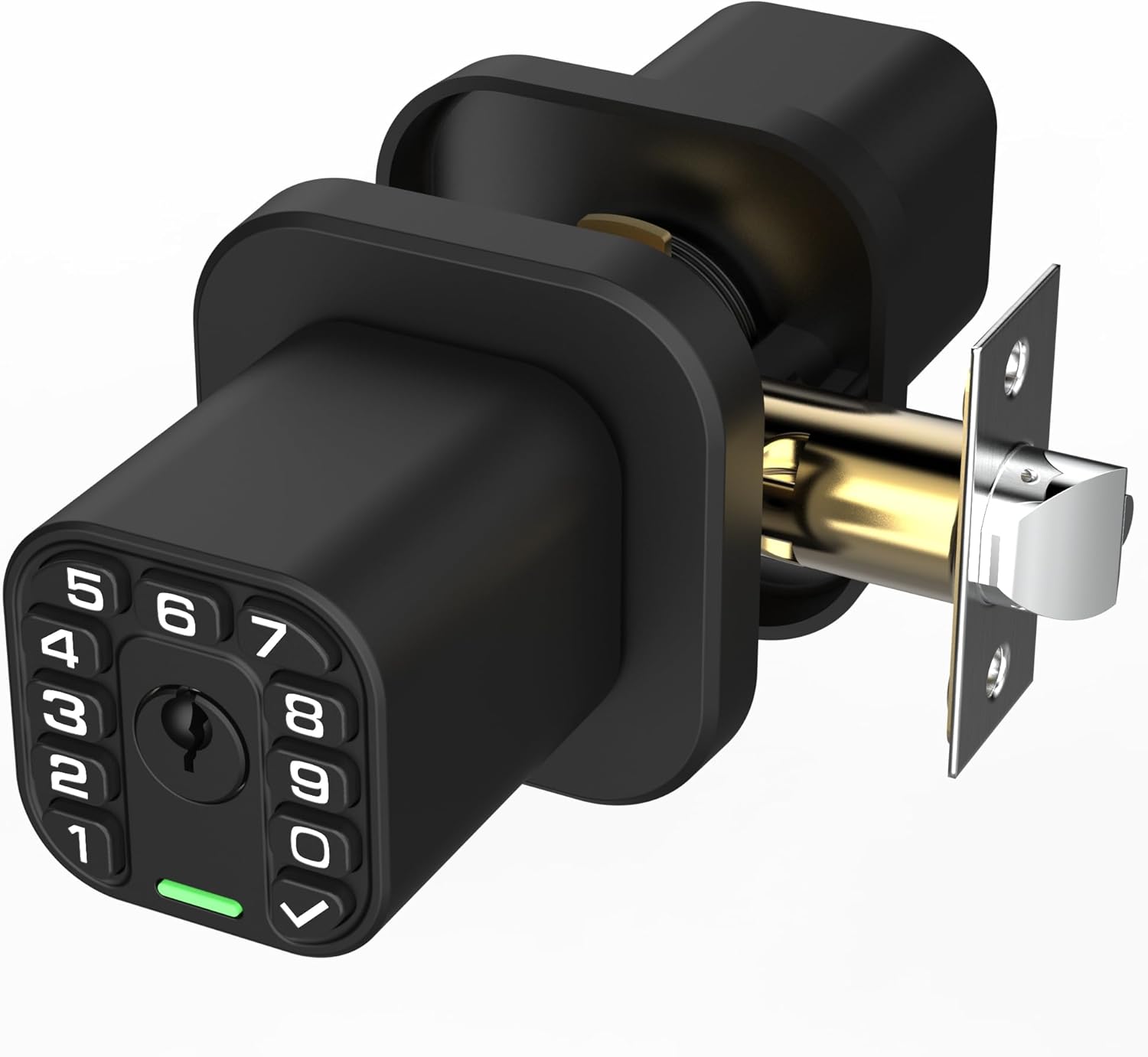
Image: The Richelock IU50B Square Keypad Door Knob, showcasing its sleek design and keypad.
Key Features:
- Keyless Entry: Access with a personalized passcode.
- Mechanical Key Backup: Two mechanical keys included for traditional access.
- Auto-Lock Feature: Programmable auto-lock from 2 seconds to 12 hours.
- Waterproof & Weatherproof: Durable design for outdoor and indoor use.
- Anti-Peeping Technology: Protects your code from onlookers.
- Remote Code Generation: Share temporary dynamic passcodes without an app or internet.
- Emergency Power: Type-C port for backup power in case of battery depletion.
3. Package Contents
Please verify that all components are present before beginning installation:
- Exterior Keypad Assembly
- Interior Knob Assembly
- Latch (2-3/4" or 2-3/8" backset compatible)
- Strike Plate
- Installation Hardware (screws, spindle, gasket)
- Mechanical Keys (x2)
- User Manual
4. Specifications
| Feature | Detail |
|---|---|
| Model Number | IU50B |
| Material | Zinc Alloy |
| Color | Matte Black |
| Product Dimensions | 8"L x 4"W |
| Exterior Finish | Matte Black |
| Lock Type | Combination Lock, Key Lock, Keypad Lock, Push Button Lock |
| Power Source | 2 AAA Batteries (not included) |
| Operating Temperature | -22°F to +176°F |
| Hand Orientation | Ambidextrous |
| Weight | 2 Pounds |
5. Installation Guide
This section provides step-by-step instructions for installing your Richelock IU50B Door Knob. A Phillips screwdriver is required. For a visual guide, please refer to the installation video below.
Video: Official Richelock IU50 Smart Door Lock Installation Guide. This video demonstrates the complete installation process from unboxing to testing the lock's functionality.
Installation Steps:
- Prepare the Door:
- Ensure your door has a standard 2-1/8" diameter hole and a 1" diameter latch hole.
- Check the backset dimension (distance from door edge to center of the main hole) is either 2-3/8" or 2-3/4".

Image: Diagram illustrating the required door dimensions for installation, including backset and bore hole sizes.
- Install the Latch:
- Insert the latch into the door edge hole. Ensure the 'UP' arrow on the latch is facing upwards.
- Secure the latch with the provided screws.
- Install the Exterior Assembly:
- Feed the spindle and cable from the exterior keypad assembly through the latch and the main door hole.
- Position the exterior assembly flush against the door.
- Install the Interior Mounting Plate:
- Connect the cable from the exterior assembly to the interior mounting plate.
- Align the interior mounting plate with the spindle and secure it to the exterior assembly using the long screws.
- Insert Batteries:
- Open the battery cover on the interior knob assembly.
- Insert 2 AAA batteries (not included), ensuring correct polarity.
- Attach Interior Knob Assembly:
- Carefully attach the interior knob assembly to the mounting plate, ensuring the cable is not pinched.
- Secure the interior knob assembly with the small screw.
- Install Strike Plate:
- Install the strike plate on the door frame, aligning it with the latch.
- Secure with the provided screws.
- Test Functionality:
- Test the lock with the mechanical keys and the default passcode (if applicable) to ensure smooth operation.
6. Operating Instructions
Unlocking the Door:
- Using Passcode: Enter your 1-15 digit passcode on the keypad, then press the '✓' (check) button. The lock will disengage, allowing you to turn the knob.
- Using Mechanical Key: Insert the mechanical key into the keyhole and turn to unlock.
Locking the Door:
- Auto-Lock: If enabled, the lock will automatically engage after a set period (programmable from 2 seconds to 12 hours).
- Manual Lock: Press any button on the keypad to manually engage the lock.
Special Modes:
- Guest Mode: Allows the door to remain unlocked for a specified period, ideal for visitors.
- Silent Mode: Disables keypad sounds for quiet operation.
7. Programming Passcodes
The lock supports up to 50 personalized passcodes. Refer to the detailed programming instructions in the separate 'Remote Code User Guide' included in your package for specific steps on setting master codes, user codes, and temporary codes.
Anti-Peeping Technology:
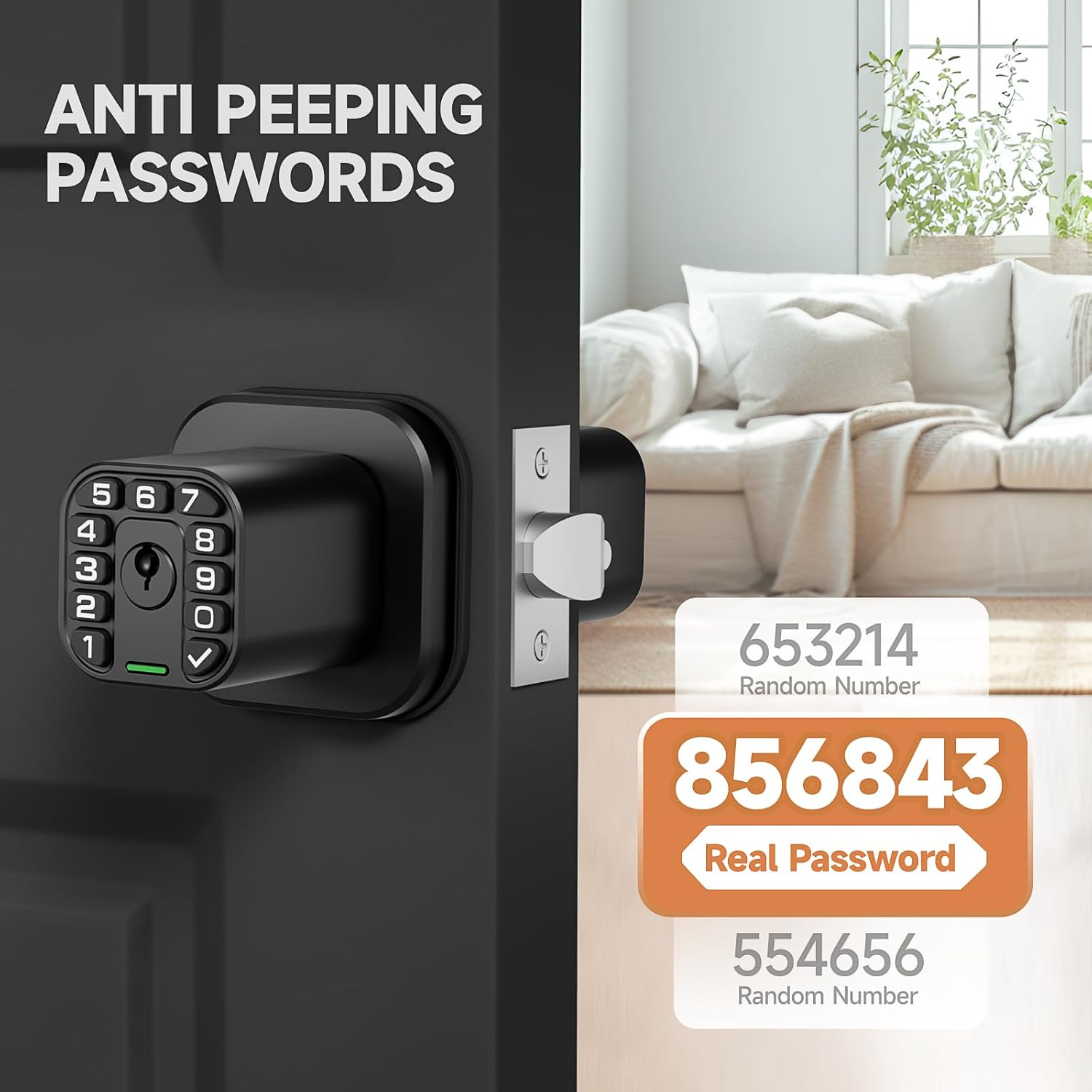
Image: Illustration of anti-peeping technology, showing how random numbers can be entered before or after the real password to obscure it.
To protect your passcode from onlookers, you can enter random digits before or after your actual code. The lock will only recognize the correct sequence of your passcode within the longer string of numbers.
Remote Code Generation:

Image: A person sending a temporary dynamic passcode via text message, demonstrating the remote code feature without requiring an app or internet connection.
The Richelock IU50B allows you to generate and share temporary dynamic passcodes remotely. This feature is useful for granting access to guests or service providers without needing to be physically present or relying on an internet connection or smartphone app.
8. Maintenance
Battery Replacement:
The lock operates on 2 AAA batteries, which typically last over a year. When batteries are low, the lock will provide an audible or visual alert. To replace, remove the interior knob assembly cover, replace the old batteries with new ones, ensuring correct polarity, and reattach the cover.
Emergency Power:
In case the batteries completely run out, you can use a Type-C cable to connect an external power bank to the Type-C port on the exterior assembly for temporary power to enter your code.
Cleaning:
Wipe the keypad and lock body with a soft, damp cloth. Avoid using abrasive cleaners or solvents that could damage the finish or electronic components.
9. Troubleshooting
- Lock not responding to keypad:
- Check if batteries are correctly installed and have sufficient charge. Replace if necessary.
- Ensure the cable connection between the exterior and interior assemblies is secure.
- Knob turns but door does not unlock:
- This indicates the solenoid is not engaging. Re-check cable connections and battery power.
- Ensure the spindle is correctly aligned and inserted into the latch mechanism.
- Passcode not working:
- Verify the correct passcode is being entered.
- Try resetting the lock to factory settings and reprogramming your passcodes (refer to the 'Remote Code User Guide').
- Lock is stiff after rain/extreme weather:
- While designed to be weatherproof, extreme conditions can sometimes affect mechanical parts. Ensure the lock is properly installed and sealed. If issues persist, contact customer support.
10. Warranty & Support
Richelock stands behind its products with a 1-year warranty. If you encounter any questions, require assistance with setup, troubleshooting, or need replacement parts, our dedicated customer support team is available 24/7 to provide fast and friendly service.
For support, please refer to the contact information provided in your product packaging or visit the official Richelock website.