
1. Introduction
Thank you for choosing the Bonvoisin Digital Counting Scale BT-15/0.5. This precision instrument is designed for accurate weighing and counting of various items, offering a maximum capacity of 15kg with a 0.5g division. It features an RS-232C interface for data output, alarm functions, and a durable construction suitable for various applications. Please read this manual thoroughly before operation to ensure correct usage and optimal performance.

Image 1.1: Overview of the Bonvoisin Digital Counting Scale BT-15/0.5.
2. Safety Information
- Ensure the scale is placed on a stable, level surface to prevent inaccurate readings.
- Avoid exposing the scale to extreme temperatures, humidity, or direct sunlight.
- Do not overload the scale beyond its maximum capacity of 15kg.
- Keep the scale away from strong electromagnetic fields, which can interfere with its operation.
- Use only the provided power adapter. Do not attempt to operate the scale with batteries, as it is designed for AC power only.
- Clean the scale with a soft, damp cloth. Avoid using abrasive cleaners or solvents.
3. Product Features
- High Capacity & Accuracy: Weighs up to 15kg with a 0.5g division.
- RS-232C Interface: Enables serial data output to a computer or printer (bps 4800/9600/19200) for convenient data recording and analysis.
- Large Stainless Steel Weighing Pan: Durable 21x28.5cm pan, constructed with an ABS shell.
- Multiple Functions: Includes tare, weighing, accumulation, and counting functions.
- Upper and Lower Limit Alarms: Customizable alarm settings to enhance efficiency.
- Digital Display: Clear and easy-to-read digital display.
- Adjustable Backlight: User-adjustable backlight settings for various lighting conditions.
4. Setup
4.1 Unpacking and Inspection
Carefully remove the scale from its packaging. Inspect all components for any signs of damage. If any parts are missing or damaged, please contact customer support.
4.2 Placement
Place the scale on a firm, level, and vibration-free surface. Avoid locations with drafts, direct sunlight, or rapid temperature changes.
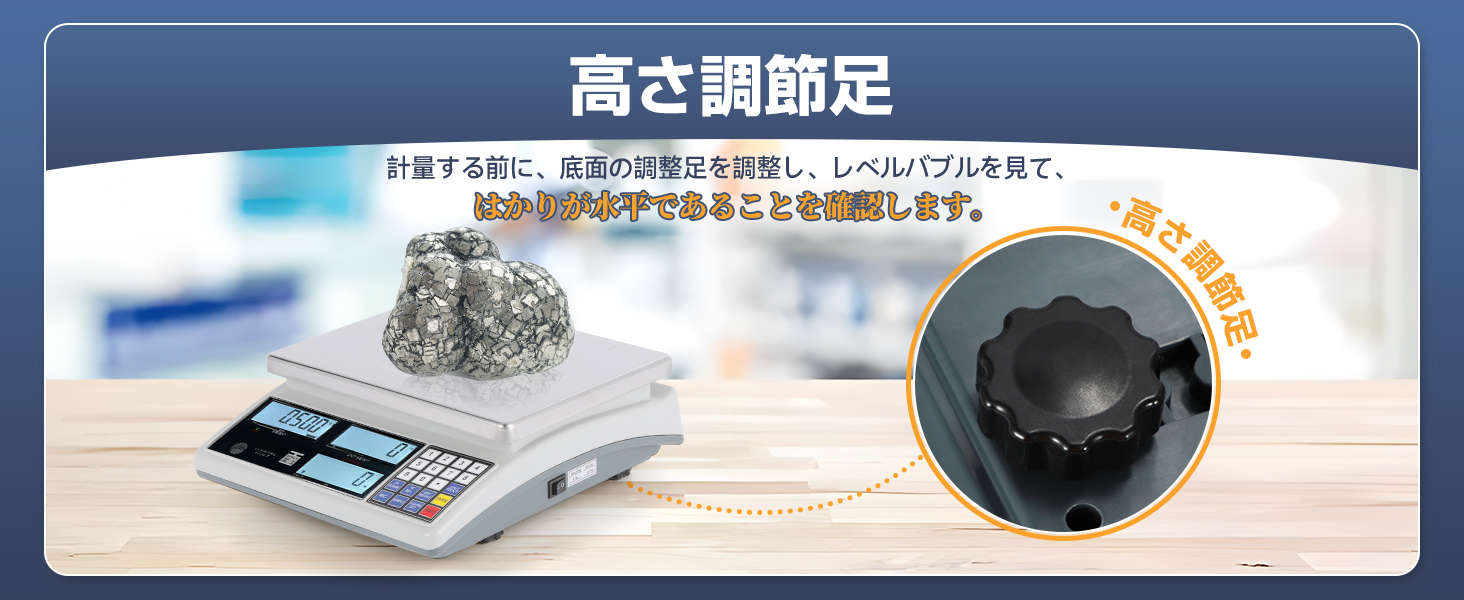
Image 4.1: The adjustable feet and level bubble for proper scale leveling.
Use the adjustable feet at the bottom of the scale to level the unit. Check the level bubble to ensure the scale is perfectly horizontal for accurate measurements.
4.3 Weighing Pan Installation
Carefully place the stainless steel weighing pan onto the scale's platform. Ensure it is seated securely and does not wobble.

Image 4.2: The large stainless steel weighing pan in position.
4.4 Power Connection
Connect the provided power adapter to the scale's power input port and then plug it into a suitable electrical outlet. The scale does not operate on batteries.
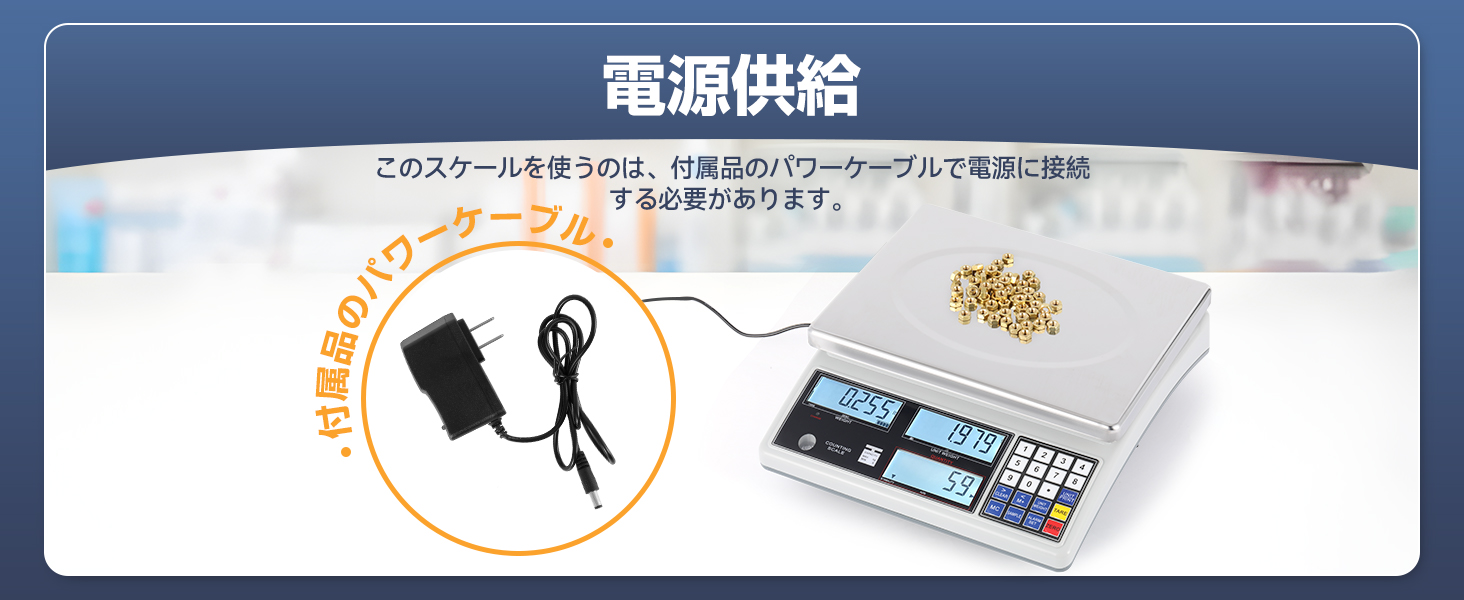
Image 4.3: Connecting the power cable to the scale.
5. Operating Instructions
5.1 Power On/Off
Press the ON/OFF button to turn the scale on or off. Allow a few seconds for the scale to stabilize and display '0.000' before use.
5.2 Basic Weighing
- Ensure the scale displays '0.000'. If not, press the ZERO button.
- Place the item(s) to be weighed directly onto the center of the weighing pan.
- Read the weight displayed on the screen.
5.3 Tare Function
The tare function allows you to subtract the weight of a container, so only the net weight of the contents is measured.
- Place an empty container on the weighing pan. The scale will display its weight.
- Press the TARE button. The display will reset to '0.000'.
- Add the items to be weighed into the container. The scale will now display only the weight of the items.

Image 5.1: Steps for using the Tare function to zero out container weight.
5.4 Counting Function
This scale can count items by calculating the average unit weight.
- Place a known quantity of items (e.g., 10, 20, 50, 100 pieces) on the weighing pan.
- Enter the quantity using the numeric keypad.
- Press the SAMPLE button to set the unit weight. The scale will now be in counting mode.
- Add more items to the pan, and the scale will display the total count.

Image 5.2: The display showing total weight, unit weight, and item count.
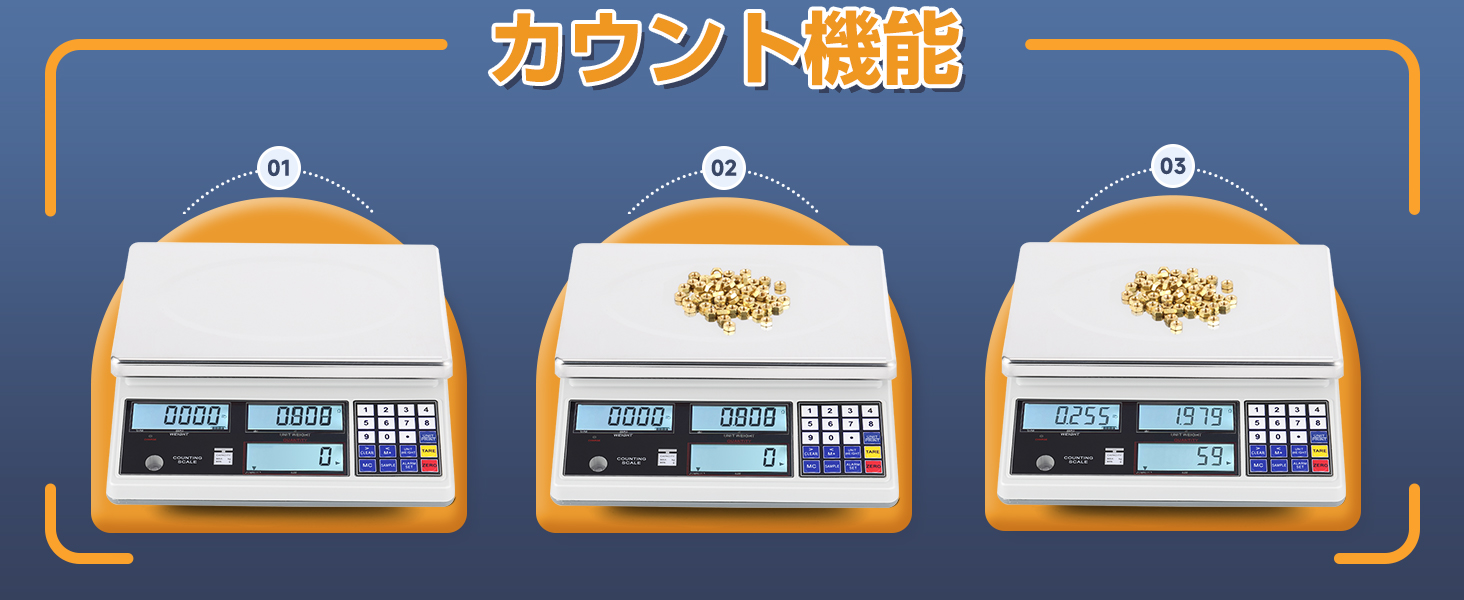
Image 5.3: Visual guide for performing the counting function.
5.5 Alarm Function
The scale features upper and lower limit alarms for both weight and count. This is useful for batching or quality control.
- Press the ALARM SET button.
- Use the numeric keypad to enter the desired upper and lower limits for weight or count.
- Confirm the settings. An audible alarm will sound if the measured value falls outside the set limits.

Image 5.4: The alarm function indicating limits for counting and weighing.
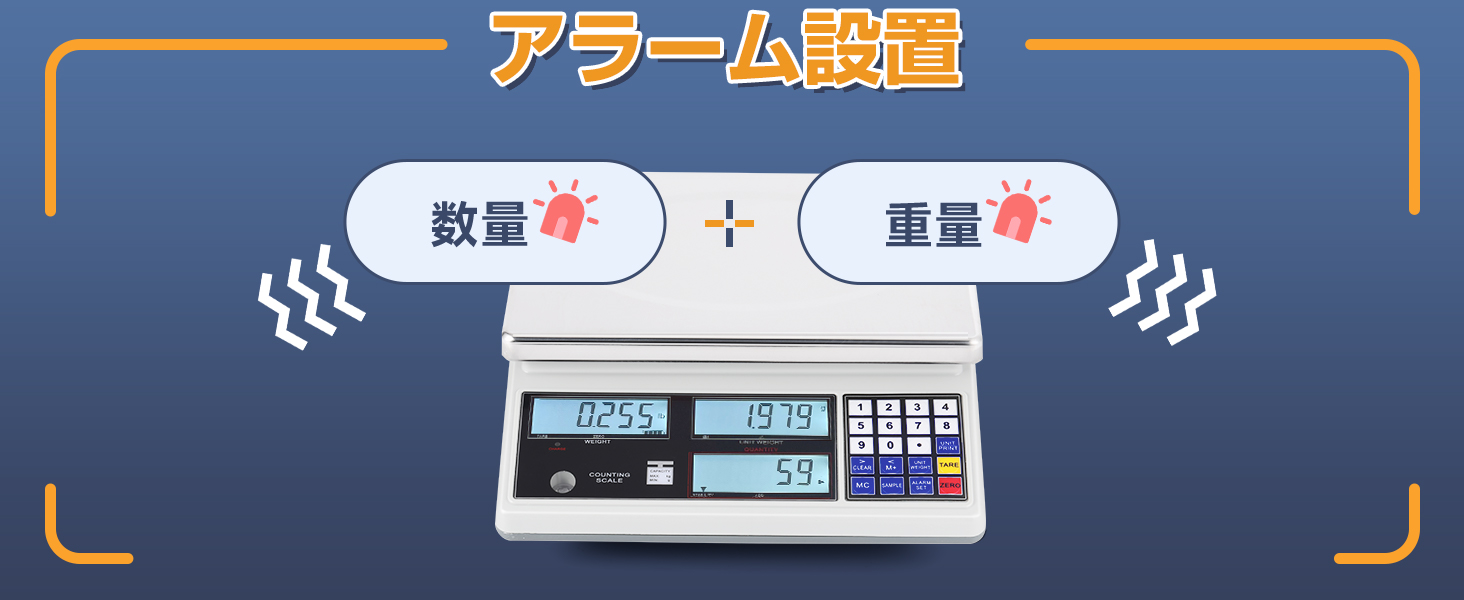
Image 5.5: Visual representation of setting quantity and weight alarms.
5.6 Backlight Adjustment
The display backlight can be adjusted for optimal visibility.
- Refer to the scale's specific button for backlight control (often labeled 'LIGHT' or similar).
- Cycle through options such as 'Off', 'On', or 'Auto' (backlight activates when weight changes).
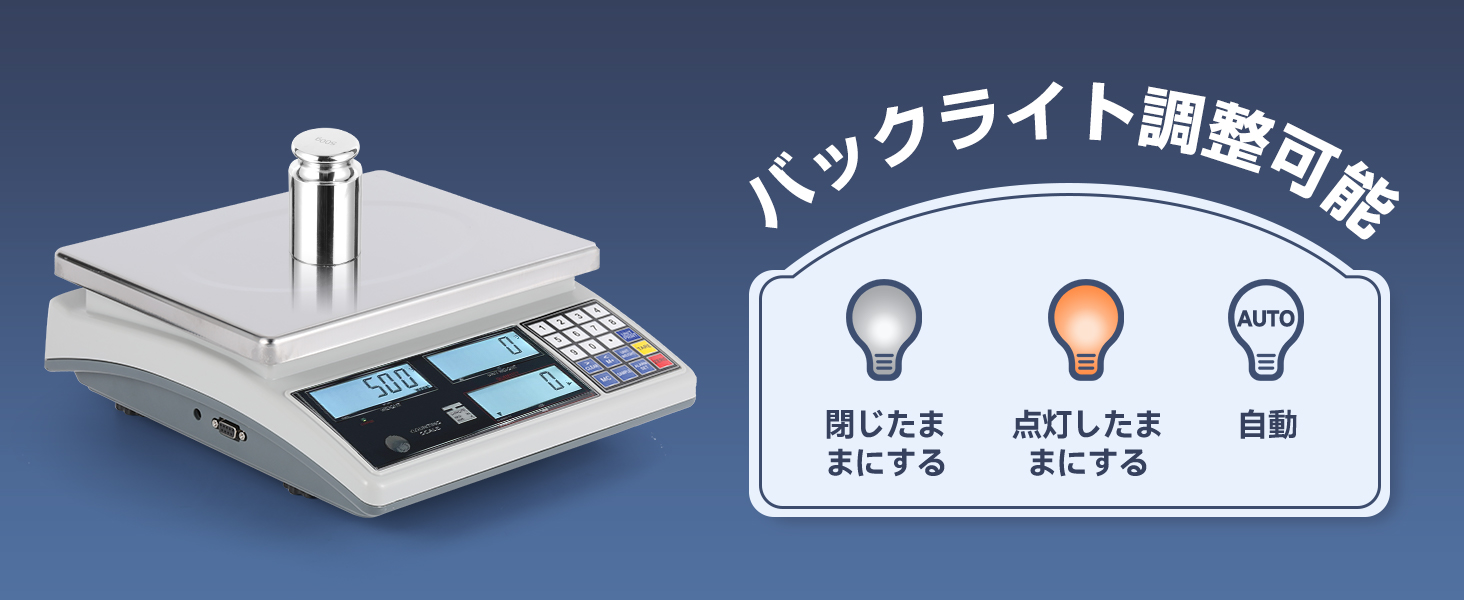
Image 5.6: Options for backlight adjustment: Off, Always On, or Automatic.
5.7 RS-232C Interface (Data Output)
The RS-232C port allows the scale to connect to a computer or compatible printer for data transmission.
- Connect a serial cable (not included) from the scale's RS-232C port to your computer or printer.
- Ensure your computer has serial monitoring software (e.g., HyperTerminal, STC ISP) installed.
- Compatible printer baud rates are 4800, 9600, or 19200 bps.
- Data can be recorded, organized, and analyzed using this connection.
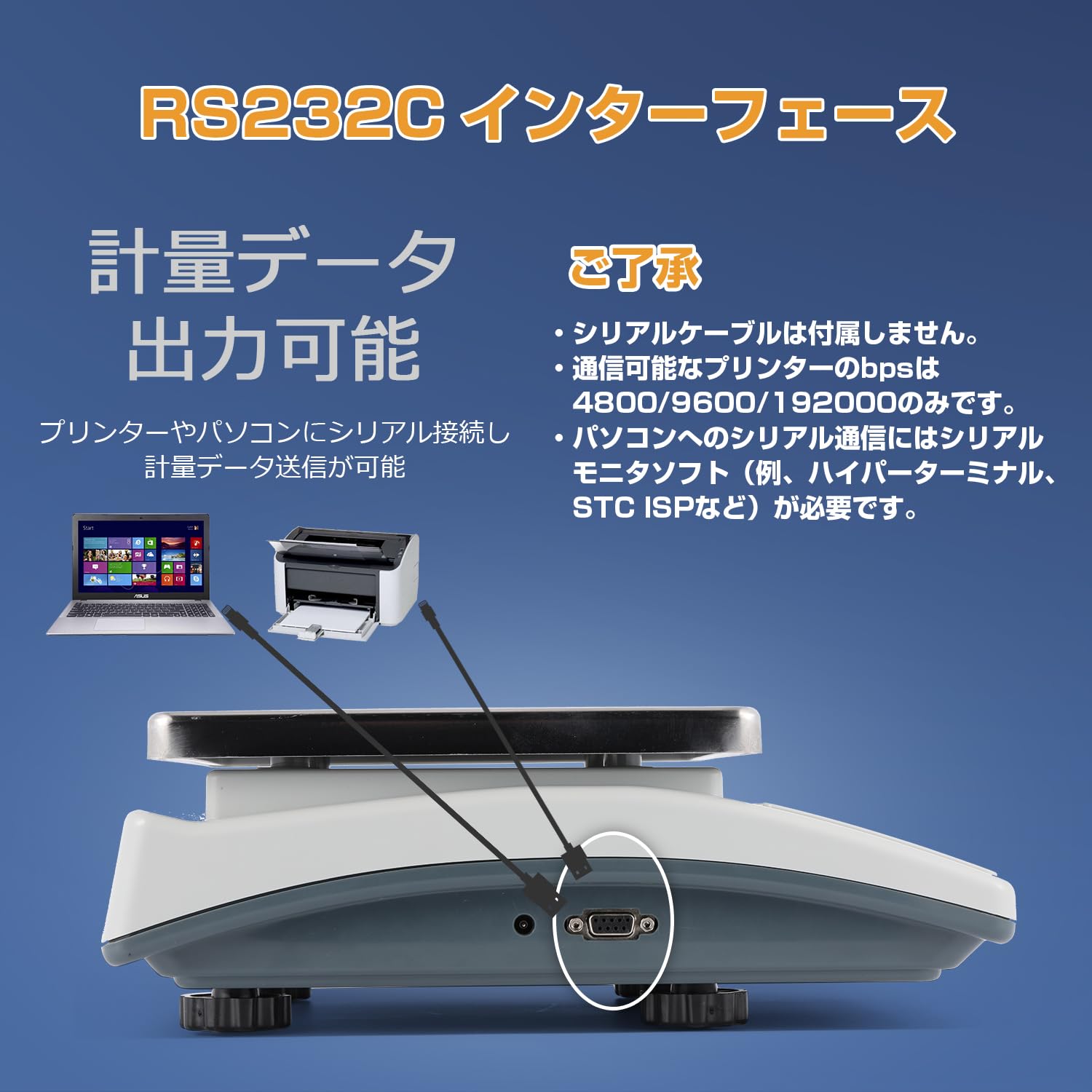
Image 5.7: The RS-232C interface port for data output.
6. Maintenance
6.1 Cleaning
Regularly clean the scale to maintain its accuracy and appearance.
- Wipe the weighing pan and scale body with a soft, slightly damp cloth.
- For stubborn dirt, use a mild detergent. Ensure no liquid enters the scale's internal components.
- Do not use abrasive materials, harsh chemicals, or immerse the scale in water.
6.2 Storage
When not in use for extended periods, store the scale in a dry, cool place, away from direct sunlight and dust. Ensure the weighing pan is clean and properly seated.
7. Troubleshooting
- Scale does not turn on: Check if the power adapter is securely connected to both the scale and the power outlet. Ensure the outlet is functional.
- Inaccurate readings:
- Ensure the scale is on a stable, level surface and the level bubble indicates it is horizontal.
- Check for any obstructions under the weighing pan.
- Avoid drafts or vibrations during weighing.
- Ensure the scale has been zeroed before placing items.
- Counting function issues: Ensure the sample quantity entered matches the actual number of items placed on the pan during the sampling process.
- Display shows 'OVERLOAD' or 'Err': The scale has been overloaded. Remove items immediately to prevent damage.
If you encounter issues not covered here, please contact Bonvoisin customer support for assistance.
8. Specifications

Image 8.1: Key dimensions of the Bonvoisin Digital Counting Scale.
| Feature | Specification |
|---|---|
| Brand | Bonvoisin |
| Model | BT-15/0.5 |
| Maximum Load Capacity | 15 kg |
| Measurement Accuracy / Division | 0.5 g |
| Weighing Pan Dimensions | 21 x 28.5 cm |
| Product Weight | 3.63 kg |
| Package Dimensions | 36.2 x 34 x 15.1 cm |
| Color | Silver |
| Display Type | Digital |
| Power Source | AC Power (Adapter included) |
| Battery Use | No |
| Interface | RS-232C |
9. Warranty and Support
Bonvoisin products are designed for reliability and performance. For warranty information or technical support, please refer to the warranty card included with your product or visit the official Bonvoisin website. If you have any questions or require assistance, please do not hesitate to contact our customer service team.


