
P47
P47 Wireless Headphones User Manual
Model: P47 | Brand: Generic
Introduction
Thank you for purchasing the P47 Wireless Headphones. These headphones are designed to provide a high-quality audio experience with the convenience of wireless connectivity. Compatible with various Bluetooth-enabled devices such as phones, tablets, and iPads, they support A2DP function for enhanced audio streaming. This manual provides essential information on setup, operation, maintenance, and troubleshooting to ensure optimal performance and longevity of your device.

Image: P47 Wireless Headphones, black model, showcasing the over-ear design and earcups.
Safety Information
Please read and follow these safety guidelines to prevent damage to the headphones or injury to yourself:
- Do not expose the headphones to extreme temperatures, humidity, or corrosive substances.
- Avoid dropping or subjecting the headphones to strong impacts.
- Do not disassemble, repair, or modify the headphones yourself. Contact qualified service personnel if needed.
- Keep the headphones away from water and liquids as they are not water resistant.
- Use only the provided USB charging cable or a certified equivalent for charging.
- Prolonged listening at high volume levels may cause hearing damage. Adjust volume to a safe level.
Package Contents
Verify that all items are present in the package:
- P47 Wireless Headphones
- USB Charging Cable
- User Manual (this document)

Image: P47 Wireless Headphones in different colors, displayed alongside their individual retail packaging, indicating what is included in the box.
Product Overview
The P47 Wireless Headphones feature an over-ear design for comfortable listening. Key controls are typically located on one of the earcups, allowing for easy access to power, volume, and playback functions. The foldable design enhances portability.
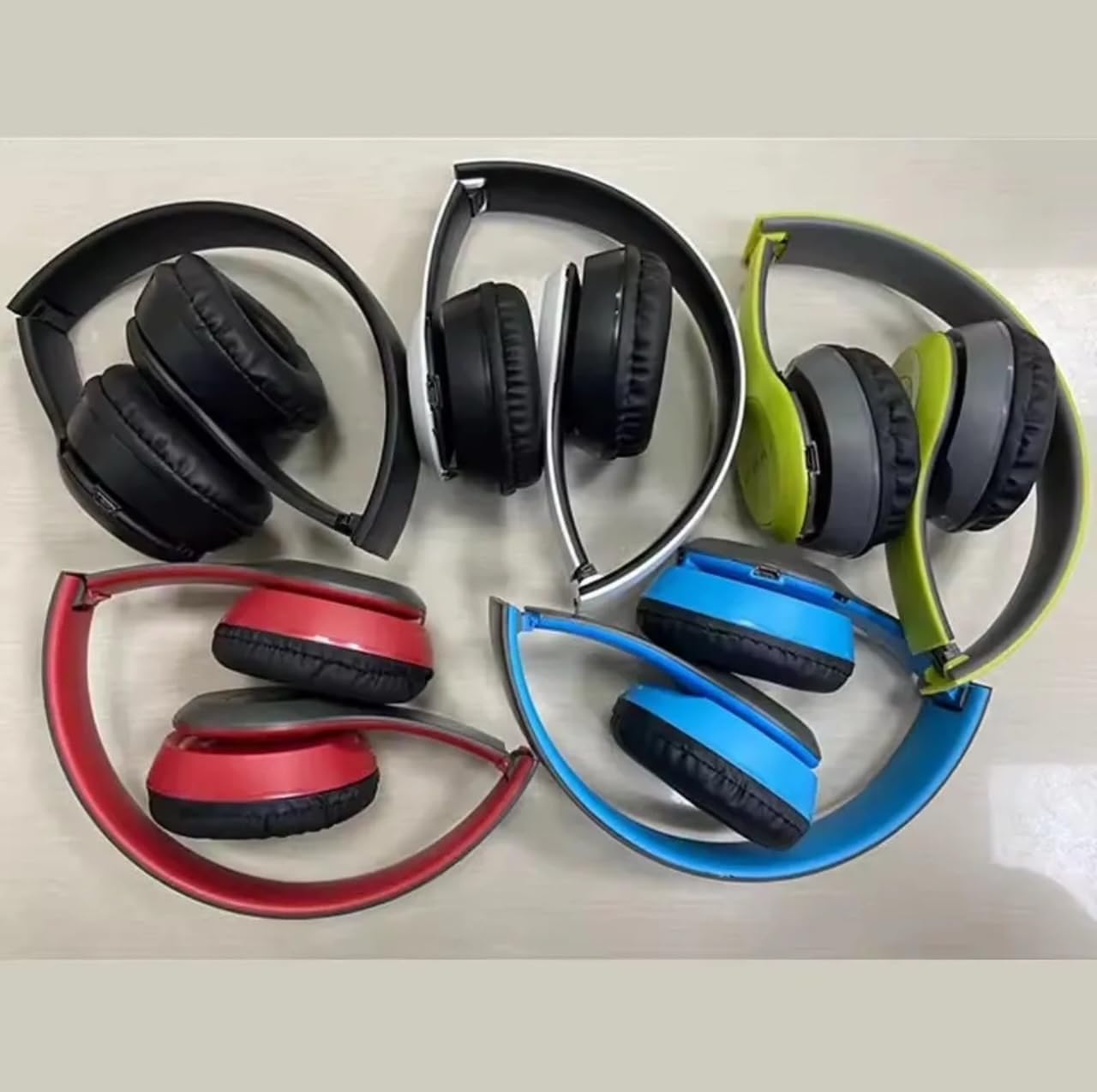
Image: Several P47 Wireless Headphones in different colors (red, grey, green, white, black, blue) shown in their folded, compact state, highlighting their portability.
Setup
Charging the Headphones
Before first use, fully charge the headphones. Connect the provided USB charging cable to the charging port on the headphones and the other end to a USB power source (e.g., computer USB port, USB wall adapter). The charging indicator light will typically illuminate during charging and turn off or change color when fully charged. A full charge provides up to 15 hours of standby time.
Pairing with a Device
To connect your P47 Wireless Headphones to a Bluetooth-enabled device:
- Ensure the headphones are fully charged.
- Power on the headphones by pressing and holding the Power button (refer to your specific model for button location if not obvious) until the indicator light flashes, usually blue and red, indicating pairing mode.
- On your device (phone, tablet, iPad), go to the Bluetooth settings.
- Enable Bluetooth and search for available devices.
- Select "P47" or a similar name from the list of found devices.
- Once connected, the indicator light on the headphones will typically turn solid blue or flash slowly. You will also hear an audible confirmation.
- If prompted for a password, enter "0000" (four zeros).
The headphones will automatically attempt to reconnect to the last paired device when powered on, if that device's Bluetooth is active and within range.
Operating Instructions
Power On/Off
- Power On: Press and hold the Power button for approximately 3 seconds until the indicator light illuminates and you hear a power-on prompt.
- Power Off: Press and hold the Power button for approximately 3-5 seconds until the indicator light turns off and you hear a power-off prompt.
Music Playback
- Play/Pause: Press the Multi-function button (often the Power button or a dedicated play/pause button) once.
- Next Track: Press and hold the Volume Up (+) button. (Some models may use a short press).
- Previous Track: Press and hold the Volume Down (-) button. (Some models may use a short press).
- Volume Up: Short press the Volume Up (+) button.
- Volume Down: Short press the Volume Down (-) button.
Call Management
- Answer/End Call: Press the Multi-function button once when a call comes in or during a call.
- Reject Call: Press and hold the Multi-function button for approximately 2 seconds when a call comes in.
- Redial Last Number: Double-press the Multi-function button.
Maintenance
Proper maintenance ensures the longevity and performance of your headphones:
- Cleaning: Use a soft, dry, lint-free cloth to clean the headphones. Do not use abrasive cleaners, alcohol, or chemical solvents.
- Storage: When not in use, store the headphones in a cool, dry place, away from direct sunlight and extreme temperatures. The foldable design allows for compact storage.
- Battery Care: To preserve battery life, avoid fully discharging the battery frequently. Charge the headphones regularly, even if not used for extended periods.
Troubleshooting
If you encounter issues with your P47 Wireless Headphones, refer to the following common problems and solutions:
| Problem | Possible Cause | Solution |
|---|---|---|
| Headphones do not power on. | Low battery. | Charge the headphones fully using the provided USB cable. |
| Cannot pair with device. | Bluetooth not enabled on device; headphones not in pairing mode; device too far. | Ensure Bluetooth is on. Put headphones in pairing mode (flashing blue/red). Move device closer. Restart both devices. |
| No sound or low volume. | Volume too low on headphones or device; not properly connected. | Increase volume on both headphones and device. Re-pair the headphones. |
| Sound cuts out or is distorted. | Interference; device too far; low battery. | Move closer to the device. Avoid obstacles. Charge headphones. Avoid strong electromagnetic fields. |
Specifications
| Feature | Detail |
|---|---|
| Model Name | P47 |
| Connectivity Technology | Wireless (Bluetooth) |
| Bluetooth Version | 4.0 |
| Earpiece Shape | Over Ear |
| Special Features | Lightweight, Noise Reduction, Fast Charging |
| Compatible Devices | Cellphones, Tablets, iPads |
| Water Resistance Level | Not Water Resistant |
| Item Weight | 3.2 ounces |
| Manufacturer | China |
| Noise Control | Active Noise Cancellation |
Warranty and Support
This product comes with a standard manufacturer's warranty. For specific warranty terms and conditions, please refer to the documentation provided at the time of purchase or contact your retailer. If you experience any issues or require technical assistance, please contact the seller or retailer from whom you purchased the product for support.
Please retain your proof of purchase for warranty claims.
Related Documents - P47
 |
P47 5.4+EDR Wireless Headphones User Guide User manual for P47 5.4+EDR Wireless Headphones, including specifications, control functions, and compatibility notes. |
 |
P47 5.4+EDR Wireless Headphones User Guide User manual and technical specifications for the P47 5.4+EDR Wireless Headphones, featuring TF card support, FM radio, and MP3 playback capabilities. |
 |
P47 Wireless Bluetooth Headphone User Manual User manual for P47 wireless Bluetooth headphones, covering specifications, pairing, operation, and safety instructions. |
 |
P47 Bluetooth Wireless Headphones: Controls and Status Guide Detailed guide to the controls and LED status indicators for the P47 Bluetooth Wireless Headphones, covering Bluetooth pairing, MP3 playback, FM mode, and charging. |
 |
P47 Bluetooth Headset User Manual and Specifications Comprehensive user manual and technical specifications for the P47 Bluetooth headset, covering operation, LED indicators, audio input, and functional parameters. |
 |
P47 TWS Bluetooth Stereo Headphones - Technical Specifications Detailed technical specifications for the P47 TWS Bluetooth Stereo Headphones, including model, features, Bluetooth version, battery life, and compatibility with Xiaomi, iPhone, Samsung, and Android devices. |
Ask a question about this manual
Ask about setup, troubleshooting, compatibility, parts, safety, or missing instructions. Manuals+ will review the question and use this page’s manual context to help answer it.