Product Overview
The Generic White FM Radio Alarm Clock is a versatile device designed for convenience and portability. It combines a digital alarm clock with an FM radio, a Bluetooth speaker, and a memory card player. Its compact design and mirror display make it suitable for various uses, from a bedside alarm to a portable music player for travel.

Image: Top-down view of the White FM Radio Alarm Clock, showing the digital display, speaker grille, and control buttons.
Setup
1. Charging the Device
Before first use, fully charge the alarm clock. Connect the provided Micro USB charging cable to the charging port on the device and the other end to a standard USB power adapter (not included) or a computer USB port. The charging indicator will show the charging status.
2. Initial Power On
Press and hold the power button (usually marked with a power icon) to turn on the device. The LED digital display will illuminate.
3. Setting the Time
- Press the "SET" button once to enter time setting mode. The hour digits will flash.
- Use the "Previous" (⏮) and "Next" (⏭) buttons to adjust the hour.
- Press "SET" again to confirm the hour and move to minute setting. The minute digits will flash.
- Use the "Previous" (⏮) and "Next" (⏭) buttons to adjust the minutes.
- Press "SET" a third time to confirm the minutes and exit time setting mode.

Image: Rear view of the alarm clock, highlighting the Micro USB charging port and the TF (Memory Card) slot.
Operating Instructions
1. Dual Alarm Clock Function
The device supports setting two independent alarms.
- Press the "M" (Mode) button repeatedly until the alarm icon (bell symbol) appears on the display, indicating alarm setting mode.
- Press "SET" to select Alarm 1 or Alarm 2. The corresponding alarm time will flash.
- Use the "Previous" (⏮) and "Next" (⏭) buttons to adjust the alarm hour.
- Press "SET" to confirm the hour and adjust the minutes.
- Press "SET" again to confirm the minutes.
- To enable or disable an alarm, press the "SET" button when the alarm time is displayed. An indicator will show if the alarm is active.
2. FM Radio Mode
Enjoy your favorite radio stations with the built-in FM radio.
- Press the "M" (Mode) button repeatedly until "FM" appears on the display.
- Press and hold the "Play/Pause" (⏸) button to automatically scan and save available FM stations.
- Use the "Previous" (⏮) and "Next" (⏭) buttons to navigate between saved stations.
3. Bluetooth Speaker Mode
Connect your smartphone or other Bluetooth-enabled devices to play audio wirelessly.
- Press the "M" (Mode) button repeatedly until "BT" appears on the display, indicating Bluetooth pairing mode.
- On your device (e.g., smartphone), enable Bluetooth and search for available devices.
- Select "Genericgfcybhmqrv" (or similar name) from the list of found devices to pair.
- Once paired, you can play audio from your device through the alarm clock speaker.

Image: The alarm clock positioned on a desk, demonstrating its reflective mirror display and integrated speaker, with books in the background.
4. Memory Card Playback
Play audio files directly from a Micro SD (TF) card.
- Insert a Micro SD (TF) card (up to 32GB, not included) into the TF card slot on the side of the device. Ensure the card is inserted correctly until it clicks into place.
- The device will automatically switch to Memory Card playback mode. If not, press the "M" (Mode) button until the display indicates TF card mode.
- Use the "Previous" (⏮) and "Next" (⏭) buttons to navigate between audio tracks.
- Press the "Play/Pause" (⏸) button to pause or resume playback.
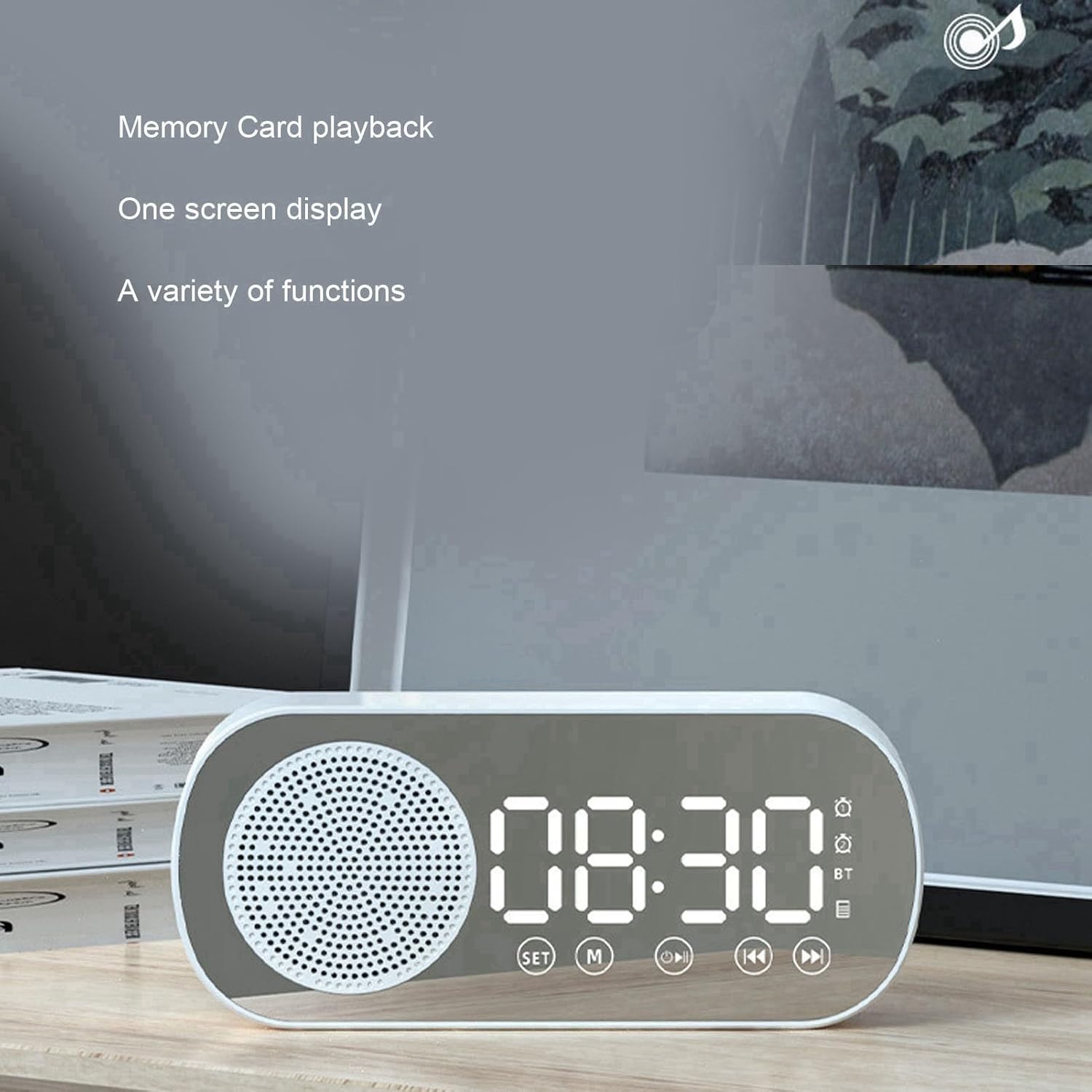
Image: The alarm clock showing the digital time display, with text indicating "Memory Card playback" and "One screen display," highlighting its versatile functions.
5. Mirror Function
The LED display surface also functions as a mirror, useful for quick checks or touch-ups.

Image: A hand holding the compact alarm clock, demonstrating its use as a portable mirror, with the digital display visible.

Image: A visual representation of the alarm clock's key features, including dual alarm, HiFi sound quality, FM radio, TF card playback, and HD mirror functionality.
Maintenance
- Cleaning: Use a soft, dry cloth to wipe the surface of the alarm clock. Do not use abrasive cleaners or solvents, as they may damage the finish or display.
- Battery Care: To prolong battery life, avoid fully discharging the battery frequently. Recharge the device when the battery low indicator appears. If storing for a long period, charge the battery every 3-6 months.
- Storage: Store the device in a cool, dry place away from direct sunlight and extreme temperatures.
Troubleshooting
| Problem | Possible Cause | Solution |
|---|---|---|
| Device does not power on. | Low battery; device not charged. | Connect the charging cable and charge the device for at least 2 hours. |
| Bluetooth pairing fails. | Device not in pairing mode; Bluetooth disabled on source device; too far from source device. | Ensure the alarm clock is in Bluetooth mode ("BT" displayed). Enable Bluetooth on your source device. Move devices closer (within 10 meters). |
| FM radio has poor reception or static. | Weak signal; interference. | Reposition the device to improve signal reception. Avoid placing near other electronic devices that may cause interference. |
| Memory card not recognized. | Card inserted incorrectly; unsupported format; damaged card. | Reinsert the TF card correctly. Ensure the card is formatted to FAT32. Try a different TF card. |
| Alarm does not sound. | Alarm not enabled; volume too low. | Verify that the alarm is set and enabled (alarm icon visible). Increase the volume. |
Specifications
| Feature | Detail |
|---|---|
| Product Dimensions | Approx. 116 x 51 x 33mm / 4.6 x 2 x 1.3in |
| Color | White |
| Battery Type | Built-in Lithium Battery |
| Battery Capacity | 1600mAh |
| Bluetooth Version | 5.0 |
| Supported Play Modes | Bluetooth, Memory Card (TF Card) |
| Memory Card Support | Maximum 32GB (TF Card, not included) |
| FM Radio Frequency | 87.5MHz - 108MHz |
| Power Input | 5V=1A |
| Speaker | 4Ω 3W |
| Distortion | <10% |
| Output Power | 3WTHD+10% |
| Audio Signal to Noise Ratio | ≥70dB |
| Item Weight | 5.8 ounces |
| Frame Material | Plastic |
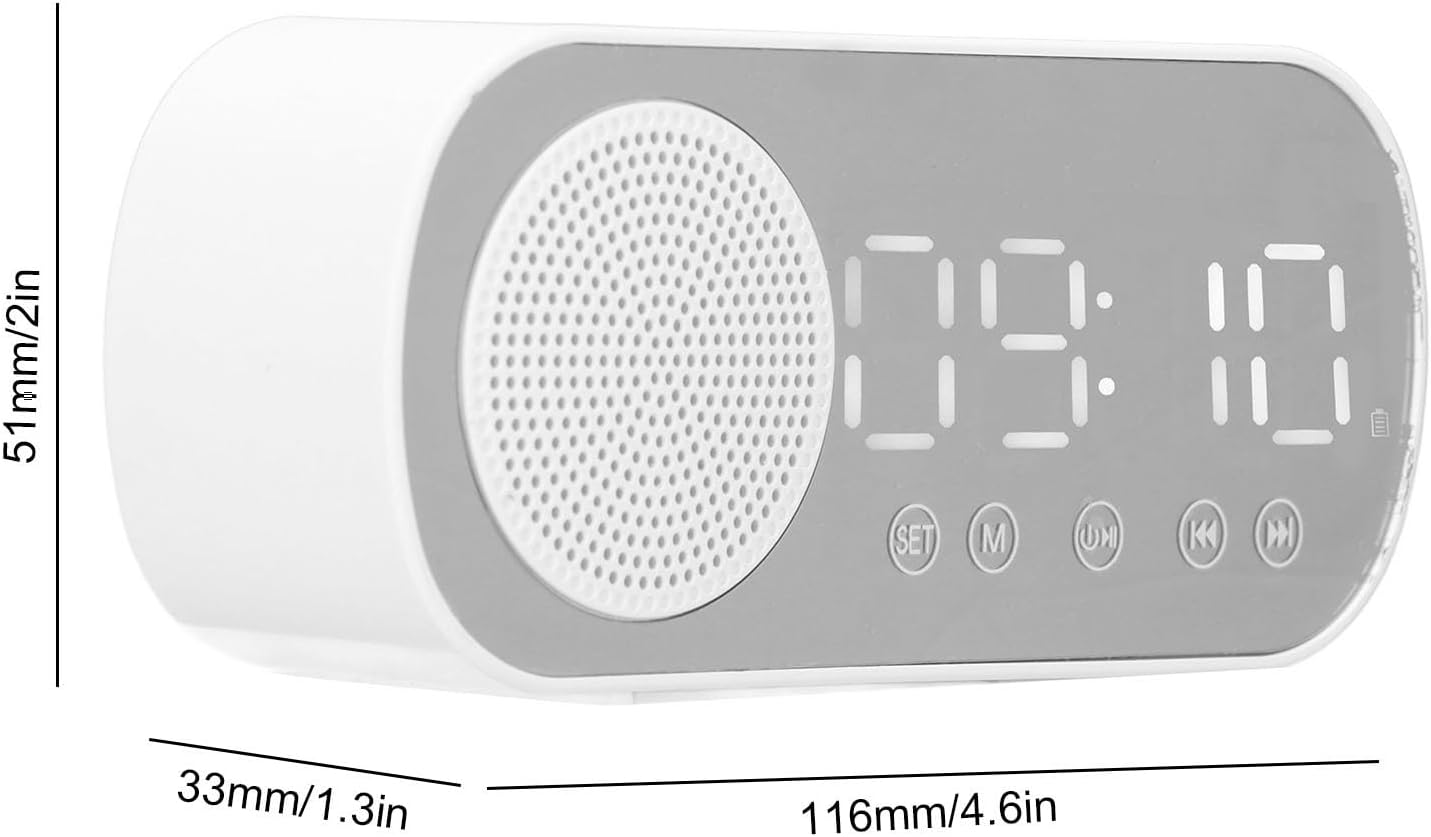
Image: Technical diagram illustrating the dimensions of the alarm clock: 116mm (4.6in) length, 51mm (2in) height, and 33mm (1.3in) depth.
Warranty and Support
For warranty information and technical support, please refer to the documentation included with your purchase or contact the manufacturer directly. Keep your proof of purchase for warranty claims.
Manufacturer: Generic
Model Number: Genericgfcybhmqrv