1. Introduction
Thank you for choosing the Dodoore S180 Drone with Camera. This manual provides essential information for the safe operation, setup, and maintenance of your drone. Please read this manual thoroughly before operating the device to ensure proper usage and to maximize your flight experience.
2. Safety Guidelines
Operating a drone requires attention to safety. Adhere to the following guidelines to prevent accidents and ensure a safe flight environment:
- Flight Environment: Operate the drone in open areas, away from people, animals, buildings, and power lines. Avoid flying in strong winds or adverse weather conditions.
- Line of Sight: Always maintain visual line of sight with the drone during flight.
- Battery Safety: Use only the provided batteries and charging cables. Do not overcharge or puncture batteries. Discontinue use if batteries show signs of damage or swelling.
- Propeller Safety: Keep hands, face, and loose clothing away from rotating propellers. Ensure propellers are correctly installed before flight.
- Age Recommendation: This product is recommended for users aged 14 and above.
- Local Regulations: Be aware of and comply with all local laws and regulations regarding drone operation.
3. Package Contents
Verify that all items are present in your package:
- 1 x Dodoore S180 RC Drone
- 1 x Remote Controller
- 2 x Drone Battery (3.7V 1000mAh)
- 1 x Charging Cable
- 4 x Spare Propellers
- 1 x Screwdriver
- 1 x Storage Bag
- 1 x User Manual
- 1 x APP Instruction
4. Drone Overview
The Dodoore S180 drone is equipped with advanced features for an enhanced flight and photography experience.

Image: The Dodoore S180 drone highlighting its triple camera system, adjustable camera angle, and wide-angle lens for comprehensive aerial photography.
4.1. Triple Camera System
The drone features a triple camera system with 8K resolution, supporting horizontal, vertical, and top-view shooting modes. This allows for diverse photographic perspectives.

Image: A detailed view of the drone's triple camera setup, capable of capturing images from multiple angles including top view, landscape, and vertical shooting.
4.2. Brushless Motors
Equipped with low-noise, high-performance brushless motors, the drone provides efficient power and extended flight time, while offering strong wind resistance.
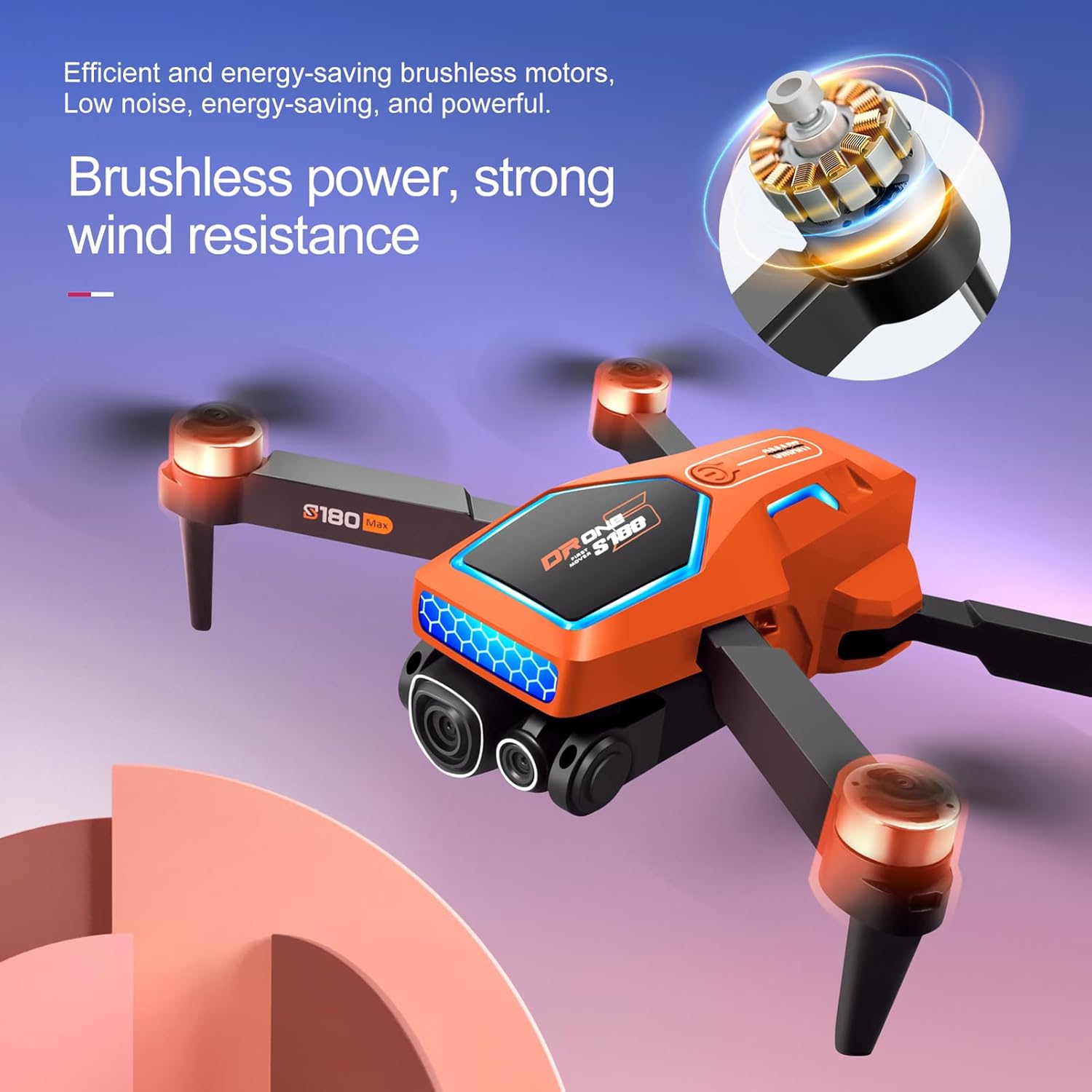
Image: The Dodoore S180 drone, illustrating its brushless motor technology for powerful and stable flight performance.
5. Remote Controller Overview
The remote controller provides intuitive control over the drone and its camera functions. It features a mount for your smartphone to view real-time FPV footage.

Image: A comprehensive guide to the remote controller, detailing the function of each button and joystick for drone operation and camera control.
6. Setup
6.1. Battery Installation and Charging
- Drone Battery: Insert the 3.7V 1000mAh drone battery into the designated compartment on the drone. Ensure it clicks securely into place.
- Remote Controller Batteries: Install 3 AA batteries (not included) into the remote controller's battery compartment.
- Charging: Connect the drone battery to the charging cable and then to a USB power source. The charging time is approximately 2 hours. Ensure the battery is fully charged before each flight.
6.2. Propeller Installation
Attach the propellers to the motor shafts. Ensure that the correct propellers (marked A or B) are installed on the corresponding motor arms as indicated in the drone's manual or markings.
6.3. App Download and Connection
Download the official Dodoore drone application from your smartphone's app store. Follow the in-app instructions to connect your smartphone to the drone's Wi-Fi network for FPV viewing and advanced control features.
7. Operating Instructions
7.1. Pairing Drone and Remote
- Power on the drone. Place it on a flat, level surface.
- Power on the remote controller.
- Push the left joystick up and then down. The drone's indicator lights will stop flashing and remain solid, indicating successful pairing.
7.2. One-Key Takeoff and Landing
Press the one-key takeoff button on the remote controller to initiate automatic takeoff. Press the one-key landing button to land the drone automatically.

Image: The drone demonstrating its simplified one-click controls for takeoff, landing, and emergency stop.
7.3. Optical Flow Positioning
The advanced optical flow positioning system helps maintain stable altitude during flight, making it easier to control, especially for beginners.
7.4. Intelligent Obstacle Avoidance
The drone is equipped with obstacle sensing technology that automatically detects and avoids obstacles during flight, enhancing operational safety.
7.5. 3D Flips
Execute impressive 3D flips by pressing the designated button on the remote controller and moving the right joystick in the desired direction.
7.6. Trajectory Flight
Utilize the trajectory flight feature via the mobile app. Draw a path on your smartphone screen, and the drone will follow the specified route.

Image: The drone's app interface displaying advanced flight functions such as gesture control for photos, 50x zoom, gravity induction control, and setting a trajectory for automated flight paths.
7.7. Camera Operation
Capture photos and record videos using the dedicated buttons on the remote controller or through the mobile application. The 8K camera supports various shooting modes.
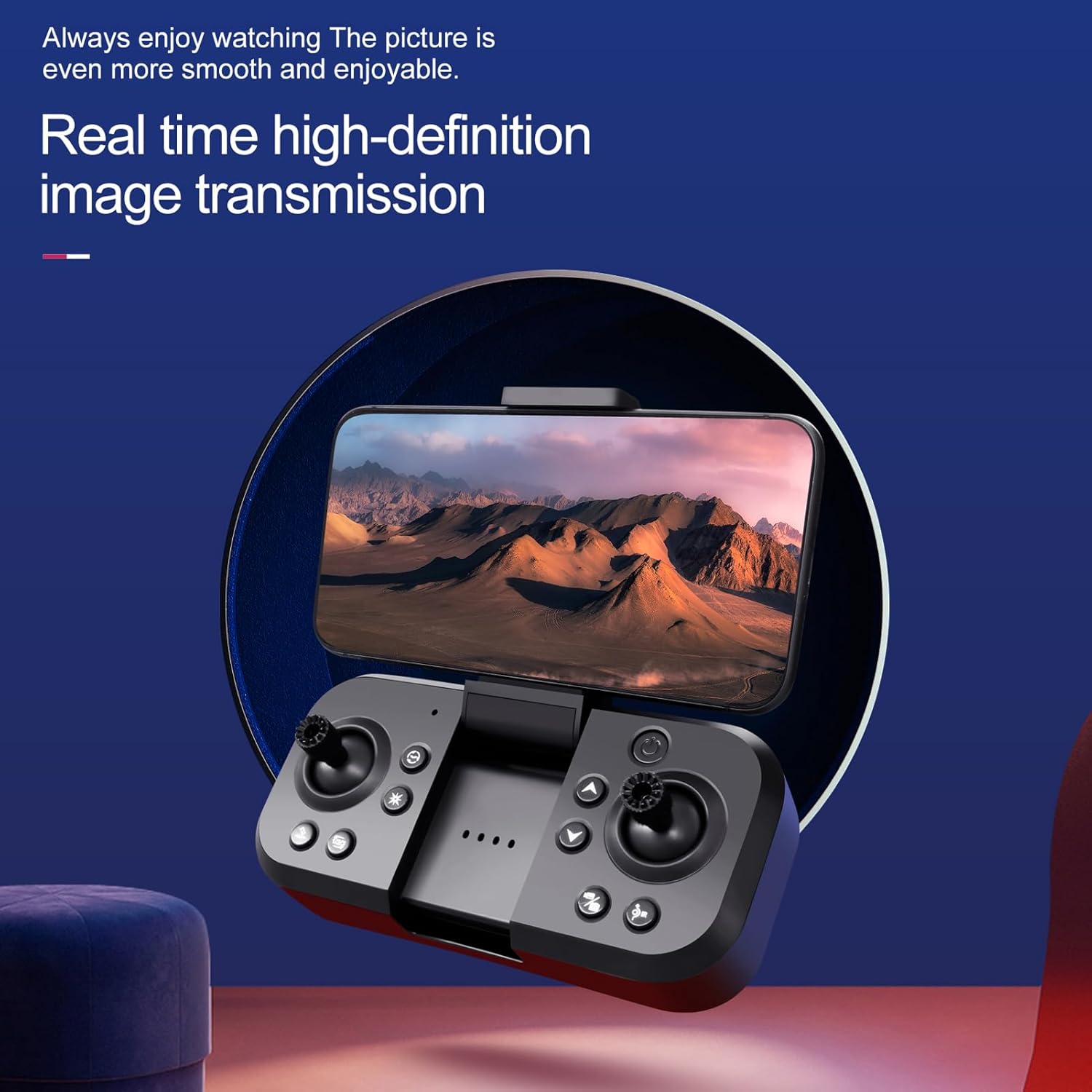
Image: The remote controller with a smartphone attached, showing the live feed from the drone's camera, enabling real-time image transmission and control.
7.8. Speed Adjustment
Adjust the drone's flight speed using the speed switching button on the remote controller to match your skill level or flight conditions.
7.9. Headless Mode
Activate headless mode for simplified control, where the drone's orientation is relative to the pilot, regardless of the drone's front direction.
7.10. Official Product Video
Video: An official product video demonstrating the Dodoore S180 Drone's features, including flight stability, camera capabilities, and ease of use in various outdoor settings.
8. Maintenance
8.1. Cleaning
Regularly clean the drone body and camera lenses with a soft, dry cloth. Avoid using harsh chemicals or solvents.
8.2. Propeller Replacement
If propellers are damaged, replace them immediately using the provided spare propellers and screwdriver. Ensure correct orientation (A and B) for each motor.
8.3. Battery Care
Store batteries in a cool, dry place. Do not leave batteries fully discharged or fully charged for extended periods. Follow all battery safety warnings.
9. Troubleshooting
| Problem | Possible Cause | Solution |
|---|---|---|
| Drone does not respond to remote. | Not paired; low battery. | Re-pair the drone and remote. Charge drone and replace remote batteries. |
| Drone drifts during flight. | Not calibrated; uneven surface at takeoff. | Perform gyroscope calibration. Take off from a flat surface. |
| Poor image/video quality. | Dirty lens; weak Wi-Fi signal. | Clean camera lens. Ensure strong Wi-Fi connection to smartphone. |
| Short flight time. | Battery not fully charged; old battery. | Ensure battery is fully charged. Consider replacing old batteries. |
10. Specifications
| Feature | Detail |
|---|---|
| Main Material | Plastics & Electronic Material |
| Motor Type | Brushless Motor |
| Operating Frequency | 2.4GHz |
| Flight Distance | Approx. 100m |
| Image Transmission Distance | Approx. 50-70m |
| Camera Photo Resolution | 7680*4320 (8K) |
| Camera Video Resolution | 1920*1080 |
| Charging Time | Approx. 2 hours |
| Working Time | Approx. 10-15 minutes |
| Drone Battery | 3.7V 1000mAh (Included) |
| Remote Controller Battery | 3*AA Battery (Not Included) |
| Drone Size (Unfold) | 27*25*5.5cm / 10.63*9.84*2.16inch |
| Drone Size (Fold) | 13.5*8*5.5cm / 5.31*3.15*2.16inch |
| Weight | 1.04 pounds |
| Model Number | LEN3258241117227LT |
11. Warranty and Support
For warranty information and technical support, please refer to the contact details provided with your purchase or visit the official Dodoore website. Keep your proof of purchase for warranty claims.