
Introduction
Welcome to the Niskite Kids Karaoke Microphone user manual. This guide provides essential information for the safe and effective use of your new wireless Bluetooth karaoke microphone. Please read these instructions carefully before using the product and retain them for future reference.
Setup
1. Unboxing and Initial Charge
Carefully remove all components from the packaging. The package includes the Kids Microphone. Before first use, ensure the microphone is fully charged.
- Connect the microphone to a USB power source using the provided USB Type-A cable.
- A full charge typically takes approximately 2 hours.
- Once fully charged, the microphone provides over 8 hours of continuous use.
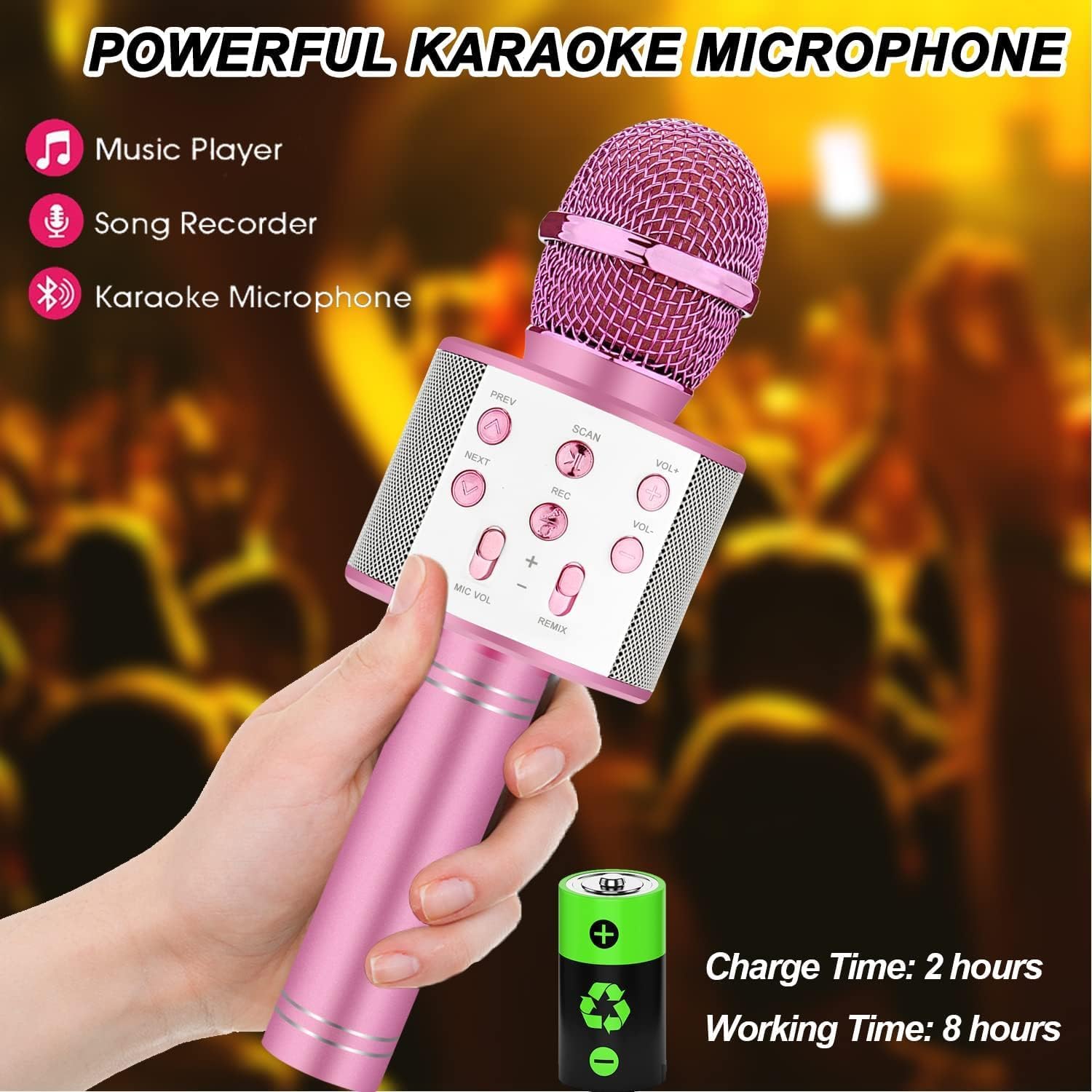
Image: The Niskite Kids Karaoke Microphone, highlighting its 2-hour charge time and 8-hour working time.
2. Powering On/Off
Locate the power button on the microphone. Press and hold the power button for a few seconds to turn the microphone on or off.
3. Connecting to Devices (Bluetooth or Audio Cable)
The Niskite Kids Karaoke Microphone supports two connection methods: Bluetooth and audio cable.
- Bluetooth Connection:
- Turn on the microphone. It will automatically enter Bluetooth pairing mode.
- On your smartphone, tablet, or other compatible device, enable Bluetooth and search for available devices.
- Select "Kids Karaoke Microphone" (or similar name) from the list to pair. The microphone will connect automatically after the first successful connection.
- Audio Cable Connection:
- Connect one end of a 3.5mm audio cable (not included) to the microphone's audio input port.
- Connect the other end to the audio output jack of your device (e.g., smartphone, computer).

Image: A visual guide illustrating how to connect the Niskite Kids Karaoke Microphone via Bluetooth or an audio cable to various devices.
Operating Instructions
1. Microphone Controls
Familiarize yourself with the buttons on the microphone for optimal use:
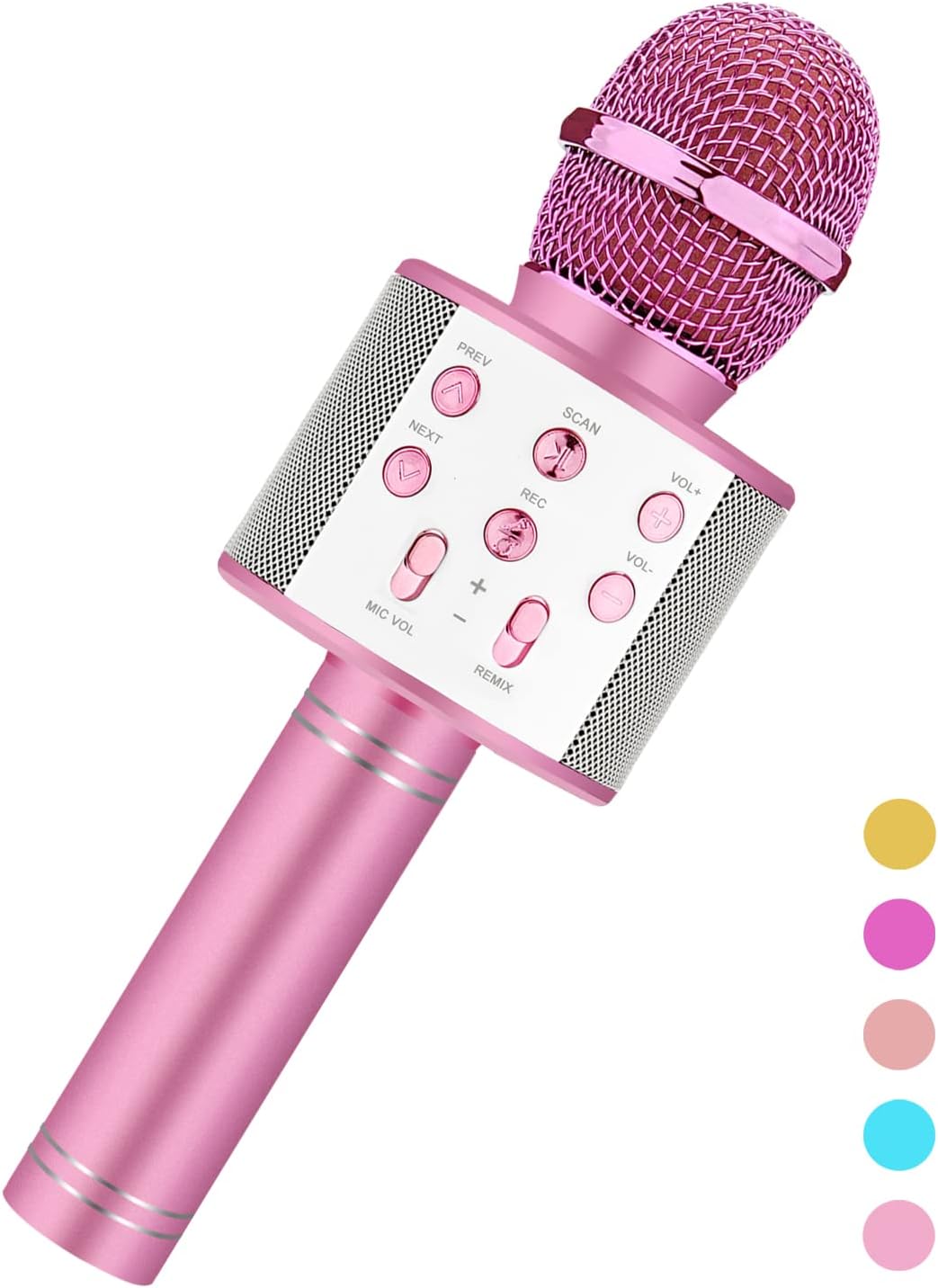
Image: The Niskite Kids Karaoke Microphone, displaying its control panel with buttons for playback, recording, volume, and voice effects.
- PREV / NEXT: Navigate between songs.
- SCAN: Play/Pause music.
- REC: Initiate recording (requires a compatible app on your connected device).
- VOL+ / VOL-: Adjust the music volume.
- MIC VOL: Adjust the microphone's vocal volume.
- REMIX: Adjust the echo/reverb effect.
2. Playing and Recording Songs
Once connected via Bluetooth or audio cable, you can play and record songs from any music application on your phone or tablet, such as Spotify or YouTube.
- Start playing music on your connected device.
- Sing into the microphone. Adjust MIC VOL and REMIX for desired sound.
- To record, use the REC button in conjunction with a recording app on your device.
3. Voice Change Effects
The microphone features 5 different voice change effects to enhance your singing experience.

Image: A graphic depicting the five distinct voice change options available on the Niskite Kids Karaoke Microphone, including Original, Female, Baby, Male, and Monster voices.
- Press the dedicated voice change button (often integrated with another function or a separate button, refer to the main image for exact location) to cycle through the available effects.
- Effects include Original Voice, Female Voice, Baby Voice, Male Voice, and Monster Voice.
Maintenance
1. Cleaning
- Wipe the microphone's exterior with a soft, dry cloth.
- Do not use harsh chemicals, abrasive cleaners, or allow water to enter the microphone's internal components.
2. Storage
- Store the microphone in a cool, dry place away from direct sunlight and extreme temperatures.
- Keep out of reach of small children when not in use.
3. Battery Care
- The microphone uses a UL Certified Lithium Ion battery for safety.
- Avoid overcharging or completely draining the battery frequently to prolong its lifespan.
- If the microphone will not be used for an extended period, charge it to about 50% before storing.
Troubleshooting
If you encounter issues with your Niskite Kids Karaoke Microphone, please refer to the following common solutions:
| Problem | Solution |
|---|---|
| Microphone does not power on. | Ensure the battery is charged. Connect to a power source and charge for at least 30 minutes before attempting to power on again. |
| Cannot connect via Bluetooth. | Make sure the microphone is in pairing mode. Turn off and on your device's Bluetooth. Ensure no other devices are currently connected to the microphone. Move closer to the microphone. |
| No sound from the microphone. | Check the MIC VOL setting on the microphone. Ensure the connected device's volume is up. Verify the microphone is properly connected via Bluetooth or audio cable. |
| Music is playing but no vocals. | Adjust the MIC VOL on the microphone. Ensure you are speaking directly into the microphone's head. |
| Voice change effects are not working. | Ensure you are pressing the correct button to cycle through the effects. |
Specifications
- Brand: Niskite
- Model Name: Kids Karaoke Microphone
- Microphone Form Factor: Handheld
- Item Dimensions (L x W x H): 2.25 x 2.25 x 7 inches
- Item Weight: 10.5 ounces
- Power Source: Battery Powered
- Battery Type: 1 Lithium Ion battery (included)
- Hardware Platform: Karaoke Machine
- Number of Channels: 1
- Connectivity Technology: Bluetooth
- Connector Type: USB Type-A
- Special Feature: Portable
- Compatible Devices: Smartphone
- Color: PinkColor
- Included Components: Kids Microphone
- Polar Pattern: Directional
Warranty and Support
For warranty information and customer support, please refer to the product packaging or contact Niskite directly through their official channels. You can visit the Niskite Store on Amazon for more information.