
1. Introduction
Thank you for choosing the YITAHOME Farmhouse Nightstand. This manual provides detailed instructions for the assembly, operation, and maintenance of your new nightstand. Please read this guide thoroughly before beginning assembly or use to ensure proper function and safety.
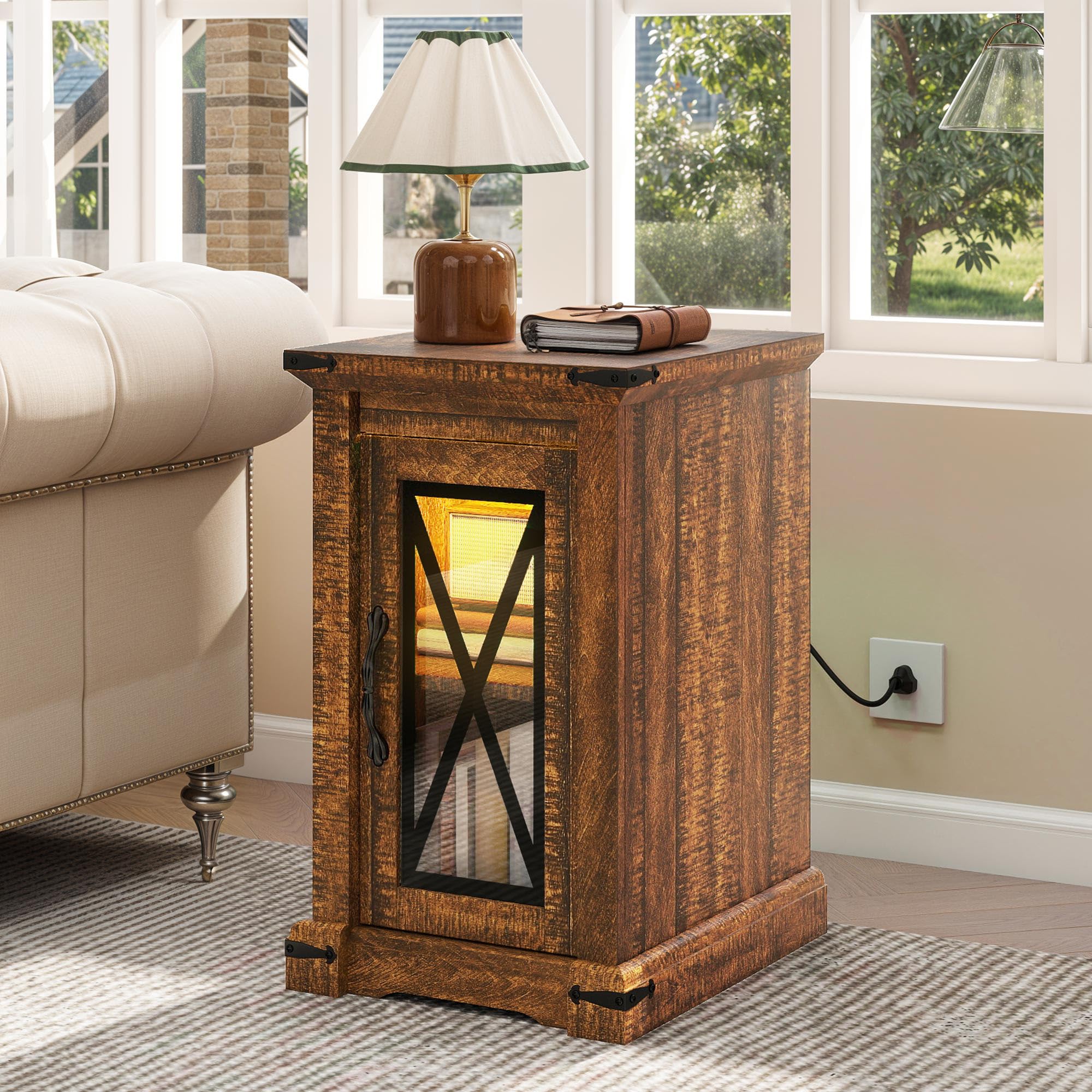
This nightstand features a rustic farmhouse design, integrated charging station with USB ports and AC outlets, multi-color LED lighting, and an adjustable storage shelf. It is designed for use in bedrooms, living rooms, or as a sofa side table.
2. Safety Information
For safe use of your YITAHOME Nightstand, please observe the following guidelines:
- Weight Limit: Avoid exceeding the maximum weight recommendation of 45 pounds on the adjustable shelf and tabletop.
- Stability: Ensure the table is stable and placed on a level surface. Do not place it near any tripping hazards.
- Assembly: Keep fingers away from moving parts during assembly to prevent pinching. Always refer to the assembly guide for proper installation instructions.
- Electrical Safety: The integrated charging station is for indoor use only. Do not expose to moisture. Do not attempt to open or modify the electrical components.
- Product Care: Wipe with a dry cloth. Avoid using harsh chemicals or abrasive cleaners.
3. Package Contents
Before assembly, verify that all components are present and undamaged. If any parts are missing or damaged, please contact customer support.
The package typically includes:
- All necessary wooden panels (e.g., top, side, bottom, shelf, door)
- Hardware kit (screws, dowels, cam locks, hinges, handle)
- Integrated charging station (2 AC outlets, 2 USB ports)
- LED light strip with remote control
- Assembly Guide
4. Assembly Instructions
Assembly is required for this product. Please follow the step-by-step instructions provided in the included Assembly Guide. Ensure all pre-labeled parts are correctly identified before starting.
- Prepare the Area: Clear a spacious, clean, and level area for assembly. Lay out all components and hardware.
- Assemble the Frame: Connect the side panels to the bottom and top panels using the provided hardware. Ensure all connections are secure.
- Install the Adjustable Shelf: Insert the shelf supports into the pre-drilled holes at your desired height. Place the adjustable shelf onto the supports.
- Attach the Door: Secure the door hinges to the side panel and the door. Attach the handle to the door.
- Install Charging Station: Carefully place the charging station into the designated cutout on the tabletop and secure it with screws.
- Apply LED Lights: Adhere the LED light strip to the interior of the nightstand as indicated in the guide. Connect it to the power source.
- Final Checks: Verify all screws are tightened and the nightstand is stable.


5. Operating Instructions
5.1 Charging Station
The integrated charging station is located on the tabletop for convenient access. It includes:
- 2 AC Outlets (120V/12A): For powering standard electronic devices.
- 2 USB Ports (5V/2A): For charging mobile phones, tablets, and other USB-powered devices.
To use, simply plug the nightstand's power cord into a wall outlet. Then, connect your devices to the appropriate outlets or USB ports on the tabletop.

5.2 LED Lighting
The nightstand features a multi-color RGB LED light strip for customizable ambiance. The lights are controlled via a remote control or a dedicated app (if applicable, refer to the LED light kit's specific instructions).
- Power On/Off: Use the designated button on the remote to turn the lights on or off.
- Color Selection: Choose from 7 different colors or various dynamic modes using the remote control.
- Brightness Adjustment: Adjust the light intensity to your preference.
- Timing Function: Set timers for the lights to turn off automatically.
- Music Sync: Some models may offer a music synchronization feature, allowing lights to react to sound.

6. Maintenance
Proper care will extend the life and appearance of your nightstand.
- Cleaning: Wipe the surface with a dry, soft cloth. For stubborn marks, a slightly damp cloth followed by a dry cloth can be used. Avoid abrasive cleaners, solvents, or polishes that may damage the finish.
- Spills: Immediately wipe up any spills to prevent staining or damage to the engineered wood.
- Electrical Components: Keep the charging station free from dust and debris. Do not spray liquids directly onto electrical components.
- Hardware: Periodically check and tighten any loose screws or fittings to maintain stability.
7. Troubleshooting
If you encounter issues with your nightstand, refer to the following common problems and solutions:
| Problem | Possible Cause | Solution |
|---|---|---|
| Nightstand is wobbly. | Loose hardware; uneven floor. | Tighten all assembly screws. Adjust foot pads if available, or place shims under legs on uneven surfaces. |
| Charging station not working. | Not plugged in; power outage; faulty device cable. | Ensure the nightstand's power cord is securely plugged into a working wall outlet. Check if the wall outlet has power. Try a different device cable. |
| LED lights not turning on. | LED strip not connected; remote battery dead; power issue. | Check if the LED strip is properly connected to its power source. Replace remote control batteries. Ensure the nightstand's main power is connected. |
| Door does not close properly. | Hinges misaligned; obstruction. | Adjust the door hinges according to the assembly guide. Check for any obstructions inside the cabinet. |
If the problem persists, please contact YITAHOME customer support for further assistance.
8. Specifications
| Feature | Detail |
|---|---|
| Brand | YITAHOME |
| Model Number | MAYIHBHzFF |
| Product Dimensions (D x W x H) | 16.9" x 13.7" x 25.5" (43cm x 35cm x 64.8cm) |
| Item Weight | 26.5 Pounds (12 kg) |
| Maximum Weight Recommendation | 45 Pounds (20.4 kg) |
| Frame Material | Engineered Wood |
| Color | Brown |
| Tabletop Thickness | 1.18 Inches (3 cm) |
| Charging Station | 2 AC Outlets (120V/12A), 2 USB Ports (5V/2A) |
| LED Lights | Multi-color RGB with remote control |
| Assembly Required | Yes |
| Tools Recommended For Assembly | Wrench (included in hardware kit) |
9. Warranty and Support
For warranty information or customer support, please refer to the documentation included with your purchase or contact YITAHOME directly through their official website or the retailer where the product was purchased. Please have your model number (MAYIHBHzFF) and purchase date ready when contacting support.
Manufacturer: YITAHOME
UPC: 197839867383