
Ambimall BP-F018
Ambimall BP-F018 70-Inch Dimmable Arc Floor Lamp User Manual
Model: BP-F018
Introduction
Thank you for choosing the Ambimall BP-F018 70-Inch Dimmable Arc Floor Lamp. This manual provides essential information for the safe and efficient operation of your new lamp. Please read it thoroughly before assembly and use, and retain it for future reference.
Safety Information
- Ensure the power supply voltage matches the lamp's requirements (120 Volts).
- Do not operate the lamp with a damaged cord or plug.
- Unplug the lamp from the power outlet before cleaning or replacing the bulb.
- Keep the lamp away from water or damp environments as it is not water resistant.
- The lamp base is weighted for stability; however, ensure it is placed on a flat, stable surface to prevent tipping.
- Use only the specified bulb type (E26 base, A19 shape, 9 watts LED).
Package Contents
Verify that all components are present before beginning assembly:
- Bulb
- Remote Control
- Shade
- Lamp Poles (multiple sections)
- Heavy Metal Base
Setup and Assembly
Assembly of your Ambimall Arc Floor Lamp is designed to be straightforward and typically takes 5 to 10 minutes without the need for additional tools.
- Unpack Components: Carefully remove all parts from the packaging and lay them out on a clean, flat surface.
- Assemble Lamp Poles: Twist the individual lamp pole sections together clockwise until they are securely connected.
- Attach to Base: Screw the assembled lamp pole into the heavy metal base. Ensure it is tightened firmly to provide stability.
- Install Bulb: Gently screw the provided LED bulb into the E26 socket located at the end of the arched arm.
- Attach Lampshade: Secure the fabric lampshade to the lamp's fixture.
- Position Lamp: Place the lamp in your desired location, ensuring the cord is not pinched or a tripping hazard.

Image: Overview of the Ambimall Arc Floor Lamp with key features and dimensions.
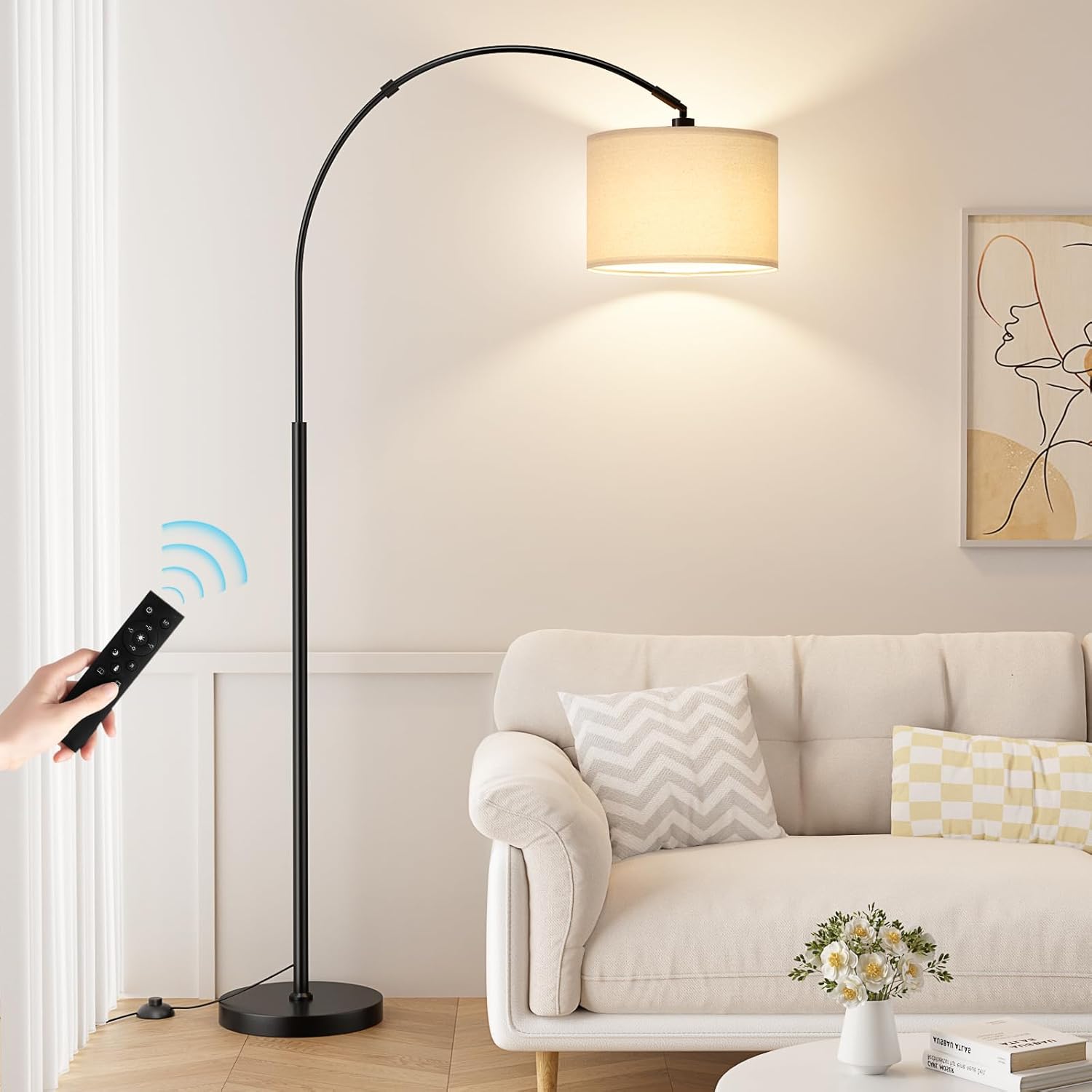
Image: The Ambimall Arc Floor Lamp fully assembled in a living room.
Operating Instructions
Your Ambimall Arc Floor Lamp offers versatile lighting control through its remote and foot switch.
Foot Switch Operation
The foot switch located on the power cord allows for basic ON/OFF functionality. Ensure the foot switch is set to the 'ON' position for the remote control to function.
Remote Control Functions
The included remote control provides comprehensive command over your lamp's settings. The magnetic remote can be conveniently stored on the lamp stand.
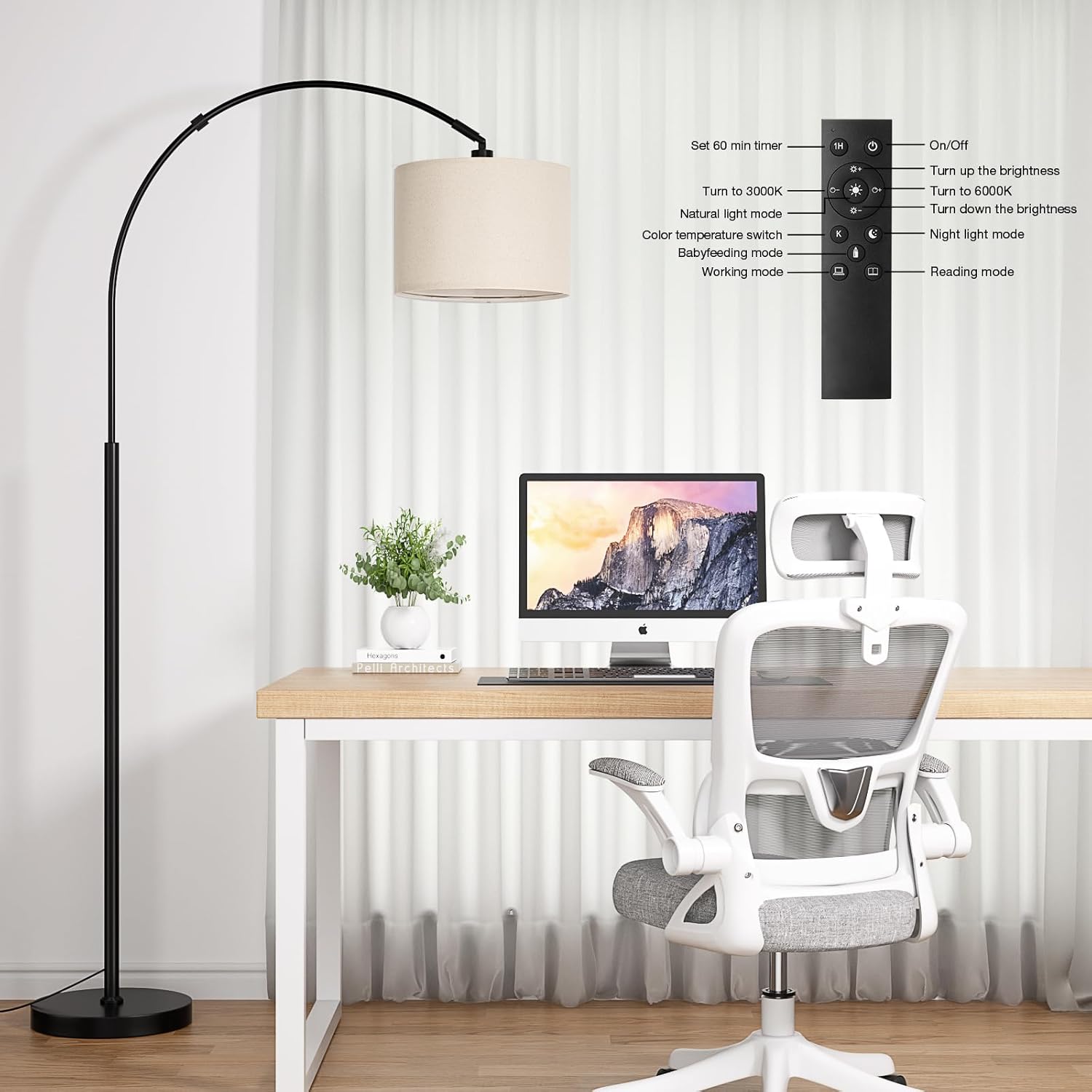
Image: Remote control for the Ambimall Arc Floor Lamp.
- Power ON/OFF: Press the power button to turn the lamp on or off.
- Brightness Adjustment (Stepless Dimming): Use the '+' and '-' buttons to seamlessly adjust brightness from 0% to 100%.
- Color Temperature Adjustment: Press the 'K' button to cycle through three color temperatures: Warm White (3000K), Natural White (4500K), and Cool White (6000K).
- Preset Modes: The remote includes dedicated buttons for various lighting scenarios:
- Nightlight Mode: For soft, low-level illumination.
- Baby Feeding Mode: Gentle light suitable for nighttime feeding.
- Work Mode: Brighter, cooler light for focused tasks.
- Immersive Reading Mode: Optimized light for comfortable reading.
- 1-Hour Timer: Activate the 1-hour timer function to automatically turn off the lamp after one hour.
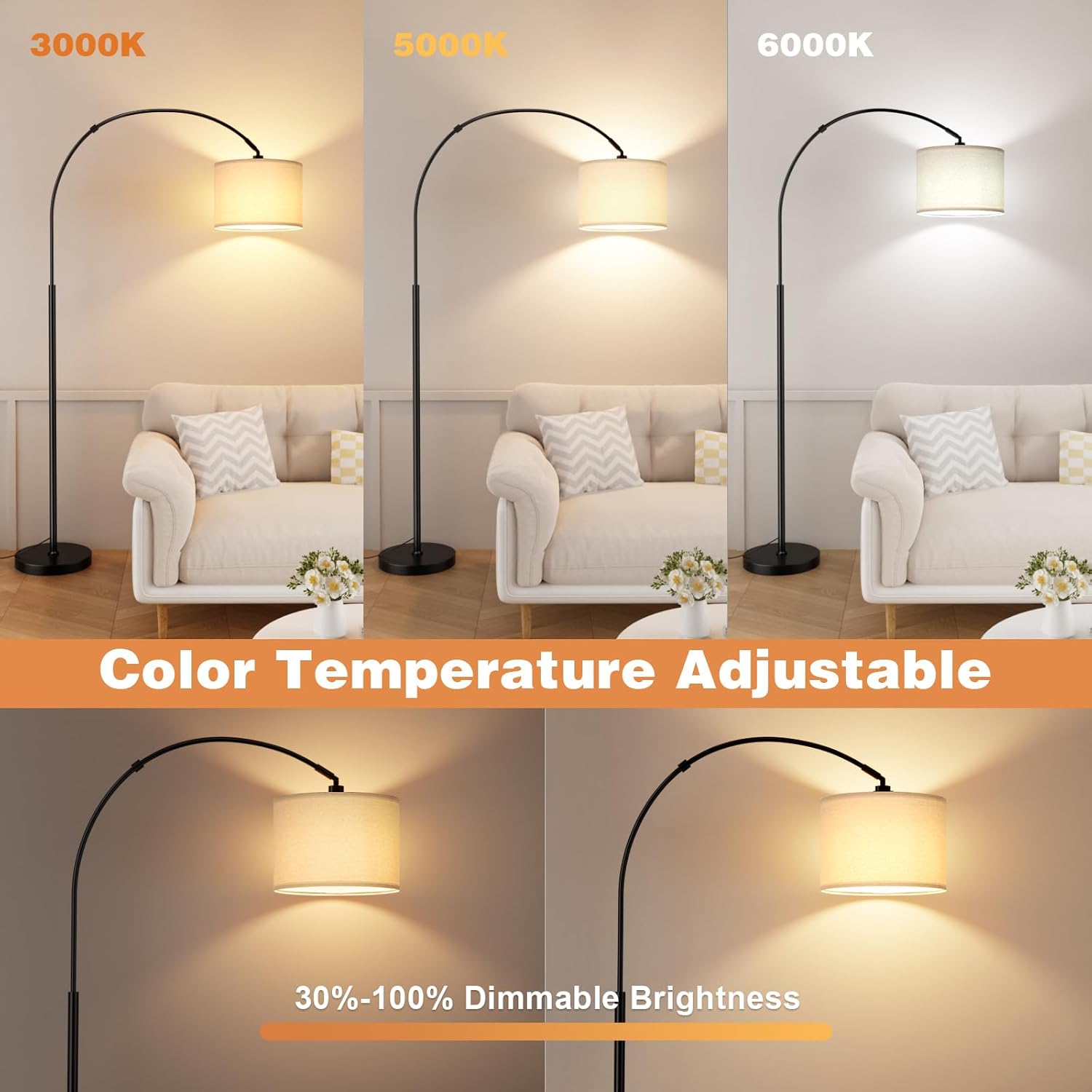
Image: Demonstrating adjustable color temperatures and dimmable brightness.

Image: Brightness adjustment from 20% to 100%.

Image: Different color temperature scenarios (3000K, 5000K, 6000K).

Image: Night light mode icon.

Image: Baby feeding mode icon.

Image: Working mode icon.

Image: Reading mode icon.
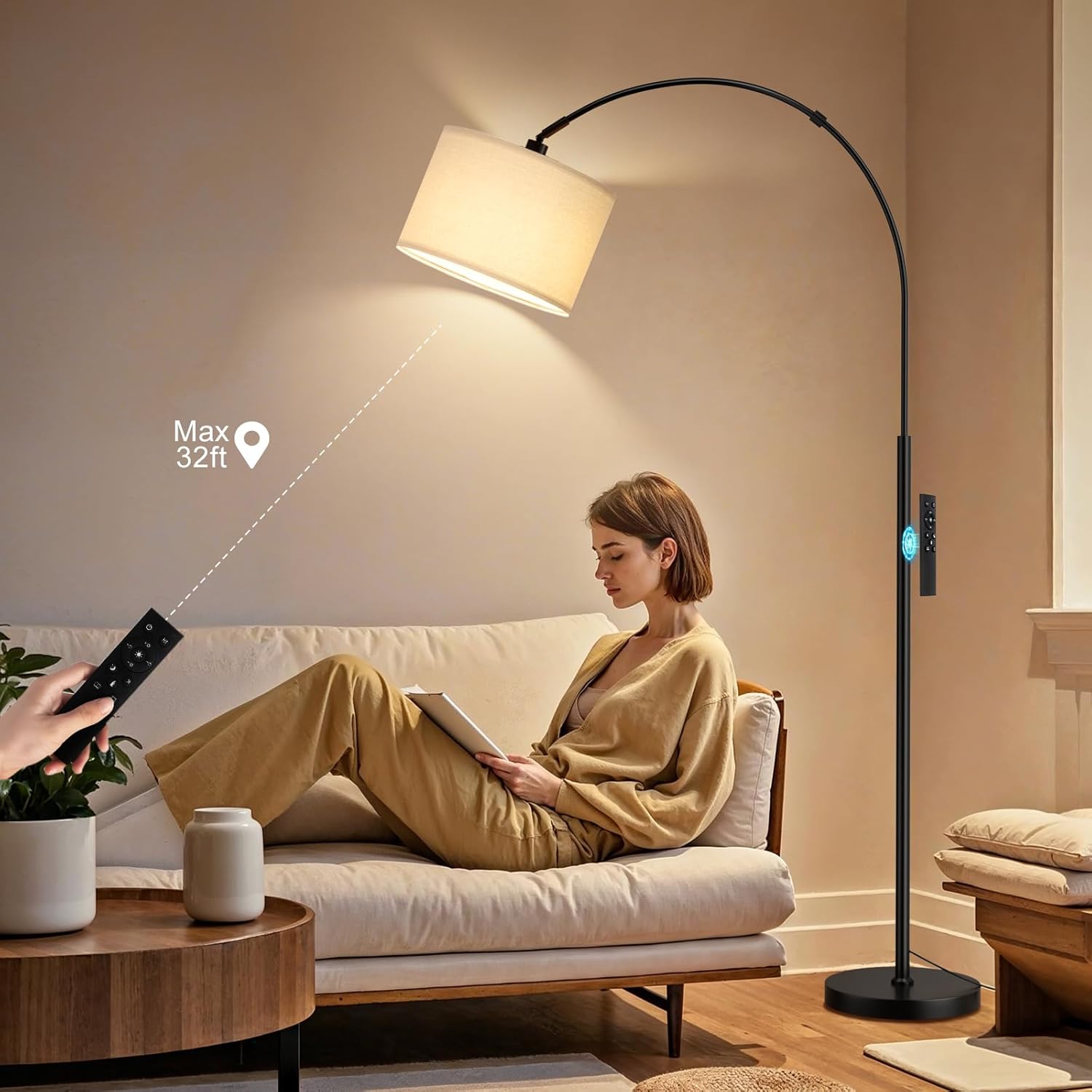
Image: Remote control in use, showing a maximum range of 32 feet.
Flexible Lampshade with Rotation
The lampshade features a 350° horizontal and 180° vertical rotation range, allowing you to direct light precisely where needed.

Image: Lampshade rotation capabilities.
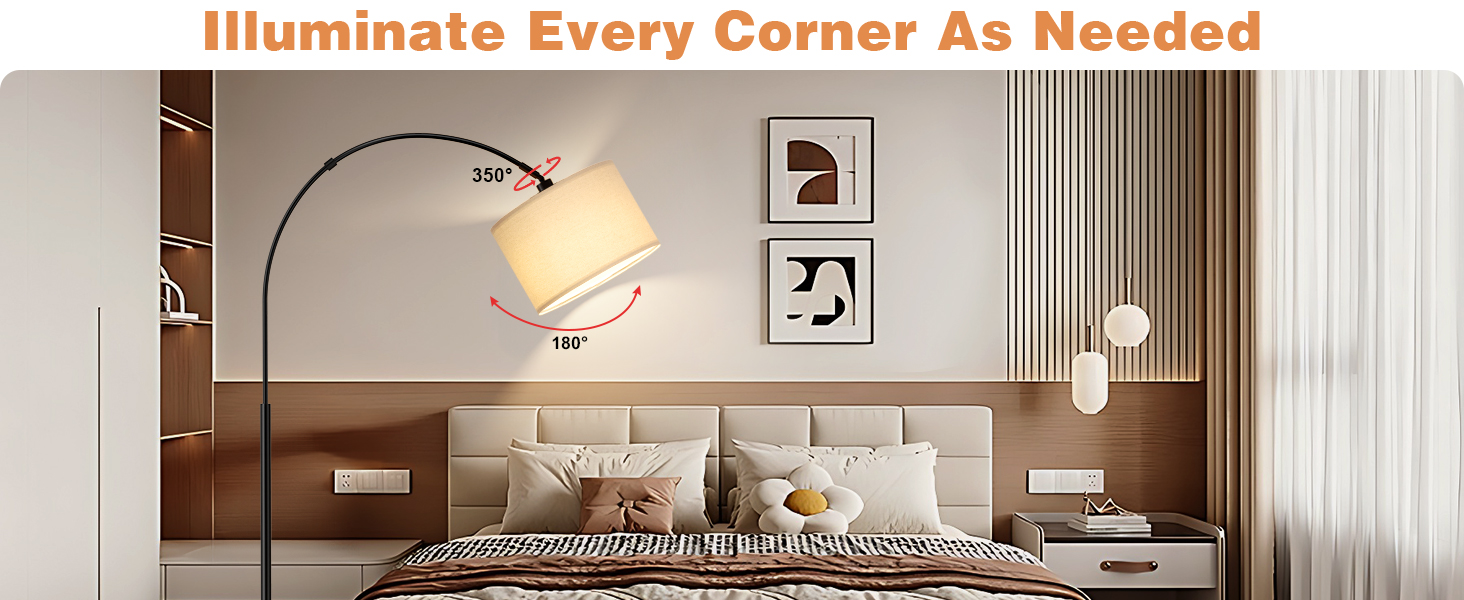
Image: Rotating head feature for directional lighting.
Maintenance
- Cleaning: Disconnect the power before cleaning. Wipe the lamp with a soft, dry cloth. Do not use abrasive cleaners or solvents.
- Bulb Replacement: Ensure the lamp is unplugged and cool before replacing the bulb. Use an E26 base, A19 shape, 9-watt LED bulb.
Troubleshooting
- Lamp does not turn on:
- Check if the power cord is securely plugged into a working outlet.
- Ensure the foot switch is in the 'ON' position.
- Verify the bulb is correctly installed and not burnt out.
- Check the remote control battery.
- Remote control not responding:
- Ensure the foot switch on the cord is 'ON'.
- Replace the remote control battery.
- Ensure there are no obstructions between the remote and the lamp.
- Light flickers or dims unexpectedly:
- Check for loose bulb connections.
- Ensure the bulb wattage is within the recommended limits.
Specifications
| Feature | Specification |
|---|---|
| Brand | Ambimall |
| Model Number | BP-F018 |
| Lamp Type | Floor Lamp |
| Product Dimensions | 11"D x 27.95"W x 70.66"H |
| Item Weight | 4.8 Kilograms |
| Material Type | Metal |
| Shade Material | Linen |
| Color | Deep Beige and Black |
| Light Source Type | LED |
| Bulb Base | E26 |
| Wattage | 9 watts |
| Voltage | 120 Volts |
| Control Method | Remote, Foot Control |
| Additional Features | Adjustable Color Temperature, Dimmable, Rotating Head |
| Indoor/Outdoor Usage | Indoor |
Warranty
This Ambimall product comes with a 2-year manufacturer's warranty. Please retain your proof of purchase for warranty claims. For detailed warranty terms and conditions, refer to the product packaging or contact Ambimall customer support.
Support
For further assistance, troubleshooting, or to inquire about replacement parts, please visit the official Ambimall website or contact their customer service department. Contact information can typically be found on the product packaging or on the brand's online store.
Ask a question about this manual
Ask about setup, troubleshooting, compatibility, parts, safety, or missing instructions. Manuals+ will review the question and use this page’s manual context to help answer it.