
1. Introduction
The Fvtga T12 Tire Pressure Monitoring System (TPMS) is designed to enhance driving safety by providing real-time tire pressure and temperature data. This system helps maintain optimal tire conditions, preventing potential hazards associated with under-inflated or over-inflated tires. It features both solar and USB charging options, a clear color LCD screen, and multiple alarm modes to alert you to abnormal tire conditions.
This manual provides detailed instructions for the installation, operation, and maintenance of your Fvtga T12 TPMS. Please read it thoroughly before use to ensure proper functionality and safety.
2. What's in the Box
- 1 x TPMS Monitor Unit
- 4 x External Tire Sensors
- 1 x USB Charging Cable
- 1 x Wrench for Sensor Installation
- 4 x Anti-theft Nuts
- 1 x User Manual
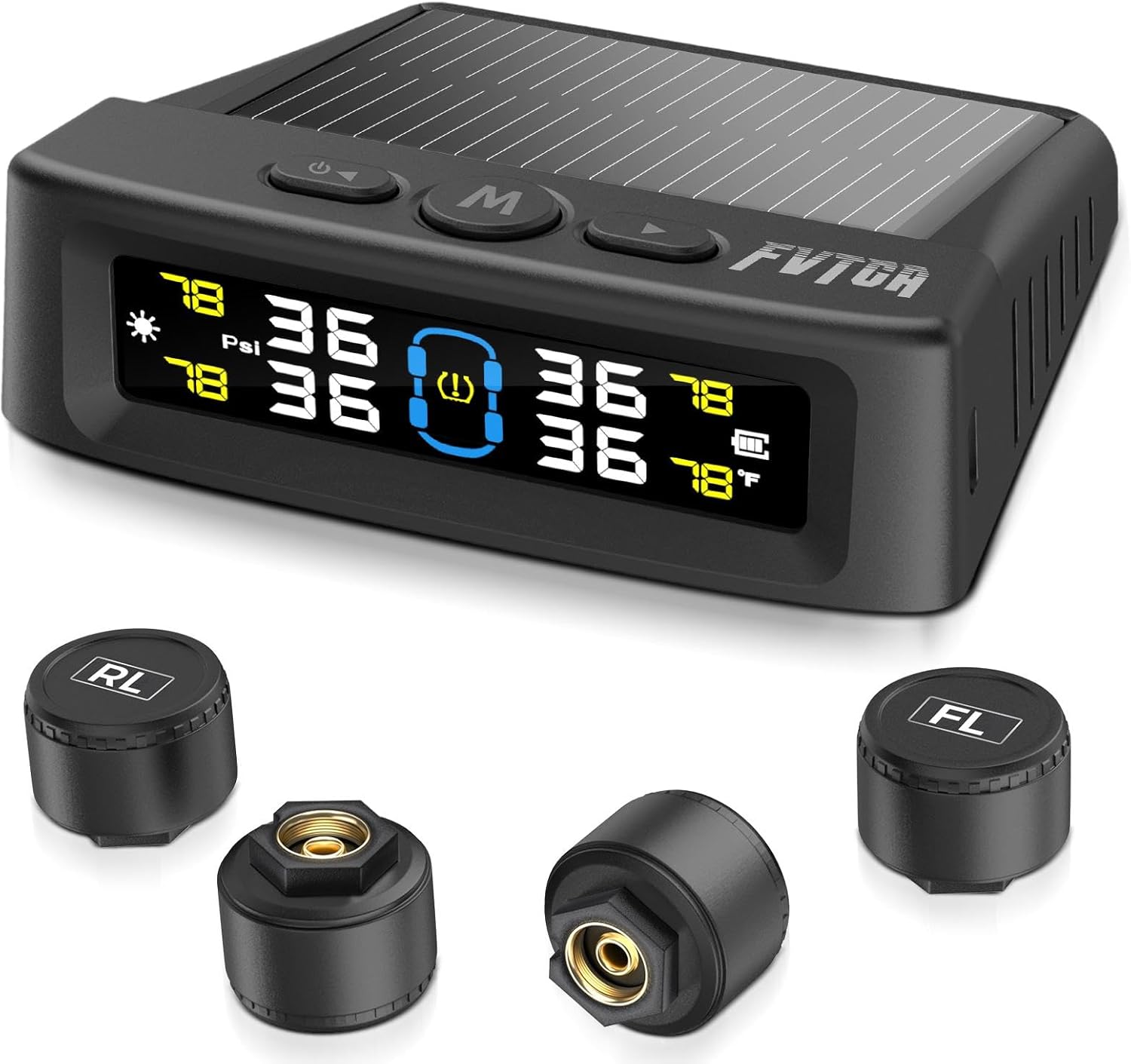
Image: The Fvtga T12 TPMS package contents, including the main monitor unit and four external tire sensors.
3. Product Features
- Real-time Monitoring: Continuously monitors tire pressure and temperature for all four tires.
- Stable Signals: Features anti-interference technology for reliable data transmission.
- Fast Updates: Sensors monitor data every 0.3 seconds, with the display updating every 6 seconds.
- Dual Charging: Supports both solar power and USB charging for continuous operation.
- Six Alarm Modes: Alerts for high/low pressure, high temperature, disconnection, low battery, and sensor fault.
- Customizable Thresholds: High/low pressure and high temperature alarm values can be set by the user.
- HD LCD Color Screen: Clear display with automatic brightness adjustment for visibility in various lighting conditions.
- Auto On/Off: The monitor automatically turns on when the car starts and off when the car is turned off.
- Voice Prompt: Provides audible alerts for critical tire issues.
- IPX7 Waterproof Sensors: External sensors are designed to withstand rain and harsh weather conditions.
- Easy Installation: Non-destructive installation without disassembling tires or complex wiring.
- Wide Compatibility: Suitable for various four-wheel vehicles including sedans, SUVs, MPVs, pick-up trucks, and RVs (0-87 PSI).
4. Setup and Installation
4.1 Monitor Setup
- Place the TPMS monitor on your dashboard in a location that receives direct sunlight for solar charging and is easily visible.
- Press and hold the power button for 3 seconds to turn on the monitor.
- Ensure the monitor is charged. It can be charged via the included USB cable or through its solar panel.

Image: The Fvtga T12 TPMS monitor placed on a vehicle dashboard, illustrating its intelligent on/off functionality when the car starts or stops.
4.2 Sensor Installation
The external sensors are designed for quick and easy installation without requiring tire removal.
- Unscrew the original valve cap from the tire valve.
- Screw the anti-theft nut clockwise onto the tire valve stem, pushing it down to the base of the valve.
- Screw the corresponding sensor (marked FL, FR, RL, RR for Front Left, Front Right, Rear Left, Rear Right) clockwise onto the tire valve stem.
- Using the provided wrench, tighten the anti-theft nut counter-clockwise against the sensor to secure it. This prevents accidental loosening and theft.
- Check for any air leaks after installation.

Image: A visual guide demonstrating the five steps for installing the external tire pressure sensors, including screwing on the anti-theft nut, attaching the sensor, and tightening with a wrench.
Video: A short demonstration showing the quick and easy installation process of the Fvtga TPMS external sensors on a tire valve. The video highlights screwing on the sensor and securing it.
5. Operating Instructions
5.1 Power On/Off
- Manual On: Press and hold the power button (usually marked with a power symbol) for 3 seconds.
- Manual Off: Press and hold the power button for 3 seconds.
- Automatic On/Off: The monitor will automatically turn on when it detects vehicle vibration (car starts) and turn off after a period of no vibration (car stops).
Video: A short clip demonstrating the automatic power-on feature of the Fvtga TPMS monitor when the vehicle is started, showing the display activating and showing tire data.
5.2 Display Information
The color LCD screen displays real-time pressure and temperature for each tire. The display automatically adjusts brightness based on ambient light.
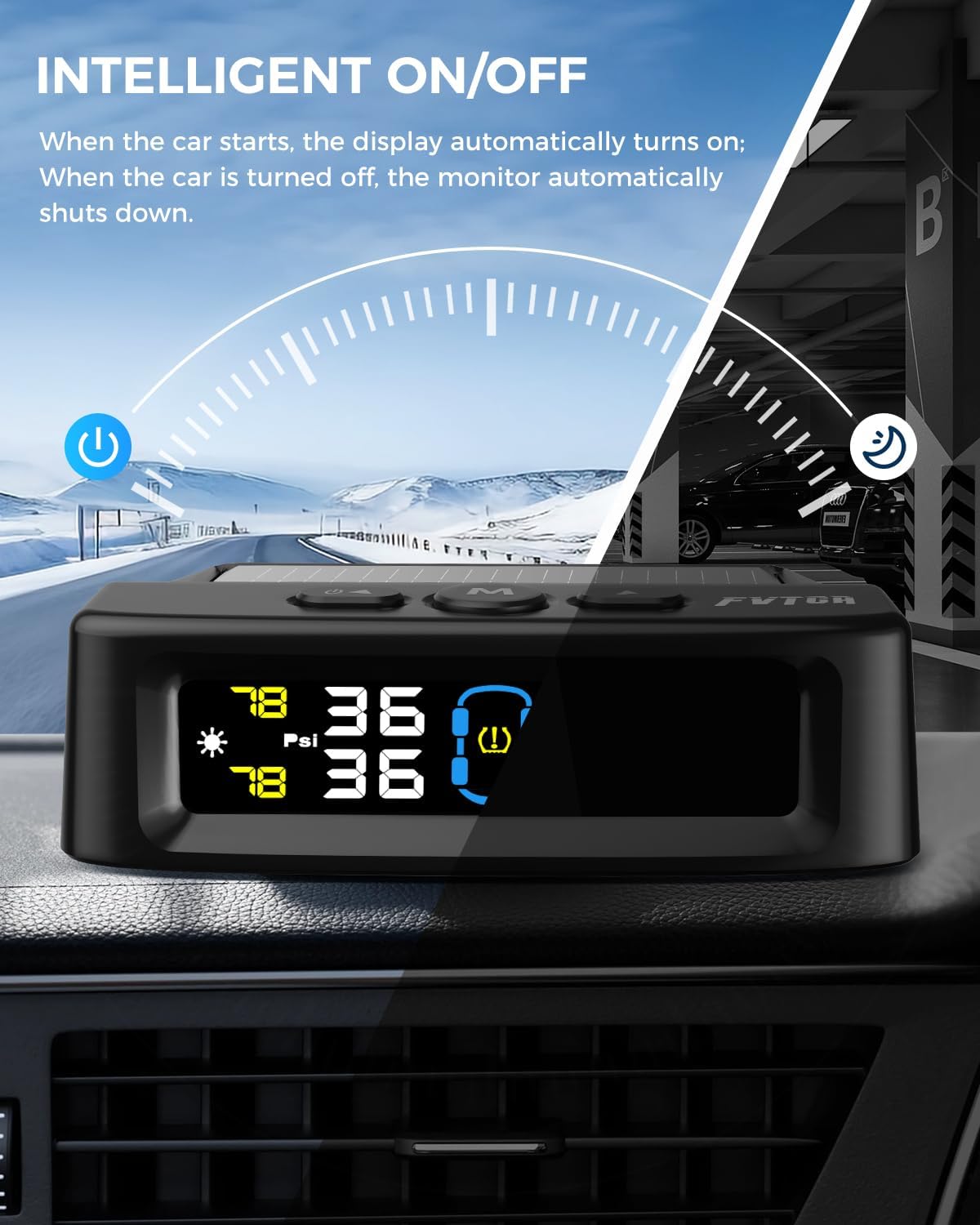
Image: The Fvtga T12 TPMS monitor's HD LCD color screen, highlighting its automatic brightness adjustment feature for optimal visibility and the voice prompt function.
5.3 Alarm Modes and Settings
The system provides six types of alarms to alert you to potential tire issues:
- High Pressure Alarm
- Low Pressure (Leakage) Alarm
- High Temperature Alarm
- Disconnection Alarm
- Low Battery Alarm (for sensors)
- Sensor Fault Alarm
When an alarm is triggered, the monitor will display the specific issue and provide a voice prompt. Press any button to silence the voice alert.

Image: The Fvtga T12 TPMS monitor displaying the six different alarm modes, including high pressure, low pressure, high temperature, disconnection, low battery, and sensor fault, along with the voice prompt feature.
Video: A brief demonstration of the Fvtga TPMS voice alert system, showing the monitor issuing an audible warning for low tire pressure and how to silence it by pressing a button.
Setting Alarm Thresholds:
The default alarm values for high/low pressure and high temperature can be customized. Refer to the detailed instructions in the included printed manual for specific button sequences to enter the settings menu and adjust these values.
Changing Units:
To switch between pressure units (PSI/Bar) or temperature units (°C/°F), long-press the right button for 6 seconds.
6. Maintenance
6.1 Charging the Monitor
The monitor can be charged via its built-in solar panel or the provided USB cable. Ensure the solar panel is exposed to sunlight for optimal charging. For faster charging or in low-light conditions, use the USB cable.

Image: The Fvtga T12 TPMS monitor illustrating its dual charging capabilities: solar charging via the top panel and USB charging via the side port.
Video: A short demonstration of the Fvtga TPMS monitor's solar charging capability, showing sunlight hitting the solar panel on the device.
6.2 Sensor Battery Replacement
The external sensors use CR1632 button cell batteries. When a sensor's battery is low, the monitor will display a low battery alarm. To replace the battery:
- Unscrew the sensor from the tire valve.
- Carefully open the sensor casing.
- Remove the old CR1632 battery and insert a new one, ensuring correct polarity.
- Close the sensor casing securely and re-install it on the tire valve following the installation steps.
6.3 Cleaning
Wipe the monitor and sensors with a soft, dry cloth. Avoid using abrasive cleaners or solvents that could damage the device.
7. Troubleshooting
- No Display/Monitor Not Turning On:
- Ensure the monitor is charged. Connect it to a USB power source.
- Press and hold the power button for 3 seconds to manually turn it on.
- Check if the vehicle is moving; the auto on/off feature relies on vibration. - Sensor Data Not Displaying/Inaccurate Readings:
- Verify that all sensors are correctly installed and tightened.
- Ensure the sensors are paired with the monitor. Refer to the pairing instructions in the full manual if re-pairing is needed.
- Check sensor battery levels. Replace if low.
- Drive the vehicle for a few minutes to allow sensors to transmit data. - Alarm Sounds Frequently:
- Check tire pressure and temperature. Inflate/deflate tires to recommended levels.
- Review your custom alarm thresholds. Adjust if they are set too sensitively. - Voice Prompt Not Working:
- Ensure the volume is not muted or set too low.
8. Specifications
| Feature | Specification |
|---|---|
| Model | T12 |
| Pressure Range | 0-87 PSI |
| Monitor Dimensions (L x W x H) | 3.69 x 3.48 x 1.12 inches |
| Monitor Weight | 7.4 ounces (0.21 Kilograms) |
| Sensor Type | External |
| Sensor Battery | CR1632 (replaceable) |
| Charging Options | Solar, USB |
| Waterproof Rating (Sensors) | IPX7 |
| Max Working Distance | 32.8 feet |
9. Warranty and Support
For warranty information, please refer to the product packaging or contact Fvtga customer support directly. If you encounter any issues or have questions regarding your Fvtga T12 TPMS, please reach out to our support team for assistance. Contact details are typically provided in the product packaging or on the official Fvtga website.