
1. Introduction
This instruction manual provides detailed guidance for the safe and effective use of your POSEIDON Wireless Rotary Tattoo Machine Kit (HM138). Please read this manual thoroughly before operating the device to ensure proper setup, operation, and maintenance. This kit is designed for both beginners and professionals, offering precise control and stable performance.
2. Package Contents
Your POSEIDON Wireless Rotary Tattoo Machine Kit includes the following items:
- Wireless Tattoo Pen (HM138) x1
- Rechargeable 1500mAh Batteries x2
- Type-C Charging Cord x1
- Tattoo Cartridge Needles x20 (5x1205RL, 5x1207RL, 5x1209RS, 5x1007CM)
- Black Tattoo Ink (30ml) x2
- Color Tattoo Inks (5ml) x10 (for practice only)
- Ink Cups x40
- Practice Skin x1
- Tattoo Stickers x1 sheet
- Gloves x1 pair
- Grips Cover/Tape x1 roll
- Transfer Paper x4 sheets
- Black Table Mat x4 sheets

Image: Complete contents of the POSEIDON Wireless Rotary Tattoo Machine Kit, including the tattoo pen, batteries, needles, inks, and accessories.

Image: A detailed layout of the POSEIDON Tattoo Kit, showcasing the wireless tattoo pen, two power supplies, 20 cartridge needles, 10+2 colors of tattoo ink, 40 ink cups, practice skin, tape, tattoo stickers, and black table mats.
3. Product Overview
The POSEIDON Wireless Rotary Tattoo Machine (HM138) is a professional-grade device designed for precision and comfort. It features a powerful motor, long-lasting battery, and compatibility with standard cartridge needles.
- Professional Rotary Machine: Model HM138 (120x33mm, 130.5g) with a 4.2mm stroke, providing precise control for various tattooing techniques including lining, shading, and permanent makeup. It is compatible with all standard cartridge needles.
- Long-Lasting Battery: Equipped with a 1500mAh rechargeable battery that offers 5-6 hours of continuous use. Digital voltage control (4-12V ±0.1V) and Type-C fast charging ensure stable performance throughout your work.
- Sterile Cartridge System: The kit includes 20 EO gas-sterilized needles in individual sealed packs. These precision-engineered tips ensure stable needle motion, enhanced ink flow, and optimal pigment deposition.

Image: The POSEIDON Wireless Tattoo Pen held in a hand, highlighting its ergonomic design and wireless functionality.
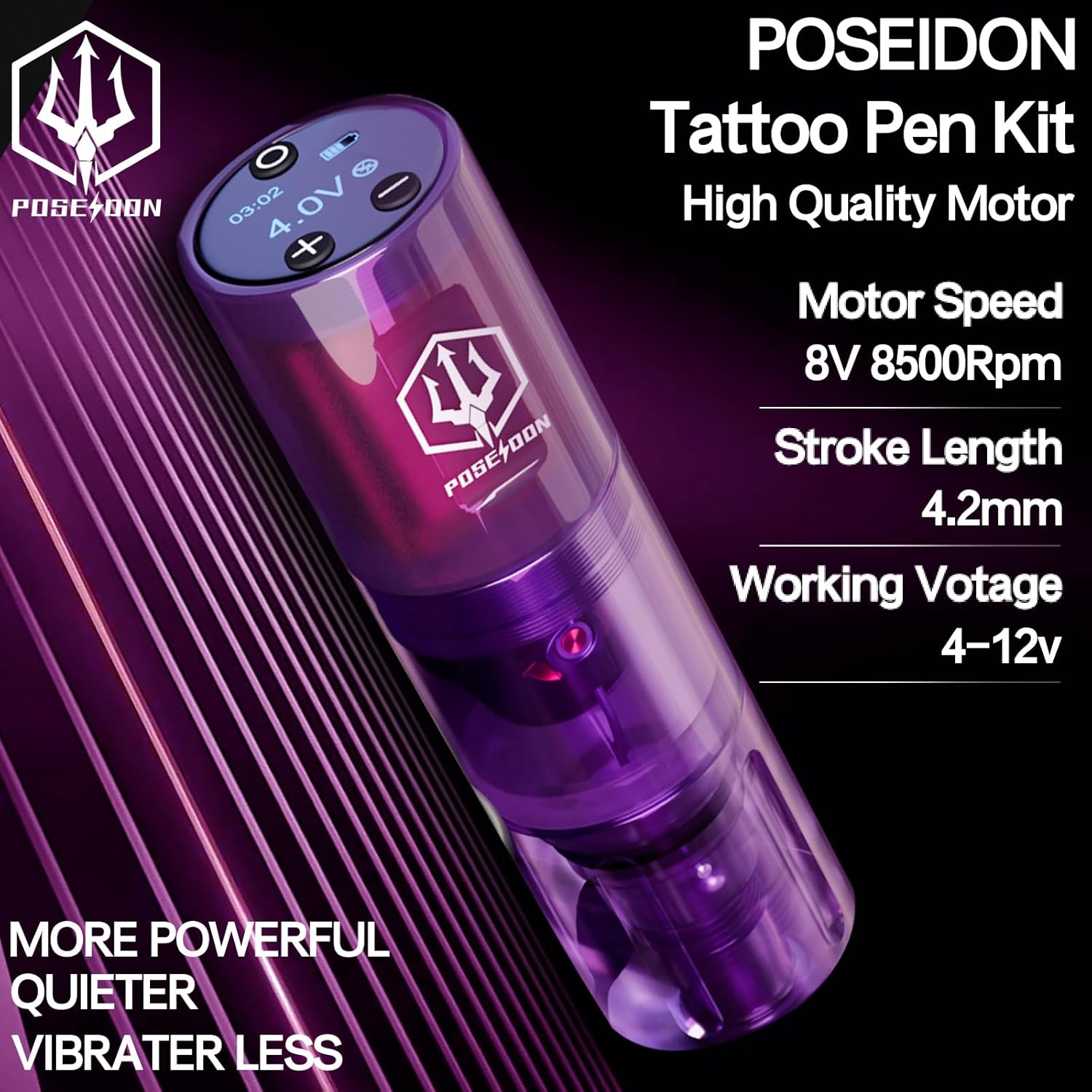
Image: Close-up of the POSEIDON Tattoo Pen displaying key specifications such as motor speed (8V 8500Rpm), stroke length (4.2mm), and working voltage (4-12V).
4. Setup
- Charge the Battery: Ensure both 1500mAh batteries are fully charged using the provided Type-C charging cord. Charging time is approximately 2-3 hours per battery.
- Attach Battery to Pen: Securely attach one of the charged batteries to the top of the wireless tattoo pen. The magnetic connection ensures a firm fit.
- Install Cartridge Needle:
- Carefully open a sterile cartridge needle package.
- Insert the cartridge needle into the pen's needle port.
- Rotate the integrated needle to lock it securely in place.
- Adjust Needle Depth: Rotate the grip of the tattoo pen to adjust the needle depth to your desired setting. The pen supports stroke lengths from 2.4mm to 4.2mm.
- Prepare Ink: Pour a small amount of practice ink into an ink cup. Remember, the included inks are for practice skin only.
Video: This video demonstrates the basic setup and operation of a wireless tattoo machine, including needle installation and power adjustments. (Source: Vidat KAILE, Seller)
5. Operating Instructions
- Power On/Off: Press and hold the power button on the battery for 1.5 seconds to turn the device on or off.
- Adjust Voltage: Use the '+' and '-' buttons to adjust the voltage in 0.1V increments. The digital display shows the current voltage (4-12V).
- Memory Settings (M1, M2, M3):
- Press the 'M' button to cycle through memory modes (M1, M2, M3). Each mode can store different voltage and frequency settings.
- In M1 mode, you can adjust both voltage and needles per second (NPS) for stippling or dot work.
- In M2 and M3 modes, you can adjust voltage and Hertz (Hz) for continuous operation (lining or shading).
- The machine will remember the last settings used in each mode even after powering off.
- Forced Start Function: Double-click the 'M' button to activate the forced start function, which provides a temporary power boost for starting difficult lines. Double-click again to return to normal needle output.
- Practice: Begin practicing on the provided practice skin. Dip the needle into the ink cup and start tattooing.

Image: Close-up of the wireless tattoo pen's digital display, showing battery life, voltage, and operating time.
6. Maintenance
- Cleaning: After each use, carefully clean the tattoo pen and grip. Use appropriate sterilization solutions for any parts that come into contact with ink or skin.
- Needle Disposal: Always dispose of used needles in a designated sharps container.
- Storage: Store the tattoo machine and accessories in a clean, dry place away from direct sunlight and extreme temperatures.
- Battery Care: Do not overcharge or completely drain the batteries. Store them at a moderate charge level if not in use for extended periods.
7. Troubleshooting
| Problem | Possible Cause | Solution |
|---|---|---|
| Machine not turning on | Low battery or incorrect power button press. | Charge the battery fully. Press and hold the power button for 1.5 seconds. |
| Needle not moving or weak operation | Low voltage, improperly installed needle, or low battery. | Increase voltage. Re-install the cartridge needle correctly. Charge or replace the battery. |
| Machine overheating | Prolonged continuous use at high voltage. | Allow the machine to cool down. Reduce voltage if possible. Ensure proper ventilation. |
| Inconsistent ink flow | Clogged needle or improper needle depth. | Replace the needle cartridge. Adjust needle depth. |
8. Specifications
| Feature | Detail |
|---|---|
| Model | HM138 |
| Dimensions | 120mm x 33mm |
| Weight | 130.5g |
| Stroke Length | 4.2mm (adjustable from 2.4mm to 4.2mm) |
| Operating Voltage | 4-12V (±0.1V increments) |
| Battery Capacity | 1500mAh (x2 included) |
| Battery Life | 5-6 hours continuous use per battery |
| Charging Port | Type-C |
| Motor Speed | 8V 8500Rpm |
| Needle Compatibility | All standard cartridge needles |
9. Safety Information
Please observe the following safety precautions:
- Keep the device away from high temperatures.
- The included tattoo inks are for practice skin only and should not be used on human skin.
- Always use sterile needles and follow proper hygiene protocols to prevent infection.
- Do not attempt to disassemble or modify the machine, as this may void the warranty and cause malfunction.
- Keep out of reach of children.
10. Warranty and Support
POSEIDON offers a 100% satisfaction guarantee with a refund/replacement policy. For any questions or support regarding your tattoo machine kit, please contact customer service. We stand behind every product in this professional tattoo set.


