
1. Introduction
Thank you for choosing the CIYODO Dehumidifier. This manual provides essential information for the safe and efficient operation, maintenance, and troubleshooting of your new appliance. Please read this manual thoroughly before use and retain it for future reference.
This compact dehumidifier is designed for small spaces such as bathrooms, bedrooms, and offices, effectively removing excess moisture to create a more comfortable environment. It also features air purification and can assist in drying clothes.
2. Important Safety Instructions
To reduce the risk of fire, electric shock, or injury, please observe the following safety precautions:
- Always plug the unit into a grounded electrical outlet of the correct voltage.
- Do not operate the dehumidifier with a damaged cord or plug. If the cord or plug is damaged, contact customer support.
- Do not block the air inlet or outlet. Ensure adequate space around the unit for proper airflow.
- Keep the unit away from water or other liquids. Do not immerse the unit in water.
- Unplug the dehumidifier before cleaning or performing any maintenance.
- This appliance is not intended for use by persons (including children) with reduced physical, sensory, or mental capabilities, or lack of experience and knowledge, unless they have been given supervision or instruction concerning use of the appliance by a person responsible for their safety.
- Do not use the appliance in areas where flammable gases or liquids are stored.
- The unit features an automatic power-off safety protection when the water tank is full, preventing overflow.
3. Product Overview
The CIYODO Dehumidifier is a compact and efficient device designed to manage humidity levels in small indoor environments. It incorporates a user-friendly touch screen interface and multiple functions.
3.1 Components
- Dehumidifier Unit
- Removable Water Tank
- Power Adapter (integrated or separate, depending on model)
3.2 Control Panel and Display
The unit features a digital display and touch-sensitive buttons for easy control.

Image 3.2.1: Front view of the CIYODO Dehumidifier, showing the LED display at the top and four touch-sensitive control buttons below it. The water tank is visible at the bottom, illuminated with a purple light.
- LED Display: Shows current humidity levels, operating modes, and timer settings.
- Power Button: Turns the unit on or off. (Typically marked with a circle and a vertical line)
- Light Button: Controls the ambient light feature. (Often marked with a light bulb icon)
- Mode Button: Cycles through different operating modes (e.g., dehumidification, purification). (Could be a fan or wave icon)
- Timer Button: Sets the operating timer. (Usually marked with a clock icon)
4. Setup
Follow these steps to set up your CIYODO Dehumidifier:
- Unpack the Unit: Carefully remove the dehumidifier from its packaging. Retain packaging materials for future storage or transport.
- Placement: Place the dehumidifier on a flat, stable surface in the desired location (e.g., bathroom, bedroom, office). Ensure there is at least 10-15 cm (4-6 inches) of space around all sides of the unit for proper air circulation. Avoid placing it directly against walls or furniture.
- Power Connection: Plug the power cord into a standard electrical outlet. Ensure the outlet matches the voltage requirements of the unit.
- Initial Check: Ensure the water tank is correctly inserted and empty before first use.

Image 4.1: The CIYODO Dehumidifier positioned on a bedside table, illustrating typical placement in a small room. The image highlights its compact size and portability.
5. Operating Instructions
5.1 Power On/Off
Press the Power Button once to turn the dehumidifier on. Press it again to turn the unit off.
5.2 Setting Operating Modes
Press the Mode Button repeatedly to cycle through available operating modes. The LED display will indicate the selected mode.
- Dehumidification Mode: Standard operation for moisture removal.
- Air Purification Mode: Activates the air purification function.
- Clothes Drying Assist Mode: Optimized for assisting in drying clothes in small, enclosed spaces.

Image 5.2.1: The CIYODO Dehumidifier shown in a laundry room, demonstrating its multi-functional capability including assisting with clothes drying. The image also shows it can be used in bathrooms, bedrooms, and offices.
5.3 Ambient Light Control
Press the Light Button to turn the ambient light on or off, or to cycle through different color options if available. The unit offers multicolor ambient lighting.
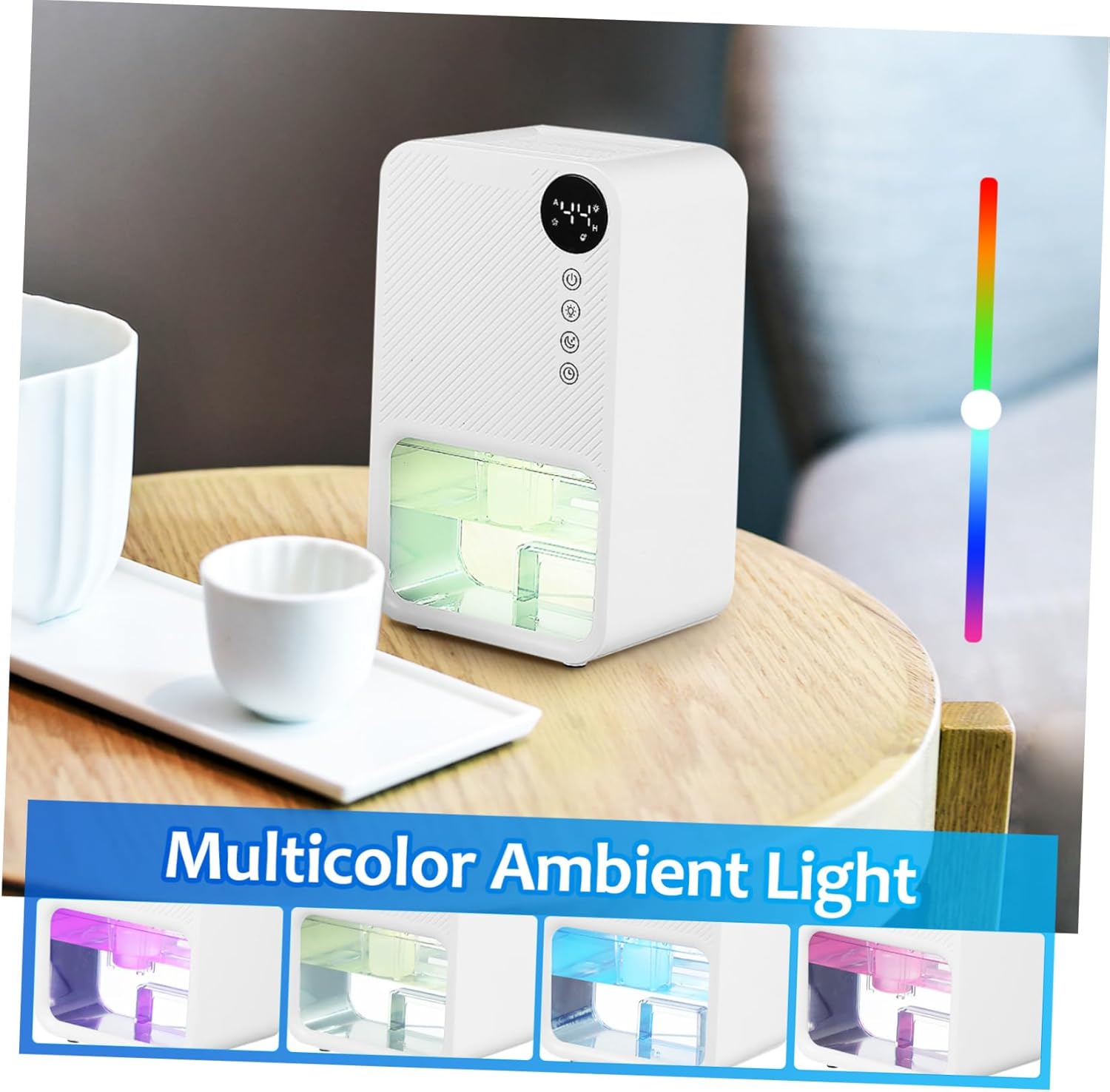
Image 5.3.1: The CIYODO Dehumidifier showcasing its multicolor ambient light feature, with examples of purple, green, and blue illumination in the water tank area.
5.4 Timer Function
Press the Timer Button to set an operating duration. Each press will cycle through preset time intervals. The unit will automatically turn off once the set time has elapsed.
5.5 Water Tank Full Indicator and Auto-Shutoff
When the water tank is full, the dehumidifier will automatically shut off, and an indicator (usually on the LED display) will alert you. This prevents water overflow.
To empty the water tank:
- Turn off the unit and unplug it from the power outlet.
- Carefully pull out the water tank from the front of the unit.
- Empty the collected water into a sink or drain.
- Rinse the tank with clean water if necessary, but do not use harsh detergents.
- Reinsert the empty water tank firmly back into the dehumidifier until it clicks into place.
- Plug in the unit and restart operation.
6. Maintenance
Regular maintenance ensures optimal performance and extends the lifespan of your dehumidifier.
6.1 Cleaning the Exterior
- Unplug the unit before cleaning.
- Wipe the exterior of the dehumidifier with a soft, damp cloth.
- Do not use abrasive cleaners, solvents, or harsh chemicals, as these can damage the surface.
6.2 Cleaning the Water Tank
- Empty the water tank as described in Section 5.5.
- Rinse the tank with clean water. For stubborn residue, a mild detergent can be used, followed by thorough rinsing.
- Ensure the tank is completely dry before reinserting it to prevent mold or mildew growth.
6.3 Air Filter Cleaning (if applicable)
While the product description mentions air purification, it does not specify a removable filter. If your model includes a removable air filter, refer to the following general guidelines:
- Locate the air filter (usually at the back or side of the unit).
- Remove the filter and gently clean it with a vacuum cleaner or rinse it under lukewarm water.
- Allow the filter to air dry completely before reinstalling it. Do not operate the unit without the filter.
7. Troubleshooting
Before contacting customer support, please refer to the following common issues and solutions:
| Problem | Possible Cause | Solution |
|---|---|---|
| Unit does not turn on. |
|
|
| No water collected or low dehumidification. |
|
|
| Unit is noisy. |
|
|
| Unpleasant odor. |
|
|
8. Specifications
Below are the technical specifications for the CIYODO Dehumidifier Model 13G203220THUGR0LD:
| Feature | Detail |
|---|---|
| Brand | CIYODO |
| Model Number | 13G203220THUGR0LD |
| Color | White |
| Product Dimensions (D x W x H) | 4.33" x 6.1" x 10" (11 cm x 15.5 cm x 25.5 cm) |
| Item Weight | 2.21 Pounds (1 kg) |
| Material | Acrylonitrile Butadiene Styrene (ABS) |
| Included Components | Dehumidifier Unit |

Image 8.1: A visual representation of the CIYODO Dehumidifier with its dimensions clearly marked: 4.3 inches deep, 6.1 inches wide, and 10 inches high (25.5 cm).
9. Warranty and Customer Support
For warranty information, please refer to the documentation included with your purchase or visit the official CIYODO website. If you encounter any issues not covered in the troubleshooting section or require further assistance, please contact CIYODO customer support.
Contact information can typically be found on the product packaging, the manufacturer's website, or your purchase receipt.