
LEZYNE 1-LED-37R-V304
LEZYNE Strip Pro AI Alert 400+ Rear Light User Manual
Model: 1-LED-37R-V304
Brand: LEZYNE
1. Introduction
The LEZYNE Strip Pro AI Alert 400+ Rear Light is an advanced bicycle taillight designed to enhance rider safety and visibility. Featuring intelligent AI Alert technology, this light automatically switches to a powerful brake light mode upon deceleration, providing clear communication to traffic behind you.
This manual provides detailed instructions for the proper setup, operation, maintenance, and troubleshooting of your Strip Pro AI Alert 400+ Rear Light to ensure optimal performance and longevity.
2. Product Overview and Key Features
The Strip Pro AI Alert 400+ is engineered for maximum visibility and user convenience. Its compact design houses powerful LEDs and smart technology.

Image: Front angled view of the LEZYNE Strip Pro AI Alert 400+ Rear Light, showcasing its sleek black body and bright red lens.
- AI Alert Brake Sensing: Detects deceleration and automatically activates a brighter brake light mode.
- High Visibility: Up to 400 lumens output with 270° wide-angle optics for broad visibility.
- Multiple Output Modes: Features seven combined solid and flash output modes to suit various riding conditions.
- Long Runtime: Provides up to 80 hours of battery life depending on the selected mode.
- Durable Construction: Made with a robust aluminum body.
- Waterproof USB-C Charging: Convenient and secure charging port.
- Versatile Mounting: Compatible with standard and aero seatposts.
- Privacy-Focused Software: Enclosed software system does not collect rider data.

Image: Diagram highlighting the light's features such as 7 combined solid and flash output modes, 400 lumens maximum output, up to 80 hours runtime, 270-degree wide-angle optics, and its ability to detect deceleration and change output mode accordingly.
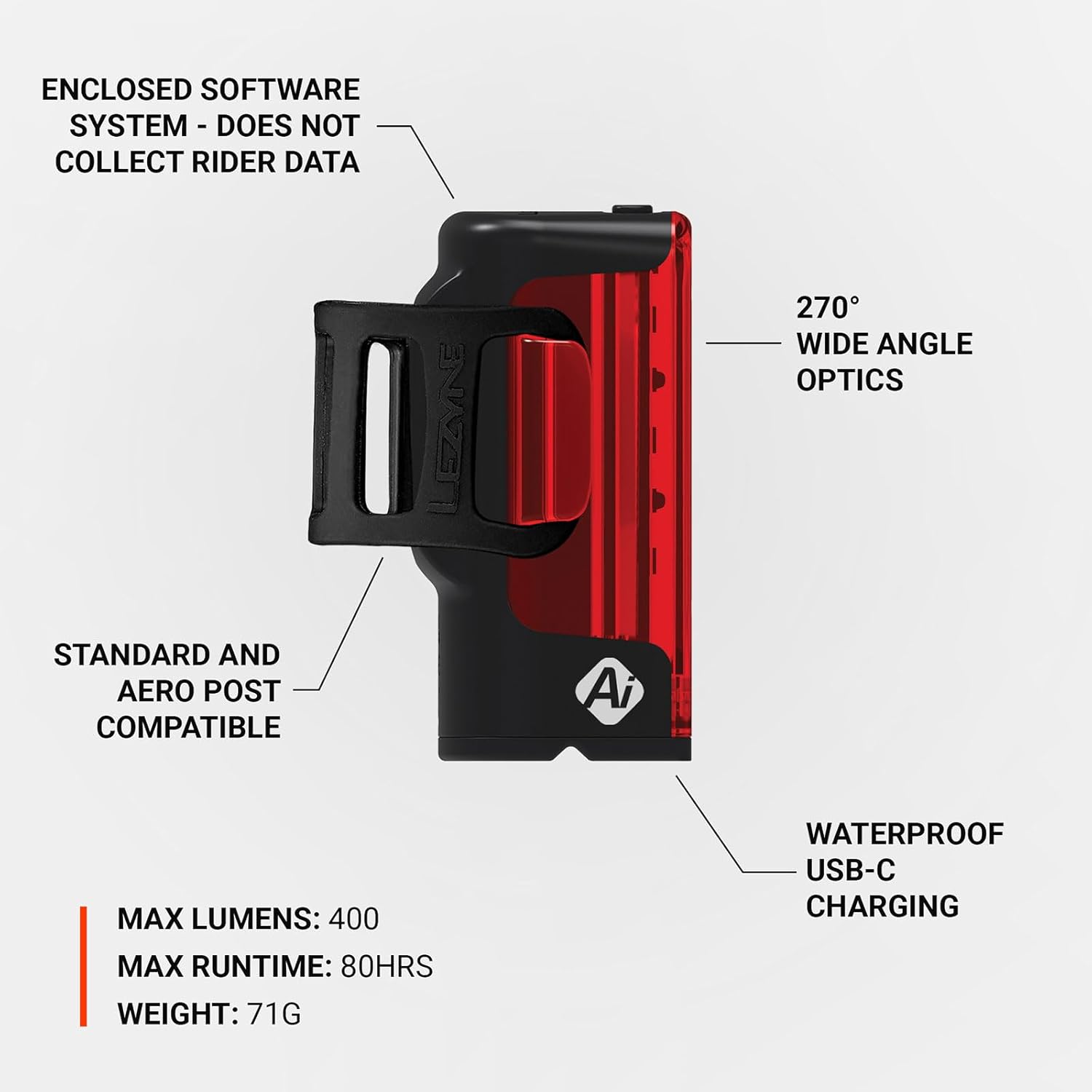
Image: Diagram detailing additional features like the enclosed software system that does not collect rider data, 270-degree wide-angle optics, compatibility with standard and aero seatposts, waterproof USB-C charging, 400 lumens max, 80 hours max runtime, and 71g weight.
3. Setup and Installation
3.1 Mounting the Light
The Strip Pro AI Alert 400+ is designed for easy and secure mounting on most bicycle seatposts, including standard and aero designs. Use the integrated rubber strap to firmly attach the light to your seatpost.
- Position the light vertically on your seatpost with the lens facing directly backward.
- Wrap the rubber strap around the seatpost and hook it onto the designated tab on the light's body.
- Ensure the light is securely fastened and does not wobble. Adjust the strap tension as needed.

Image: Side view of the LEZYNE Strip Pro AI Alert 400+ Rear Light, illustrating the flexible rubber mounting strap attached to the light's body, ready for seatpost installation.
3.2 Initial Charging
Before first use, fully charge the light's battery. The light comes with a waterproof USB-C charging port.
- Locate the USB-C port cover on the light and carefully open it.
- Connect the provided USB-C cable to the light and plug the other end into a USB power source (e.g., computer USB port, wall adapter).
- The charging indicator light will show the charging status. Refer to the operating section for details on indicator behavior.
- Once fully charged, disconnect the cable and securely close the USB-C port cover to maintain its waterproof seal.
4. Operating Instructions
4.1 Power On/Off
To turn the light ON, press and hold the power button located on the top of the light for approximately 2 seconds. To turn the light OFF, press and hold the power button again for 2 seconds.
4.2 Changing Modes
The Strip Pro AI Alert 400+ features seven distinct output modes, combining solid and flash patterns. To cycle through the modes, short press the power button while the light is ON.
4.3 AI Alert Brake Sensing
The integrated AI Alert technology automatically detects when you decelerate and temporarily increases the light's brightness to signal braking to following traffic. This feature operates automatically in all modes.
4.4 Charging the Battery
When the battery is low, the indicator light will change color or flash. Connect the light to a USB power source using the provided USB-C cable. A full charge typically takes a few hours. Always ensure the USB-C port cover is securely closed after charging to maintain water resistance.
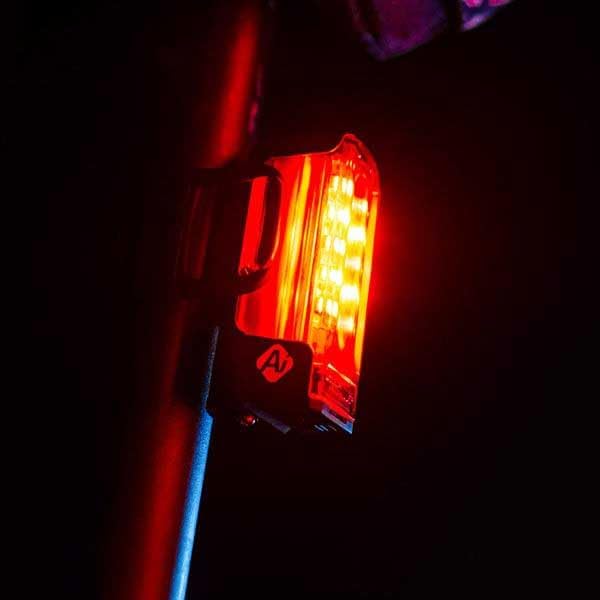
Image: The LEZYNE Strip Pro AI Alert 400+ Rear Light brightly illuminated on a bicycle seatpost during nighttime, demonstrating its visibility.

Image: An angled side view of the LEZYNE Strip Pro AI Alert 400+ Rear Light glowing brightly on a bicycle seatpost in the dark, highlighting its wide-angle visibility.

Image: A direct rear view of the LEZYNE Strip Pro AI Alert 400+ Rear Light illuminated on a bicycle seatpost at night, showcasing its powerful light output.

Image: A lower angled view of the LEZYNE Strip Pro AI Alert 400+ Rear Light illuminated on a bicycle seatpost at night, emphasizing its effective light dispersion.
5. Maintenance
Proper maintenance ensures the longevity and optimal performance of your light.
- Cleaning: Wipe the light clean with a damp cloth after use, especially if exposed to dirt or mud. Do not use harsh chemicals or abrasive materials.
- Charging: Recharge the battery regularly, even if not used frequently, to maintain battery health. Avoid completely draining the battery before recharging.
- Storage: Store the light in a cool, dry place away from direct sunlight when not in use. For long-term storage, charge the battery to approximately 50% every few months.
- Waterproof Seal: Always ensure the USB-C port cover is fully closed and sealed to prevent water ingress.
6. Troubleshooting
If you encounter issues with your Strip Pro AI Alert 400+ Rear Light, try the following steps:
- Light Not Turning On: Ensure the battery is charged. Connect to a USB power source and check the charging indicator.
- Light Not Charging: Verify the USB-C cable is properly connected to both the light and the power source. Try a different USB port or power adapter.
- AI Alert Not Functioning: Ensure the light is securely mounted and not obstructed. Rapid deceleration is required to trigger the brake light function.
- Reduced Runtime: Battery runtime can decrease over time with extensive use. Ensure the light is fully charged before each ride. Extreme cold temperatures can also temporarily reduce battery performance.
If problems persist, please contact LEZYNE customer support for further assistance.
7. Technical Specifications
| Feature | Specification |
|---|---|
| Model Name | Strip Pro AI Alert 400+ |
| Model Number | 1-LED-37R-V304 |
| Brand | LEZYNE |
| Maximum Lumens | 400 lumens |
| Maximum Runtime | Up to 80 hours |
| Weight | 71 grams |
| Material | Aluminum |
| Power Source | Battery Powered |
| Charging Type | USB-C |
| Water Resistance | Waterproof |
| Mounting Type | Seatpost Mount (Standard & Aero compatible) |
| Optics | 270° Wide Angle |
| Output Modes | 7 combined solid and flash modes |
8. Warranty and Support
LEZYNE products are manufactured to the highest quality standards. For information regarding warranty coverage, product registration, or technical support, please visit the official LEZYNE website or contact your local authorized dealer. Keep your proof of purchase for warranty claims.