Introduction
Thank you for choosing the Razobws Bluetooth Shower Speaker. This portable wireless speaker is designed for versatile use, offering robust sound and waterproof capabilities for various environments, including showers, pool parties, and outdoor adventures. Please read this manual carefully to ensure proper use and maintenance of your speaker.

Image: The Razobws Bluetooth Shower Speaker, black with gold accents, featuring control buttons and a carabiner, surrounded by water splashes, highlighting its waterproof design.
What's in the Box
- Shower Speaker
- Carabiner
- Detachable Suction Cup
- USB-C Charging Cable
- User Manual (this document)
Setup Guide
1. Charging the Speaker
Before first use, fully charge the speaker. Connect the provided USB-C charging cable to the speaker's charging port and the other end to a compatible USB power adapter (not included). The charging time is approximately 3 hours. The LED indicator will show charging status (e.g., red for charging, off when fully charged).

Image: A close-up view of the Razobws Shower Speaker showing the USB-C charging port, indicating where to connect the charging cable.
2. Powering On/Off
Press and hold the power button (⏻) located on the speaker's control panel for a few seconds until you hear an audible prompt or see the LED indicator light up.
3. Bluetooth Pairing
- Ensure the speaker is powered on and in pairing mode (the blue LED indicator will blink rapidly).
- On your device (smartphone, tablet, laptop), enable Bluetooth and search for available devices.
- Select "F012" or "Razobws Speaker" from the list of devices.
- Once connected, the blue LED indicator will remain solid, and you will hear a confirmation sound.

Image: An illustration demonstrating the Bluetooth pairing process, showing the speaker and a smartphone with Bluetooth settings open, indicating a seamless connection.
The speaker supports Bluetooth 5.0 for a stable connection up to 33 feet (10 meters).
4. Attaching Suction Cup and Carabiner
The speaker comes with a detachable suction cup and a sturdy carabiner for versatile mounting options.
- Suction Cup: Attach the suction cup to the bottom of the speaker. Press firmly onto any smooth, flat surface like glass or tile in your bathroom or kitchen. Ensure the surface is clean and dry for optimal adhesion.
- Carabiner: Clip the carabiner through the loop on the speaker. This allows you to hang the speaker on a backpack, bike, or any suitable hook for portability.
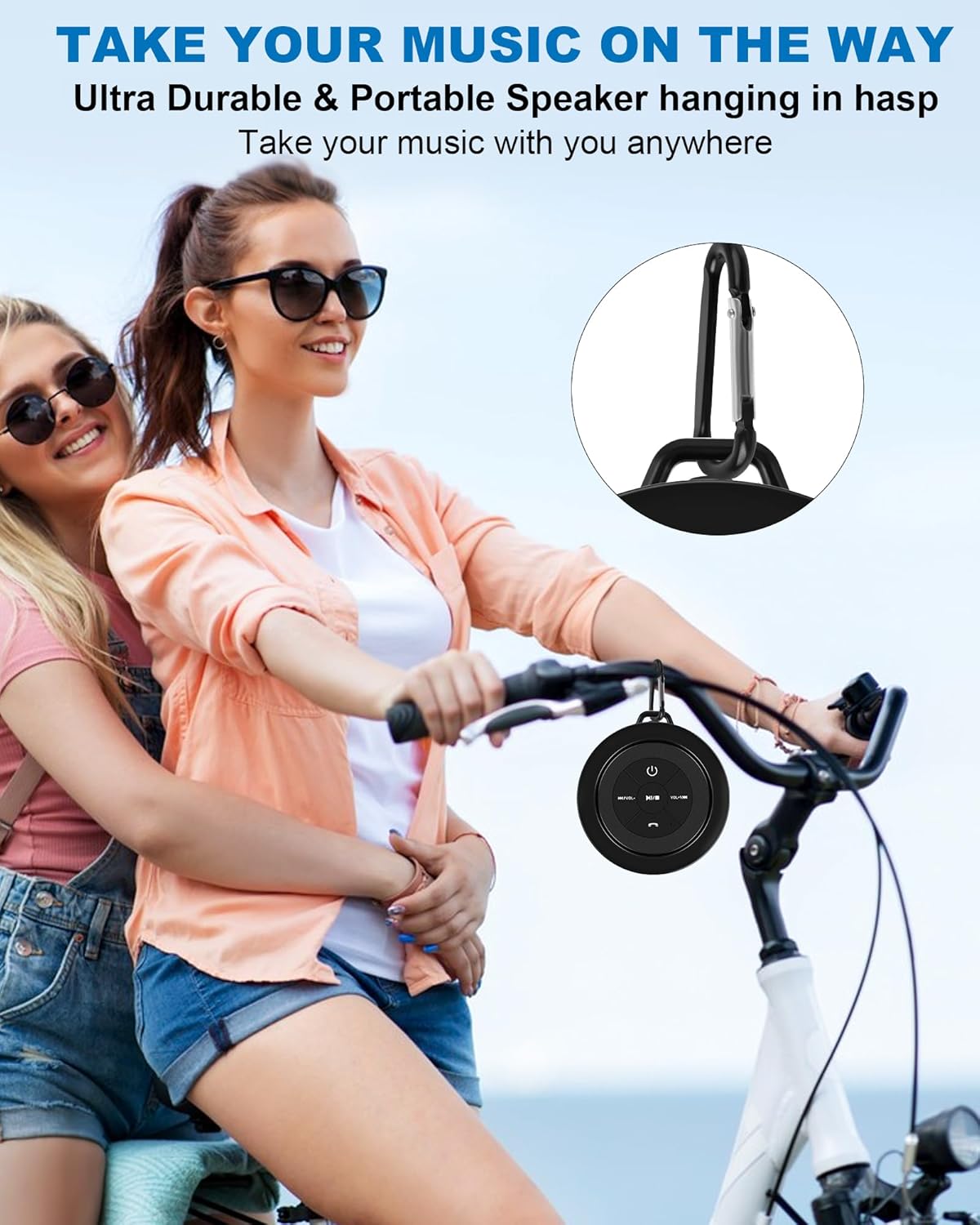
Image: A person riding a bicycle with the Razobws Shower Speaker clipped to their backpack via the carabiner, demonstrating its portability for outdoor activities.
Operating Instructions
Control Buttons Overview

Image: A detailed diagram highlighting the functions of each button on the Razobws Shower Speaker's control panel, including Power, Play/Pause, Volume/Track controls, and Call button.
- Power Button (⏻): Press and hold to power on/off.
- Play/Pause Button (▶/‖): Press to play or pause audio.
- Volume Down / Previous Track (K◀/VOL-): Press to decrease volume. Press and hold to go to the previous track.
- Volume Up / Next Track (▶▶I/VOL+): Press to increase volume. Press and hold to go to the next track.
- Call Button (📞): Press to answer an incoming call. Press again to end a call. Press and hold to reject an incoming call.
Audio Playback
Once paired with your device, simply start playing audio from your connected device. Use the speaker's control buttons or your device's controls to manage playback and volume.
Hands-Free Calling
The built-in microphone allows for hands-free calling. When a call comes in, press the Call button to answer. Press again to end the call. To reject a call, press and hold the Call button.
Maintenance
- Cleaning: Wipe the speaker with a soft, damp cloth. Do not use abrasive cleaners or solvents.
- Water Exposure: While the speaker is IP67 waterproof, ensure the charging port cover is securely closed before exposing it to water. After use in water, especially saltwater or chlorinated water, rinse the speaker with fresh water and allow it to air dry completely before charging.
- Storage: Store the speaker in a cool, dry place away from direct sunlight and extreme temperatures.
- Battery Care: To prolong battery life, avoid fully discharging the speaker frequently. Charge it regularly, even if not in use for extended periods.

Image: The Razobws Shower Speaker mounted on a shower wall, demonstrating its intended use in wet environments.
Troubleshooting
| Problem | Possible Cause | Solution |
|---|---|---|
| Speaker does not turn on. | Low battery. | Charge the speaker fully. |
| Cannot pair with device. | Bluetooth is off on device; speaker not in pairing mode; too far from device. | Ensure Bluetooth is enabled on your device. Make sure the speaker is in pairing mode (blinking blue LED). Move the speaker closer to your device (within 33 feet). |
| No sound or low volume. | Volume too low on speaker or device; speaker not connected. | Increase volume on both the speaker and your connected device. Re-pair the speaker if necessary. |
| Sound distortion. | Volume too high; interference. | Reduce volume. Move away from sources of interference (e.g., Wi-Fi routers, other Bluetooth devices). |
Specifications
- Model Name: F012
- Brand: Razobws
- Connectivity Technology: Bluetooth 5.0
- Wireless Communication Technology: Bluetooth
- Bluetooth Range: Up to 33 feet (10 meters)
- Speaker Maximum Output Power: 5 Watts
- Audio Output Mode: Stereo
- Water Resistance Level: IP67 Waterproof (submersible in 1 meter of water for up to 30 minutes)
- Battery Life: Up to 8 Hours
- Charging Time: Approximately 3 Hours
- Power Source: Battery Powered
- Built-in Microphone: Yes
- Control Method: Button
- Material: Plastic
- Product Dimensions: 3.3"D x 3.3"W x 2.6"H
- Item Weight: 190 Grams (6.7 ounces)
- Included Components: USB-C Charging Cable, User Manual, Detachable Suction Cup, Carabiner, Shower Speaker
Warranty and Support
For warranty information or technical support, please refer to the contact details provided by your retailer or visit the official Razobws website. Keep your purchase receipt as proof of purchase for any warranty claims.