
Product Overview
The Fodsports FX-S Motorcycle Bluetooth Headset is an advanced communication system designed for motorcyclists. Featuring a state-of-the-art Bluetooth 5.4 chip, it offers stable and wide-range connectivity with low latency. This headset supports 2-way intercom communication, allowing riders to enjoy clear calls and music over distances up to 1000 meters. It incorporates CVC & DSP noise cancellation technology for pure and clear vocals, even in noisy environments. The FX-S is built for adventure with an IP67 waterproof rating, ensuring resistance to rain, wind, and dust. Its user-friendly design includes oversized, glove-friendly buttons and voice assistant activation for hands-free operation.
- Advanced Bluetooth 5.4 Chip: Provides stable signal, wide range, and low latency.
- 2-Way Intercom: Supports communication between two riders up to 1000m.
- Superior HD Sound: Equipped with 40mm Hi-Fi speakers for clear and vivid audio.
- IP67 Waterproof: Fully resistant to rain, wind, or dust for all-weather use.
- Smart Noise Reduction: CVC & DSP technology eliminates noise for clear vocals.
- Hands-Free Operation: One-touch voice assistant activation for calls, music, and GPS.
- Dual Phone Connectivity: Supports simultaneous connection to two mobile phones.
- Lightweight Design: Weighs only 0.08 pounds for comfortable helmet mounting.
- Versatile Microphones: Includes both button mic (full-face helmets) and boom mic (open-face helmets).
Package Contents
Before you begin, please ensure all items listed below are present in your package:
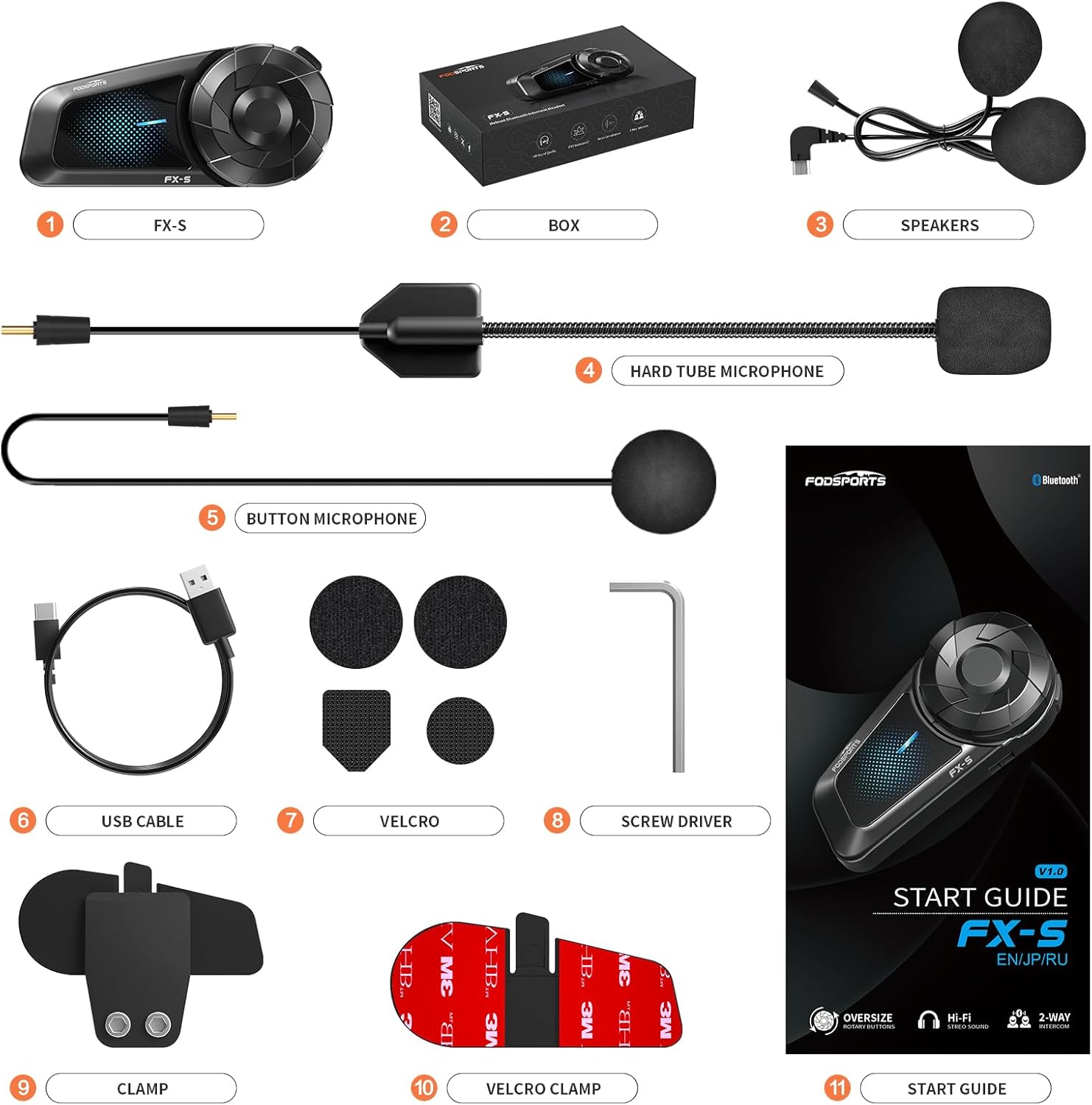
Figure 1: All components included in the Fodsports FX-S package.
- FX-S Headset Unit
- Speakers (40mm Hi-Fi)
- Hard Tube Microphone (Boom Mic)
- Button Microphone
- USB Type-C Charging Cable
- Velcro Pads for Speakers and Microphones
- Screw Driver (for clamp installation)
- Helmet Clamp Mount
- Velcro Clamp Mount
- User Manual (this document)
Setup and Installation
Proper installation ensures optimal performance and comfort. The FX-S headset can be mounted using either the clamp mount or the adhesive velcro clamp.
Helmet Mounting
- Choose Mounting Method: Decide between the metal clip clamp (more secure, requires helmet edge) or the adhesive velcro clamp (for helmets without suitable edges).
- Attach Clamp to Helmet:
- For Metal Clip Clamp: Loosen the screws on the clamp, slide it onto the left side edge of your helmet, and tighten the screws securely with the provided screwdriver.
- For Adhesive Velcro Clamp: Clean the desired mounting area on the left side of your helmet. Peel off the backing from the adhesive velcro clamp and firmly press it onto the helmet surface for at least 30 seconds. Allow 24 hours for the adhesive to fully cure before use.
- Mount the FX-S Unit: Slide the FX-S main unit onto the installed clamp until it clicks into place.
- Install Speakers:
- Remove the helmet's inner padding to expose the ear pockets.
- Attach the velcro pads to the back of the speakers.
- Place the speakers into the helmet's ear pockets, ensuring they are centered over your ears for optimal audio.
- Route the speaker wires neatly under the helmet padding to the main unit.
- Install Microphone:
- Choose the appropriate microphone for your helmet type (boom mic for open-face/modular, button mic for full-face).
- Attach the microphone's velcro pad to the inside of the helmet near your mouth.
- Connect the microphone cable to the corresponding port on the FX-S main unit. Route the cable neatly.
- Connect Speaker Cable: Plug the speaker cable into the designated port on the FX-S main unit.
- Tidy Cables: Ensure all cables are tucked away neatly within the helmet padding to prevent discomfort or interference.

Figure 2: Step-by-step diagram for installing the FX-S headset components into a helmet.
Video 1: Detailed guide on the installation steps for the Fodsports FX-S headset.
Operating Instructions
Power On/Off and Pairing
- Power On: Long press the multi-function button for approximately 3 seconds until the indicator light flashes and you hear a voice prompt.
- Power Off: Long press the multi-function button for approximately 5 seconds until the indicator light turns off.
- Bluetooth Pairing (First Time): With the device off, long press the multi-function button for 5-7 seconds until the indicator light flashes red and blue alternately, indicating pairing mode. On your phone, search for "FX-S" in Bluetooth settings and connect.
2-Way Intercom Communication
The FX-S supports direct intercom communication between two units.
- Ensure both FX-S units are powered on and not connected to any other Bluetooth devices.
- On both units, long press the multi-function button for 5-7 seconds to enter pairing mode (red and blue flashing light).
- Short press the multi-function button on either unit to initiate the search for the other unit. Once connected, the lights will return to normal operation, and you will hear a confirmation tone.

Figure 3: Diagram illustrating two methods for connecting two devices, including intercom pairing.
Video 2: Demonstration of 2-way communication setup with the FX-S headset.
Music Playback
- Play/Pause: Short press the multi-function button.
- Next Track: Rotate the multi-function knob forward.
- Previous Track: Rotate the multi-function knob backward.
- Volume Up/Down: Short press the volume + or - buttons.
Video 3: How to play music using the Fodsports FX-S headset.
Phone Calls and Voice Assistant
- Answer Call: Short press the multi-function button. The headset also supports automatic call answering within 15 seconds.
- End Call: Short press the multi-function button during a call.
- Reject Call: Long press the multi-function button for 1 second when a call comes in.
- Activate Voice Assistant (Siri/Google Assistant): Long press the multi-function button for 2 seconds.
Video 4: Demonstration of phone call and voice assistant functions on the FX-S headset.
Maintenance
- Cleaning: Use a soft, damp cloth to clean the headset unit. Avoid using harsh chemicals or abrasive cleaners.
- Water Resistance: The FX-S is IP67 waterproof. While it can withstand rain and splashes, avoid submerging it in water for extended periods. Ensure the charging port cover is securely closed when not charging.
- Charging: Charge the device using the provided USB Type-C cable. A full charge takes approximately 2 hours. The device supports use while charging, which is convenient for long rides.
- Storage: When not in use for extended periods, store the headset in a cool, dry place. Charge the battery periodically (e.g., every 3 months) to maintain battery health.
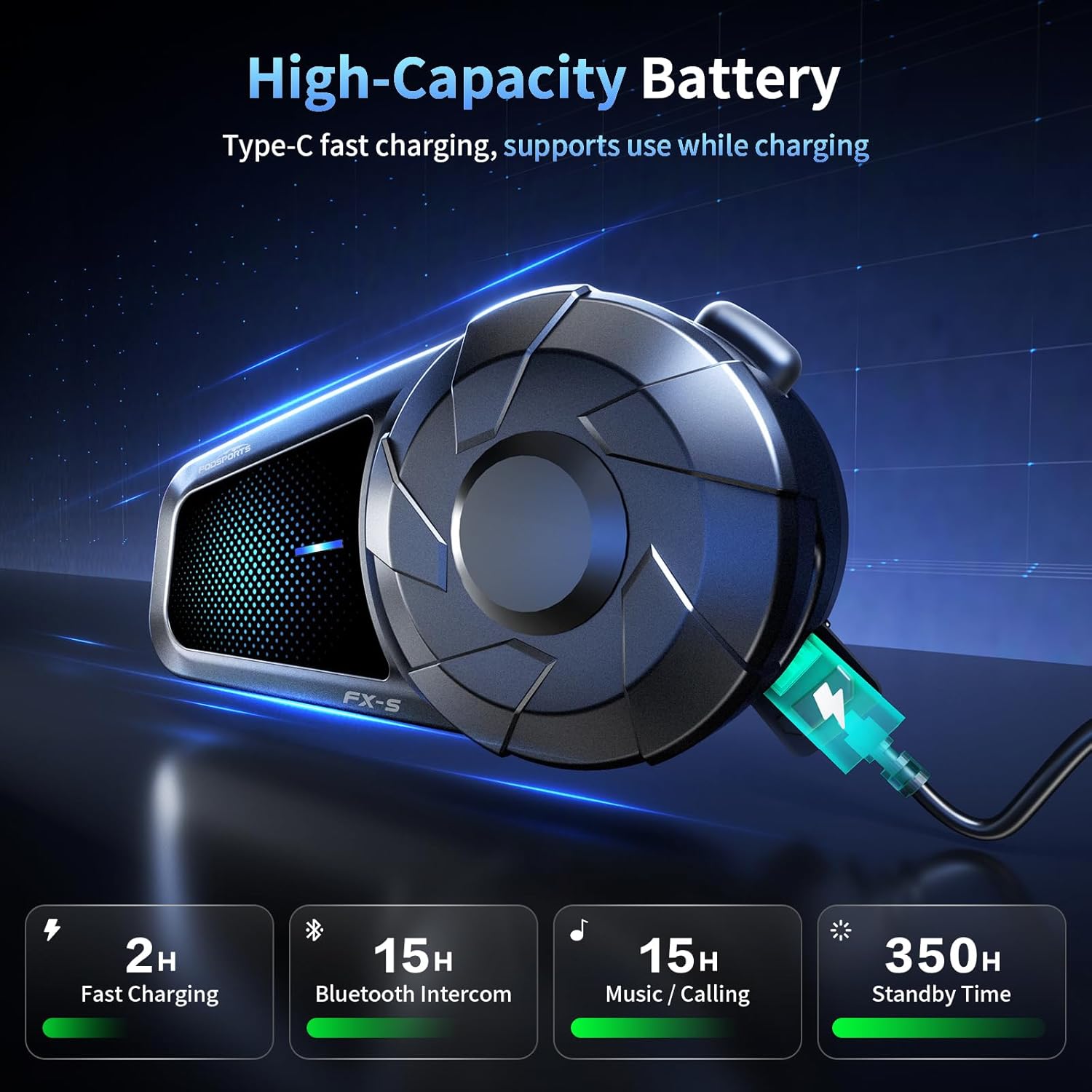
Figure 4: Illustration of the FX-S headset charging via Type-C, highlighting battery life.
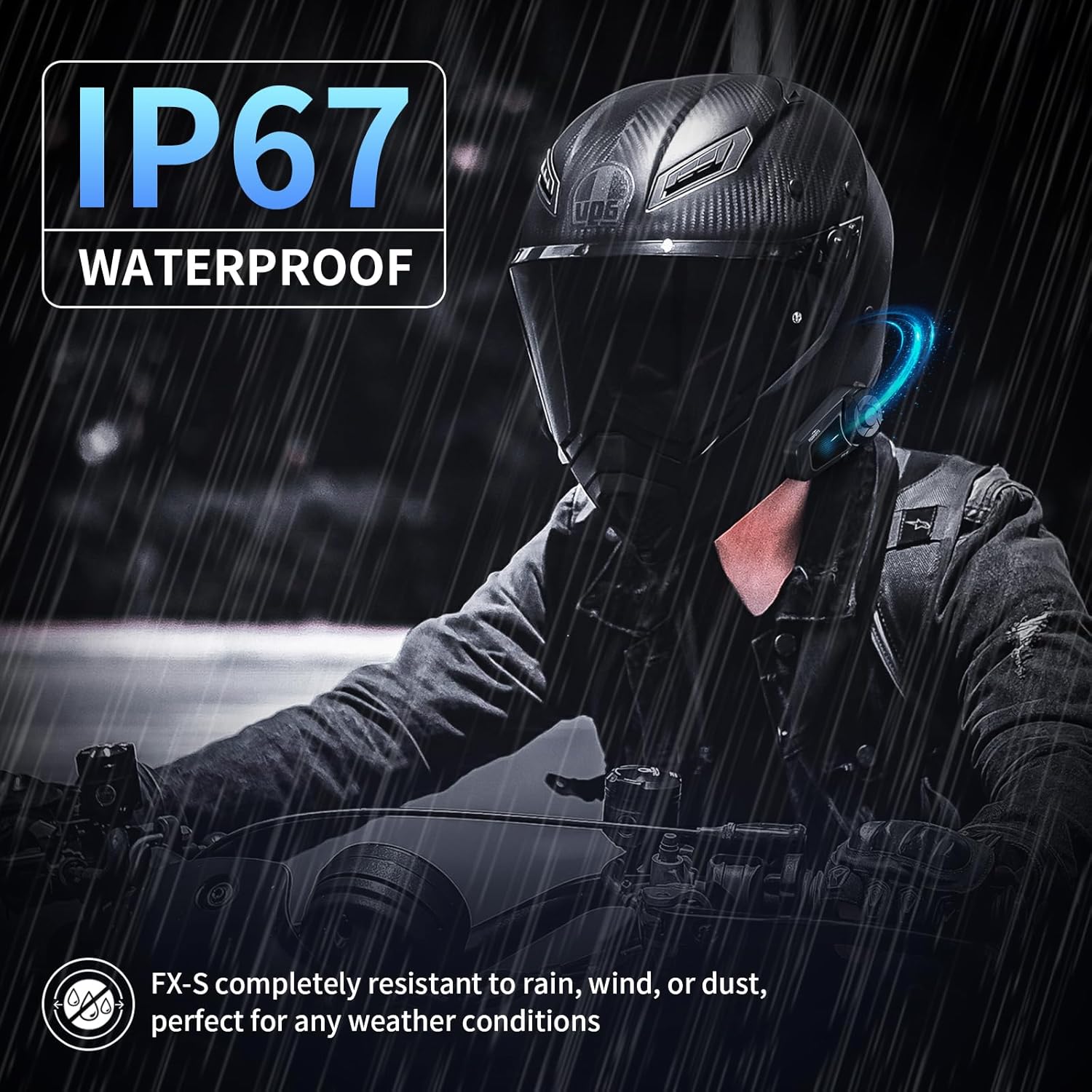
Figure 5: The FX-S headset demonstrating its IP67 waterproof capability during a motorcycle ride in the rain.
Troubleshooting
| Problem | Possible Cause | Solution |
|---|---|---|
| Device won't power on. | Low battery; device frozen. | Charge the device fully. If unresponsive, perform a hard reset (refer to manual for specific reset procedure if available, otherwise try holding power button for extended period). |
| Cannot pair with phone/intercom. | Not in pairing mode; too far apart; interference. | Ensure device is in pairing mode (flashing red/blue). Move devices closer. Turn off other Bluetooth devices. Clear previous pairings on both devices and try again. |
| Poor audio quality/noise. | Speakers/mic not positioned correctly; external noise. | Adjust speaker and microphone placement. Ensure microphone is close to your mouth. The CVC & DSP noise cancellation should minimize external noise. |
| Intercom disconnects frequently. | Out of range; obstacles; low battery. | Stay within the 1000m range. Avoid physical obstructions. Ensure both units are sufficiently charged. |
Specifications
| Feature | Detail |
|---|---|
| Model Name | FX-S-Single Pack |
| Bluetooth Version | 5.4 |
| Intercom Range | Up to 1000m (2 riders) |
| Water Resistance Level | IP67 Waterproof |
| Noise Control | Active Noise Cancellation (CVC & DSP) |
| Audio Driver Size | 40 Millimeters (Hi-Fi Speakers) |
| Battery Life | 20 Hours (usage) / 350 Hours (standby) |
| Charging Time | 2 Hours (Type-C fast charging) |
| Item Weight | 1.28 ounces (approx. 0.08 lbs) |
| Connectivity Technology | Wireless, Bluetooth |
| Compatible Devices | iPhone, Cellphones, Motorcycles, Laptops |
| Control Type | Button Control (Glove-friendly) |
| Material | Polycarbonate (PC), Thermoplastic Elastomer (TPE), Acrylonitrile Butadiene Styrene (ABS) |
Warranty and Support
For warranty information and technical support, please refer to the official Fodsports website or contact their customer service directly. Details regarding specific warranty periods and support channels are typically provided with your purchase documentation or on the manufacturer's official product page.
This manual is intended to provide general guidance. For more in-depth assistance or specific issues, please reach out to Fodsports support.


