
FoxESS A7300P1-E1-B
FoxESS Wallbox Type 2 7.3kW 32A Smart App Control EV Charger Instruction Manual
Model: A7300P1-E1-B
1. Product Overview
The FoxESS Wallbox Type 2 7.3kW 32A is an advanced electric vehicle charging station designed for efficient and safe charging. It features smart app control, adjustable charging power, and robust safety mechanisms, making it suitable for various installation environments.

Image 1.1: FoxESS Wallbox Type 2 EV Charger with smart app control and RFID card functionality.
Key Features:
- Adjustable Charging Power: Offers current adjustment from 8A to 32A, with a maximum power of 7.3 kW.
- Smart Load Balancing: Optimizes energy consumption and enhances safety during charging (requires a specific meter).
- Robust Safety Features: Includes protection against undervoltage, short circuit, leakage, overvoltage, overload, and thermal issues.
- Wi-Fi and App Control: Schedule charging times and monitor status via a mobile application.
- Flexible Installation: Can be mounted on walls or poles, with a 5-meter charging cable.
- Commercial Certifications: UKCA and CE compliant, suitable for commercial installations.
- Safety Indicators & Emergency Button: Status lights and an emergency stop button for immediate process interruption.

Image 1.2: Overview of the FoxESS 7.3kW AC Charging Pile's main features, including RFID & App Control, Plug & Charge, Current Adjustable, Solar Linkage, and Dynamic Load Balancing.
2. Setup and Installation
Proper installation is crucial for the safe and efficient operation of your FoxESS Wallbox. It is recommended that installation be performed by a qualified electrician.
2.1 Mounting the Wallbox
- Mark Drilling Points: Use the mounting bracket as a template to mark the drilling points on the wall.
- Drill Holes: Drill holes at the marked positions.
- Secure Mounting Bracket: Attach the mounting bracket to the wall using appropriate screws and anchors.
- Mount Wallbox: Carefully align the wallbox with the bracket and secure it.

Image 2.1: Illustration of the wallbox mounting process, including marking and drilling points for the bracket.
2.2 Electrical Wiring
Ensure all power is disconnected before performing any wiring. Follow local electrical codes and standards.
- Prepare Cables: Strip the insulation from the main power cables and prepare them for connection.
- Connect Power Cables: Connect the live, neutral, and ground wires to the designated terminals inside the wallbox.
- Secure Connections: Ensure all connections are tight and secure.

Image 2.2: The wallbox is equipped with nine types of electrical protection, including overvoltage, undervoltage, overload, short circuit, leakage, over-temperature, lightning, flame retardant, and waterproof/dustproof features.
2.3 Smart Meter Connection (for Load Balancing)
To enable the smart load balancing feature, a compatible smart meter (e.g., Fox ESS DTSU666) must be installed and connected.
- Install Smart Meter: Mount the smart meter in your electrical panel.
- Connect Current Transformers (CTs): Install CTs on the main power lines (L1, L2, L3) and connect them to the smart meter.
- Connect Communication Wires: Connect the RS485 communication wires from the smart meter (Pin 24 and Pin 25) to the corresponding INPUT port terminals on the wallbox.

Image 2.3: Wiring diagram for the Fox ESS DTSU666 Smart Power Sensor, showing connections for current transformers (CTs) and communication lines to the charging pile for load balancing.
3. Operation
The FoxESS Wallbox offers multiple convenient ways to manage your EV charging.
3.1 Charging Modes
- Plug & Charge: Simply plug in your vehicle, and charging will begin automatically.
- RFID Card Charging: Swipe a registered RFID card to start or stop charging. This is useful for multi-user environments.
- App Control: Use the dedicated mobile application to initiate, stop, and monitor charging sessions.

Image 3.1: The FoxESS Wallbox supports multiple charging methods: RFID card, mobile app control, and direct plug-and-charge.
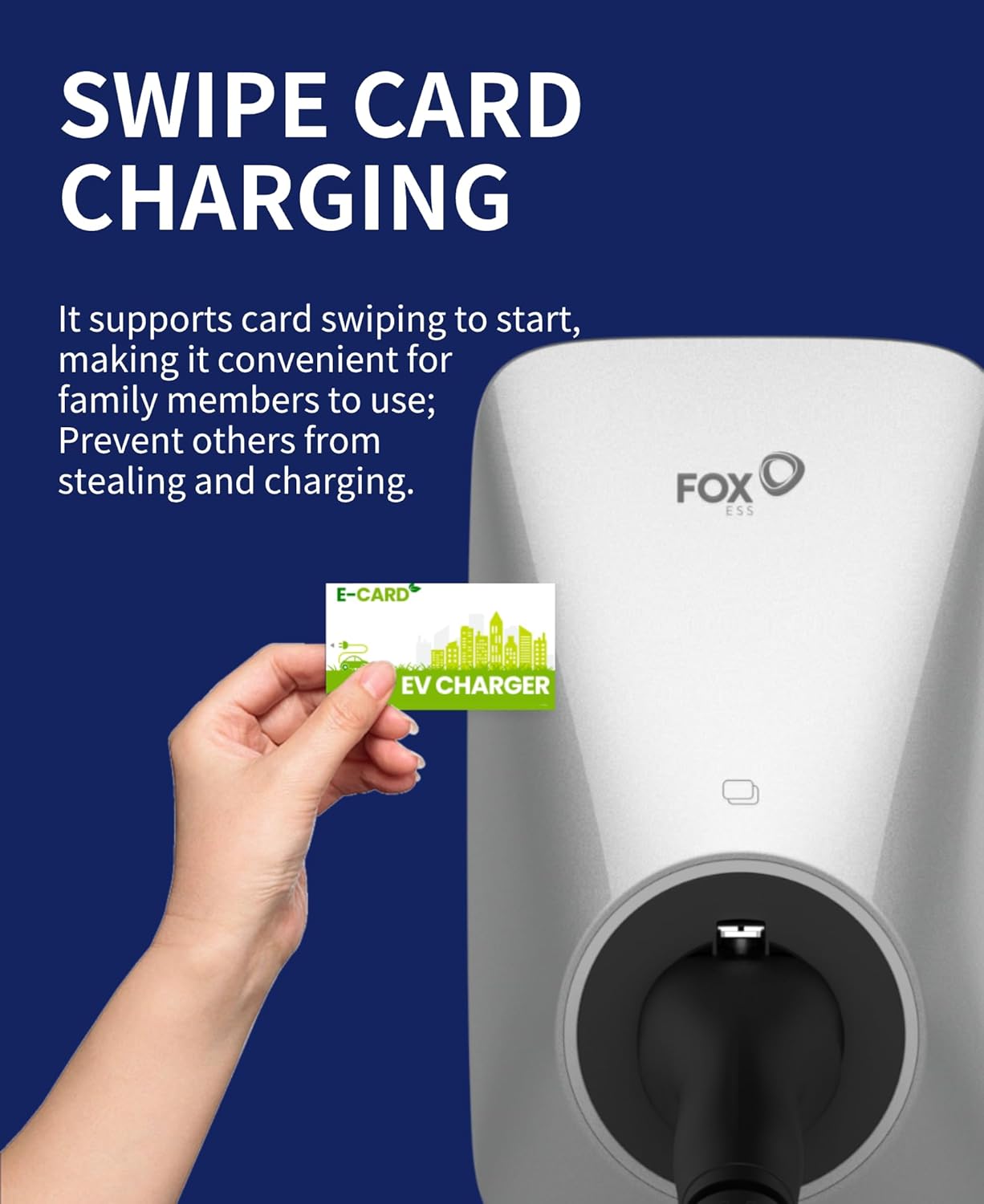
Image 3.2: RFID card charging provides a convenient and secure way to start and stop charging sessions, preventing unauthorized use.
3.2 Smart App Control
The mobile application (FoxSwitch APP) allows for comprehensive control and monitoring of your charging station.
- Remote Control: Start and stop charging remotely.
- Scheduled Charging: Set specific times for charging to take advantage of off-peak electricity rates.
- Monitoring: View real-time charging status, power consumption, and historical data.
- Load Balancing Management: Adjust load balancing settings if a smart meter is connected.

Image 3.3: The FoxSwitch mobile application provides remote control, monitoring, and scheduling features for the EV charger.

Image 3.4: Scheduled charging allows users to optimize charging times, typically during night hours, to benefit from lower electricity rates.
4. Safety and Maintenance
The FoxESS Wallbox is designed with multiple safety features. Regular checks ensure continued safe operation.
4.1 Safety Protections
- Overvoltage Protection: Safeguards against excessive voltage.
- Undervoltage Protection: Prevents operation during insufficient voltage.
- Overload Protection: Protects against current exceeding the rated capacity.
- Short Circuit Protection: Automatically disconnects power in case of a short circuit.
- Leakage Protection: Detects and prevents electrical leakage.
- Over-Temperature Protection: Shuts down if internal temperatures become too high.
- Lightning Protection: Offers defense against lightning strikes.
- Flame Retardant: Constructed with fire-resistant materials.
- Waterproof & Dustproof (IP65): Suitable for outdoor and indoor installation.

Image 4.1: The IP65 rating ensures the wallbox is suitable for both outdoor column installation and indoor wall-fixed installation.
4.2 General Maintenance
- Keep the charging station clean and free from dust and debris.
- Regularly inspect the charging cable and connector for any signs of damage.
- Ensure the emergency stop button is easily accessible and functional.
- Do not attempt to open or repair the unit yourself. Contact qualified service personnel for assistance.
5. Troubleshooting
If you encounter issues with your FoxESS Wallbox, refer to the following basic troubleshooting steps. For complex problems, contact customer support.
- No Power: Check the circuit breaker in your electrical panel. Ensure all connections are secure.
- Charging Not Starting: Verify the vehicle is properly connected. Check app settings or RFID card functionality.
- App Connectivity Issues: Ensure your Wi-Fi network is active and the wallbox is within range. Restart the app and the wallbox if necessary.
- Error Indicators: Refer to the wallbox's status lights for specific error codes or patterns, and consult the full user manual for detailed explanations.
6. Technical Specifications
| Specification | Value |
|---|---|
| Brand | FoxESS |
| Model | A7300P1-E1-B |
| Charging Power | 7.3 kW |
| Amperage | 32 Ampere |
| Output Current | 32 Ampere |
| Power Type | Alternating Current (AC) |
| Connector Type | Type 2 |
| Cable Length | 5 meters |
| Form Factor | Wall Mount |
| Dimensions | 45 x 33 x 16.5 cm |
| Weight | 3.45 Kilograms |
| IP Rating | IP65 (Waterproof & Dustproof) |
| Compatible Devices | iOS/Android (for app control) |
| Certifications | CE, IEC, UKCA, TÜV |

Image 6.1: Equipment dimensions and key component locations, including the side emergency stop button and swipe card sensor.
7. Warranty and Support
For warranty information, technical support, or service inquiries, please contact FoxESS customer service or refer to the official FoxESS website. Keep your purchase receipt for warranty claims.
Related documentsA7300P1-E1-B


Ask a question about this manual
Ask about setup, troubleshooting, compatibility, parts, safety, or missing instructions. Manuals+ will review the question and use this page’s manual context to help answer it.