
NEEWER PA045E
NEEWER PA045E Side Handle with Bluetooth Remote Shutter
Instruction Manual
Introduction
Thank you for choosing the NEEWER PA045E Side Handle with Bluetooth Remote Shutter. This accessory is designed to enhance your mobile photography and videography experience by providing a stable grip and convenient wireless control. It is specifically compatible with NEEWER 2nd Generation Phone Cages for devices such as the iPhone 15 Pro, iPhone 15 Pro Max, and Samsung Galaxy S24 Ultra. Please read this manual thoroughly to ensure proper setup and operation.
Package Contents
- 1 x Bluetooth Side Handle (Battery Included)
- 1 x 1/4" Screw & Locating Pin (integrated into the handle)

Image: The NEEWER PA045E Side Handle, illustrating its components and basic specifications.
Key Features
- Compatibility: Designed for NEEWER 2nd Gen Phone Cages (e.g., PA043/PA044 for iPhone 15 Pro/Max, PA042 for Galaxy S24 Ultra).
- Wireless Bluetooth Remote Shutter: Pairs with iOS/Android smartphones for remote photo and video capture.
- Quick Release Clamp: Enables swift attachment and removal from the phone cage.
- Cold Shoe Mount with Anti-Off Pin: Securely attaches accessories like microphones or LED lights, preventing accidental detachment.
- 360° Swivel & Vertical Adjustment: Allows for versatile positioning, functioning as a side handle or top handle for various shooting angles.
- Stable & Comfortable Grip: Coated with soft, non-slip rubber for extended use.
- Built-in L-Shaped Hex Key: For adjusting and tightening the handle arm.
Setup Instructions
1. Attaching the Side Handle to Your Phone Cage
- Locate the quick release clamp mounting slot on your NEEWER 2nd Gen Phone Cage.
- Align the side handle's quick release mechanism with the slot on the phone cage.
- Push the handle into the slot until it clicks into place.
- Turn the locking knob clockwise to secure the handle firmly to the cage. Ensure it is tight to prevent movement during use.

Image: Illustration of the quick release clamp mechanism for attaching the side handle to a compatible phone cage.
2. Pairing the Bluetooth Remote Shutter
- Ensure the Bluetooth remote shutter module is inserted into the handle.
- On your smartphone, go to Settings > Bluetooth.
- Press and hold the shutter button on the side handle until the blue indicator light flashes, indicating it's in pairing mode.
- On your smartphone, select "NEEWER Shutter" or a similar device name from the list of available Bluetooth devices.
- Once paired, the blue light on the shutter will stop flashing and remain solid or turn off.
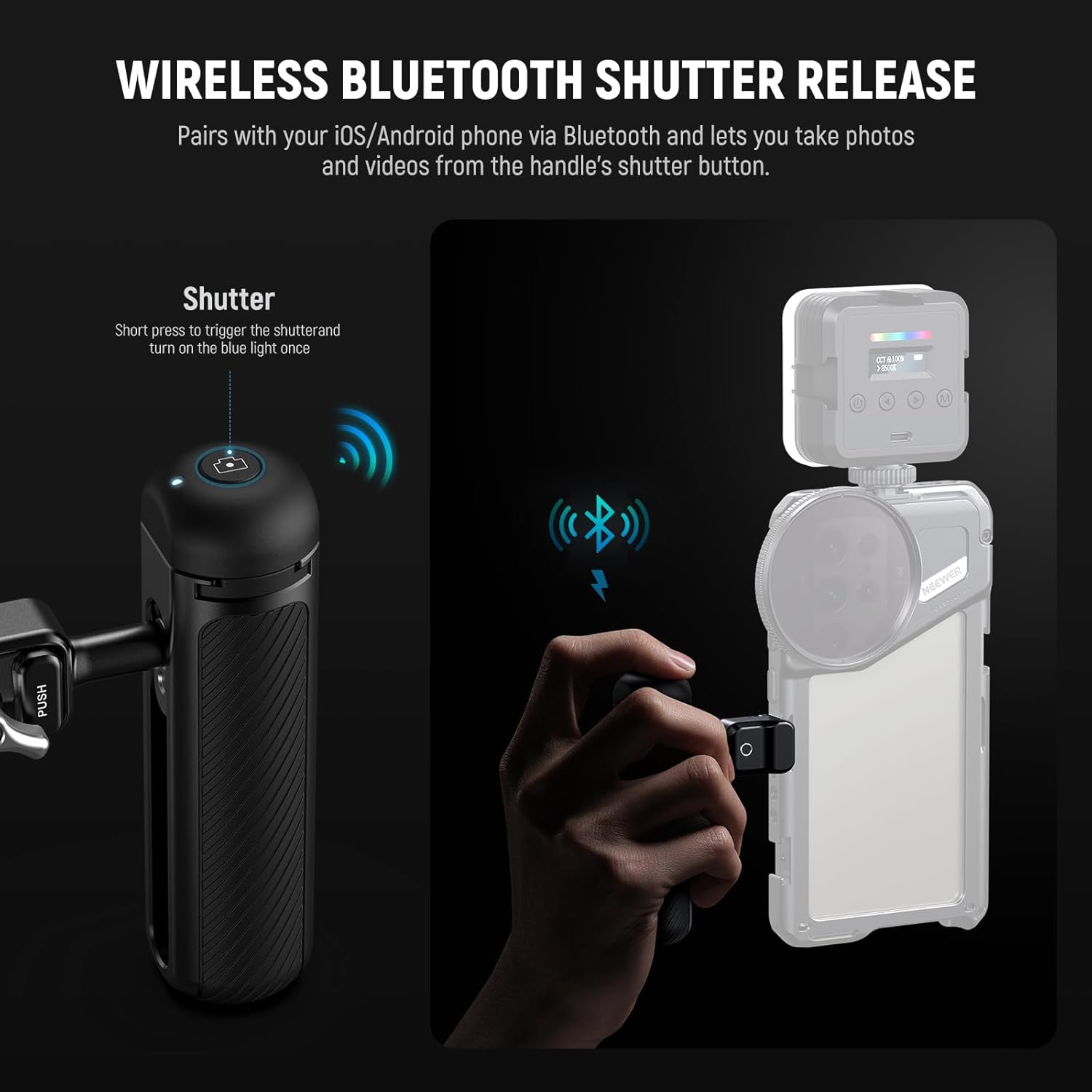
Image: Visual guide for pairing the wireless Bluetooth remote shutter with a smartphone.
3. Using the Cold Shoe Mount
- The cold shoe mount is located on top of the handle. It features a retractable anti-off pin for secure accessory attachment.
- To attach an accessory (e.g., microphone, LED light), slide it into the cold shoe mount. The anti-off pin will retract and then spring back to secure the accessory.
- Note: Remove the Bluetooth shutter release module from the handle before using the cold shoe mount to avoid interference or damage.

Image: Close-up of the cold shoe mount with its protective cover and anti-off pin feature.
Operating Instructions
1. Using the Bluetooth Shutter
- Once paired, short press the shutter button on the handle to trigger your smartphone's camera. This will capture a photo or start/stop video recording, depending on your camera app's current mode.
2. Adjusting Handle Position (360° Rotation & Vertical Adjustment)
- The handle can rotate 360° around its axis. Loosen the locking knob slightly to adjust the angle for comfortable gripping or to convert it into a top handle for low-angle shots. Retighten the knob once the desired position is achieved.
- The handle also allows for 2.2 inches (55mm) of vertical adjustment. This feature helps in achieving better balance for your setup. Use the built-in L-shaped hex key to loosen the screw, adjust the vertical position, and then tighten it securely.

Image: Visual representation of the handle's 360° rotation and vertical adjustment capabilities.
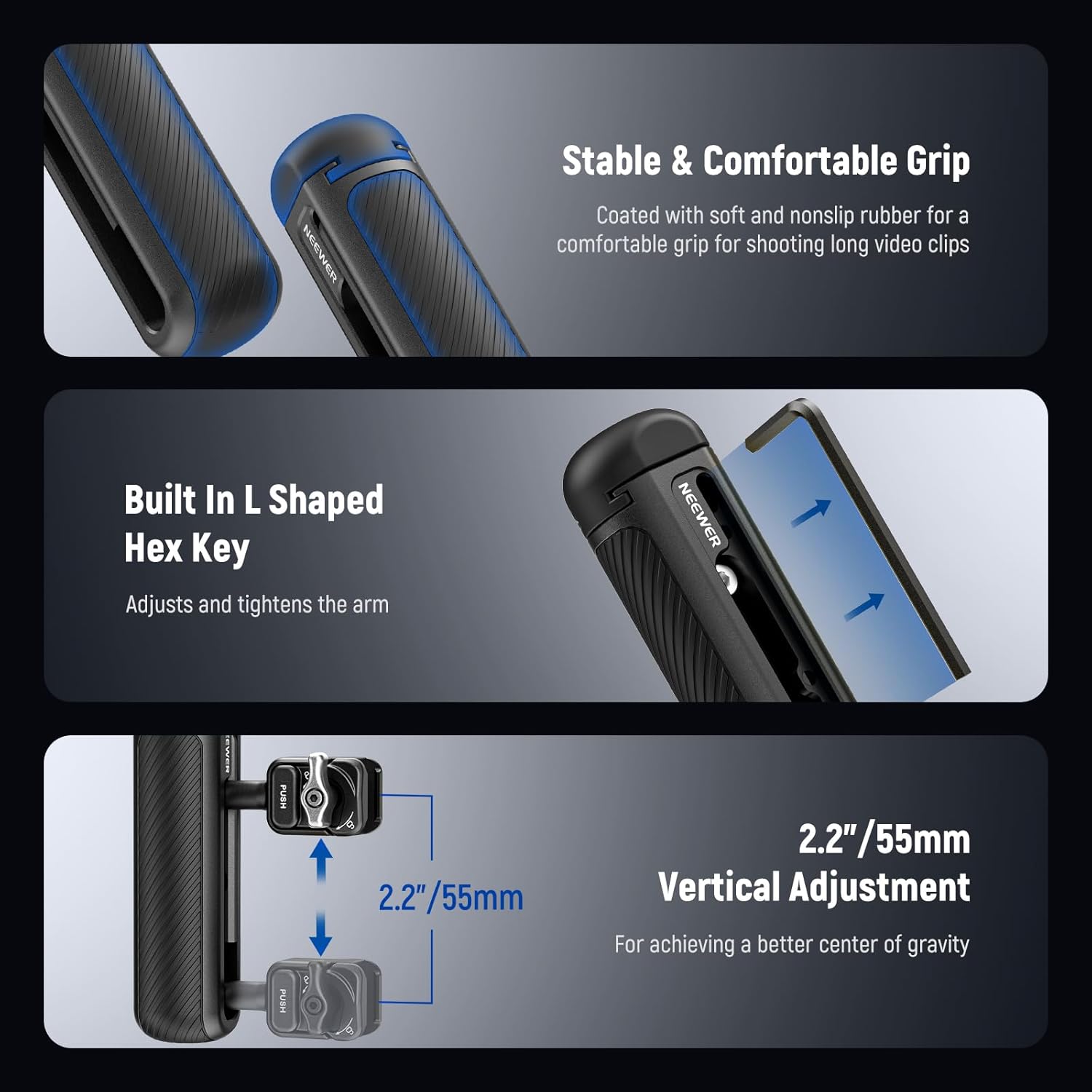
Image: Details of the handle's stable grip, integrated hex key for adjustments, and vertical adjustment range.
Maintenance
- Keep the handle clean by wiping it with a soft, dry cloth.
- Avoid exposing the product to extreme temperatures, moisture, or corrosive substances.
- Regularly check all screws and connections to ensure they are tight. Use the built-in hex key for adjustments as needed.
- If the Bluetooth remote shutter's battery needs replacement, use the provided tiny screwdriver to open the compartment and replace it with a compatible battery.
Troubleshooting
| Problem | Possible Cause | Solution |
|---|---|---|
| Bluetooth Shutter Not Pairing | Battery low or dead; not in pairing mode; interference; previously paired device conflict. |
|
| Handle Feels Loose on Cage | Locking knob not fully tightened; incorrect installation. |
|
| Cold Shoe Accessory Not Secure | Anti-off pin not engaged; accessory not fully inserted. |
|
Specifications
| Feature | Detail |
|---|---|
| Model Name | PA045E |
| Brand | NEEWER |
| Compatibility | NEEWER 2nd Gen Phone Cages (e.g., PA043/PA044 for iPhone 15 Pro/Max, PA042 for Galaxy S24 Ultra) |
| Main Material | Aluminum Alloy |
| Item Weight | 2 Ounces (approx. 57g) |
| Vertical Adjustment Range | 2.2 inches (55mm) |
| Built-In Media | 1 x Bluetooth Side Handle (Battery Included) |
| UPC | 191073092938 |
Warranty and Support
The NEEWER PA045E Side Handle comes with a 1 Year Manufacturer Warranty. For technical support, warranty claims, or further assistance, please contact NEEWER customer service through their official website or the platform where you purchased the product. Please retain your proof of purchase for warranty validation.