
1. Introduction
Thank you for purchasing the IRONDAY SL-2033D Steam Iron. This user manual provides essential information for the safe and efficient operation, maintenance, and care of your new appliance. Please read these instructions thoroughly before first use and retain them for future reference.
2. Important Safety Instructions
- Always ensure the iron is unplugged from the power outlet before filling or emptying the water tank, cleaning, or when not in use.
- Do not leave the iron unattended while it is switched on or connected to a power supply.
- Keep the iron and its cord out of reach of children and pets when it is switched on or cooling down.
- Use the iron only for its intended purpose, which is ironing clothes.
- Never immerse the iron, power cord, or plug in water or other liquids.
- Avoid touching hot surfaces. Use handles or knobs. The soleplate and steam can cause burns.
- Do not operate any appliance with a damaged cord or plug, or after the appliance malfunctions or has been dropped or damaged in any manner.
- Place the iron on a stable, heat-resistant surface when resting.
- Use distilled or demineralized water to prevent mineral buildup and extend the life of your iron. Tap water may be used if it is not excessively hard, but regular cleaning is recommended.
3. Product Overview
Familiarize yourself with the components of your IRONDAY SL-2033D Steam Iron:
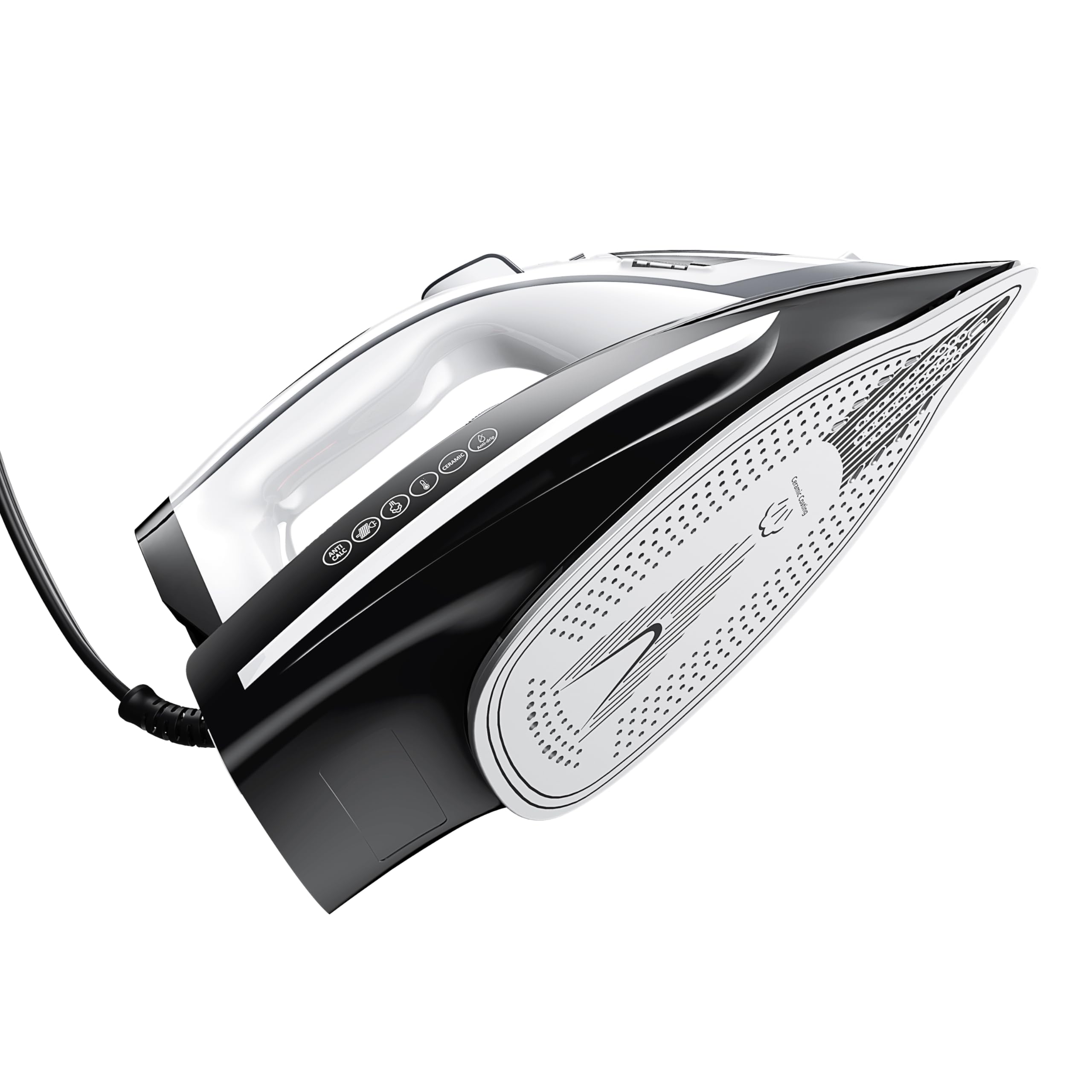
Figure 1: IRONDAY SL-2033D Steam Iron
- Water Inlet Cover: Located at the front top of the iron, this cover opens to allow filling of the water tank.
- Spray Nozzle: Emits a fine mist of water for dampening fabrics.
- Steam/Spray Buttons: Controls the spray and steam burst functions. The spray button is typically on the left, and the steam burst button on the right, near the handle.
- Temperature Control Dial: Used to select the appropriate temperature setting for different fabric types (e.g., Synthetic, Silk-Wool, Linen-Cotton).
- Self-Clean Button: Activates the self-cleaning function to remove mineral deposits.
- Water Tank: Transparent reservoir for water, visible through the body of the iron.
- Soleplate: The ceramic-coated base that heats up for ironing. Features numerous steam vents for even steam distribution.
- Power Cord: Connects the iron to the electrical outlet.
4. Setup
- Unpack the Iron: Remove all packaging materials and labels from the iron. Inspect the iron for any damage.
- First Use Preparation: Before first use, it is recommended to iron an old piece of fabric to ensure any manufacturing residues are removed.
- Fill the Water Tank:
- Ensure the iron is unplugged.
- Open the water inlet cover.
- Using the provided measuring cup, carefully pour distilled or demineralized water into the water tank up to the 'MAX' fill line. Do not overfill.
- Close the water inlet cover securely.
- Position the Iron: Place the iron upright on a stable, heat-resistant surface.
- Connect to Power: Plug the power cord into a suitable electrical outlet.
5. Operating Instructions
5.1. Setting the Temperature
- Check the fabric care label on your garment for the recommended ironing temperature.
- Turn the temperature control dial to the desired setting (e.g., Synthetic, Silk-Wool, Linen-Cotton). Start with lower temperatures for delicate fabrics and increase as needed.
- The iron will heat up, and an indicator light will illuminate. Once the desired temperature is reached, the light may turn off or change color (e.g., to red) to indicate readiness.
5.2. Dry Ironing
For dry ironing, ensure the steam control is set to the 'OFF' position. Select the appropriate temperature and wait for the iron to heat up. Iron the fabric as usual.
5.3. Steam Ironing
For steam ironing, ensure the water tank is filled. Select a temperature setting suitable for steam (typically Linen-Cotton or higher, indicated on the dial). Once the iron reaches temperature, adjust the steam control to the desired steam level. You can also use the spray button for a fine mist or the steam burst button for a powerful shot of steam to remove stubborn wrinkles.
6. Maintenance and Cleaning
Regular maintenance ensures optimal performance and extends the lifespan of your iron.
6.1. Cleaning the Soleplate
- After each use, allow the iron to cool completely.
- Wipe the ceramic soleplate with a damp cloth and a non-abrasive cleaner if necessary. Do not use harsh scouring pads or metallic cleaners, as these can damage the ceramic coating.
6.2. Self-Clean Function
The self-clean function helps remove mineral deposits from the steam vents. Perform this function monthly or as needed, especially if using tap water.
- Fill the water tank to the 'MAX' line with water.
- Plug in the iron and set the temperature dial to 'MAX' (Linen-Cotton).
- Once the iron reaches temperature, unplug it.
- Hold the iron horizontally over a sink.
- Press and hold the 'Self-Clean' button. Hot water and steam will be expelled from the soleplate, flushing out mineral deposits. Gently shake the iron back and forth.
- Release the button when the water tank is empty.
- Allow the iron to cool completely before storing.
6.3. Storage
After use, unplug the iron, empty any remaining water from the tank, and allow it to cool completely. Store the iron upright in a safe, dry place.
7. Troubleshooting
| Problem | Possible Cause | Solution |
|---|---|---|
| Iron does not heat up. | Not plugged in; power outlet fault; temperature dial set to 'OFF' or too low. | Check power connection; try a different outlet; turn temperature dial to a fabric setting. |
| No steam or insufficient steam. | Water tank empty; steam control set to 'OFF'; temperature too low for steam; mineral buildup. | Fill water tank; adjust steam control; set temperature to a steam-appropriate level; perform self-clean function. |
| Water leaks from soleplate. | Temperature too low for steam; water tank overfilled; anti-drip system malfunction. | Increase temperature; do not overfill water tank; if problem persists, contact support. |
| White flakes or residue on clothes. | Mineral buildup in the iron. | Perform self-clean function. Use distilled water to prevent future buildup. |
8. Specifications
- Brand: IRONDAY
- Model Name: SL-2033D
- Special Feature: Anti-calc
- Color: Grey
- Product Dimensions: 12.2"L x 5.11"W
- Recommended Uses: Steam Iron
- Base Material: Ceramic
- Item Weight: 3.21 pounds
- Power: 1700W
9. Warranty and Support
The IRONDAY SL-2033D Steam Iron comes with a 1-Year Warranty from the date of purchase, covering manufacturing defects. Please retain your proof of purchase for warranty claims.
For technical support, troubleshooting assistance, or warranty inquiries, please refer to the contact information provided with your purchase documentation or visit the official IRONDAY website. Do not attempt to repair the appliance yourself, as this may void the warranty and pose safety risks.