
1. Introduction
This manual provides comprehensive instructions for the assembly, operation, and maintenance of your QFP Queen Bed Frame. Please read all instructions carefully before beginning assembly and retain this manual for future reference.

Image 1.1: The QFP Queen Bed Frame featuring an LED headboard, integrated charging station, and under-bed storage drawers.

Image 1.2: Close-up view highlighting key design elements including safer round corners, white soft PU leather upholstery, diamond button tufting, and a footboard designed to secure the mattress.
2. Safety Information
Adhere to the following safety guidelines to ensure safe use of the bed frame:
- Do not exceed a weight capacity of 544.31 kg (1200 pounds) on the bed frame.
- Ensure all bolts and screws are securely tightened during assembly and periodically check for tightness.
- Keep small parts away from children during assembly to prevent choking hazards.
- Do not stand or jump on the bed frame.
- Use the bed frame on a flat, stable surface.
3. Setup and Assembly
The QFP Queen Bed Frame requires assembly. An installation manual is included with the product. Follow the step-by-step instructions provided in the included manual for proper assembly. Ensure all parts are present before beginning.

Image 3.1: Dimensional diagram of the Queen Bed Frame, indicating overall size, headboard height, and under-bed clearance. Compatible mattress size is 60"W x 80"L (8"-12" thickness).
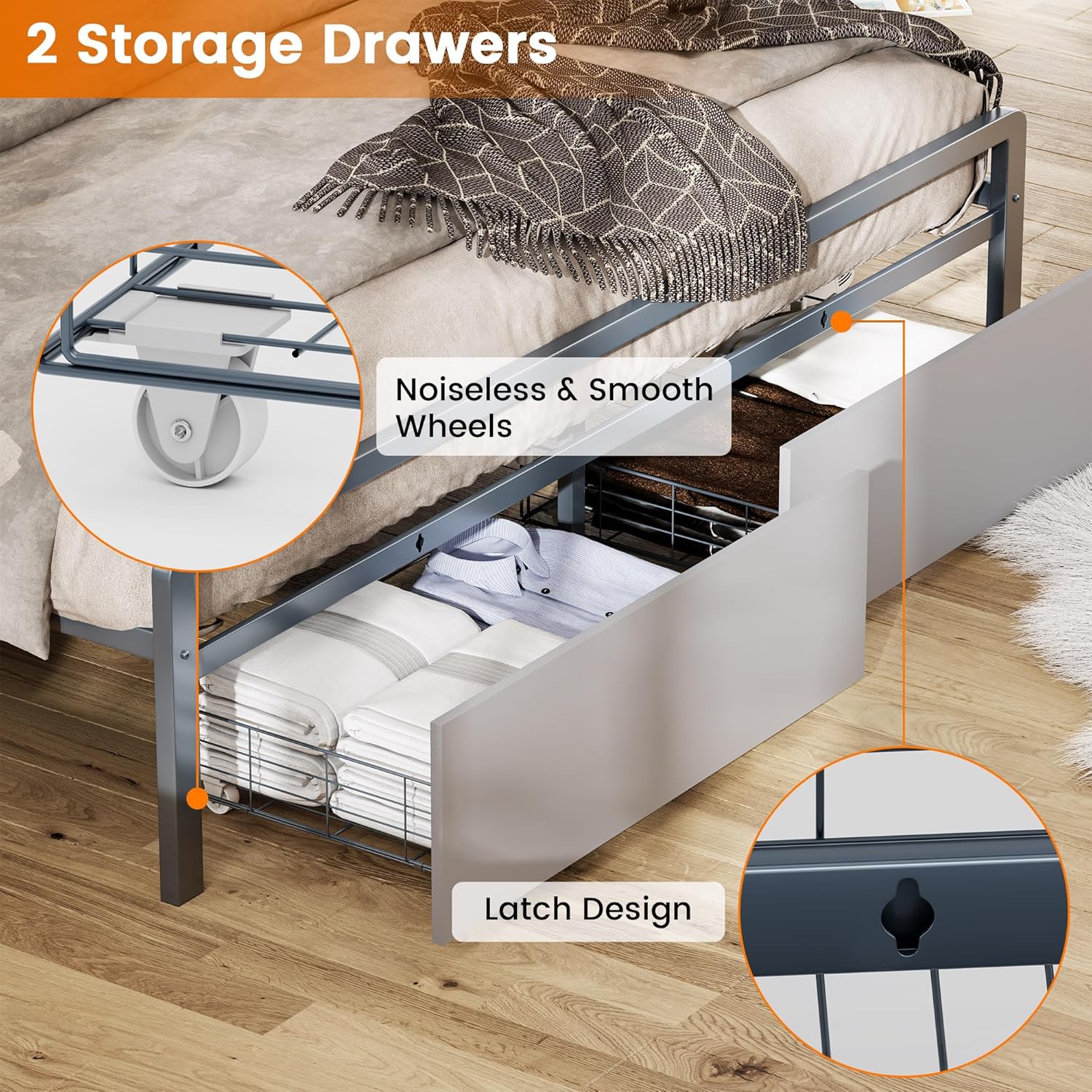
Image 3.2: Detailed view of the bed frame's structural components, including the metal frame, 9 support metal legs, and 13 metal slats, designed for stability and noise reduction.
Video 3.1: This video demonstrates the assembly process and highlights key features of the bed frame, including the storage headboard and charging station. It provides a visual guide to setup and functionality.
4. Operating Instructions
4.1 LED Lights
The headboard features integrated LED lights with touch control. Gently touch the designated sensor on the headboard to cycle through three different light colors: Cold, Warm, and Natural. Touch again to turn off the lights.
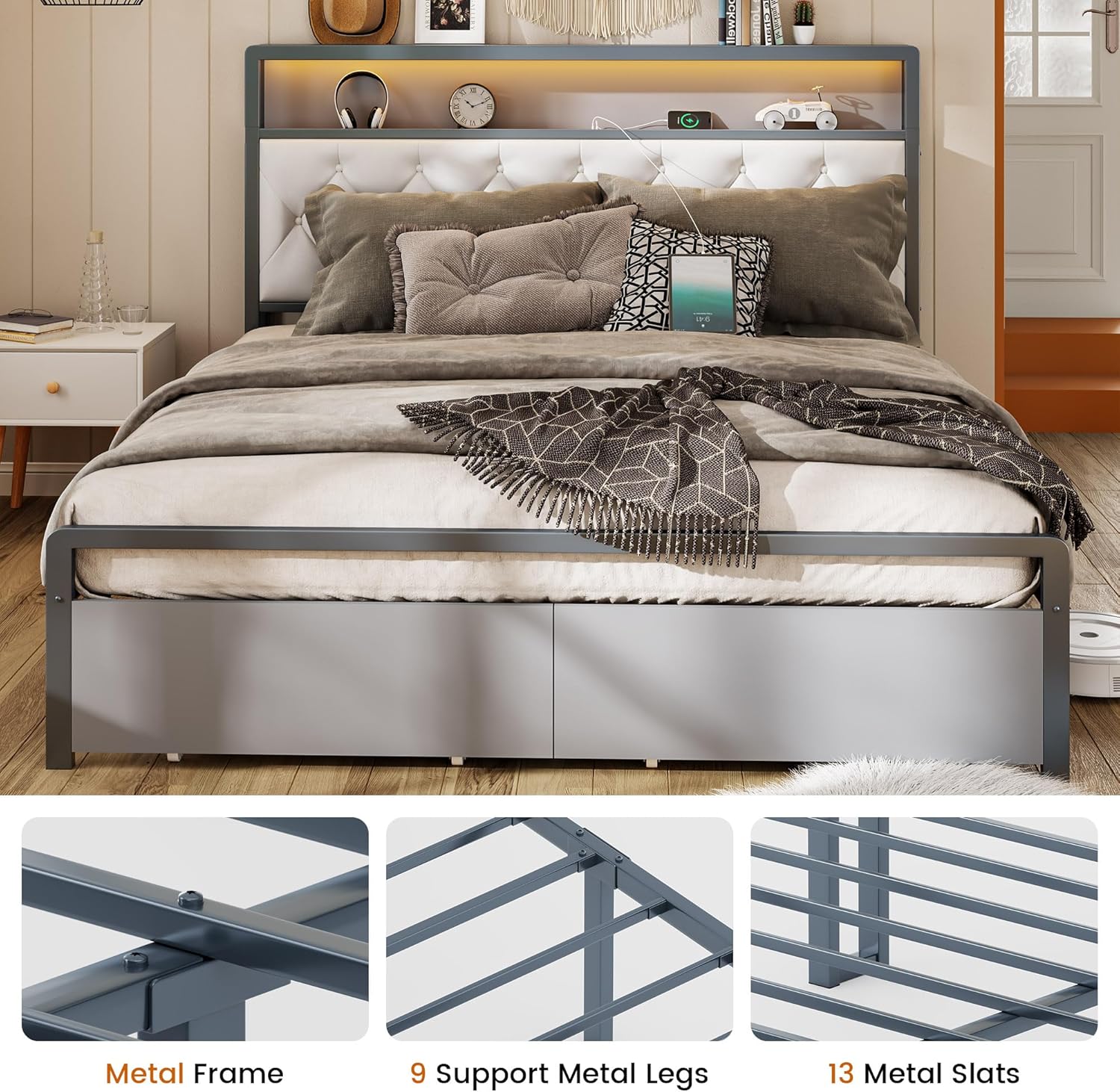
Image 4.1: Illustration of the three available LED light colors: Cold, Warm, and Natural, which can be selected via touch control on the headboard.
4.2 Charging Station
The headboard includes a built-in charging station for electronic devices. It features one USB-C port (5V/2A) and one standard USB port (5V/2A). Connect your devices to the appropriate port for convenient charging.

Image 4.2: Close-up of the headboard's integrated charging station, showing the USB-C and standard USB ports, along with the touch control for the LED lights.
4.3 Storage Drawers
The bed frame is equipped with two lockable storage drawers on wheels. These drawers provide additional space for clothes, bedding, or other items. The drawers feature noiseless and smooth wheels for easy access and a latch design to keep them securely in place.

Image 4.3: View of the two under-bed storage drawers, highlighting their smooth-rolling wheels and latch mechanism for secure closure.

Image 4.4: Illustration showing the 12.2-inch under-bed storage clearance, providing ample space for the integrated drawers or other items.
5. Maintenance
To maintain the appearance and longevity of your QFP Queen Bed Frame, follow these care instructions:
- For general cleaning, wipe surfaces with a damp cloth.
- Immediately follow with a dry cloth to prevent water spots or moisture damage.
- Avoid using harsh chemicals or abrasive cleaners, as these may damage the finish or upholstery.
- Periodically check all connections and fasteners to ensure they remain tight. Re-tighten if necessary.
6. Troubleshooting
If you encounter issues with your QFP Queen Bed Frame, consider the following common solutions:
- Squeaking Noises: Ensure all bolts and screws are securely tightened. Loose connections are a common cause of noise. The bed frame is designed with EVA mute pressed on the slats to prevent friction noise.
- LED Lights Not Working: Check that the power cord for the LED lights and charging station is properly plugged into a functional wall outlet. Verify the touch sensor is clean and unobstructed.
- Charging Station Not Functioning: Confirm the power cord is connected. Test with a different device or cable to rule out device-specific issues.
- Drawers Not Sliding Smoothly: Check for any obstructions in the drawer tracks or under the bed. Ensure the wheels are clean and free of debris.
If problems persist after attempting these solutions, please contact customer support.
7. Specifications
| Feature | Detail |
|---|---|
| Brand | QFP |
| Model | B0DHZD7BW6 |
| Size | Queen |
| Product Dimensions | 2.23L x 1.53W x 1.2H Meters |
| Material | Wood, Metal |
| Fabric Type | Gray Painted Iron |
| Colour | Grey |
| Finish Type | Painted |
| Maximum Recommended Load | 544.31 kg (1200 lbs) |
| Form Factor | Rectangular with Headboard and Footboard |
| Special Features | Charging Station, Lighted, No Box Spring Needed, Storage Drawer, USB Port |
| Assembly Required | Yes |
| Included Components | Installation Manual |
| Compatible Mattress Size | Queen |
8. Warranty Information
Specific warranty details for the QFP Queen Bed Frame are not provided in the product information. For warranty inquiries, please refer to the documentation included with your purchase or contact the seller directly.
9. Customer Support
For further assistance, questions, or to report any issues with your QFP Queen Bed Frame, please contact the seller or manufacturer through the platform where the product was purchased. Ensure you have your model number (B0DHZD7BW6) and purchase date available when contacting support.