Introduction
The Godox iM30 is a compact and versatile universal camera flash designed to provide enhanced lighting for your photography. Weighing only 78g and fitting comfortably in the palm of your hand, it is an ideal portable lighting solution. This manual provides detailed instructions for the proper setup, operation, and maintenance of your iM30 flash.

Figure 1: Godox iM30 Universal Camera Flash. This image shows the compact black flash unit with its control dial and hot shoe mount, accompanied by a small cleaning cloth.
Setup
1. Battery Installation
The Godox iM30 flash operates on two AAA batteries. Ensure you use fresh batteries for optimal performance.
- Locate the battery compartment cover on the side of the flash unit.
- Slide the cover open in the direction indicated by the arrow.
- Insert two AAA batteries, paying close attention to the correct polarity (+/-) as marked inside the compartment.
- Close the battery compartment cover securely until it clicks into place.
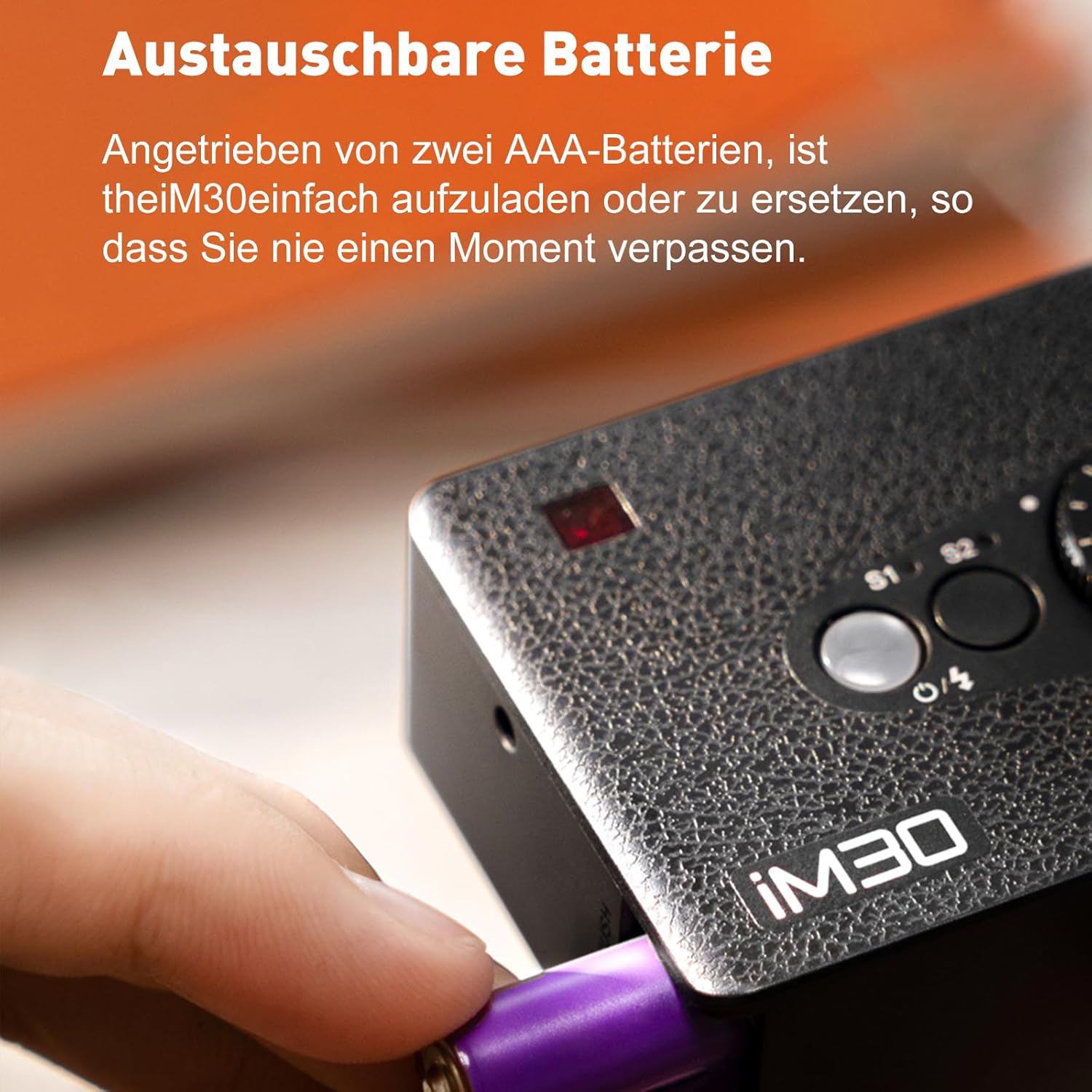
Figure 2: Proper insertion of AAA batteries into the iM30 flash unit. The image shows a hand inserting a purple AAA battery into the flash's battery slot.
2. Mounting the Flash
The iM30 features a single-contact hot shoe for broad compatibility with most mirrorless and film cameras.
- Ensure your camera is turned off.
- Slide the iM30's hot shoe mount into your camera's hot shoe slot.
- Tighten the locking wheel on the flash unit to secure it firmly to the camera.

Figure 3: The Godox iM30 flash mounted on a camera, demonstrating its compact size and integration. The image highlights the flash's universal compatibility and small footprint when attached.
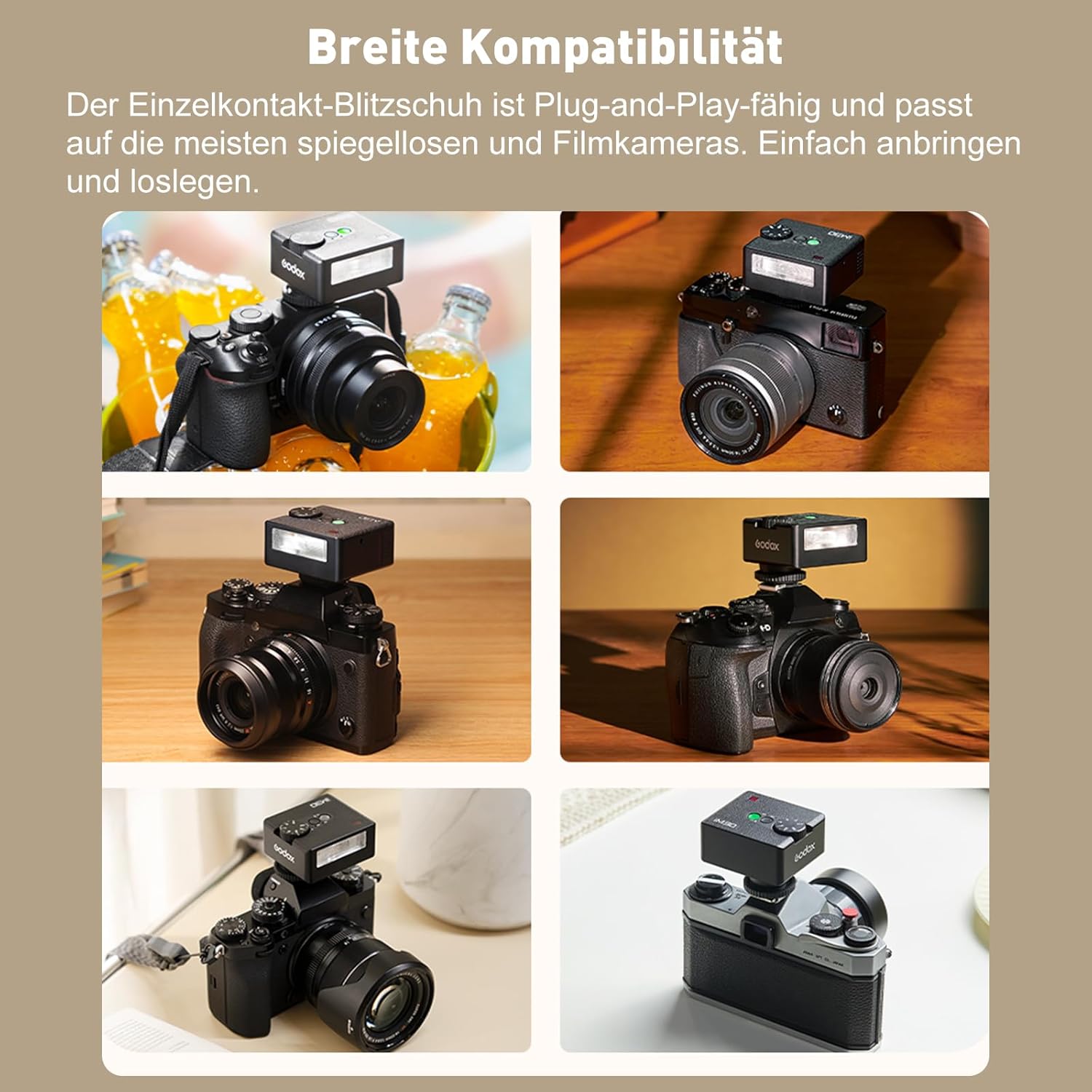
Figure 4: Examples of the Godox iM30 flash mounted on different camera models, illustrating its wide compatibility with various mirrorless and film cameras.
Operating Instructions
1. Powering On/Off
Press and hold the power button (usually marked with a circle and a line) to turn the flash on or off. A green indicator light will illuminate when the flash is ready.
2. Adjusting Power Output
The iM30 supports 7-step manual dimming, from 1/64 to 1/1 power. Rotate the power adjustment dial to select the desired output level.
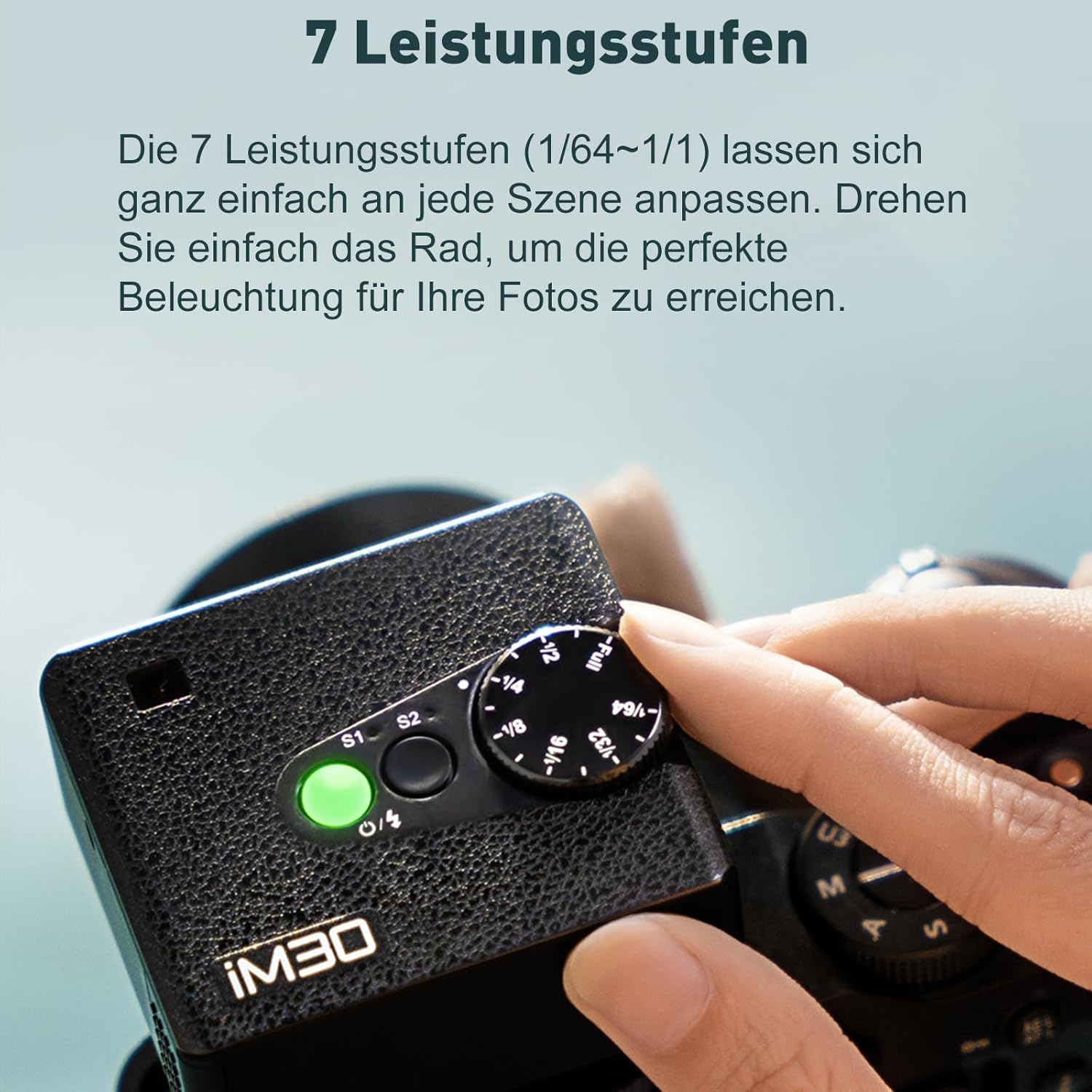
Figure 5: A hand rotating the power adjustment dial on the Godox iM30 flash, demonstrating how to select between 7 power levels (1/64 to 1/1).
3. Optical Control Modes (S1/S2)
The iM30 features two optical slave modes, S1 and S2, indicated by dedicated lights. These modes allow the flash to be triggered by another flash unit.
- S1 Mode: This is a simple optical slave mode. The iM30 will fire when it detects a flash from a master flash unit. It ignores pre-flashes.
- S2 Mode: This is an intelligent optical slave mode. The iM30 will ignore the first pre-flash from a master flash (often used for TTL metering) and fire on the second, main flash.
To switch between S1 and S2 modes, press the S1/S2 button. The corresponding indicator light will illuminate.
4. Flash Performance
The iM30 provides a guide number of 15 (ISO 100, meters), offering brighter and more natural fill light compared to most built-in camera flashes. It can deliver approximately 230 full-power flashes on a single set of batteries.

Figure 6: An example of natural lighting achieved using the Godox iM30 flash, enhancing the quality of the subject's illumination.

Figure 7: A photographer using the Godox iM30 flash to capture a moment, highlighting its capability to deliver up to 230 full-power flashes.
Maintenance
- Keep the flash unit clean and dry. Use a soft, dry cloth to wipe the exterior.
- Avoid exposing the flash to extreme temperatures, humidity, or direct sunlight for prolonged periods.
- Remove batteries if the flash will not be used for an extended period to prevent leakage.
- Do not attempt to disassemble or repair the flash unit yourself. Refer to qualified service personnel.
Troubleshooting
| Problem | Possible Cause | Solution |
|---|---|---|
| Flash does not power on. | Batteries are dead or incorrectly inserted. | Replace batteries with fresh ones, ensuring correct polarity. |
| Flash does not fire. | Flash not securely mounted; camera not turned on; flash not charged. | Ensure flash is securely mounted and locked. Turn on camera. Wait for flash ready indicator. |
| Flash fires inconsistently in S1/S2 mode. | Interference from other light sources; incorrect mode selected. | Ensure clear line of sight to master flash. Verify S1/S2 mode is appropriate for master flash (e.g., S2 for TTL master). |
| Flash output is too weak/strong. | Incorrect power level selected. | Adjust the power output dial to a higher or lower setting as needed. |
Specifications
| Feature | Detail |
|---|---|
| Model | Godox iM30 |
| Guide Number | GN15 (ISO 100, meters) |
| Power Output | 7 levels (1/64 to 1/1) |
| Color Temperature | 6500K ± 200K |
| Optical Control Modes | S1, S2 |
| Power Source | 2 x AAA batteries |
| Full Power Flashes | Approx. 230 |
| Dimensions (L x W x H) | 6.1 x 4.5 x 5.21 cm |
| Weight | 78 grams (without batteries) |
| Compatible Cameras | Canon EOS, Sony, Nikon, Fuji, Olympus, etc. (single-contact hot shoe) |
| Flash Sync Speed | 1/200s |
| Included Components | 1 x Godox iM30 Camera Flash |
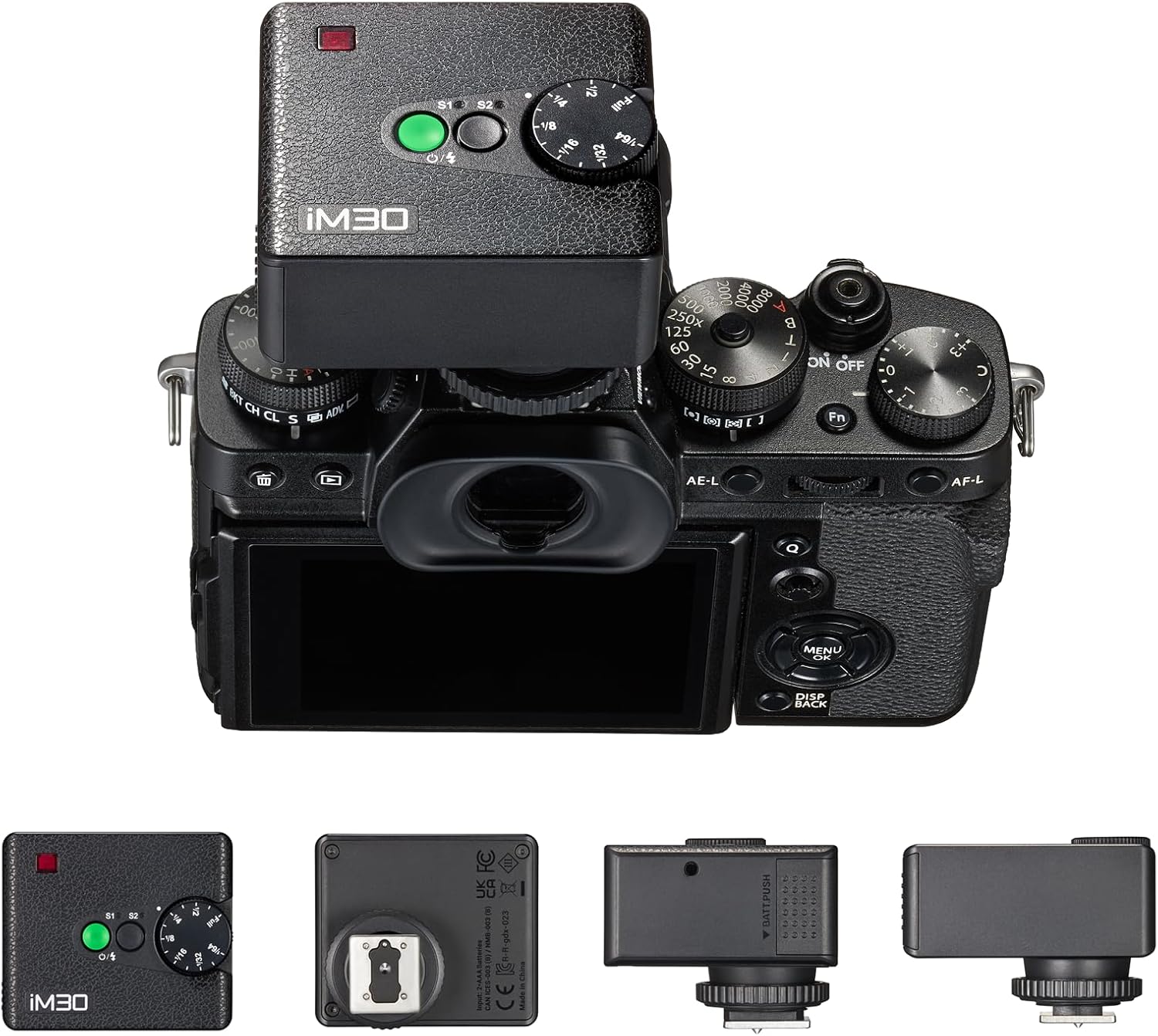
Figure 8: Multiple views of the Godox iM30 flash, including top, bottom, and side profiles, showcasing its design and hot shoe mount.
Warranty and Support
For warranty information and customer support, please refer to the official Godox website or contact your local distributor. Keep your purchase receipt as proof of purchase for warranty claims.
For further assistance, you may visit the Godox Store on Amazon.


