
GiipGoop RG35XXSP
GiipGoop RG35XXSP Handheld Retro Game Console
Instruction Manual
1. Introduction
The GiipGoop RG35XXSP is a clamshell-designed handheld retro game console, engineered for portable gaming. It features a 3.5-inch IPS screen, a powerful H700 quad-core processor, and extensive connectivity options including 5G WiFi and Bluetooth. This manual provides essential information for setting up, operating, and maintaining your device.

Image 1.1: GiipGoop RG35XXSP Handheld Retro Game Console (Green Transparent) with included accessories.
2. Key Features
2.1. Clamshell Design & Magnetic Switch
The RG35XXSP features a compact clamshell body with built-in strong magnets in the upper and lower covers, ensuring secure magnetic closure. It includes a Hall switch chip that automatically lights up the screen when opened and turns it off when closed, optimizing power usage.

Image 2.1: Close-up of the clamshell design highlighting the Hall magnetic switch functionality.
2.2. Display & Performance
Equipped with a 3.5-inch IPS screen, the console offers a full viewing angle and 640x480 resolution, enhanced by OCA lamination for durability. The display is protected by tempered glass. Powering the device is a H700 quad-core ARM Cortex-A53 CPU and a dual-core G31 MP2 GPU, both operating at 1.5GHz for smooth gameplay.
2.3. Battery Life & Charging
A 3300mAh high-capacity polymer lithium battery provides up to 8 hours of game playing time. The device supports fast charging via a USB Type-C cable.
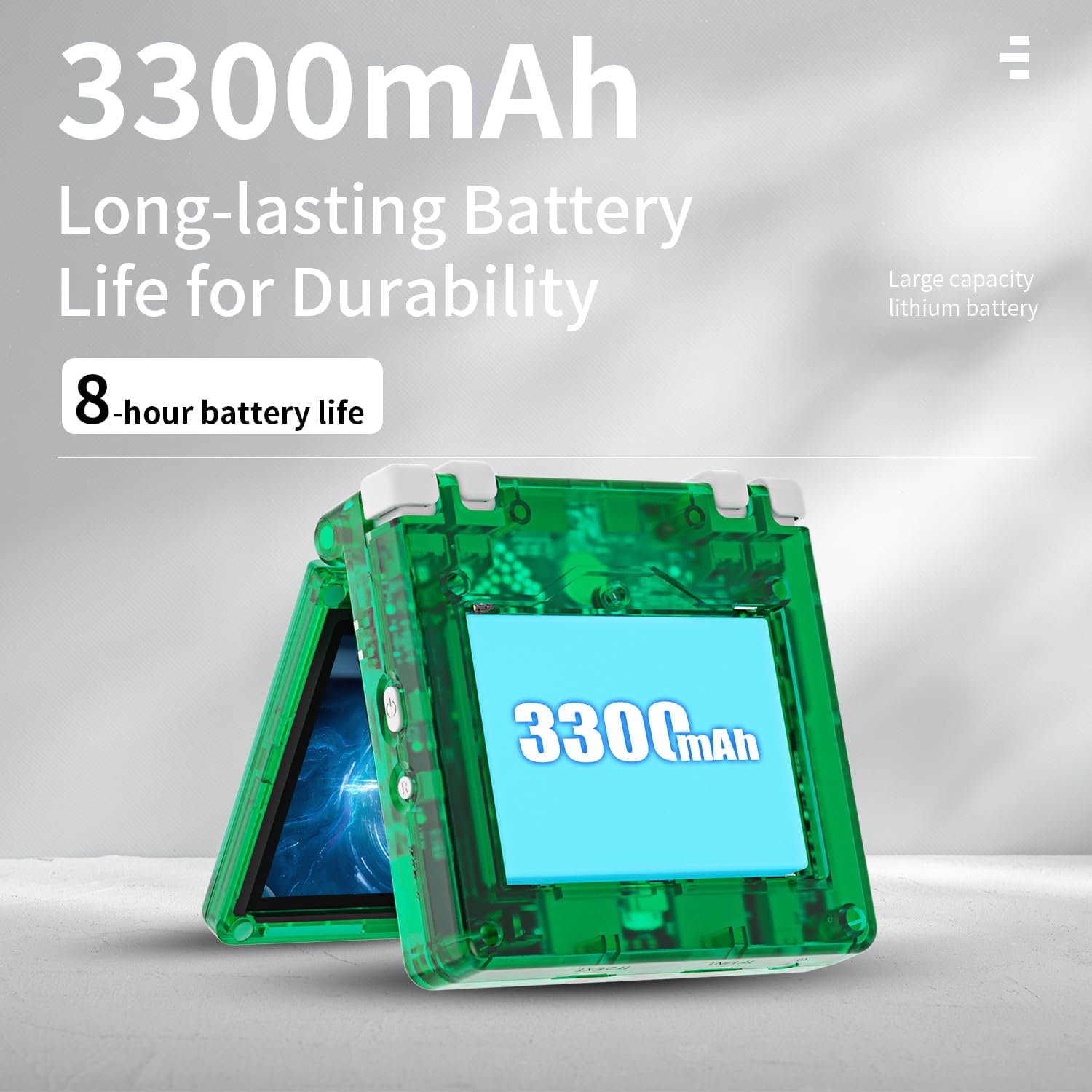
Image 2.2: Illustration of the console's 3300mAh battery and 8-hour battery life.
2.4. Storage & Preloaded Games
The console includes a 64GB TF card pre-loaded with 5532 classic games, supporting dozens of simulators. It also features dual card slots for TF card expansion, supporting up to 512GB.
2.5. Connectivity
The RG35XXSP supports 5G WiFi for online multiplayer and streaming, Bluetooth 4.2 for wireless controllers, and HD output for connecting to a television for a larger screen experience. It is compatible with 2.4G wireless and wired controllers.

Image 2.3: Visual representation of the console's 5G WiFi, Bluetooth, and HDMI output capabilities.
3. Setup
3.1. Charging the Device
Before initial use, fully charge the console using the provided USB Type-C cable and a compatible 5V/1.5A power adapter. The charging indicator light will show the charging status.
3.2. Inserting the TF Card
Locate the TF card slots on the device. Gently insert the pre-loaded 64GB TF card into the designated slot until it clicks into place. If using an additional TF card for expansion, insert it into the second slot.
3.3. Powering On/Off
To power on, open the clamshell. The Hall switch chip will automatically activate the screen. To power off, close the clamshell to enter sleep mode, or long-press the power button for a complete shutdown.
4. Operating Instructions
4.1. Basic Controls
The console features a D-pad, action buttons (A, B, X, Y), Select, Start buttons, and dual joysticks for precise control. Shoulder buttons (L1, L2, R1, R2) are located on the top edge of the device.

Image 4.1: Various views of the GiipGoop RG35XXSP, detailing button layout and ports.
4.2. Navigating Menus
Use the D-pad or joysticks to navigate through the main menu and game selection screens. The A button typically confirms selections, while the B button is used to go back or cancel.
4.3. Playing Games
From the main menu, select your desired emulator or game category. Browse the list of pre-loaded games and select one to start playing. Most emulators support in-game saving and loading functionalities.
4.4. Connecting to a TV
Connect the console to a TV using an HD cable via the mini HD port. This allows for a larger display for your gaming experience.
4.5. Connecting External Controllers
The RG35XXSP supports 2.4G wireless controllers and wired controllers. For wireless controllers, ensure Bluetooth is enabled on the console and pair the controller according to its instructions. Wired controllers can be connected via the USB/OTG port.
Video 4.1: Overview of the RG35XXSP handheld game console, demonstrating its flip design and general appearance.
Video 4.2: Demonstration of the Anbernic RG35XXSP Retro Game Console, showcasing its features and user interface.
5. Maintenance
5.1. Cleaning
Use a soft, dry cloth to clean the console's exterior. For the screen, use a microfiber cloth specifically designed for electronics. Avoid using harsh chemicals or abrasive materials.
5.2. Battery Care
To prolong battery life, avoid fully discharging the battery frequently. Charge the device regularly, and if storing for an extended period, ensure it has a partial charge (around 50%).
5.3. Storage
Store the console in a cool, dry place away from direct sunlight and extreme temperatures. The clamshell design helps protect the screen and controls when closed.
6. Troubleshooting
- Device not powering on: Ensure the battery is charged. Connect the charger and try again. Verify the TF card is correctly inserted.
- Games not loading: Check if the TF card is properly inserted and recognized. Ensure game files are in compatible formats for the installed emulators.
- Display issues: If the screen is unresponsive or shows artifacts, try restarting the device. Ensure the screen is clean and free from physical damage.
- Connectivity problems (WiFi/Bluetooth): Ensure the console's wireless features are enabled in the settings. For Bluetooth, ensure the external device is in pairing mode.
- Sound issues: Check the volume settings on the device. If using headphones, ensure they are properly connected.
7. Specifications
| Feature | Detail |
|---|---|
| Model | RG35XXSP |
| Screen Size | 3.5 Inches IPS |
| Resolution | 640x480 |
| Processor | H700 Quad-core ARM Cortex-A53, 1.5GHz |
| GPU | Dual-core G31 MP2 |
| RAM | LPDDR4 1GB |
| Storage | 64GB TF/MicroSD (expandable up to 512GB) |
| Battery | 3300mAh Polymer Lithium |
| Battery Life | Up to 8 hours |
| Connectivity | 5G WiFi, Bluetooth 4.2 |
| Output | HD TV Output |
| Controller Type | Push Button, Joystick |
| Form Factor | Clamshell |
| Dimensions | 3.5 x 3.34 x 1.06 inches |
| Weight | 9 ounces |

Image 7.1: Detailed product parameter diagram of the GiipGoop RG35XXSP.
8. Warranty & Support
GiipGoop is committed to providing satisfactory products and services. For any questions or issues regarding your RG35XXSP console, please contact customer support. Support is available 24 hours online to provide assistance and solutions.
For specific warranty details and to initiate a support request, please refer to the contact information provided with your product packaging or visit the official GiipGoop website.