
1. Introduction and Overview
Thank you for choosing the Ovetedot Electric Milk Frother. This versatile appliance is designed to enhance your coffee experience by providing four distinct milk preparation modes: hot dense foam, hot airy foam, cold foam, and hot milk. Its elegant design and user-friendly operation make it a perfect addition to any kitchen, office, or commercial setting. This manual provides essential information for safe operation, setup, maintenance, and troubleshooting to ensure optimal performance and longevity of your device.
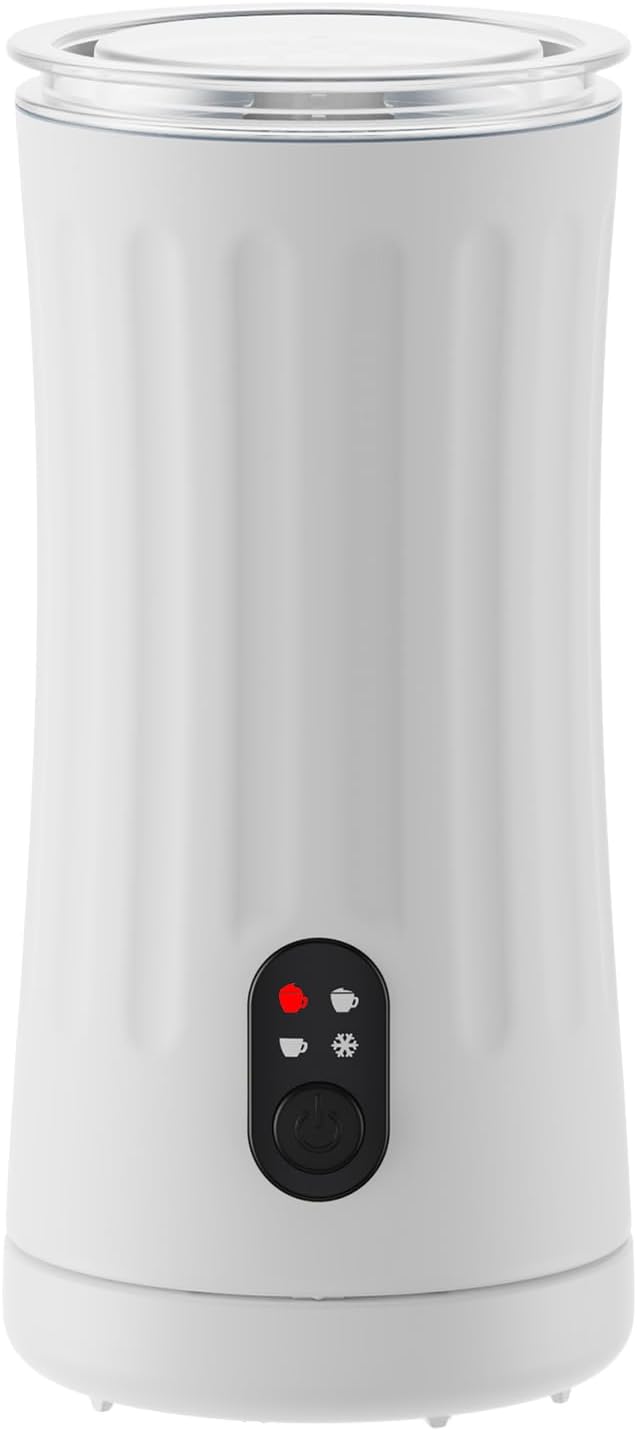
Figure 1.1: Ovetedot Electric Milk Frother Main Unit
2. Safety Instructions
Please read all safety instructions carefully before using the appliance to prevent injury or damage.
- Always ensure the appliance is placed on a stable, flat, and dry surface away from heat sources.
- Do not immerse the power base or the main unit in water or any other liquid. Only the frothing jug is washable.
- Ensure the voltage indicated on the appliance matches your local power supply before connecting.
- Keep out of reach of children. This appliance is not intended for use by persons with reduced physical, sensory, or mental capabilities unless supervised.
- Unplug the appliance from the power outlet when not in use and before cleaning.
- Do not operate the appliance if the power cord or plug is damaged, or if the appliance malfunctions or has been damaged in any way.
- Do not fill the frother beyond the maximum fill lines to prevent overflow.
- Use only the original accessories provided by the manufacturer.
3. Package Contents
Upon opening the package, please verify that all the following components are included:
- Ovetedot Electric Milk Frother Main Unit
- Power Base with Cord
- Frothing Whisk (for dense foam)
- Heating Whisk (for hot milk/airy foam)
- Cleaning Brush/Spatula
- User Manual

Figure 3.1: Product Packaging Front

Figure 3.2: Product Packaging Side with Warranty Information
4. Product Features
- 4-in-1 Functionality: Capable of producing hot dense foam, hot airy foam, cold foam, and hot milk.
- Precise Temperature Control: Ensures milk is heated to the optimal temperature for various beverages.
- Automatic Shut-off: For safety and energy efficiency, the frother automatically turns off when the desired temperature or consistency is reached.
- Quiet Operation: Designed to froth milk quickly and silently.
- Non-stick Interior: The interior coating prevents milk from sticking, making cleaning easier.
- Scratch-resistant: Durable construction for long-lasting use.
- Removable Base: The frothing jug detaches from the power base for easy pouring and cleaning.
- One-Button Operation: Simple and intuitive control for all functions.
5. Setup
- Unpack: Carefully remove all components from the packaging.
- Clean: Before first use, clean the frothing jug and whisks according to the 'Cleaning and Maintenance' section.
- Placement: Place the power base on a dry, stable, and flat surface. Ensure it is near a power outlet and away from water.
- Connect Power: Plug the power cord into a suitable electrical outlet.
- Insert Whisk: Choose the desired whisk (frothing or heating) and insert it firmly onto the pin at the bottom of the frothing jug.
- Place Jug: Place the frothing jug onto the power base.
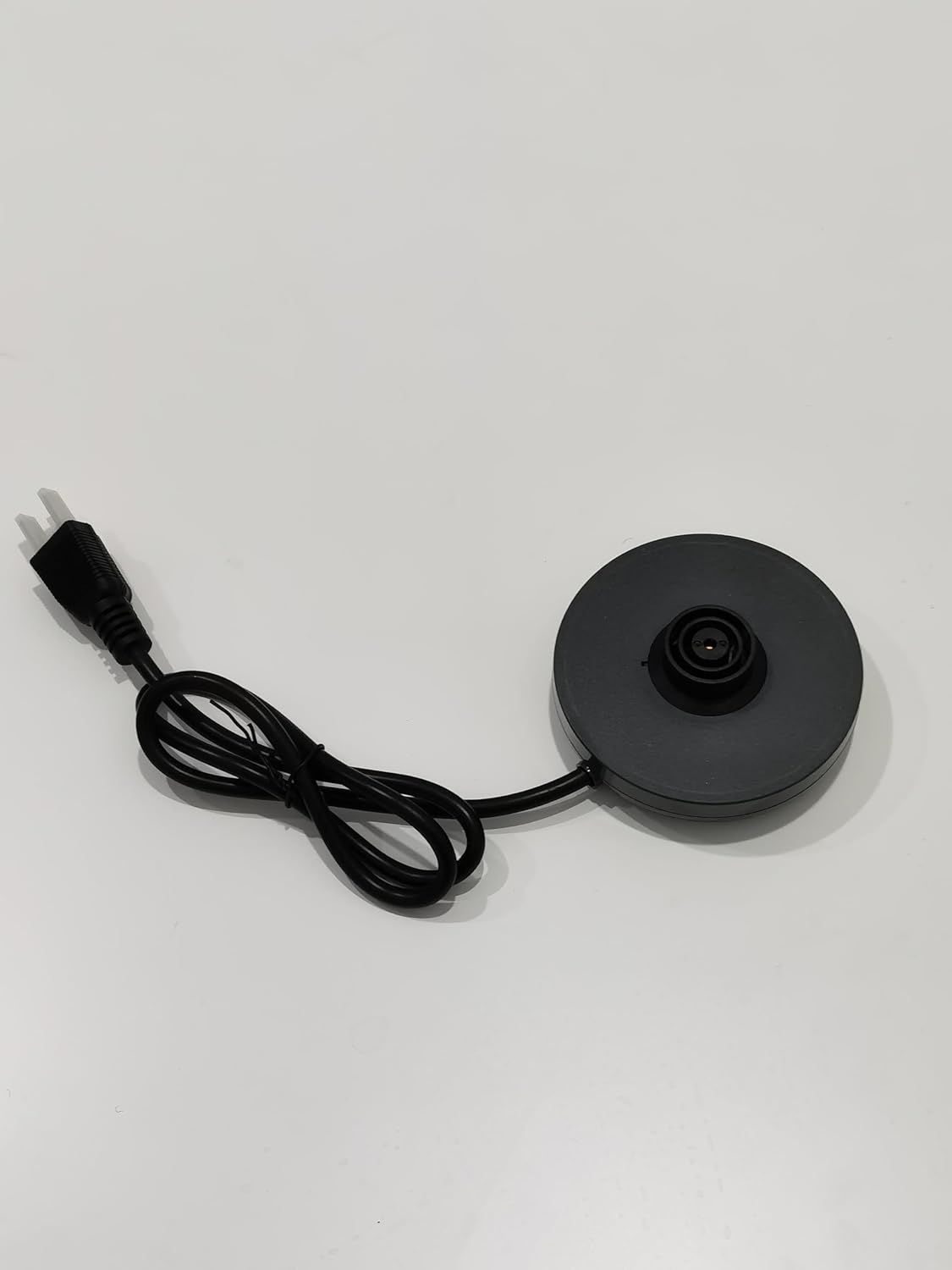
Figure 5.1: Power Base
6. Operating Instructions
The Ovetedot milk frother features a single button for all operations. The indicator light will show the selected mode.
General Operation:
- Ensure the correct whisk is inserted.
- Pour milk into the frothing jug. Do not exceed the MAX fill line for frothing (120ml) or heating (240ml).
- Place the lid on the frothing jug.
- Press the power button once to start the default hot dense foam mode (red light).
- Press the button repeatedly to cycle through the modes.
- The frother will automatically stop when the process is complete.
Mode Selection:
- Hot Dense Foam: Press the button once. (Red light, solid)
- Hot Airy Foam: Press the button twice. (Red light, blinking slowly)
- Cold Foam: Press the button three times. (Blue light, solid)
- Hot Milk: Press the button four times. (Blue light, blinking slowly)
Note: For best results, use cold milk (around 4-6°C) and ensure the frother is clean before each use.
7. Cleaning and Maintenance
Regular cleaning ensures hygiene and extends the lifespan of your milk frother.
- Unplug: Always unplug the power base from the electrical outlet before cleaning.
- Cool Down: Allow the frother to cool down completely after use.
- Remove Jug: Detach the frothing jug from the power base.
- Remove Whisk: Carefully remove the whisk from the bottom of the jug.
- Rinse Jug: Rinse the interior of the frothing jug with warm water immediately after use. Use the provided cleaning brush or a soft sponge with mild detergent to clean the non-stick interior.
- Clean Whisk: Rinse the whisk under warm water.
- Wipe Exterior: Wipe the exterior of the frothing jug and the power base with a damp cloth. Do not use abrasive cleaners or scourers.
- Dry Thoroughly: Ensure all parts are completely dry before reassembling or storing.
Important: Do not immerse the power base or the bottom of the frothing jug (where the electrical connection is) in water. These parts are not waterproof.
8. Troubleshooting
If you encounter any issues with your Ovetedot milk frother, please refer to the table below for common problems and solutions.
| Problem | Possible Cause | Solution |
|---|---|---|
| Frother does not turn on. | Not plugged in; Power outage; Appliance malfunction. | Ensure the power cord is securely plugged into a working outlet. Check your circuit breaker. If the issue persists, contact customer support. |
| Milk is not frothing or foam is not dense enough. | Incorrect whisk used; Milk type/temperature; Too much milk; Whisk not properly installed. | Ensure the correct frothing whisk is used. Use cold, fresh milk (dairy or suitable plant-based). Do not exceed the MAX frothing line (120ml). Ensure the whisk is firmly seated. |
| Milk is not heating. | Incorrect whisk used; Too much milk; Heating element issue. | Ensure the heating whisk is used for hot milk. Do not exceed the MAX heating line (240ml). If the issue persists, contact customer support. |
| Frother stops prematurely. | Overfilling; Overheating; Sensor issue. | Ensure milk is not overfilled. Allow the unit to cool down if it has been used continuously. |
| Burning smell or smoke. | Overheating; Electrical fault. | Immediately unplug the unit. Do not use the appliance. Contact customer support. |
9. Specifications
| Feature | Detail |
|---|---|
| Brand | Ovetedot |
| Model | SS-001 |
| Color | White |
| Product Dimensions | 10 x 10 x 19.1 cm |
| Item Weight | 830 grams |
| Wattage | 400 watts |
| Material | Stainless Steel, Plastic |
| Special Features | Removable Base, Non-stick, Quiet Operation, Scratch-resistant, Automatic Shut-off |
| Recommended Uses | Commercial, Home Use |
10. Warranty and Support
The Ovetedot Electric Milk Frother comes with an 18-month warranty from the date of purchase, covering manufacturing defects and malfunctions under normal use. Please retain your proof of purchase for warranty claims.
For technical support, warranty claims, or any questions regarding your product, please contact Ovetedot customer service through the retailer's platform or the official Ovetedot website. Please have your model number (SS-001) and purchase date ready when contacting support.
No relevant official product videos from the seller were found to be embedded in this manual.