
E-YOOSO Hz-94
E-YOOSO Hz-94 Rapid Trigger Gaming Keyboard User Manual
Model: Hz-94 | Brand: E-YOOSO
Introduction
The E-YOOSO Hz-94 Rapid Trigger Gaming Keyboard is designed for high-performance gaming and efficient typing. Featuring Hall Effect Magnetic Switches, it allows for precise adjustment of actuation points, rapid trigger capabilities, and dynamic keystrokes. With an 8,000Hz polling rate and vibrant RGB backlighting, this keyboard offers advanced customization and responsiveness for a superior user experience.
What's in the Box
- E-YOOSO Hz-94 Rapid Trigger Gaming Keyboard
- USB-A to USB-C Cable
- Keycap Puller
Setup Guide
1. Connecting Your Keyboard
Connect the provided USB-A to USB-C cable to the USB-C port on the keyboard and the USB-A end to an available USB port on your computer (PC, Mac, Laptop) or compatible gaming console (PlayStation, Xbox).
The keyboard is plug-and-play for basic functionality. For advanced features and customization, driver installation is recommended.
2. Driver Software Installation
To unlock the full potential of your Hz-94 keyboard, including adjustable actuation points, rapid trigger settings, macros, and advanced RGB lighting customization, download and install the official driver software.
Download the software from the official link: bit.ly/HZ-94Driver.
Follow the on-screen instructions to complete the installation. Note that 8,000Hz hyper-polling performance may vary depending on your CPU.

Image: Hall Effect Magnetic Switch DKS/MT/TGL, Define Every Strike. The driver software allows for precise control over key functions and trigger settings.

Image: Advanced Customization Driver. The software provides comprehensive options for stroke setting, key remapping, DKS, MT, TGL, RGB lighting, and macros.
3. Initial Key Calibration
It is recommended to calibrate all keys for initial use to prevent defective keys. This can be done through the driver software's key calibration mode.
Image: Calibrate all keys for initial use to prevent defective keys. The driver software includes a key calibration feature.
Operating Instructions
Adjustable Hall Effect Magnetic Switches
The Hz-94 keyboard features fully adjustable magnetic switches, allowing you to customize the actuation point of each key from 0.1mm to 4mm in 0.1mm increments. This provides precise control for fast keypresses or ultra-accurate typing.
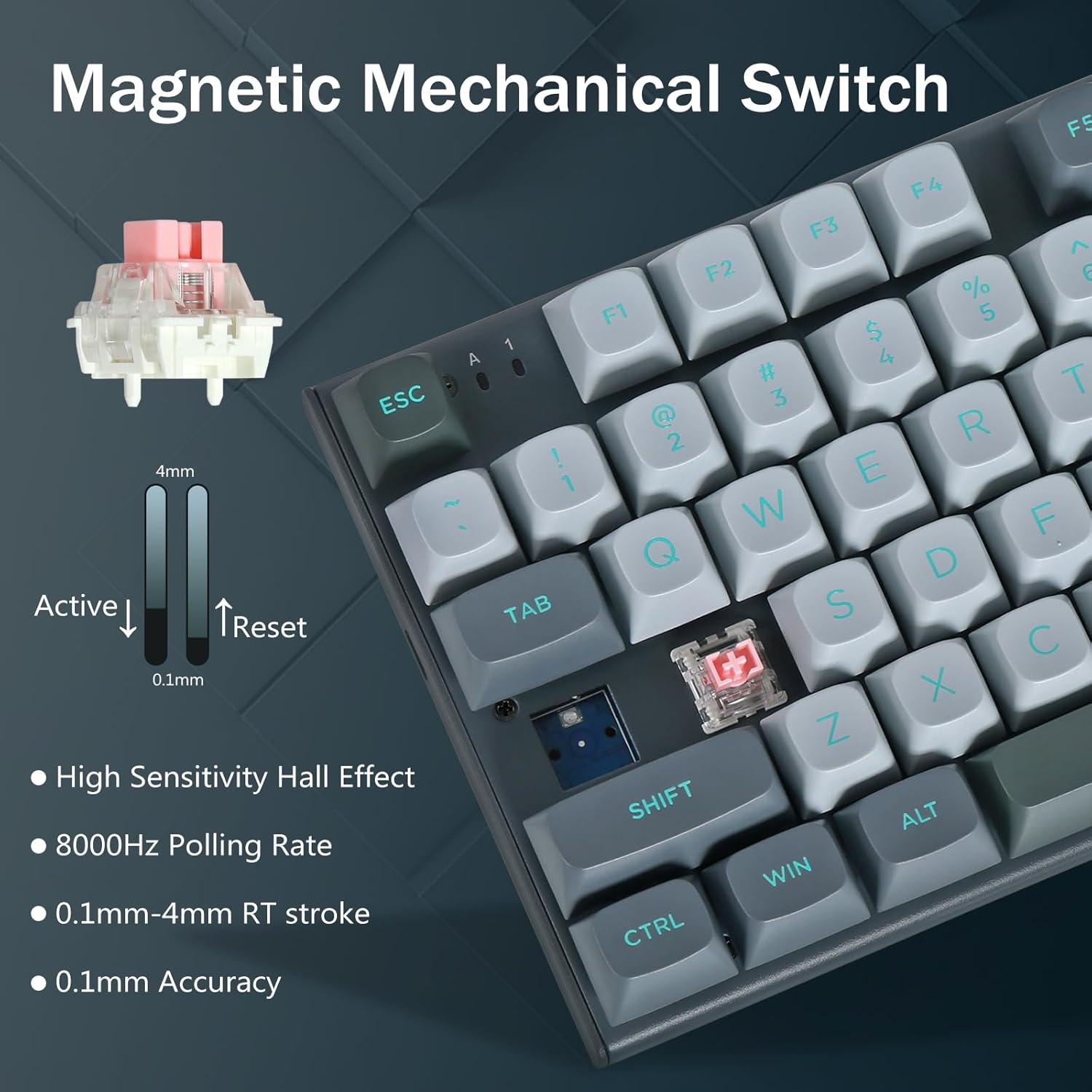
Image: Magnetic Mechanical Switch. Illustrates the adjustable active and reset points from 0.1mm to 4mm, highlighting high sensitivity Hall Effect and 8000Hz Polling Rate.

Image: Huge for high actuation point users. Compares the dynamic active/reset points of the magnetic gaming keyboard (0.1mm to 4.0mm trigger travel) with the fixed active/reset point of regular gaming keyboards.
Rapid Trigger and Dynamic Keystrokes (DKS/MT/TGL)
The rapid trigger feature allows for quick activation and deactivation of keys with minimal physical movement, enabling faster key resets and repeated inputs. This keyboard supports Fast Key Reset, Dynamic Keystrokes (DKS), Adjustable Actuation Points, and Dual-Action Keys (MT/TGL) for minimal latency.
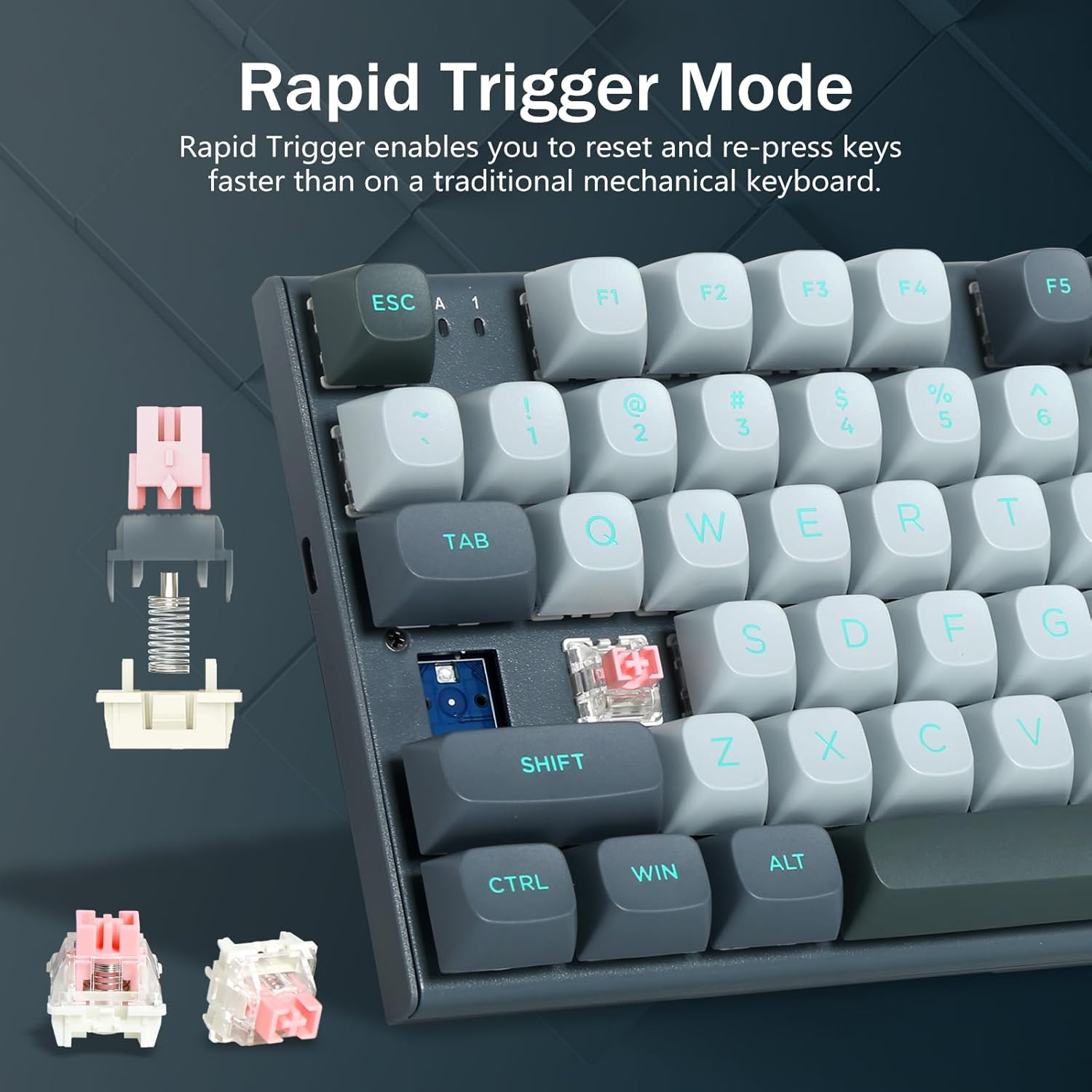
Image: Rapid Trigger Mode. Explains how Rapid Trigger enables faster key resets and re-presses compared to traditional mechanical keyboards.

Image: Senior Keys. The key can achieve four functions: 1 to 4 functions can be bound according to four different pressing degrees (DKS).

Image: Senior Keys. Click this key to switch continuous triggering on or off (TGL).

Image: Senior Keys. The key has two functions: holding down the key is one type, and clicking the key is one type (MT).
RGB Backlighting Control
The Hz-94 keyboard features vibrant 16.8 million color RGB backlighting with multiple modes. You can control the lighting directly from the keyboard or through the driver software.
- FN + Shift: Cycle through 14 preset backlight modes.
- FN + Up/Down Arrow: Adjust brightness.
- FN + Left/Right Arrow: Adjust backlight flowing speed.
- FN + Enter: Change light color (Red, Green, Blue, Yellow, Pink, Cyan, White, RGB).
- FN + Space: Turn backlight on/off.

Image: 16.8 Million RGB Backlit. Shows the keyboard's RGB lighting and the software interface for detailed customization.

Image: Set by Keyboard vs. Set by Driver. Details the FN key combinations for on-keyboard RGB control and the comprehensive options available in the driver software.
Hyper-Processing Technology (8,000Hz Polling Rate)
The Hz-94 utilizes hyper-processing technology to achieve an 8,000Hz polling rate, transmitting inputs up to 8 times faster than conventional gaming keyboards. This significantly reduces input lag for competitive gaming. Please note that 8,000Hz hyper-polling performance is dependent on your CPU; older CPUs may experience reduced performance.
Video: HZ94 Rapid Trigger Gaming Keyboard. This video demonstrates the features and performance of the Hz-94 keyboard, including its rapid trigger and high polling rate capabilities.
Additional Keyboard Functions (FN Combinations)
The keyboard includes various FN key combinations for quick access to multimedia and system functions:
- FN + F1: Computer
- FN + F2: Home
- FN + F3: Calculator
- FN + F4: Music
- FN + F5: Previous Track
- FN + F6: Next Track
- FN + F7: Play/Pause
- FN + F8: Mute
- FN + F9: Volume-
- FN + F10: Volume+
- FN + F11: Email
- FN + F12: Web Browser
- FN + O: Scroll Lock
- FN + P: Pause
- FN + [: Insert
- FN + ]: Delete
- FN + ;: Home
- FN + ': End
- FN + ,: Page Up
- FN + .: Page Down
- FN + WIN: Lock the Windows key
- FN + W: Interchange WASD and arrow keys

Image: FN Key Combinations. Illustrates the various FN key shortcuts for multimedia and system controls.
Adjustable Kickstand
The keyboard is equipped with an adjustable kickstand on the underside, allowing you to set a comfortable typing angle.

Image: Ergonomic Design. Highlights features like non-slip kickstand, double shot PBT keycaps, metal panel, and anti-interference cable.

Image: Double shot PBT keycaps and Adjustable Stand. Provides a close-up view of these features.
Compatibility
The E-YOOSO Hz-94 keyboard is compatible with a wide range of systems and devices, including Windows, Mac OS X, PlayStation, and Xbox.

Image: Suitable For Most Systems & Devices. Shows compatibility with Windows, Mac OS X, PlayStation, and Xbox.
Maintenance
To ensure the longevity and optimal performance of your E-YOOSO Hz-94 keyboard, follow these maintenance guidelines:
- Cleaning: Regularly clean the keycaps and the keyboard surface with a soft, dry cloth. For deeper cleaning, use the provided keycap puller to remove keycaps and clean underneath with compressed air or a small brush.
- Cable Care: Avoid sharp bends or excessive pulling on the USB-C cable to prevent damage.
- Storage: When not in use, store the keyboard in a clean, dry environment away from direct sunlight and extreme temperatures.
- Liquid Spills: In case of liquid spills, immediately disconnect the keyboard from your computer and allow it to dry completely before reconnecting. Do not attempt to use the keyboard while it is wet.
Troubleshooting
If you encounter any issues with your E-YOOSO Hz-94 keyboard, please refer to the following common troubleshooting steps:
- Keyboard Not Responding:
- Ensure the USB-C cable is securely connected to both the keyboard and your computer's USB port.
- Try connecting the keyboard to a different USB port on your computer.
- Test the keyboard on another computer to determine if the issue is with the keyboard or the computer.
- RGB Lighting Issues:
- Check the FN key combinations for lighting control (e.g., FN + Space to turn on/off, FN + Shift to change modes).
- Ensure the driver software is installed and updated. Verify lighting settings within the software.
- Keys Not Registering or Double-Typing:
- Perform a key calibration using the driver software.
- Ensure the keycaps are properly seated on the switches.
- Resetting the Keyboard:
If issues persist, you can reset the keyboard to its factory default settings. Long press FN + ESC to reset the keyboard. You can also reset it via the driver software.

Image: Resetting the keyboard. Shows how to reset the keyboard using FN+ESC or through the driver software.
Specifications
| Feature | Detail |
|---|---|
| Product Dimensions | 13.7 x 1 x 5 inches (34.8 x 2.5 x 12.7 cm) |
| Item Weight | 2.24 pounds (1.02 kg) |
| Manufacturer | E-YOOSO |
| Item Model Number | Hz-94 |
| Connectivity Technology | Wired (USB-A to USB-C) |
| Keyboard Description | Gaming |
| Special Features | Backlit, Compact, Hall Effect Switch, Programmable Keys, Adjustable Actuation, Rapid Trigger, 8000Hz Polling Rate |
| Color | Gray/Black (RGB Backlit) |
| Number of Keys | 94 |
| Keycap Material | PBT (Double Shot) |
| Switch Type | Magnetic (Hall Effect) |
| Cable Length | 1.6m / 62 inches (Detachable) |

Image: Keyboard Dimensions. Shows the length (34.5cm/13.6in), width (12.5cm/4.9in), and height (3cm/1.2in) of the keyboard.
Warranty and Support
E-YOOSO products are manufactured to high quality standards. For information regarding warranty coverage, technical support, or customer service, please refer to the warranty card included with your product or visit the official E-YOOSO website. Keep your purchase receipt for warranty claims.
Ask a question about this manual
Ask about setup, troubleshooting, compatibility, parts, safety, or missing instructions. Manuals+ will review the question and use this page’s manual context to help answer it.