
df52
User Manual for V12 Black Tech Space Audio OWS In-Ear Bluetooth Headphones
Model: df52
1. Product Overview
The V12 Black Tech Space Audio OWS In-Ear Bluetooth Headphones (Model: df52) are designed for an immersive audio experience with open-ear comfort. These headphones feature advanced noise cancellation and a stable Bluetooth connection, making them suitable for various activities including sports and travel.
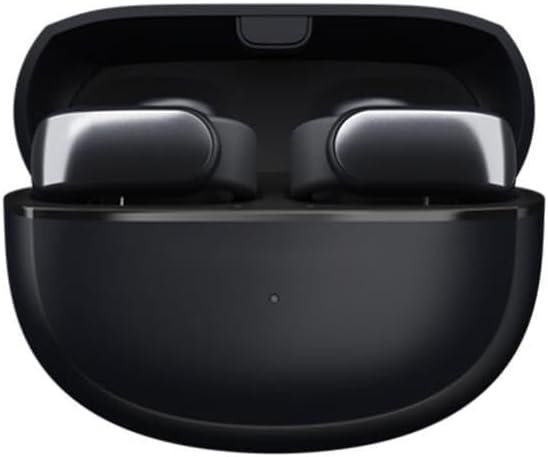
Figure 1: V12 Black Tech Space Audio OWS In-Ear Bluetooth Headphones in their charging case.
Key features include:
- HD Sound Quality: Utilizes V12 black technology spatial audio for a pure and realistic music experience.
- Intelligent Noise Cancellation: Effectively reduces external interference for clear audio and calls.
- Bluetooth Wireless Connection: Offers a transmission range of up to 10 meters for freedom of movement.
- Humanized Ear Clip Design: Provides comfortable and stable wear, suitable for extended use. Supports binaural stereo sound.
- Long Battery Life: More than 8 hours of battery life on a single charge.

Figure 2: The ear clip design ensures a comfortable and secure fit for the headphones.
2. What's in the Box
Upon opening the package, you will find the following items:
- V12 Black Tech Space Audio OWS In-Ear Bluetooth Headphones (1 pair)
- Charging Case
- User Manual (this document)
- USB Charging Cable
3. Setup
3.1 Charging the Headphones
Before first use, ensure the headphones and charging case are fully charged. Place the headphones into the charging case and connect the USB charging cable to the case and a power source. The indicator light on the case will show charging status and turn off when fully charged.
3.2 Pairing with a Bluetooth Device
- Ensure the headphones are charged and inside the charging case.
- Open the charging case. The headphones will automatically enter pairing mode, indicated by a flashing light (refer to specific light patterns in the quick start guide if available).
- On your device (smartphone, tablet, computer), enable Bluetooth.
- Search for available Bluetooth devices. Select "V12 Headphones" or similar name from the list.
- Once connected, the indicator light on the headphones will change (e.g., solid blue) and a voice prompt may confirm successful pairing.
The headphones will automatically reconnect to the last paired device when taken out of the case, if Bluetooth is enabled on the device.
4. Operating Instructions
4.1 Power On/Off
- Power On: Open the charging case, and the headphones will power on automatically.
- Power Off: Place the headphones back into the charging case and close the lid. They will power off automatically.
4.2 Music Playback
The headphones feature touch controls for music management. Specific gestures may vary, but common controls include:
- Play/Pause: Single tap on either earbud.
- Next Track: Double tap on the right earbud.
- Previous Track: Double tap on the left earbud.
- Volume Control: As per specifications, volume control is available. Refer to your device's volume settings or specific headphone gestures if available (not detailed in product info).
4.3 Call Management
Manage calls with simple touch gestures:
- Answer/End Call: Single tap on either earbud.
- Reject Call: Press and hold either earbud for 2 seconds.

Figure 3: The headphones offer HD call quality with intelligent noise reduction for clear communication.
4.4 Noise Cancellation
The headphones feature intelligent noise cancellation technology to reduce ambient sounds. This feature is automatically active during use to enhance your listening and call experience.
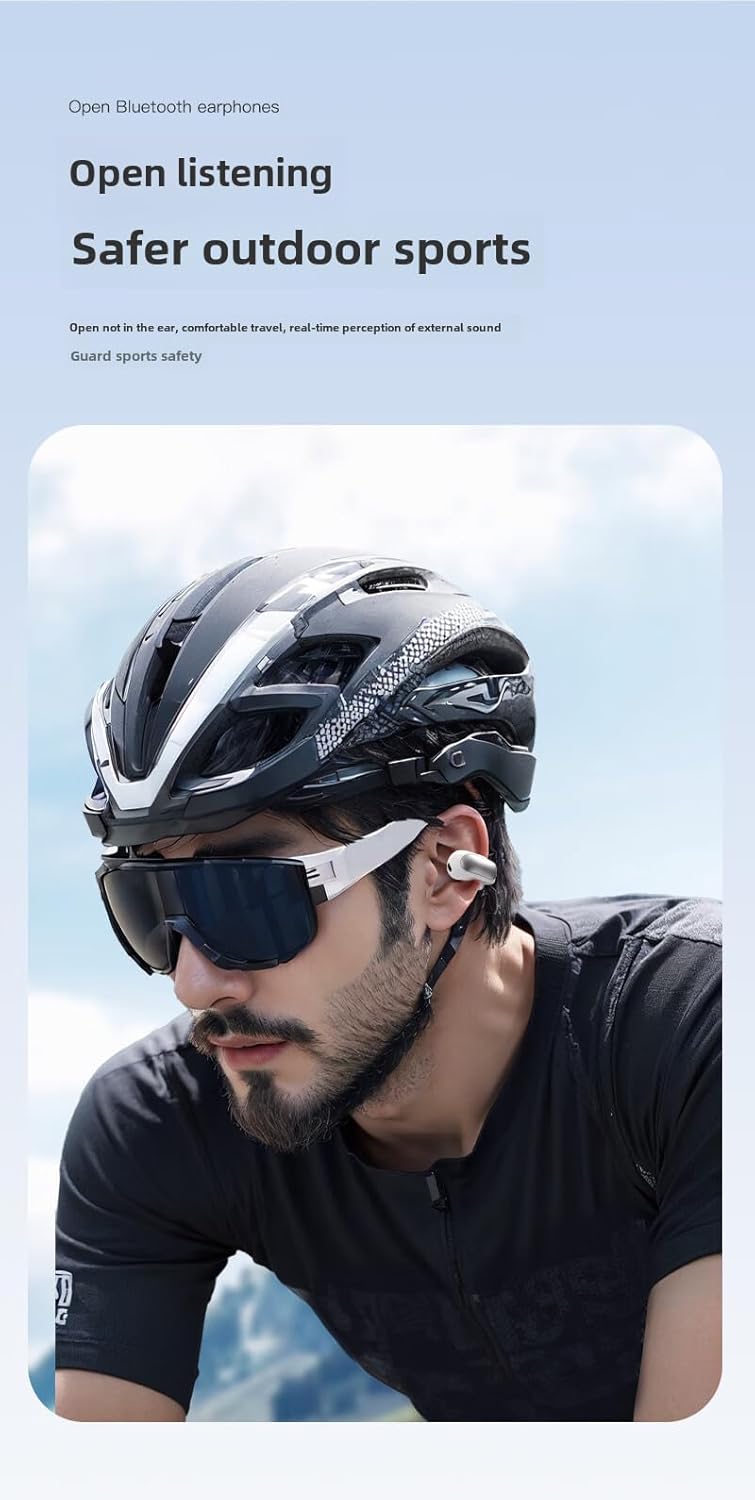
Figure 4: The open-ear design allows for awareness of surroundings, enhancing safety during outdoor activities.
5. Maintenance and Care
- Cleaning: Use a soft, dry, lint-free cloth to clean the headphones and charging case. Do not use abrasive cleaners or solvents.
- Water Resistance: Please note that these headphones are Not Water Resistant as per product specifications. Avoid exposure to water, rain, sweat, or high humidity to prevent damage.
- Storage: When not in use, store the headphones in their charging case to protect them from dust and damage. Store in a cool, dry place.
- Battery Care: To prolong battery life, avoid fully discharging the headphones frequently. Charge them regularly, even if not in constant use.

Figure 5: The headphones are constructed from durable PC+ABS material. While the image may depict water, please note the product specifications indicate these headphones are Not Water Resistant.
6. Troubleshooting
| Problem | Possible Solution |
|---|---|
| Headphones do not power on. | Ensure the headphones are charged. Place them in the charging case and connect the case to a power source. |
| Cannot pair with device. |
|
| No sound or low volume. |
|
| Headphones disconnect frequently. |
|
7. Specifications
| Feature | Detail |
|---|---|
| Model Name | Headphones |
| Item Model Number | df52 |
| Brand | Generic |
| Connectivity Technology | Wireless |
| Wireless Communication Technology | Bluetooth |
| Bluetooth Version | 5.0 |
| Bluetooth Range | 10 Meters |
| Battery Life | More than 8 Hours |
| Ear Placement | On Ear (Ear Clip Type) |
| Material | Polycarbonate (PC), Acrylonitrile Butadiene Styrene (ABS) |
| Color | Black |
| Control Type | Volume Control, Remote |
| Water Resistance Level | Not Water Resistant |
| Recommended Uses | Travel, Exercising, Sport |

Figure 6: Internal components and features, including the Bluetooth chip and sound technology.

Figure 7: Detailed view of the 12mm moving ring speaker and sound enhancement technology.

Figure 8: The headphones are available in classic two-tone designs (black and white options shown).
8. Warranty and Support
Specific warranty information for this product is not provided in the available data. For warranty claims or technical support, please refer to the contact information provided by your retailer or the manufacturer's official website.
Always retain your proof of purchase for any warranty-related inquiries.
Related Documents - df52
 |
Manual de Instruções Electrolux DF52, DF52X, DFW52, DW52X - Guia Completo Obtenha informações essenciais sobre segurança, instalação, uso e manutenção do seu refrigerador Electrolux modelos DF52, DF52X, DFW52 e DW52X. Consulte o guia completo para otimizar o desempenho do seu eletrodoméstico. |
 |
DeFever Cruisers Newsletter: Boating Adventures, Owner Stories, and Club News The official DeFever Cruisers newsletter, featuring owner cruising stories, technical advice, club news, and event details for DeFever yacht owners. Explore the passion and community of DeFever boat enthusiasts. |
Ask a question about this manual
Ask about setup, troubleshooting, compatibility, parts, safety, or missing instructions. Manuals+ will review the question and use this page’s manual context to help answer it.