
1. Introduction
Thank you for choosing the KYKYK ST9700 Handheld Carbon Monoxide Meter. This device is designed for continuous monitoring of carbon monoxide (CO) gas concentration in the surrounding environment. It features a professional and accurate electrochemical sensor, a large LCD color display, and sound and light alarms for safety. Please read this manual thoroughly before operation to ensure proper use and maintenance.
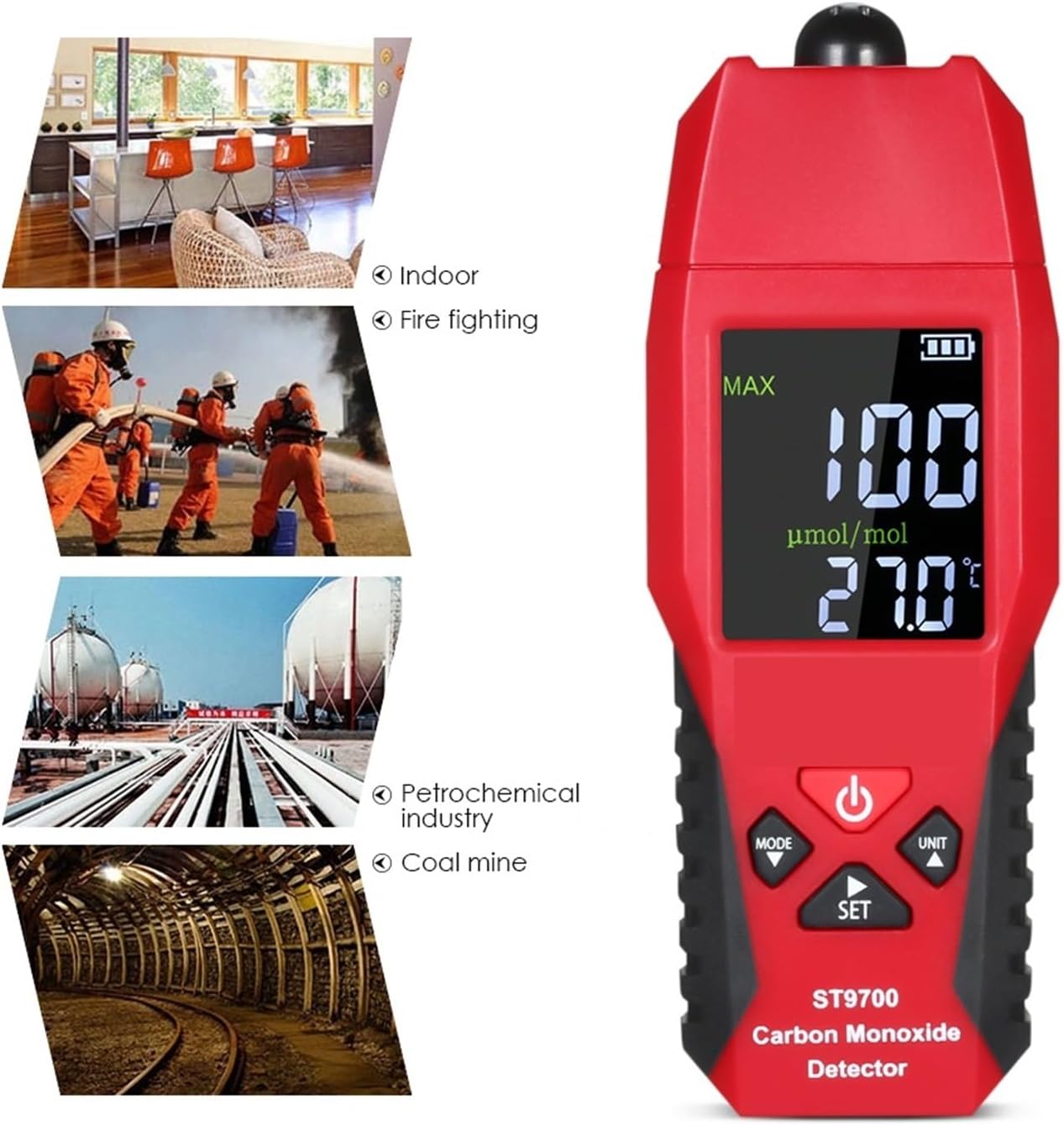
Figure 1: KYKYK ST9700 Carbon Monoxide Meter shown in various application environments, including residential, industrial, and emergency response settings.
2. Safety Information
- This device is intended for detecting carbon monoxide gas. It is not a substitute for professional CO detection systems or personal safety equipment.
- Do not expose the meter to extreme temperatures, humidity, or corrosive environments.
- Do not attempt to repair or modify the device. Refer all servicing to qualified personnel.
- Ensure proper ventilation when using the device in enclosed spaces.
- Replace batteries promptly when the low battery indicator appears to ensure accurate readings.
- The alarm function is a warning system. Always evacuate the area and seek professional help if a high CO concentration is detected.
3. Product Overview
The KYKYK ST9700 is a compact, handheld carbon monoxide detector designed for ease of use and portability. It features a clear LCD display and intuitive controls.
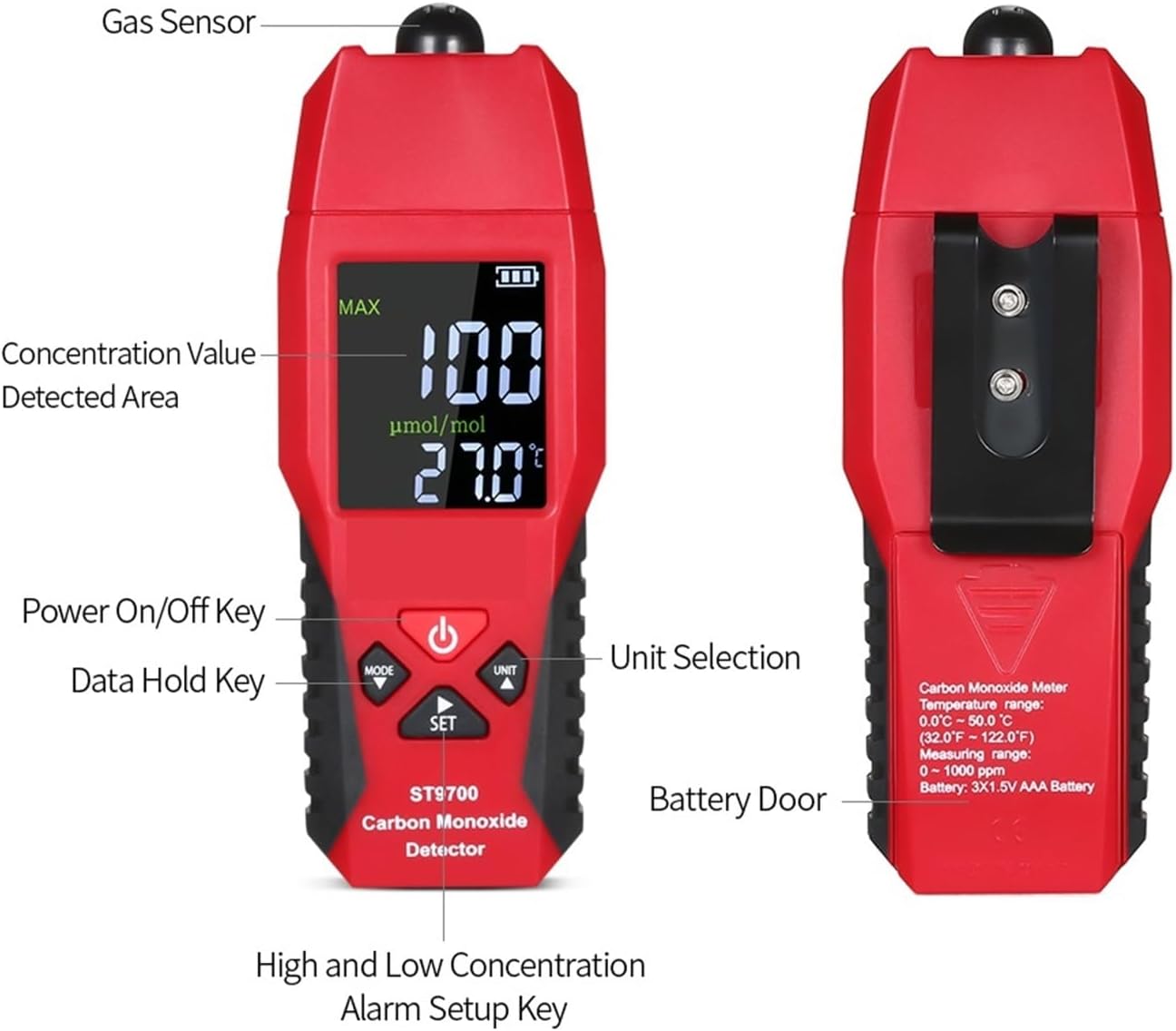
Figure 2: Front and back view of the ST9700 meter with key components labeled.
Key Features:
- CO Gas Detection: Continuously monitors carbon monoxide levels.
- Sound & Light Alarm: Alerts users when CO concentration reaches a preset alarm point.
- Temperature Measurement: Displays ambient temperature in Celsius or Fahrenheit.
- Large LCD Display: Clear, easy-to-read color display.
- Data Hold Function: Freezes the current reading on the display.
- Low Battery Indication: Notifies when battery replacement is needed.
- Auto Power Off: Automatically shuts down after 10 minutes of inactivity to conserve battery.
- Backlight: Improves visibility in low-light conditions.

Figure 3: Visual representation of the meter's main functions.
4. Setup
4.1 Battery Installation
- Locate the battery compartment on the back of the device (refer to Figure 2, "Battery Door").
- Open the battery compartment cover.
- Insert three (3) AAA 1.5V Alkaline batteries, ensuring correct polarity (+/-).
- Close the battery compartment cover securely.
Note: Batteries are not included with the device. Always use new, high-quality alkaline batteries for optimal performance.
5. Operating Instructions
5.1 Power On/Off
- To power on the device, press and hold the Power On/Off Key (labeled with a power symbol) for approximately 2 seconds. The device will perform a self-test and then display current CO and temperature readings.
- To power off the device, press and hold the Power On/Off Key again for approximately 2 seconds until the display turns off.
5.2 Carbon Monoxide Measurement
Once powered on, the meter will continuously display the current carbon monoxide concentration in parts per million (PPM) and the ambient temperature. The gas sensor is located at the top of the device.

Figure 4: The ST9700 meter displaying a CO reading and temperature.
5.3 Alarm Settings
The device has a preset alarm point of 24 PPM. This value is adjustable.
- To adjust the alarm point, press the SET Key (High and Low Concentration Alarm Setup Key).
- Use the UP (UNIT) and DOWN (MODE) keys to increase or decrease the alarm value.
- Press the SET Key again to confirm and save the new alarm point.
When the CO concentration reaches or exceeds the set alarm point, the device will emit a sound alarm and the display will flash.
5.4 Unit Selection (Temperature)
To switch between Celsius (°C) and Fahrenheit (°F) for temperature display:
- Press the UNIT Key (Up arrow) briefly. The temperature unit on the display will toggle between °C and °F.
5.5 Data Hold Function
To freeze the current CO and temperature readings on the display:
- Press the MODE Key (Data Hold Key) briefly. The "HOLD" indicator will appear on the screen.
- Press the MODE Key again to exit data hold mode and resume real-time measurements.
5.6 Auto Power Off
The device is equipped with an auto power-off function. If no operation is performed for 10 minutes, the meter will automatically shut down to save battery life. This feature can help prevent accidental battery drain.
6. Maintenance
6.1 Cleaning
- Wipe the device with a soft, dry cloth.
- Do not use abrasive cleaners, solvents, or corrosive chemicals, as these can damage the casing or internal components.
- Ensure no liquids enter the sensor opening or other openings.
6.2 Storage
- When storing the device for extended periods, remove the batteries to prevent leakage.
- Store the meter in a cool, dry place, away from direct sunlight and extreme temperatures.
- Keep out of reach of children.
7. Troubleshooting
| Problem | Possible Cause | Solution |
|---|---|---|
| Device does not power on. | Dead or incorrectly installed batteries. | Check battery polarity. Replace with new AAA batteries. |
| Inaccurate readings. | Sensor obstruction or damage; low battery. | Ensure sensor is clear. Replace batteries. If problem persists, contact support. |
| Alarm sounds unexpectedly. | High CO concentration detected; alarm point set too low. | Evacuate and ventilate the area immediately. Check and adjust alarm point if necessary. |
| Auto power off too soon/not working. | Normal operation (10 min inactivity); internal fault. | Auto power off is a feature. If it powers off immediately after use, contact support. |
8. Specifications
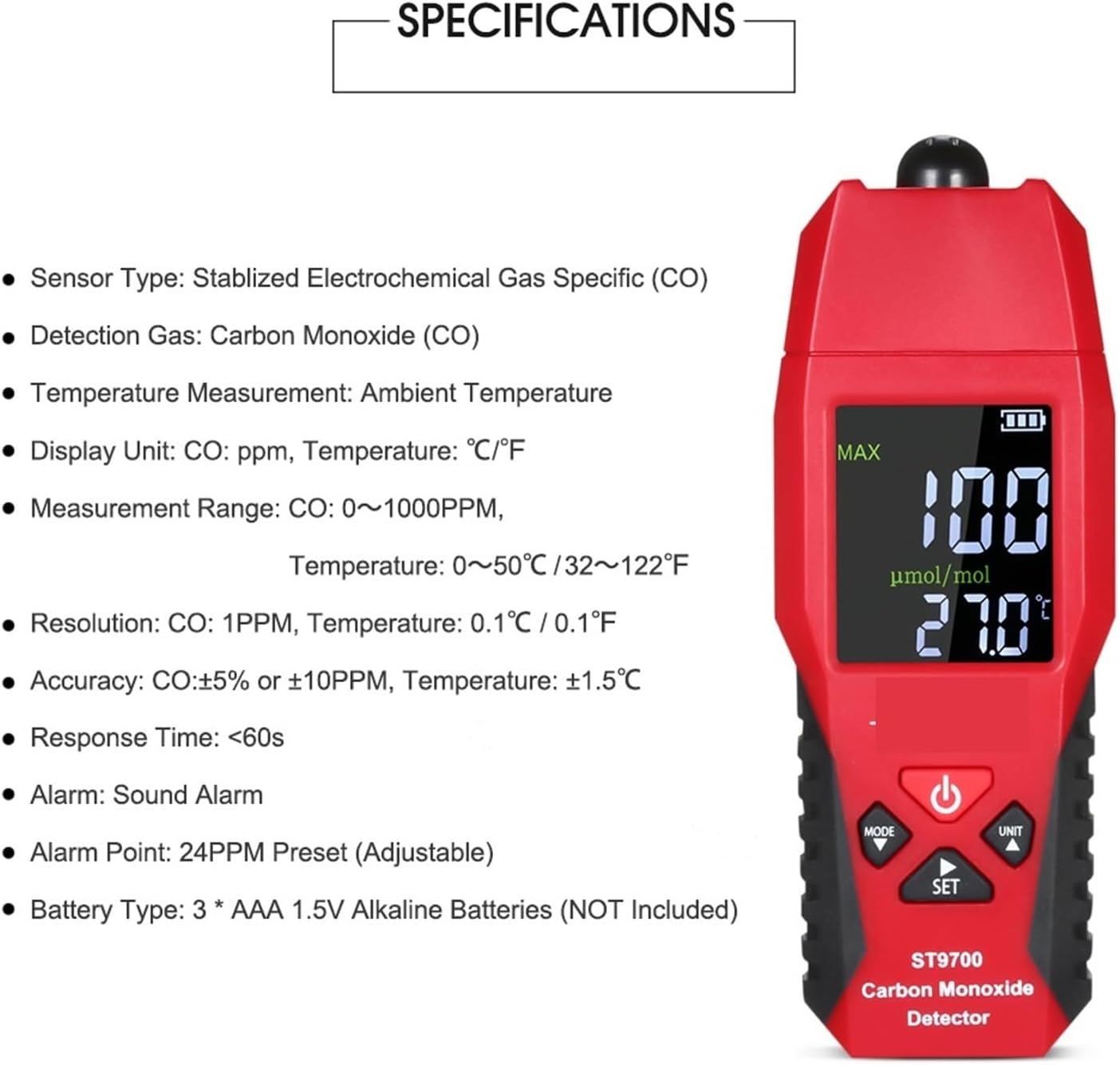
Figure 5: Detailed specifications of the ST9700 meter.
| Parameter | Detail |
|---|---|
| Sensor Type | Stabilized Electrochemical Gas Specific (CO) |
| Detect Gas | Carbon Monoxide (CO) |
| Temperature Measurement | Ambient Temperature |
| Display Unit | CO: ppm, Temperature: °C / °F |
| Measurement Range | CO: 0-1000 PPM, Temperature: 0-50°C / 32-122°F |
| Resolution | CO: 1 PPM, Temperature: 0.1°C / 0.1°F |
| Accuracy | CO: ±5% or ±10 PPM, Temperature: ±1.5°C |
| Response Time | <60 seconds |
| Alarm | Sound & Light Alarm |
| Alarm Point | 24 PPM (Preset, Adjustable) |
| Battery Type | 3 * AAA 1.5V Alkaline Batteries (NOT Included) |
| Operating Temperature | 0-40°C, Relative Humidity 1%-99% |
| Storage Temperature | -30-60°C, Relative Humidity: 1%-99% |
| Item Size | 13.5 x 5 x 3.5 cm (5.31 x 1.96 x 1.37 in) |
| Item Weight | 115g |
9. Warranty and Support
For warranty information or technical support, please refer to the product packaging or contact your retailer. Keep your purchase receipt as proof of purchase.
For further assistance, please visit the KYKYK official website or contact customer service through the platform where the product was purchased.