
Introduction
This manual provides instructions for the RIG 600 PRO HS Replacement Wireless Transmitter. This device is designed to establish a 2.4GHz RF wireless connection between your RIG 600 PRO HS headset (not included) and compatible gaming platforms, including PlayStation (PS4, PS5) and PC. It ensures lag-free audio transmission for an optimal gaming experience.

Image: The RIG 600 PRO HS Wireless Transmitter positioned in front of a RIG 600 PRO HS headset, illustrating the product's intended use.
Important: This transmitter is compatible ONLY with RIG 600 PRO HS headsets. It is NOT compatible with the RIG 600 PRO HX (Xbox version) headset.
Package Contents
- RIG 600 PRO HS Replacement Wireless Transmitter
- USB-C to USB-A Adapter Cable
Note: The RIG 600 PRO HS headset is sold separately and is not included with this replacement transmitter.
Setup and Connection
Follow these steps to connect your RIG 600 PRO HS Replacement Wireless Transmitter to your gaming platform.
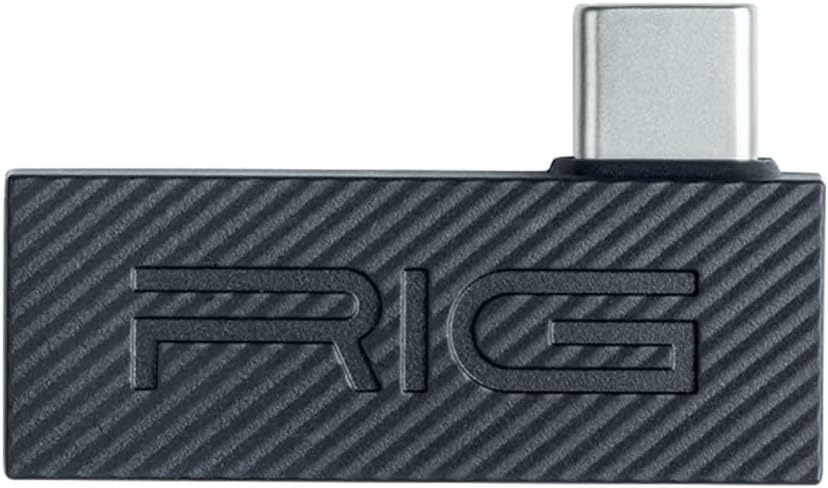
Image: The RIG 600 PRO HS Wireless Transmitter, a compact black device with a USB-C connector on one end and the "RIG" logo embossed on its surface.
Connecting to PC or PlayStation (USB-A Port)
- Locate the included USB-C to USB-A adapter cable.
- Insert the USB-C end of the wireless transmitter into the USB-C port of the adapter cable.
- Plug the USB-A end of the adapter cable into an available USB-A port on your PC, PlayStation 4, or PlayStation 5 console.
- Ensure the transmitter is securely connected.

Image: A black USB-C to USB-A adapter cable, showing the USB-C female port on one end and the USB-A male connector on the other.
Connecting to PC or PlayStation (USB-C Port - if available)
- Directly insert the USB-C end of the wireless transmitter into an available USB-C port on your PC or PlayStation 5 console.
- Ensure the transmitter is securely connected.
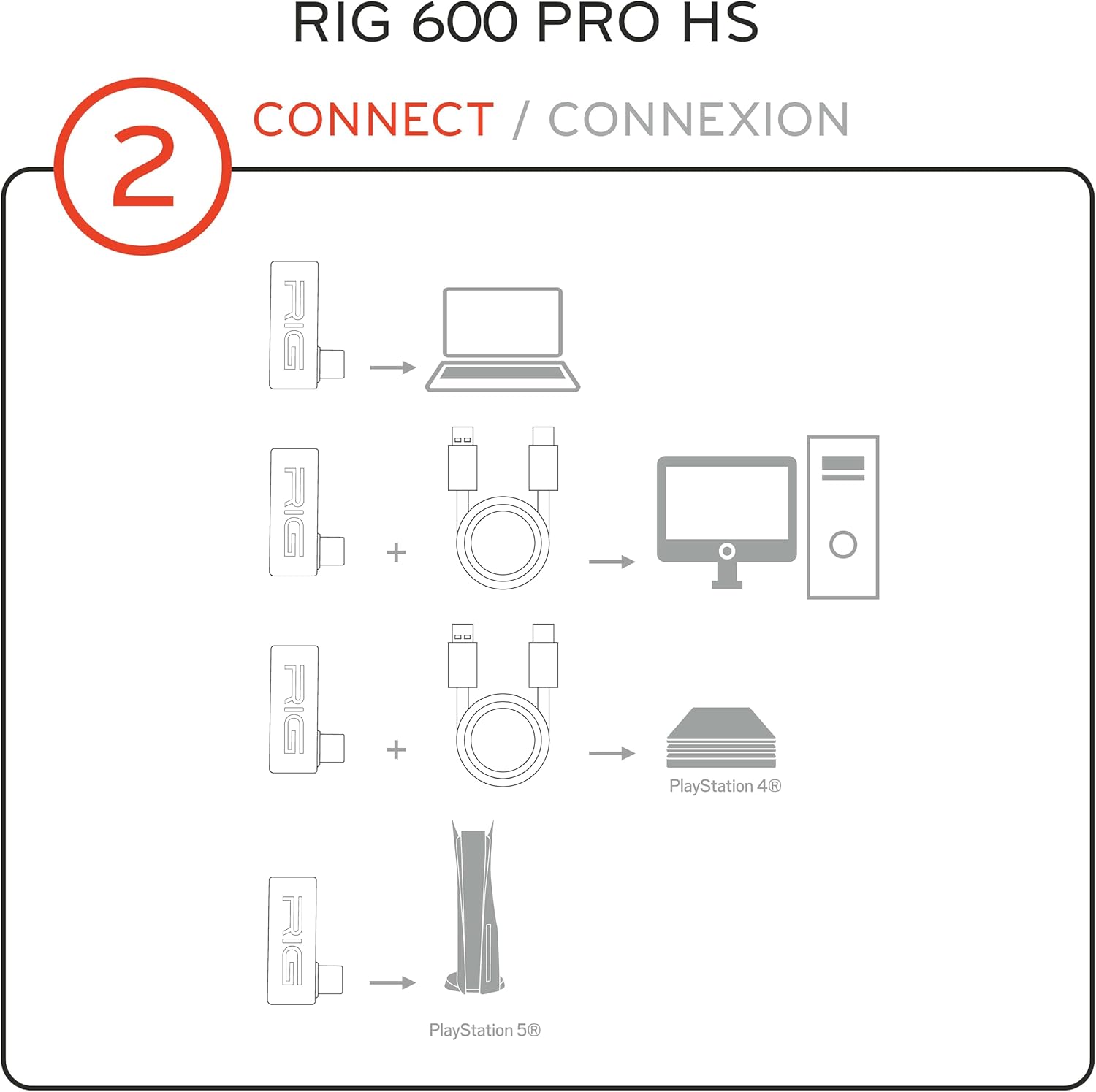
Image: A diagram illustrating various connection methods for the RIG 600 PRO HS transmitter. It shows the transmitter connecting directly to a laptop, connecting via a USB-C to USB-A cable to a desktop PC, connecting via the same cable to a PlayStation 4, and connecting directly to a PlayStation 5.
Operating Instructions: Headset Pairing
After connecting the transmitter to your device, you will need to pair your RIG 600 PRO HS headset with the transmitter. Refer to your RIG 600 PRO HS headset's instruction manual for specific pairing procedures. Generally, this involves:
- Powering on your RIG 600 PRO HS headset.
- Activating the pairing mode on your headset (often by holding a specific button).
- The headset and transmitter should automatically connect. A solid indicator light on both devices typically confirms a successful connection.
Once paired, your headset will receive audio wirelessly from your connected PC or PlayStation console.
Maintenance
The RIG 600 PRO HS Replacement Wireless Transmitter requires minimal maintenance. To ensure optimal performance and longevity:
- Keep the transmitter and adapter cable clean and free from dust. Use a soft, dry cloth for cleaning.
- Avoid exposing the device to extreme temperatures, moisture, or direct sunlight.
- Store the transmitter in a safe place when not in use to prevent physical damage.
Troubleshooting
If you encounter issues with your RIG 600 PRO HS Replacement Wireless Transmitter, consider the following troubleshooting steps:
- No Audio/Connection:
- Ensure the transmitter is fully inserted into the USB port of your PC or console.
- Verify that the USB-C to USB-A adapter cable is correctly used if connecting to a USB-A port.
- Confirm your RIG 600 PRO HS headset is powered on and in pairing mode, then attempt to re-pair.
- Check your PC or console's audio settings to ensure the RIG 600 PRO HS is selected as the default audio output device.
- Restart your PC or console.
- Intermittent Connection:
- Ensure there are no significant obstructions between the transmitter and your headset.
- Move closer to the transmitter to rule out range issues (maximum range is approximately 30 ft / 10m).
- Minimize interference from other 2.4GHz wireless devices.
- Incorrect Headset Compatibility:
- Confirm you are using a RIG 600 PRO HS headset. This transmitter is not compatible with the RIG 600 PRO HX (Xbox version) or other headset models.
If problems persist, consult the RIG support website for further assistance.
Specifications
| Model Number | 90-1735-99 |
| Connectivity | 2.4GHz RF Wireless |
| Wireless Range | Up to 30 ft / 10m |
| Compatible Devices | RIG 600 PRO HS Headset, PlayStation PS4, PlayStation PS5, PC |
| Connector Type | USB Type-C (Transmitter), USB Type-A (Adapter) |
| Product Dimensions | 5.71 x 1.57 x 0.39 inches |
| Item Weight | 0.459 ounces |
| Color | Black |
| Manufacturer | Nacon |
Warranty and Support
For warranty information and technical support, please visit the official RIG website or contact your retailer. Keep your proof of purchase for warranty claims.
RIG Support Website: www.nacongaming.com/en-US/support


