
1. Introduction
The XINRUNHANG T-388 Mini 2-Way Radio is designed for clear and reliable communication, ideal for children's outdoor adventures, camping, and indoor play. This compact and user-friendly device features 22 channels, a range of up to 3 miles (5km in open fields), and essential functions like VOX, call tones, and a built-in flashlight. It is designed for ease of use, making it suitable for young users.

Image: Front view of two T-388 walkie talkies, highlighting their compact design and user interface.
2. Package Contents
Before proceeding, please verify that all items are present in the package:
- 2 x T-388 Kids Walkie Talkies
- 2 x Rechargeable Batteries (pre-installed or separate)
- 1 x USB Charging Cable (dual-head for simultaneous charging)
- 1 x User Manual (this document)
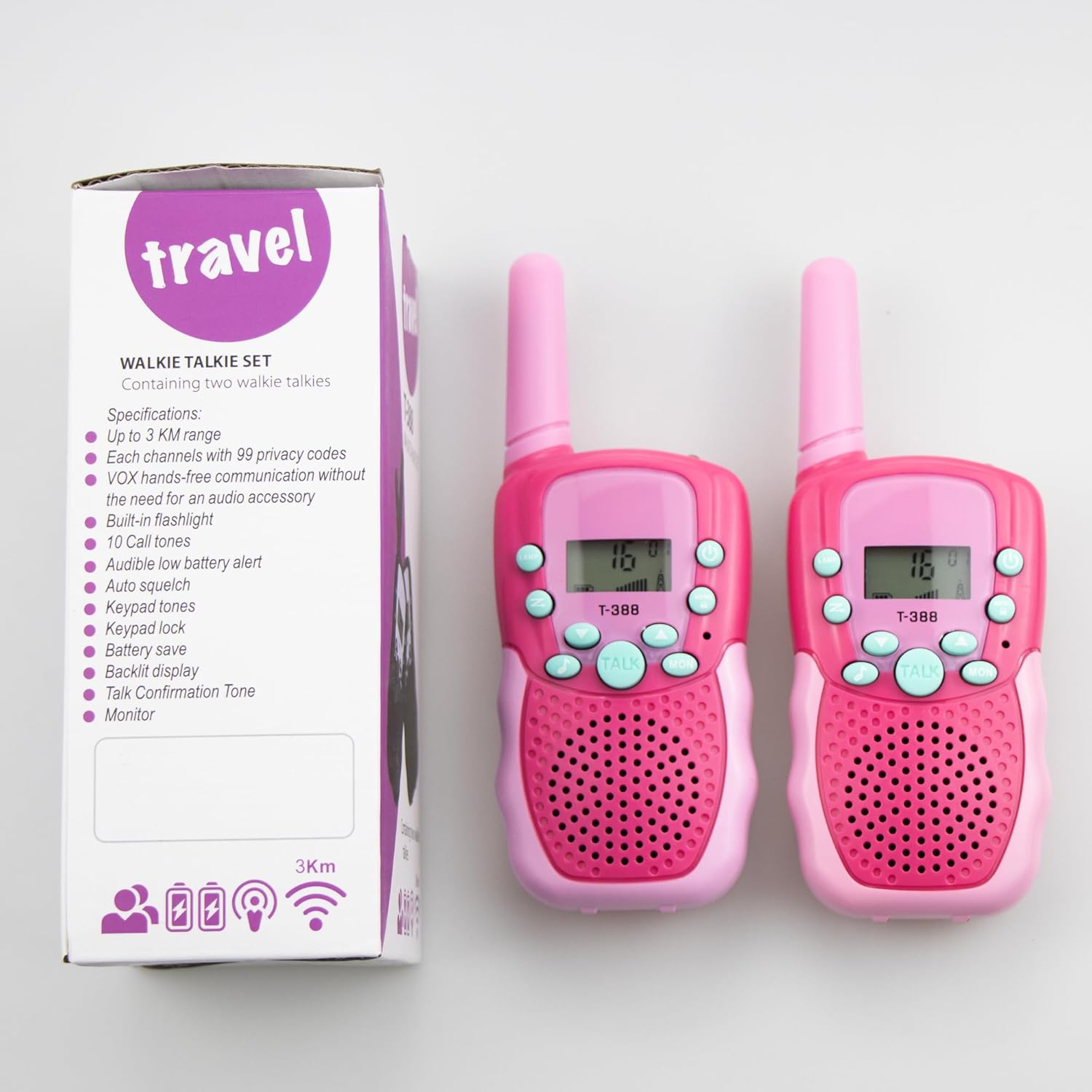
Image: The product packaging, illustrating the included items and key features.
3. Setup and Charging
3.1 Battery Installation
The T-388 walkie talkies come with rechargeable batteries. If not pre-installed, open the battery compartment cover on the back of the unit and insert the provided rechargeable battery pack, ensuring correct polarity. Close the cover securely.
3.2 Charging the Batteries
Before first use, fully charge the walkie talkies. Connect the supplied USB charging cable to the charging port on each walkie talkie. Connect the other end of the USB cable to a standard USB power adapter (not included) or a computer USB port. The charging indicator will illuminate during charging and turn off or change color when fully charged. A full charge typically takes approximately 2 hours.
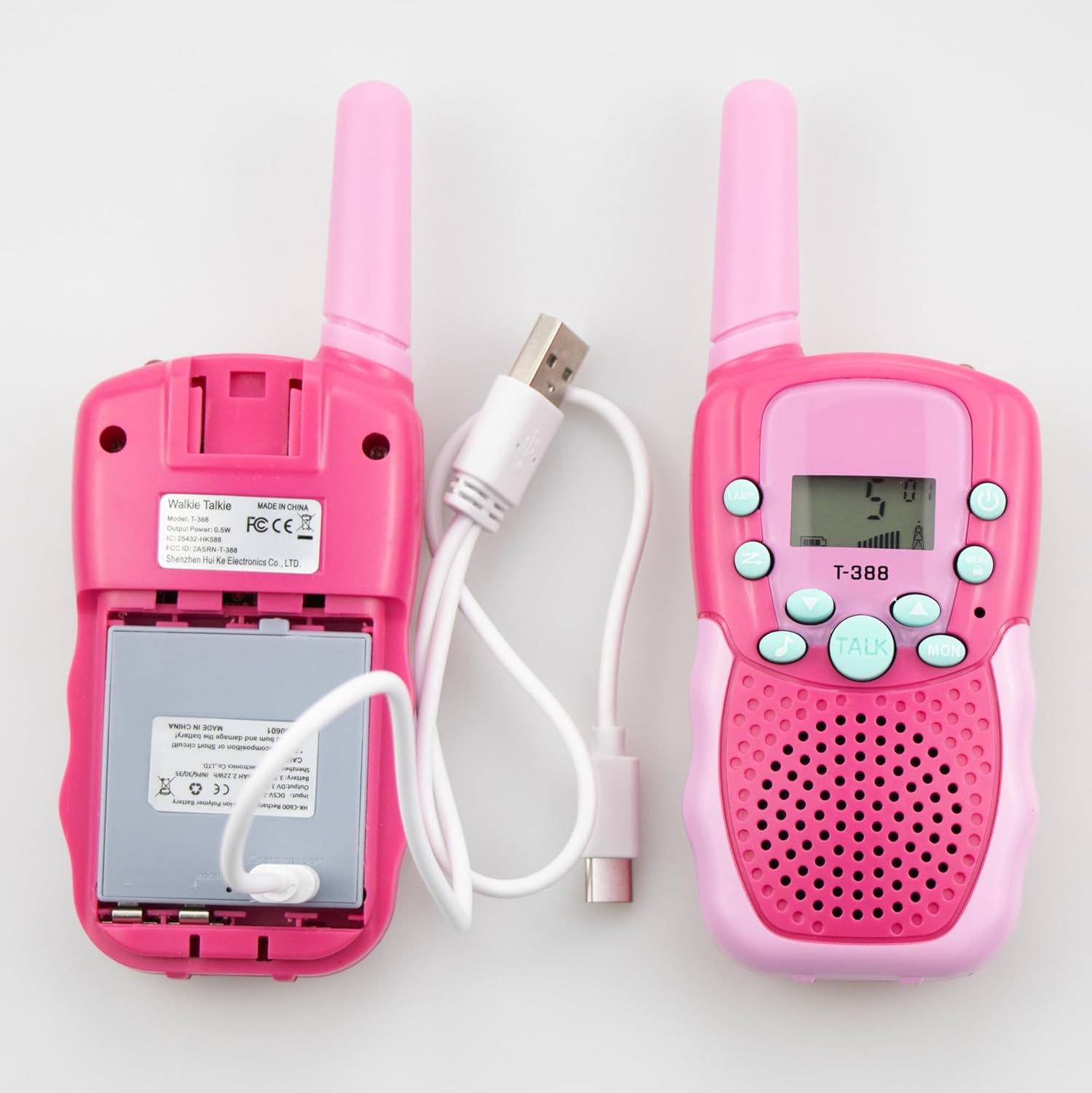
Image: Rear view of the walkie talkies, demonstrating the battery compartment and USB charging connection.
4. Operating Instructions
4.1 Power On/Off
- To turn on: Press and hold the Power button until the LCD screen illuminates.
- To turn off: Press and hold the Power button until the LCD screen turns off.
4.2 Adjusting Volume
- Press the Up button to increase volume.
- Press the Down button to decrease volume.
4.3 Changing Channels
- Press the MENU button once. The channel number on the LCD screen will flash.
- Use the Up or Down buttons to select the desired channel (1-22).
- Press the TALK button to confirm your selection and exit the menu, or wait a few seconds for it to auto-confirm.
4.4 Transmitting (Talking)
- Ensure both walkie talkies are on the same channel.
- Press and hold the large TALK button on the front of the unit.
- Speak clearly into the microphone, located near the speaker grille.
- Release the TALK button when you are finished speaking to allow the other party to respond.
4.5 Receiving
When the other party is transmitting, the signal indicator on your LCD screen will show activity, and you will hear their voice. Ensure your volume is adjusted appropriately.
4.6 Call Tone
- To send a call tone (ringtone) to the other walkie talkie, double-click the TALK button quickly. This alerts the other party that you wish to communicate.
4.7 VOX Function (Voice Operated Exchange)
VOX allows hands-free operation. When activated, the walkie talkie will automatically transmit when it detects your voice, without needing to press the TALK button.
- To activate VOX: Press the MENU button multiple times until "VOX" appears on the screen.
- Use the Up or Down buttons to select the VOX sensitivity level (e.g., 1-3, with 3 being most sensitive). "OF" means VOX is off.
- Press the TALK button to confirm.
4.8 Built-in Flashlight
- To turn on the flashlight: Press the LAMP button (usually located on the top or side).
- To turn off the flashlight: Press the LAMP button again.
4.9 Keypad Lock
The keypad lock prevents accidental changes to settings.
- To lock the keypad: Press and hold the MENU button until a key icon appears on the screen.
- To unlock the keypad: Press and hold the MENU button again until the key icon disappears.
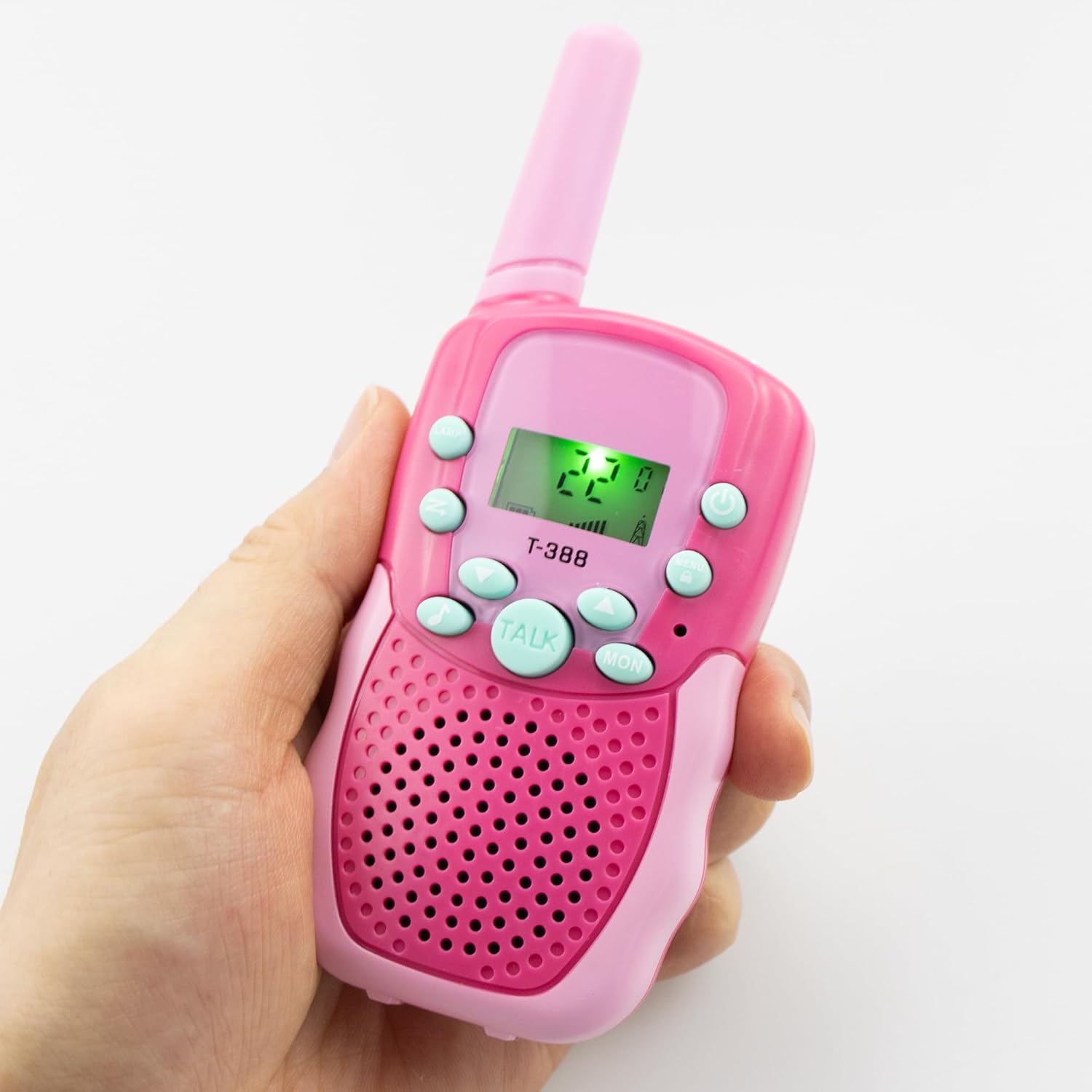
Image: A T-388 walkie talkie held in hand, demonstrating its ergonomic design and accessible buttons.
5. Maintenance and Care
- Cleaning: Wipe the walkie talkies with a soft, damp cloth. Do not use harsh chemicals or abrasive cleaners.
- Storage: Store the walkie talkies in a cool, dry place when not in use. If storing for extended periods, remove the batteries to prevent leakage.
- Battery Care: To prolong battery life, avoid fully discharging the batteries frequently. Recharge them regularly.
- Water Resistance: These walkie talkies are not water resistant. Avoid exposure to rain, splashes, or submersion in water.
6. Troubleshooting
| Problem | Possible Cause | Solution |
|---|---|---|
| No power | Batteries are low or not installed correctly. | Recharge batteries or ensure they are properly inserted. |
| Poor sound quality / Static | Out of range, interference, or incorrect channel. | Move closer to the other unit. Change to a different channel. Avoid obstacles. |
| Cannot transmit or receive | Different channels, low battery, or keypad locked. | Ensure both units are on the same channel. Recharge batteries. Unlock keypad. |
| Limited range | Obstacles (buildings, trees), terrain, or electromagnetic interference. | Move to an open area. Range is maximized in open fields. |
7. Specifications
- Model: T-388
- Channels: 22 FRS/GMRS Channels
- Privacy Codes: 38 CTCSS codes per channel
- Frequency Range: 462.55-462.725 MHz (UHF)
- Range: Up to 3 miles (approx. 5 km in open field conditions)
- Power Source: 1 x Rechargeable AA battery per radio (included)
- Dimensions: Approximately 5.9 x 2.4 x 3.1 inches (H x L x D) / 15cm x 6.2cm x 8.0cm
- Weight: Approximately 8.2 ounces (232g) per pair
- Special Features: LCD Backlit Display, Built-in Mini LED Torch, VOX, Auto Channel Scan, Battery Save, Low Battery Alert, Call Alert, Talk Confirmation Tone, Adjustable Volume, Keypad Lock.
- Color: Pink
8. Warranty and Support
For warranty information and customer support, please refer to the documentation provided with your purchase or contact the manufacturer directly. Details regarding specific warranty periods and support channels are typically provided by the seller or manufacturer at the time of purchase.