
Introduction
This manual provides detailed instructions for the installation, operation, and maintenance of your Inefala Android 15 Car Radio. Please read this manual thoroughly before using the product to ensure proper function and safety. This unit features a 9-inch HD touchscreen, Android 15 operating system, 4-Core processor, 4GB RAM, and 64GB ROM, designed specifically for Kia Optima K5 models from 2011 to 2015.
Product Compatibility
This Inefala Android Car Radio is designed for direct fitment in Kia Optima K5 models manufactured between 2011 and 2015. Please verify your vehicle's dashboard configuration matches the images provided to ensure compatibility.

Image: Compatibility check for Kia Optima K5 (2011-2015) showing the correct dashboard fitment for the Inefala car radio.

Image: Before and after installation comparison for Kia Optima K5, illustrating the integrated look of the Inefala car radio.
What's in the Box
The package includes the following components:
- 1 x Android Car Radio
- 1 x Power Cable
- 1 x GPS Antenna
- 1 x Backup Camera Input Cable
- 1 x RCA Cable
- 2 x USB Cable
- 2 x Mounting Bracket
- 1 x Installation Tool
- 1 x Instruction Manual
- 1 x Backup Camera
- 1 x External Microphone

Image: Contents of the Inefala Android Car Radio package.
Setup and Installation
Proper installation is crucial for optimal performance. It is recommended to have this unit installed by a professional. Refer to the wiring diagram below for connection details.
Wiring Diagram

Image: Stereo wiring diagram for the Inefala Android Car Radio, detailing connections for power, audio, video, and peripherals.
Key Connections:
- Power Cable: Connects to the vehicle's power supply.
- RCA Cable: For audio and video output/input.
- 3.8Pin Canbus Plug: For vehicle data communication (e.g., steering wheel controls).
- USB Cable: For data transfer and charging.
- Rear Camera Input: Connects the included backup camera.
- Radio Antenna: For FM/RDS radio reception.
- GPS Antenna: For satellite navigation signal reception.
- External Microphone: For hands-free calling and voice commands.
Ensure all connections are secure and correctly matched to avoid damage to the unit or vehicle's electrical system. The unit supports the original car USB interface for plug-and-play functionality where applicable.
Operating Instructions
9-Inch HD Touch Screen
The unit features a 9-inch HD touchscreen with a resolution of 1280*720 pixels, providing clear visuals and responsive touch control. Navigate through menus and applications by tapping, swiping, and pinching gestures.

Image: The 9-inch HD touchscreen with QLED technology, offering enhanced detail and color.
User Interface (UI) and Display Modes
The Android 15 operating system offers a customizable user interface with various themes and display options, including full-screen and split-screen modes for multitasking.
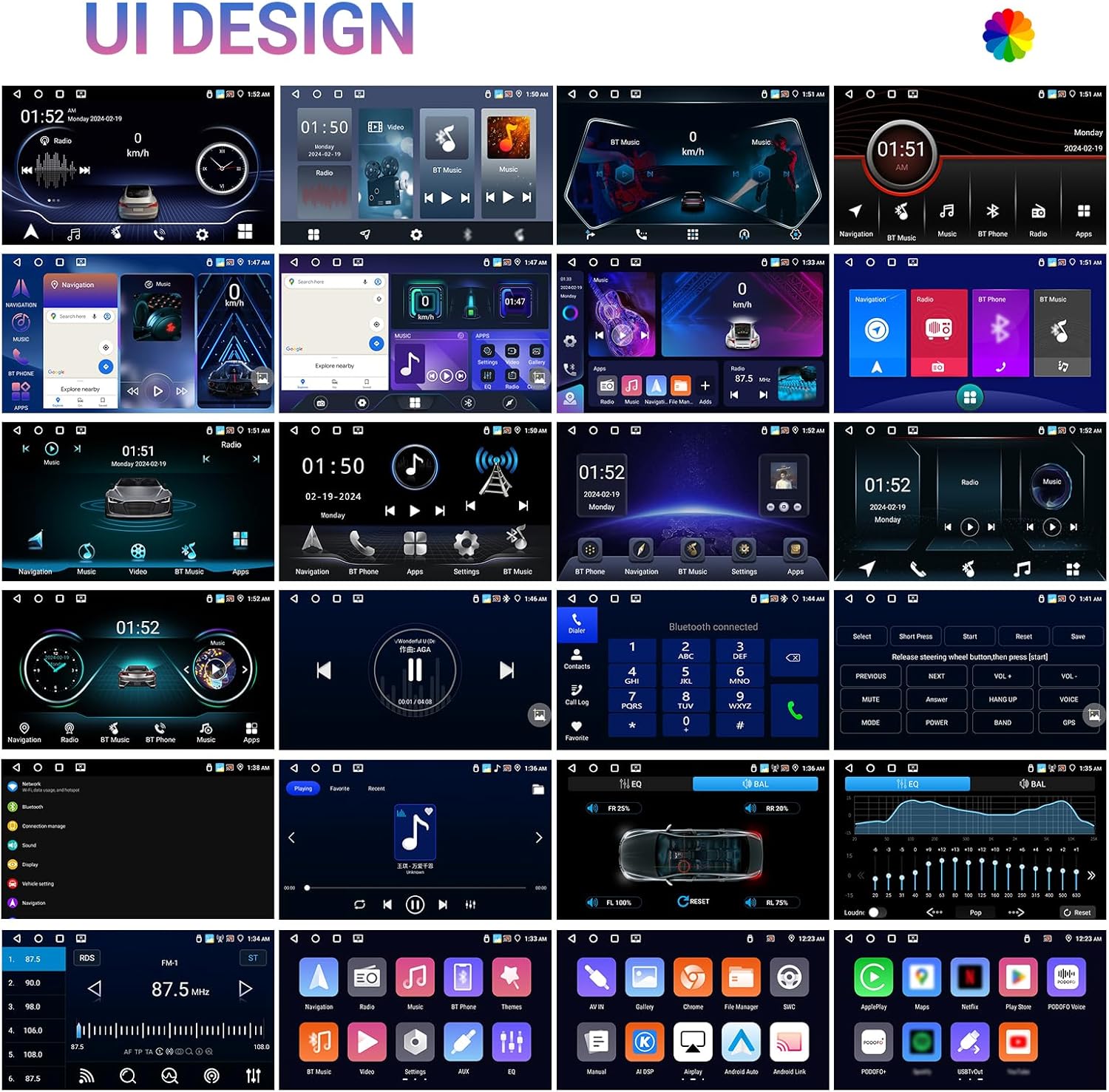
Image: Various UI designs and screen layouts available on the Inefala car radio.
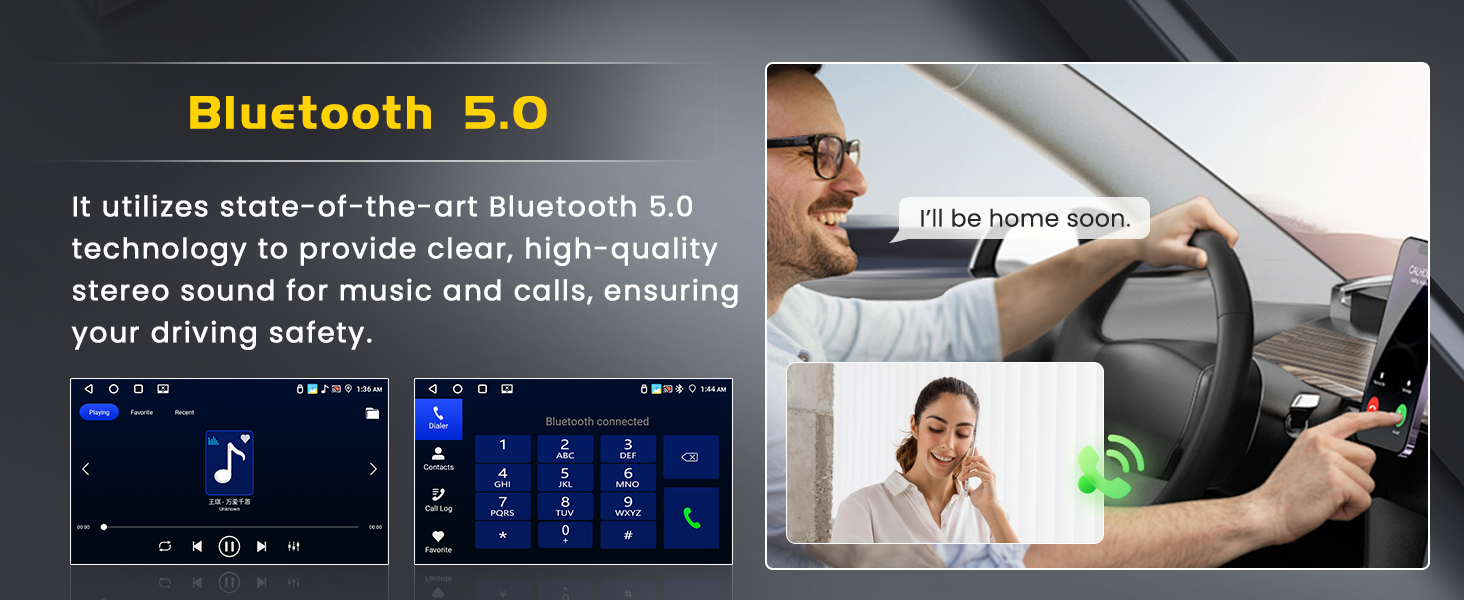
Image: Customizable three-panel homepage and UI desktop themes.
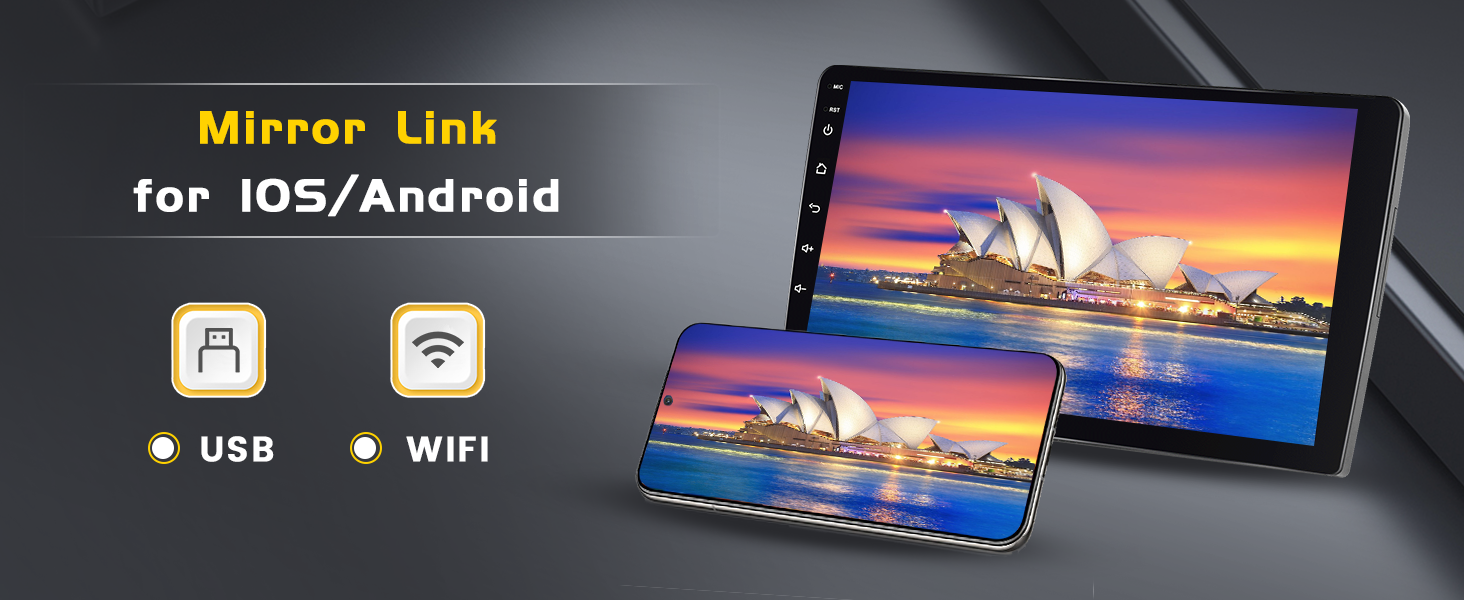
Image: Full-screen and split-screen display modes for enhanced multitasking.
Wireless Carplay & Android Auto
Connect your smartphone wirelessly to access Carplay or Android Auto. This allows for seamless integration of navigation, music, calls, and messaging directly on the car radio's screen.
- Wireless Carplay: For iOS devices.
- Wireless Android Auto: For Android devices.

Image: Wireless Carplay and Android Auto interface with common applications.
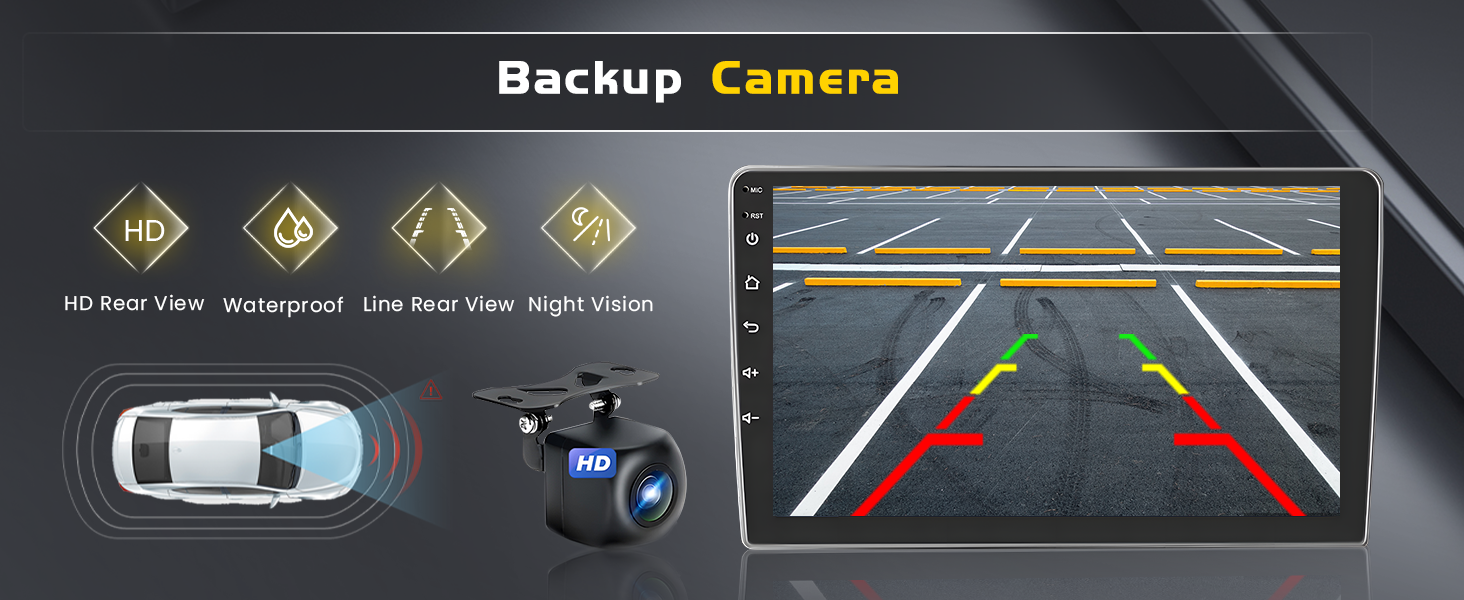
Image: Comparison of iOS Carplay and Android Auto interfaces.
Mirror Link (iOS/Android)
The Mirror Link function allows you to display your smartphone's screen directly onto the car radio. This feature supports both iOS and Android devices via USB or Wi-Fi connection.

Image: Mirror Link functionality for iOS and Android devices.
GPS Navigation & WiFi Connection
The unit has a built-in GPS receiver supporting both online and offline navigation. Connect to Wi-Fi to access online maps, download applications from the Play Store, and browse the internet.

Image: Overview of GPS Navigation and WiFi Connection features.

Image: Online and offline GPS navigation capabilities.

Image: Wi-Fi connectivity for downloading apps and accessing online content.
Bluetooth 5.0
Equipped with Bluetooth 5.0, the car radio offers faster data transfer speeds for hands-free calling and high-quality audio streaming. Pair your smartphone to make and receive calls safely while driving and enjoy your music library.

Image: Bluetooth 5.0 for hands-free calls and music streaming.
FM/RDS Radio
The high-quality FM/RDS head unit allows you to listen to real-time traffic updates, news broadcasts, and weather forecasts. It supports automatic channel searching for convenience.

Image: FM/RDS radio interface with automatic channel search.
32-Band Equalizer (32EQ)
Customize your audio experience with the built-in 32-band equalizer. Adjust sound patterns to your preference for a more immersive and personalized sound quality.

Image: 32-band equalizer interface for audio customization.
Steering Wheel Control (SWC)
The unit supports steering wheel controls, allowing you to manage functions like volume, track changes, and calls without taking your hands off the wheel, enhancing driving safety and convenience.

Image: Steering Wheel Control functionality for safe operation.
Backup Camera
The included backup camera provides a clear rear view when reversing, enhancing safety and assisting with parking maneuvers. It features HD rear view, waterproof design, line rear view, and night vision capabilities.

Image: Backup camera display with parking assistance lines.
Maintenance
To ensure the longevity and optimal performance of your Inefala Android Car Radio, follow these maintenance guidelines:
- Screen Cleaning: Use a soft, lint-free cloth to gently wipe the touchscreen. For stubborn smudges, slightly dampen the cloth with water or a screen-safe cleaner. Avoid harsh chemicals or abrasive materials.
- Software Updates: Periodically check for software updates through the unit's settings or the manufacturer's website to ensure you have the latest features and bug fixes.
- Environmental Conditions: Avoid exposing the unit to extreme temperatures, direct sunlight for prolonged periods, or excessive moisture.
- Cable Connections: Ensure all cables are securely connected. Loose connections can lead to intermittent issues.
- Ventilation: Ensure the unit's ventilation areas are not blocked to prevent overheating.
Troubleshooting
If you encounter any issues with your car radio, refer to the following common troubleshooting steps:
| Problem | Possible Cause | Solution |
|---|---|---|
| Unit does not power on | Loose power connection, blown fuse, vehicle battery issue. | Check power cable connections. Inspect vehicle fuses. Ensure vehicle battery is charged. |
| No sound | Volume too low, mute activated, loose speaker wires, incorrect audio settings. | Increase volume. Check if mute is active. Verify speaker wire connections. Adjust audio output settings. |
| Touchscreen unresponsive | Software glitch, screen calibration issue. | Restart the unit. If issue persists, perform a factory reset (refer to settings menu). |
| GPS signal lost or inaccurate | GPS antenna obstruction, poor satellite reception. | Ensure GPS antenna is clear of obstructions and properly installed. Move to an open area for better signal. |
| Bluetooth connection issues | Device not paired, Bluetooth off, interference. | Ensure Bluetooth is enabled on both devices. Re-pair the device. Move closer to the unit. |
| Backup camera not displaying | Loose camera connection, incorrect wiring, camera malfunction. | Check the backup camera input cable connection. Verify wiring according to the diagram. |
If these steps do not resolve the issue, please contact customer support for further assistance.
Specifications
Detailed technical specifications for the Inefala Android Car Radio:
| Feature | Specification |
|---|---|
| Operating System | Android 15 |
| Processor | 4-Core |
| RAM | 4GB |
| ROM (Internal Storage) | 64GB |
| Screen Size | 9 inches |
| Display Resolution | 1280 x 720 HD |
| Connectivity | Bluetooth 5.0, USB, Wi-Fi |
| Special Features | Wireless Carplay, Android Auto, Mirror Link, GPS Navigation, FM/RDS Radio, 32-Band EQ, Steering Wheel Control (SWC), Backup Camera Support |
| Compatible Devices | Smartphone / Kia Optima K5 2011-2015 |
| Audio Output Mode | Stereo |
| Video Encoding Support | MKV/RMVB/AVI/MP4/MDV etc. |
| Product Dimensions | 2 x 17.7 x 9.1 inches |
| Item Weight | 3.39 pounds |
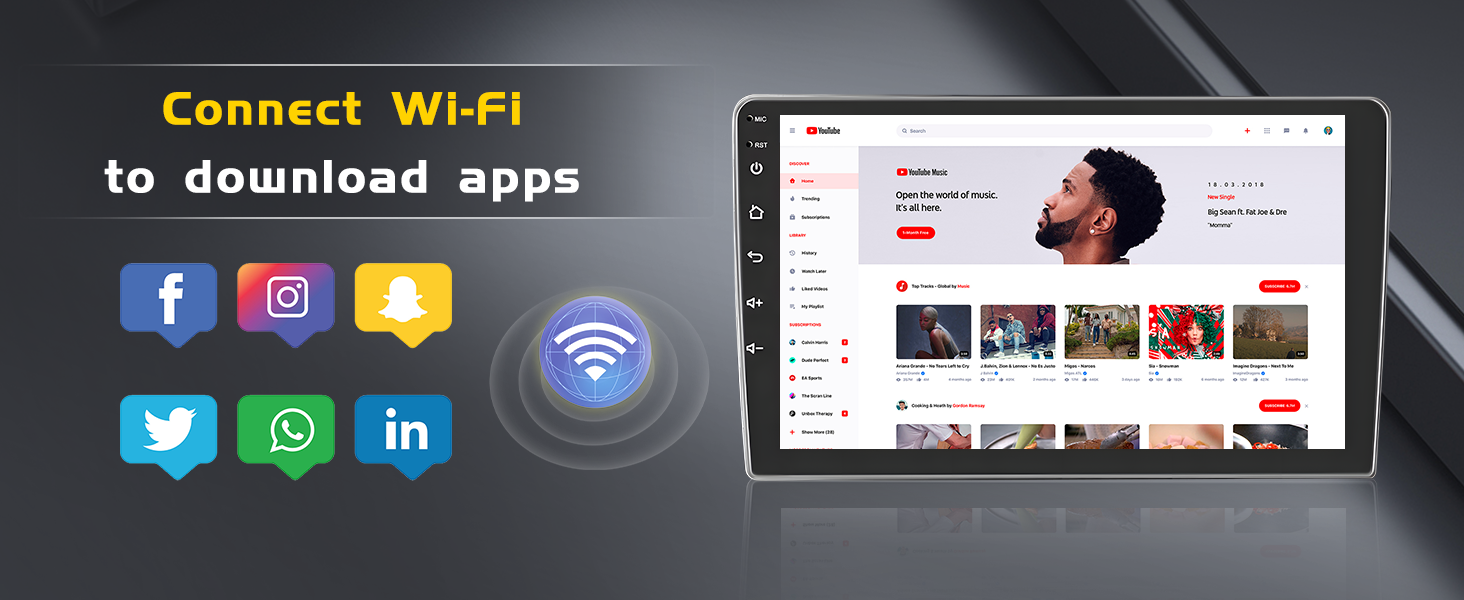
Image: Core specifications of the Inefala Android Car Radio.
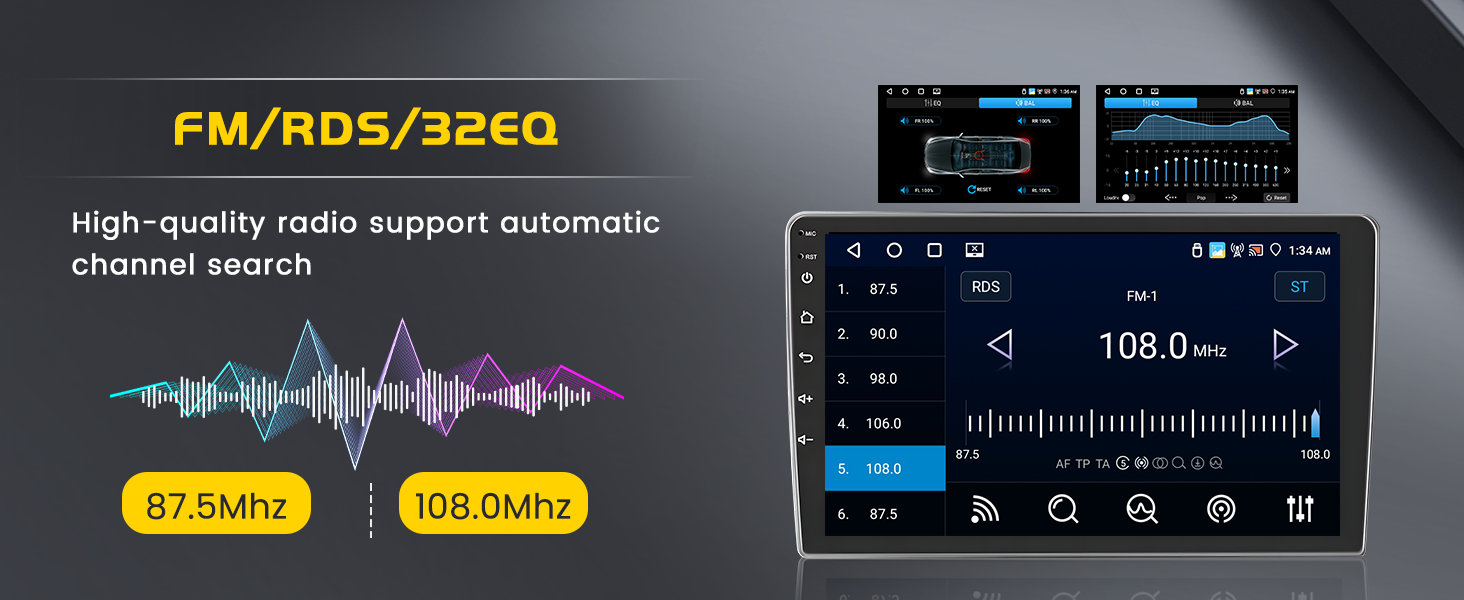
Image: Display resolution comparison, highlighting the 1280x720P 9-inch touchscreen.
Warranty and Support
Inefala is committed to providing quality products and customer satisfaction.
Warranty Information
- Quality Assurance: The product comes with a 24-month quality assurance period from the date of purchase.
- Return Policy: A 30-day free return period is available.

Image: Inefala's commitment to quality assurance and customer satisfaction.
Customer Support
For any quality issues within 24 months from the date of purchase, or if you have any questions, please contact us directly. We aim to resolve your concerns within 24 hours.
- Contact Email: inefalatech@163.com

Image: Instructions on how to contact Inefala customer support.

Image: 24/7 Technical Support contact information.


