
ZXQ ZXQ-Q20P
ZXQ Wireless Bluetooth Neckband Headphones User Manual
Brand: ZXQ | Model: ZXQ-Q20P
Introduction
Thank you for choosing the ZXQ Wireless Bluetooth Neckband Headphones. This manual provides essential information for setting up, operating, maintaining, and troubleshooting your new headphones. Designed for comfort and durability, these headphones offer an exceptional audio experience with extended battery life and a secure fit for various activities.
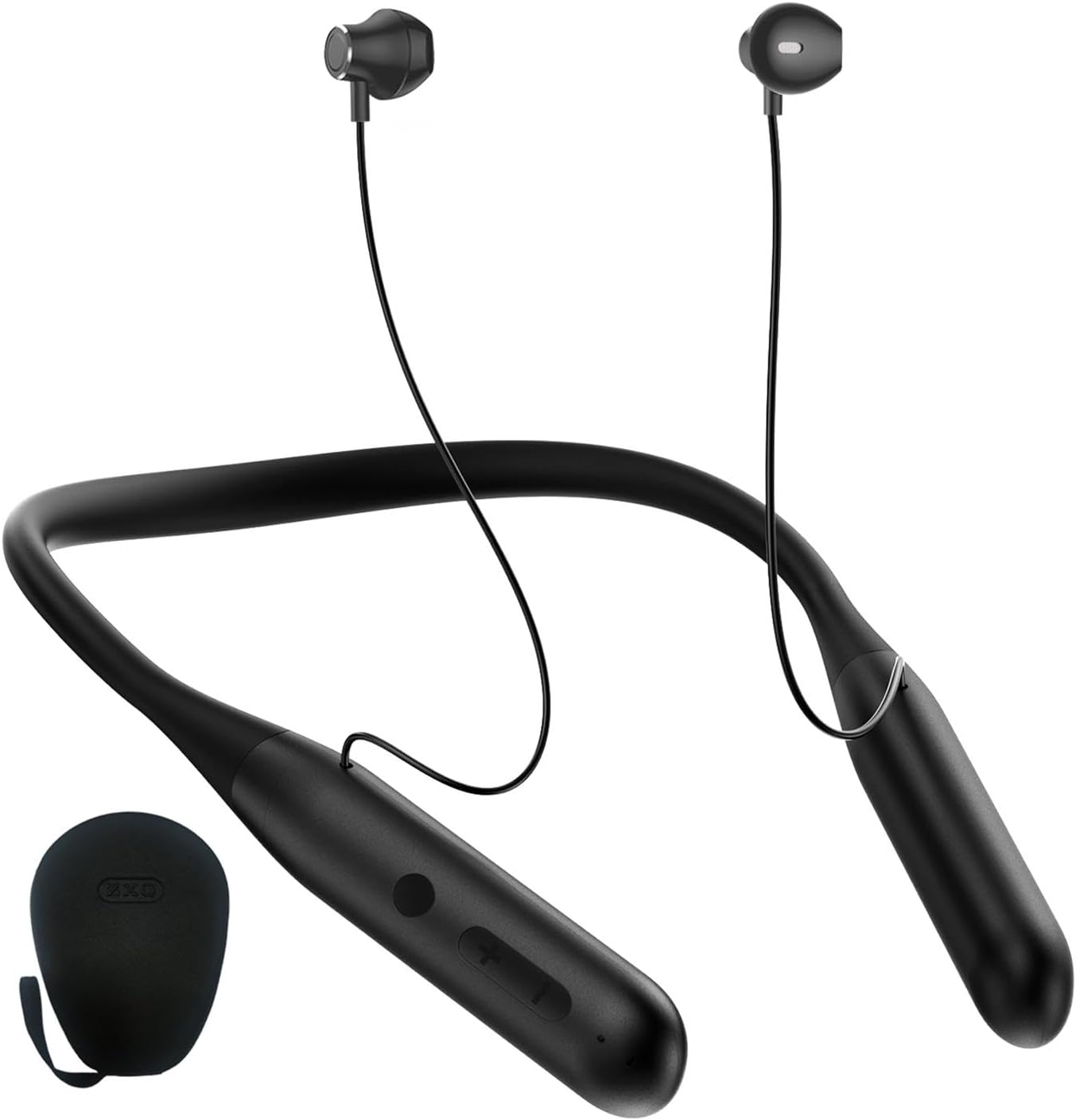
Figure 1: ZXQ Wireless Bluetooth Neckband Headphones and included storage case.
What's in the Box
Please check the package contents to ensure all items are present:
- 1 x ZXQ Wireless Bluetooth Neckband Headphone
- 1 x Protective Case (EVA Storage box)
- 1 x USB Type-C Charging Cable
- 1 x User Manual
- 2 x Eartips (Ear gel)

Figure 2: All components included in the ZXQ headphone package.
Setup
Charging the Headphones
Before first use, fully charge your headphones. A full charge takes approximately 2 hours. A quick 15-minute charge can provide up to 10 hours of playtime.
- Locate the USB Type-C charging port on the neckband.
- Connect the provided USB Type-C cable to the charging port.
- Connect the other end of the USB cable to a compatible USB power source (e.g., wall adapter, computer USB port).
- The indicator light will show charging status (refer to the specific light behavior in your manual for details). It will typically turn off or change color when fully charged.

Figure 3: Connecting the USB-C charging cable to the headphones.
Bluetooth Pairing
The headphones utilize advanced Bluetooth 5.3 technology for a stable and fast connection.
- Ensure the headphones are charged and powered off.
- Press and hold the power button on the neckband until the indicator light flashes, indicating pairing mode.
- On your device (smartphone, tablet, laptop), enable Bluetooth and search for available devices.
- Select "ZXQ-Q20P" (or similar name) from the list of found devices.
- Once connected, the indicator light on the headphones will typically stop flashing or change to a solid color.

Figure 4: The advanced Bluetooth 5.3 chip ensures quick and stable connections.
Operating Instructions
Controls
The in-line controller provides easy access to music and call functions:
- Power On/Off: Press and hold the power button.
- Play/Pause: Single press the multi-function button.
- Volume Up/Down: Press the '+' or '-' buttons.
- Next Track: Press and hold the '+' button.
- Previous Track: Press and hold the '-' button.
- Answer/End Call: Single press the multi-function button during an incoming call.
- Reject Call: Press and hold the multi-function button during an incoming call.
- Voice Assistant: Double-press the multi-function button (if supported by your device).
Wearing and Comfort
The ZXQ headphones are designed for comfortable, long-term wear with an ergonomic, semi-open earbud style. The neckband is made of UV-coated silicone with an elastic steel wire inside for flexibility and durability.
- Place the neckband comfortably around your neck.
- Insert the earbuds gently into your ears. Choose the appropriate ear gel size for a secure and comfortable fit.
- The earbuds are magnetic and can attach to each other when not in use, preventing tangling and dangling. They can also attach to the neckband for secure storage.

Figure 5: The ergonomic design ensures comfortable wearing for extended periods.

Figure 6: Magnetic earbuds prevent tangling and secure the headphones when not in use.
Key Features
Super Long Working Time
Equipped with a high-capacity rechargeable battery, these neckband earbuds provide an impressive 100 hours of talk or music playtime on a single charge. Fast charging via USB Type-C allows for 10 hours of use with just 15 minutes of charging.

Figure 7: Experience up to 100 hours of continuous audio playback.
Premium Sound Quality
The headphones feature high-performance 14mm dynamic drivers that deliver rich bass and crystal-clear sound. The integrated high-definition microphone ensures clear calls, making them suitable for music, videos, podcasts, and communication.

Figure 8: Enjoy immersive audio with powerful 14mm dynamic drivers.
Waterproof & Sweatproof (IPX5)
With an IPX5 waterproof and sweat-resistant rating, these headphones are ideal for outdoor sports and indoor exercise. They are designed to withstand splashes and sweat, ensuring durability during your active lifestyle.

Figure 9: The IPX5 rating makes these headphones suitable for workouts and outdoor activities.
Maintenance
Proper care will extend the life of your ZXQ headphones:
- Cleaning: Use a soft, dry cloth to wipe the headphones. For earbuds, gently clean with a slightly damp cloth and ensure they are dry before use. Do not use harsh chemicals or abrasive materials.
- Storage: When not in use, store the headphones in the provided protective case to prevent damage and tangling. Avoid exposing them to extreme temperatures, humidity, or direct sunlight.
- Charging: Always use the original charging cable or a certified USB Type-C cable. Avoid overcharging the battery.
- Water Exposure: While IPX5 rated, avoid submerging the headphones in water. Dry them thoroughly if they get wet from sweat or splashes.
Troubleshooting
If you encounter issues with your headphones, refer to the following common problems and solutions:
| Problem | Possible Cause | Solution |
|---|---|---|
| Headphones won't turn on | Low battery; Power button not pressed correctly | Charge the headphones fully. Press and hold the power button for 3-5 seconds. |
| Cannot pair with device | Headphones not in pairing mode; Device Bluetooth off; Too far from device | Ensure headphones are in pairing mode (flashing light). Turn Bluetooth on your device. Move headphones closer to the device (within 10 meters). |
| No sound or low volume | Volume too low on headphones or device; Not connected properly | Increase volume on both headphones and device. Re-pair the headphones with your device. |
| Intermittent connection | Interference; Device too far; Low battery | Move away from other wireless devices. Ensure headphones are within Bluetooth range. Charge the headphones. |
| Microphone not working | Microphone blocked; Device settings | Ensure microphone is not covered. Check audio input settings on your connected device. |
Specifications
| Feature | Specification |
|---|---|
| Model Name | Neck headphone (ZXQ-Q20P) |
| Connectivity Technology | Wireless (Bluetooth 5.3) |
| Bluetooth Range | 10 Meters |
| Battery Life | Up to 100 Hours |
| Charging Time | Approx. 2 Hours (15 min quick charge for 10 hours playtime) |
| Audio Driver Size | 14 Millimeters |
| Audio Driver Type | Dynamic Driver |
| Frequency Response | 20 Hz - 20,000 Hz |
| Sensitivity | 105 dB |
| Impedance | 32 Ohm |
| Noise Control | Sound Isolation |
| Water Resistance Level | IPX5 (Waterproof & Sweatproof) |
| Material | Aluminum, Plastic |
| Color | Black |
| Item Weight | 12 Grams (0.423 ounces) |
| Product Dimensions | 7.56 x 4.88 x 1.1 inches |
| Manufacturer | JSY |
| Country of Origin | China |
Warranty and Support
ZXQ products are manufactured with high-quality standards. For specific warranty information, please refer to the warranty card included with your purchase or visit the official ZXQ website. If you require technical assistance or have questions not covered in this manual, please contact ZXQ customer support through the contact information provided on the product packaging or the official website.
Related Documents - ZXQ-Q20P
 |
ZXQ-Q2 Wireless Earphone User Manual User manual and operation guide for the ZXQ-Q2 wireless earphones, including pairing instructions, safety information, and technical specifications. |
Ask a question about this manual
Ask about setup, troubleshooting, compatibility, parts, safety, or missing instructions. Manuals+ will review the question and use this page’s manual context to help answer it.