
1. Introduction
Thank you for choosing the iYogaled LED RGBCW Outdoor Wall Light Fixtures. These modern, smart exterior lights are designed to enhance your outdoor spaces with vibrant, customizable illumination. Featuring RGBCW (Red, Green, Blue, Cool White, Warm White) capabilities, IP65 waterproofing, and smart control options, these fixtures offer both functionality and aesthetic appeal. Please read this manual thoroughly before installation and use to ensure proper operation and safety.

Image: iYogaled LED RGBCW Outdoor Wall Light Fixtures showcasing various color options.
2. Product Features
- Vibrant Multi-Color Lighting: Over 16 million colors with adjustable color temperature (2700K to 6500K). Includes over 40 preset scenes and music sync features.
- Multiple Control Methods: Voice control via Alexa or Google Assistant, and remote control via the Tuya Smart App. Connects directly to 2.4GHz WiFi without a hub.
- High Brightness & Energy Efficient: 18W, 1800LM output with adjustable brightness (1%-100%). Five-sided illumination for broader coverage. Long lifespan of up to 50,000 hours.
- Durable & Weather-Resistant: IP65 waterproof rating, designed to withstand harsh weather. Constructed with die-cast aluminum housing and PC lamp cover for corrosion and fade resistance.
- Stylish & Practical Design: Integrated LED design eliminates bulb replacements. Black aluminum frame with a double-layer design and high-quality glass for soft, comfortable illumination.

Image: Demonstrates the weather-resistant properties of the iYogaled outdoor wall light.
3. Safety Information
- Always turn off the power at the circuit breaker before installation, maintenance, or cleaning.
- Consult a qualified electrician if you are unsure about the installation process.
- Ensure all wiring connections are secure and comply with local electrical codes.
- Do not attempt to modify the fixture. Any modifications may void the warranty and pose safety risks.
- This fixture is rated IP65 for outdoor use; however, avoid submerging it in water.
4. Package Contents
Verify that all components are present and undamaged before beginning installation.
- iYogaled LED RGBCW Outdoor Wall Light Fixtures (2 units)
- Mounting Bracket
- Screws and Wall Anchors
- Wire Connectors
- User Manual
5. Installation
Follow these steps for proper installation:
- Turn Off Power: Locate the circuit breaker controlling the light fixture's location and turn off the power.
- Remove Old Fixture (if applicable): Carefully remove any existing light fixture, disconnecting the wires.
- Attach Mounting Bracket: Secure the provided mounting bracket to the junction box on your wall using the screws. Ensure it is level and firmly attached.
- Wire Connections: Connect the wires from the fixture to your household wiring. Typically, this involves connecting:
- Black (Live) to Black (Live)
- White (Neutral) to White (Neutral)
- Green or Bare Copper (Ground) to Green or Bare Copper (Ground)
- Mount the Fixture: Align the fixture with the mounting bracket and secure it in place with the provided screws. Ensure a snug fit to prevent moisture ingress.
- Restore Power: Turn the power back on at the circuit breaker.

Image: Product dimensions for installation planning.
6. Operation
6.1 Smart App Control (Tuya Smart App)
The iYogaled outdoor wall lights are controlled via the Tuya Smart App. Ensure your smartphone is connected to a 2.4GHz Wi-Fi network during setup.
- Download App: Download the "Tuya Smart" app from your smartphone's app store (iOS or Android).
- Register/Login: Open the app and register for a new account or log in if you already have one.
- Add Device: Tap the "+" icon in the top right corner to add a device. Select "Lighting" > "Light Source (Wi-Fi)" or use the auto-scan feature.
- Pairing Mode: Turn the light fixture ON-OFF-ON-OFF-ON (with 2-second intervals) until the light starts blinking rapidly, indicating pairing mode.
- Connect to Wi-Fi: Confirm the light is blinking rapidly in the app, then enter your 2.4GHz Wi-Fi network password. The app will connect to the device.
- Control: Once connected, you can control brightness, color, color temperature, and access preset scenes.

Image: App control for adjusting white light temperature.
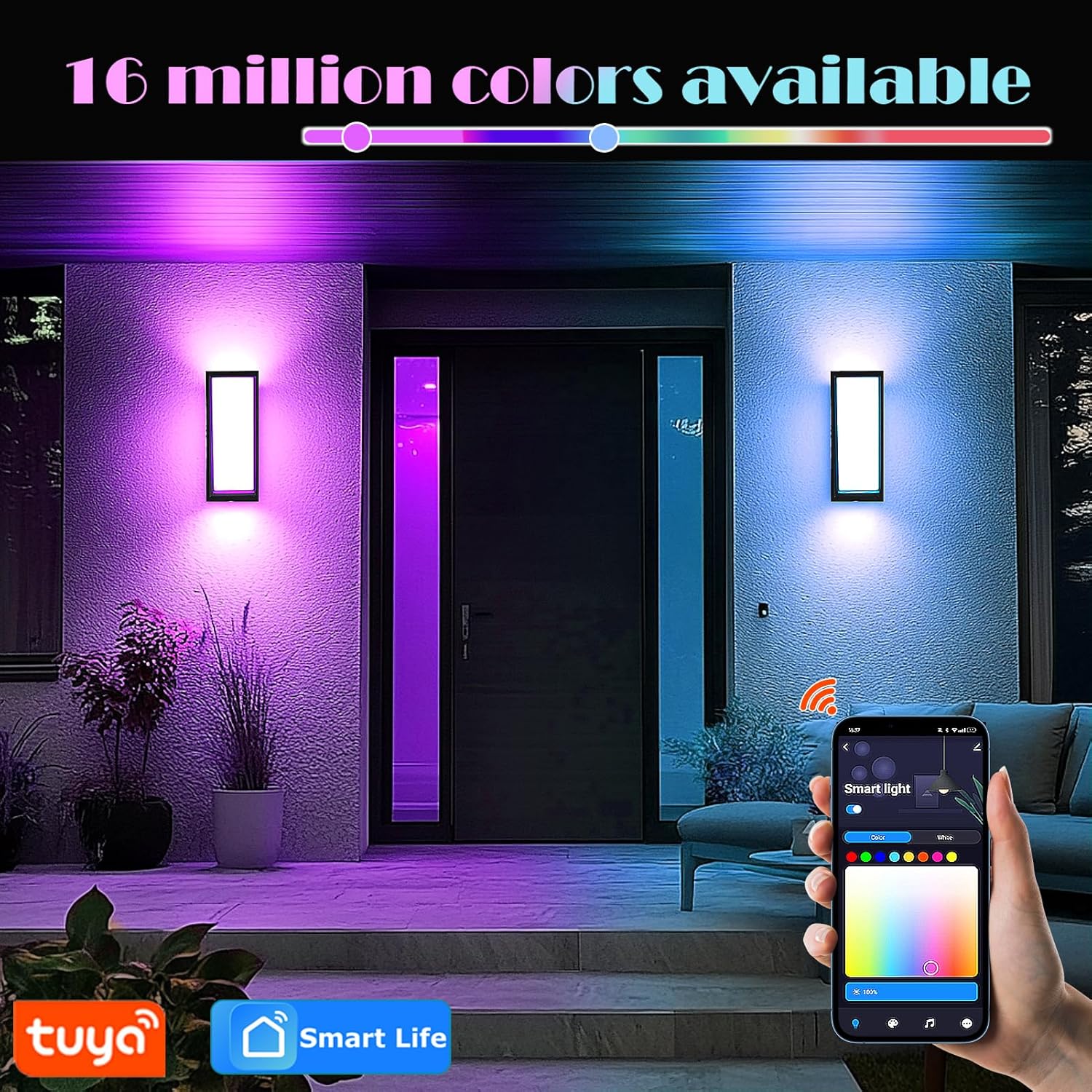
Image: Demonstrates the 16 million color options available via the Tuya Smart App.
6.2 Voice Control
Integrate your iYogaled lights with Amazon Alexa or Google Assistant for convenient voice control.
- Link Account: In the Alexa or Google Home app, enable the "Tuya Smart" skill/service and link your Tuya Smart account.
- Discover Devices: Ask your voice assistant to discover new devices (e.g., "Alexa, discover my devices" or "Hey Google, sync my devices").
- Voice Commands: Once discovered, you can use commands like:
- "Alexa, turn on the outdoor wall light."
- "Hey Google, set the porch light to blue."
- "Alexa, dim the garage lights to 50%."

Image: Voice control integration with smart home assistants.
6.3 Special Features
- Music Sync: The lights can synchronize with music, creating dynamic lighting effects. This feature is accessible through the Tuya Smart App.
- Preset Scenes: Choose from over 40 pre-programmed lighting scenes for various moods and occasions (e.g., Christmas, party, relaxation).
- Timing Function: Set schedules for the lights to turn on/off automatically, or activate sunrise/sunset effects via the app.

Image: Lights dancing with music for an interactive experience.
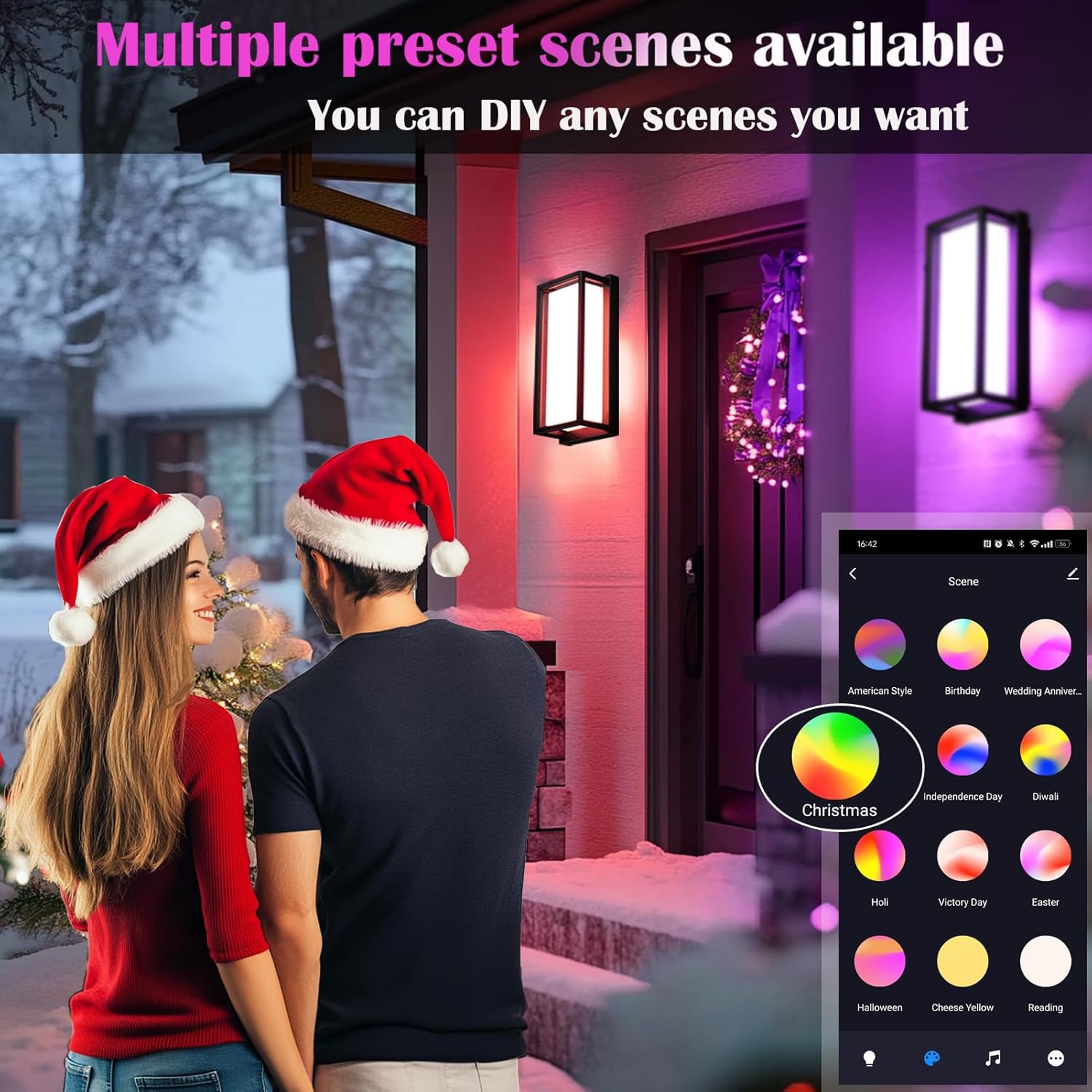
Image: Multiple preset scenes available for different occasions.
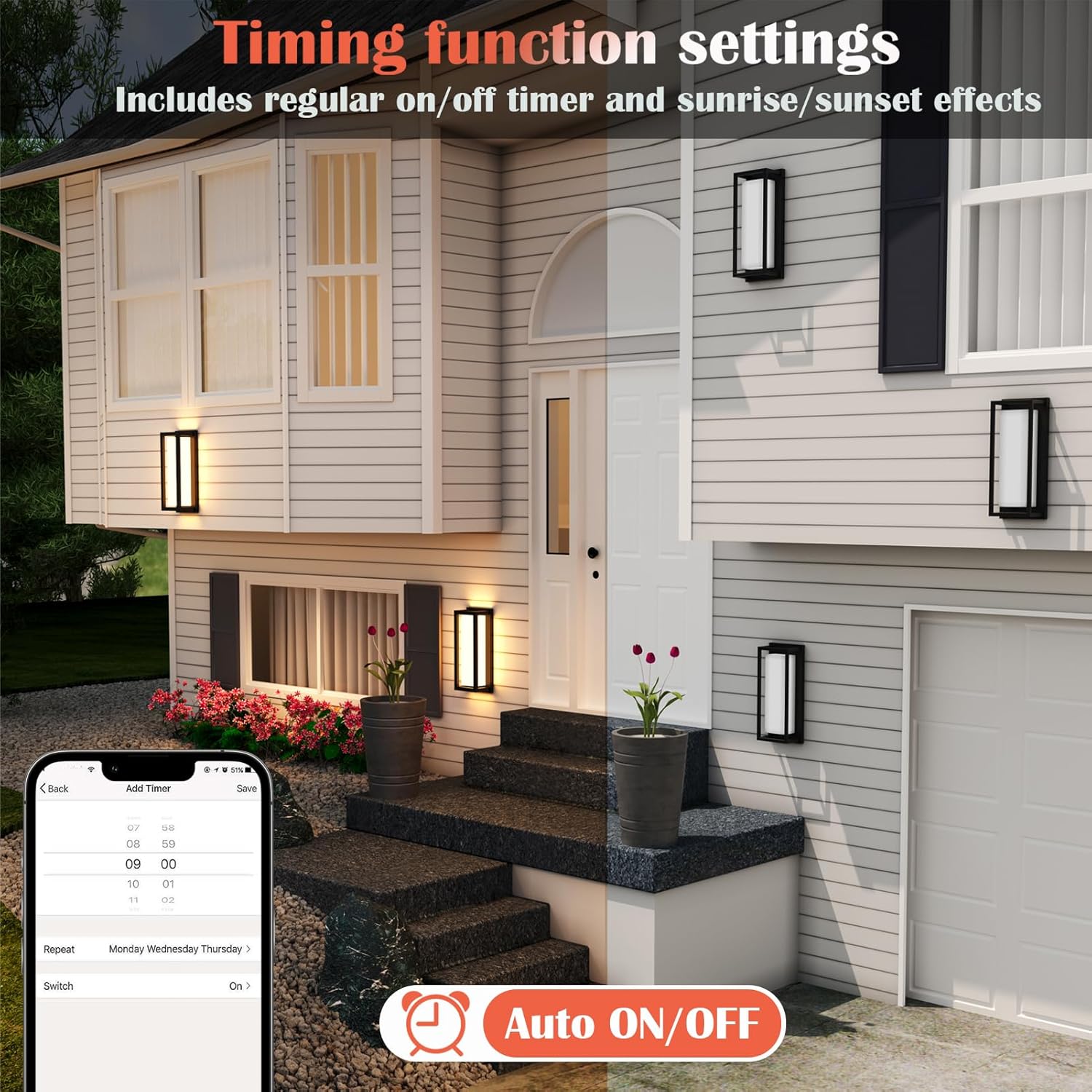
Image: Timing function settings for automated light operation.
7. Maintenance
To ensure the longevity and optimal performance of your iYogaled outdoor wall lights, follow these maintenance guidelines:
- Cleaning: Regularly clean the exterior of the fixture with a soft, damp cloth. Do not use abrasive cleaners or solvents, as they may damage the finish or PC lamp cover.
- Inspection: Periodically inspect the fixture for any signs of damage, loose connections, or wear. Address any issues promptly.
- No Bulb Replacement: These fixtures feature integrated LEDs, meaning there are no bulbs to replace.
8. Troubleshooting
| Problem | Possible Cause | Solution |
|---|---|---|
| Light does not turn on. | No power, loose wiring, faulty fixture. | Check circuit breaker. Verify all wire connections. Contact customer support if issue persists. |
| Cannot connect to Wi-Fi. | Incorrect Wi-Fi band (not 2.4GHz), incorrect password, light not in pairing mode, weak signal. | Ensure 2.4GHz Wi-Fi. Re-enter password. Put light into pairing mode (ON-OFF-ON-OFF-ON). Move router closer or use a Wi-Fi extender. |
| Voice control not working. | Tuya Smart account not linked, device not discovered by voice assistant. | Ensure Tuya Smart skill/service is enabled and linked in Alexa/Google Home app. Ask voice assistant to discover devices. |
| Colors are not changing. | App malfunction, temporary glitch. | Restart the Tuya Smart App. Power cycle the light fixture (turn off and on at the switch). |
If you encounter any issues not listed here or if the problem persists, please contact iYogaled customer support.
9. Specifications
| Attribute | Detail |
|---|---|
| Brand | iYogaled |
| Model Number | BD12-WM15W-RGB-2PACK |
| Color | Black-RGB-12 inch (2 PACK) |
| Material | Aluminum (Housing), Polycarbonate (Shade) |
| Style | Modern |
| Product Dimensions | 13.7"L x 9.7"W x 6.7"H |
| Indoor/Outdoor Usage | Outdoor |
| Power Source | AC/DC |
| Voltage | 120 Volts (AC) |
| Wattage | 15 watts |
| Light Source Type | LED |
| Light Color | RGB, Adjustable Color Temperature (2700K-6500K) |
| Brightness | 1000 Lumens (per fixture) |
| Water Resistance Level | IP65 Waterproof |
| Connectivity Protocol | Bluetooth, Tuya, Wi-Fi (2.4GHz) |
| Special Features | Adjustable Color Temperature, Color Changing, Dimmable, Waterproof, Music Sync, Preset Scenes, Timing Function |
| Certification | ETL Certified |
10. Warranty and Support
iYogaled products come with an extended warranty. For specific warranty details, please refer to the product packaging or contact iYogaled customer support. If you require assistance with installation, operation, or troubleshooting, please visit the iYogaled Store on Amazon or contact our support team directly.