
1. Overview
This manual provides instructions for the Jpbaisqic Replacement Accessories Kit, designed for the Noisz by ILIFE S8 Pro Robotic Vacuum Cleaner. This kit includes essential components for maintaining your robotic vacuum's cleaning performance.
Important Compatibility Note: The HEPA filter included in this kit is specifically designed for newer Noisz by ILIFE S8 Pro Robotic Vacuum models. It may not be suitable for older versions of the Noisz by ILIFE S8 Pro Robotic Vacuum. Please verify your vacuum's dust box type before installing the filter.
2. Kit Components
The Jpbaisqic Replacement Accessories Kit typically includes the following items:
- 1 x Main Brush Roller
- 4 x Side Brushes
- 3 x HEPA Filters
- 2 x Mop Pads
2.1 Main Brush
The main brush is crafted from high-quality rubber and soft bristles, designed to effectively remove dirt and stains from various floor types.

Image: Main Brush. This component features a combination of rubber and soft bristles for thorough cleaning.
2.2 Side Brushes
These abrasion-resistant nylon brushes are durable and designed to reach deep into corners and edges, effectively removing dust and debris without damaging floors or furniture. Their anti-tangle design is beneficial for homes with pets.

Image: Side Brushes. These brushes are designed to sweep debris from edges and corners into the vacuum's path.
2.3 HEPA Filters
The high-efficiency HEPA filters are crucial for capturing dust, pet hair, and tiny particles, preventing them from re-entering the air. They also protect the internal components of the vacuum cleaner, reducing wear and extending its lifespan. Made with multi-layer fiber and activated carbon, these filters can effectively filter out up to 99% of dust.

Image: HEPA Filters. These filters capture fine dust and allergens, improving air quality.
2.4 Mop Pads
Our mop pads are made from ultra-fine microfiber material, offering high absorbency and strong cleaning capabilities. They are machine-washable and reusable, designed to absorb residual moisture and effectively remove various stains from floors.

Image: Mop Pads. These microfiber pads are used for wet cleaning and can be washed and reused.
3. Setup and Installation
Before installing any replacement parts, ensure your Noisz by ILIFE S8 Pro Robotic Vacuum is powered off and unplugged from its charging base.
3.1 Main Brush Installation
- Flip the robotic vacuum over.
- Locate the main brush cover, usually secured by latches or screws. Open or remove it.
- Remove the old main brush.
- Insert the new main brush, ensuring the ends align with the slots in the vacuum.
- Close or re-secure the main brush cover.
3.2 Side Brush Installation
- Flip the robotic vacuum over.
- Locate the side brushes. They are typically held in place by a screw.
- Unscrew and remove the old side brush.
- Place the new side brush into position and secure it with the screw.
3.3 HEPA Filter Installation
- Remove the dust box from your robotic vacuum.
- Open the dust box to access the filter compartment.
- Remove the old HEPA filter.
- Crucial Step: Compare your vacuum's dust box with the images below to ensure compatibility with the new filter. The new filter is designed for the 'New dust box suitable' type.
- Insert the new HEPA filter into the compartment, ensuring it fits snugly.
- Close the dust box and reinsert it into the vacuum.

Image: Filter Compatibility. This image illustrates the difference between an older dust box (top, not compatible with new filter) and a newer dust box (bottom, compatible with new filter).
3.4 Mop Pad Installation
- Locate the mop pad attachment area on your robotic vacuum.
- Attach the new mop pad, ensuring it is securely fastened, typically via Velcro or clips.
4. Operating with New Accessories
Once the replacement accessories are installed, your Noisz by ILIFE S8 Pro Robotic Vacuum is ready for operation. The new components will work in conjunction with the vacuum's existing systems to provide optimal cleaning performance.
- The main brush will agitate and lift debris from carpets and hard floors.
- Side brushes will sweep debris from edges and corners into the main cleaning path.
- The HEPA filter will capture fine dust and allergens from the air as the vacuum operates.
- Mop pads, when wet, will clean hard floors, removing light stains and absorbing residual moisture.
5. Maintenance and Care
Regular maintenance of your replacement accessories ensures prolonged performance and efficiency of your robotic vacuum.
5.1 Main Brush Maintenance
- Periodically remove the main brush and clean any tangled hair or debris using the cleaning tool provided with your vacuum (if applicable).
- Inspect the bristles for wear and tear. Replace the brush if bristles are significantly worn or damaged.
5.2 Side Brush Maintenance
- Regularly check side brushes for tangled hair or debris. Clean them as needed.
- If bristles are bent or damaged, replace the side brush to maintain effective edge cleaning.
5.3 HEPA Filter Maintenance
- Tap the filter gently over a trash can to remove accumulated dust.
- Do not wash the HEPA filter with water, as this can damage the filter material and reduce its effectiveness.
- Replace filters every 1-3 months, depending on usage and household environment (e.g., presence of pets, allergies).
5.4 Mop Pad Maintenance
- After each use, remove the mop pad and wash it. It can be hand-washed or machine-washed with similar colors.
- Allow the mop pad to air dry completely before reattaching it to the vacuum or storing it.
6. Troubleshooting
If you encounter issues after installing the replacement accessories, refer to the following common problems and solutions:
- Problem: The HEPA filter does not fit into the dust box.
Solution: This kit's filter is designed for newer Noisz by ILIFE S8 Pro models. Please refer to Section 3.3 and the accompanying image to verify your dust box type. If your vacuum has the older dust box, this filter is not compatible. - Problem: Side brush bristles are falling off or bent.
Solution: Ensure the side brush was installed correctly and securely. If bristles are significantly damaged or missing, replace the side brush with a new one from the kit. - Problem: Reduced cleaning performance after replacing parts.
Solution: Double-check that all components (main brush, side brushes, filter, mop pad) are installed correctly and securely. Ensure the dust bin is empty and the filter is clean.
7. Specifications
| Product Dimensions | 5 x 2 x 2 inches (approximate kit packaging) |
| Item Weight | 9.6 ounces |
| Manufacturer | JIN PENG |
| Compatible Model | Noisz by ILIFE S8 Pro Robotic Vacuum |
| ASIN | B0DHTRPZRB |
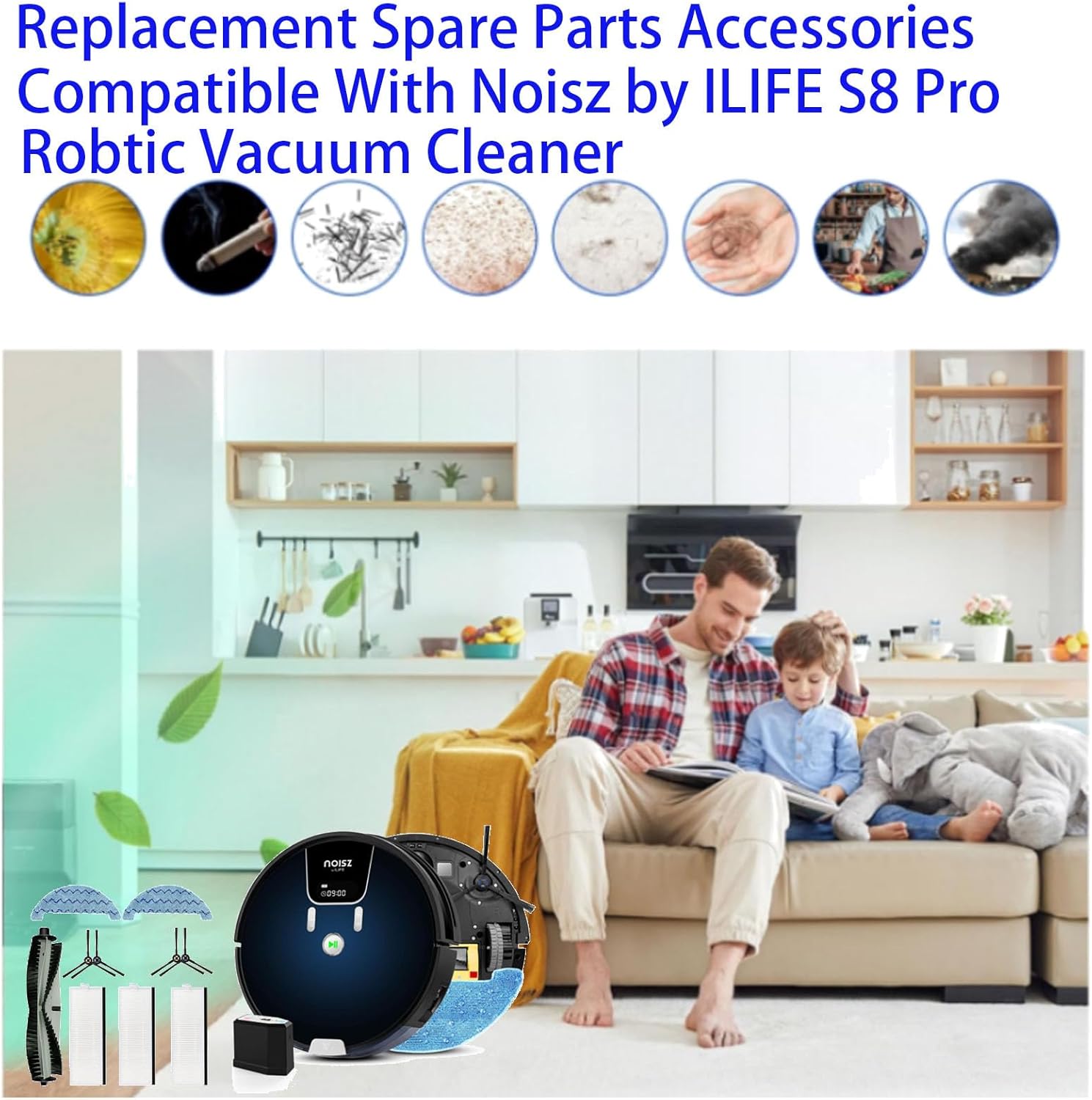
Image: Dimensions of individual components. This image provides measurements for the filter, main brush, side brush, and mop pad.
8. Warranty and Support
For any questions regarding the Jpbaisqic Replacement Accessories Kit, including compatibility concerns, installation issues, or defective parts, please contact the seller directly through your purchase platform. Please retain your proof of purchase for warranty claims or support requests.