
Introduction
This manual provides essential information for the safe and efficient operation, installation, and maintenance of your Frigidaire 3-in-1 Smart Portable Room Air Conditioner. Please read this manual thoroughly before using the appliance and retain it for future reference.
Safety Information
Always follow basic safety precautions when using electrical appliances to reduce the risk of fire, electric shock, or injury. This appliance is for indoor use only. Do not operate the unit with a damaged cord or plug. Ensure the unit is placed on a stable, level surface. Keep the air intake and exhaust clear of obstructions. Do not insert fingers or objects into the air outlet. Unplug the unit before cleaning or servicing.
Setup
Proper setup is crucial for optimal performance and safety.
Unpacking
Carefully remove the air conditioner from its packaging. Inspect the unit for any shipping damage. Retain the original packaging for future storage or transport.
Placement Considerations
Place the portable air conditioner on a firm, level surface in the room to be cooled. Ensure there is at least 20 inches (50 cm) of clearance from walls or other objects to allow for proper airflow. The unit is designed to cool areas up to 700 sq. ft. (ASHRAE) or 450 sq. ft. (DOE).

Image: The portable air conditioner positioned in a room, demonstrating typical placement near a window for exhaust.
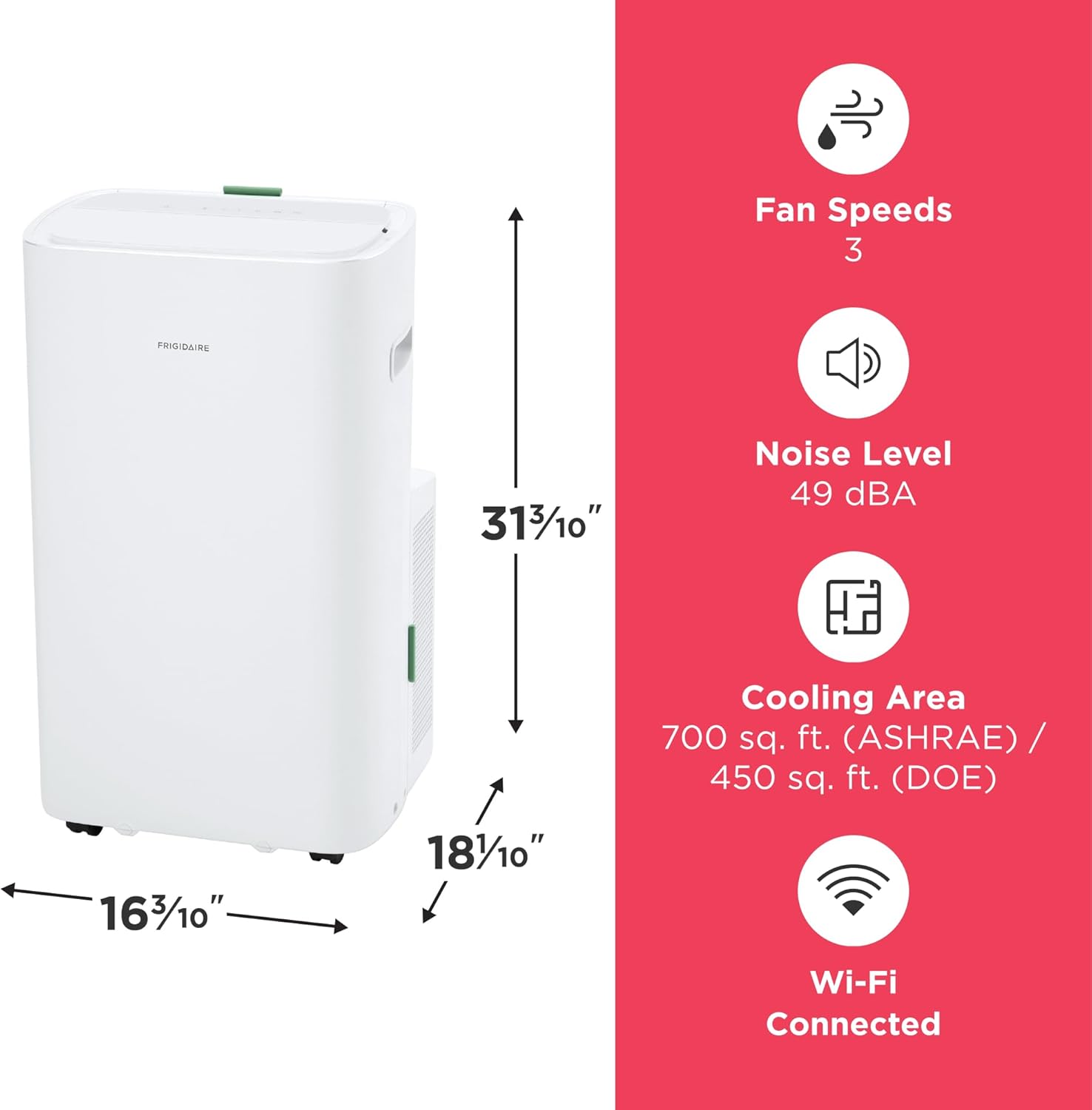
Image: A visual representation of the unit's dimensions, indicating its compact size for various room layouts.
Window Vent Kit Installation
The unit comes with a window vent kit for exhausting hot air. Assemble the window slider kit according to the instructions provided in the separate installation guide. Securely attach the exhaust hose to the unit and the window slider kit, ensuring no kinks or sharp bends in the hose to maintain efficient airflow.
Power Connection
Plug the power cord into a grounded 115V, 15 Amp AC outlet. Do not use extension cords or adapter plugs. Ensure the electrical circuit is adequate for the unit's power requirements (1244W).
Operating Instructions
Familiarize yourself with the control panel and various operating modes.
Control Panel Overview
The top panel of the unit features a digital display and touch controls for power, mode selection, fan speed, temperature adjustment, and timer settings.

Image: The portable air conditioner alongside a smartphone, illustrating its Wi-Fi connectivity and control via the Frigidaire app.
Operating Modes
- Cool Mode: Provides cooling and dehumidification. Adjust the temperature using the up/down arrows.
- Dry Mode (Dehumidifier): Removes excess moisture from the air without significant cooling.
- Fan Mode: Circulates air without cooling. Select from three fan speeds (Low, Medium, High).
- Sleep Mode: Gradually increases the set temperature overnight for energy savings and comfort.
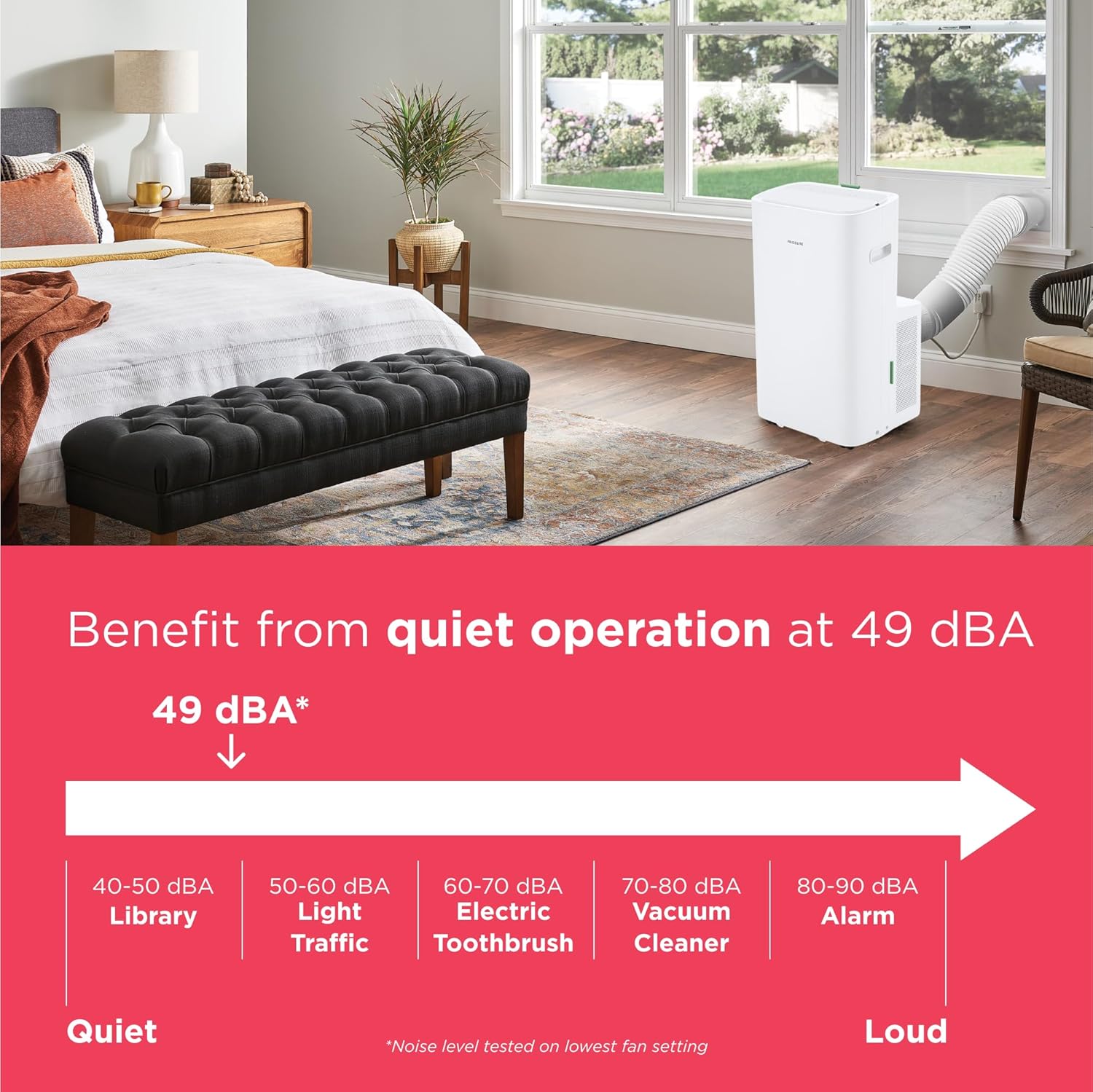
Image: The unit's top section, emphasizing its multi-speed fan and dehumidifying Dry Mode for enhanced cooling flexibility.
Wi-Fi Connectivity and App Control
Connect your air conditioner to your home Wi-Fi network to control it remotely using the Frigidaire app. The app allows you to adjust settings, change modes, and monitor the unit from anywhere. The unit is also compatible with Amazon Alexa and Google Home devices for voice control.

Image: A graphic highlighting the Wi-Fi connectivity feature, enabling remote control and smart home integration.
Timer Function
Set the 24-hour on/off timer to program the unit to turn on or off at specific times, optimizing energy usage and ensuring comfort when needed.
Auto Restart
In case of a power outage, the Auto Restart feature automatically restores the unit to its previous settings once power is restored, ensuring continuous operation without manual intervention.
Quiet Operation
The unit operates quietly at 49 dBA, minimizing disruption in your living space.

Image: The air conditioner in a room setting, emphasizing its quiet operation at 49 dBA, comparable to a library.
Maintenance
Regular maintenance ensures the longevity and efficiency of your air conditioner.
Cleaning the Washable Dust Filter
The unit features an easy-to-clean washable dust filter. A 'Clean Filter' alert will notify you when it's time to clean the filter. To clean, remove the filter, rinse it under running water, and allow it to air dry completely before reinserting. Regular cleaning prevents dust buildup and maintains cooling performance.
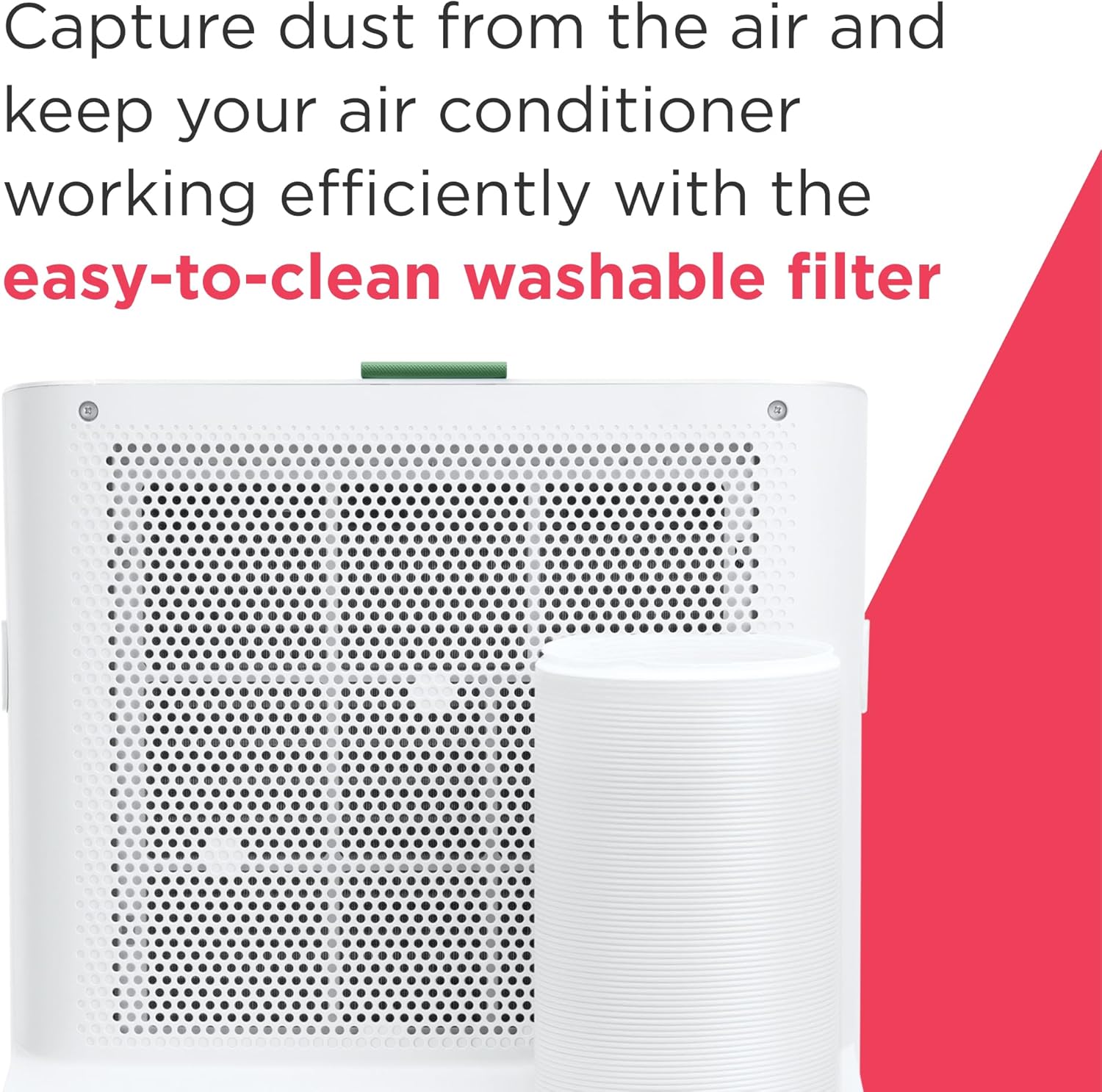
Image: A detailed view of the washable filter, illustrating its design for capturing dust and ease of maintenance.
Drainage
During dehumidification or in high humidity conditions, water may accumulate in the internal reservoir. The unit has a continuous drain option for extended use in Dry Mode. Refer to the full manual for detailed drainage instructions.
Storage
When storing the unit for an extended period, ensure it is completely drained of water, clean the filter, and cover it to protect from dust. Store in a dry, cool place.
Troubleshooting
Before contacting customer service, refer to the following common issues and solutions:
- Unit does not turn on: Check power connection, circuit breaker, and ensure the plug is fully inserted.
- Unit does not cool: Verify the mode is set to 'Cool', check temperature setting, ensure air intake/exhaust are not blocked, and clean the air filter.
- Noisy operation: Ensure the unit is on a level surface. Check for any foreign objects in the fan area. Note that 49 dBA is the normal operating noise level.
- Water leakage: Check if the drain plug is securely closed (if not using continuous drain) or if the continuous drain hose is properly connected and not blocked.
- Wi-Fi connection issues: Ensure your router is within range, check Wi-Fi signal strength, and follow the app's troubleshooting steps for connection.
Specifications
| Feature | Detail |
|---|---|
| Model Number | FHPC142AA1 |
| Cooling Capacity (ASHRAE) | 14,000 BTU |
| Cooling Capacity (DOE) | 10,000 BTU |
| Coverage Area (ASHRAE) | Up to 700 sq. ft. |
| Coverage Area (DOE) | Up to 450 sq. ft. |
| Voltage | 115 Volts |
| Noise Level | 49 dBA |
| Product Dimensions (D x W x H) | 16.3 x 17.91 x 31.34 inches |
| Item Weight | 66.2 pounds |
| Special Features | Air Conditioner, Dehumidifier, Dust Filter, WiFi Enabled |
| Included Components | Remote, Window Vent Kit |
Warranty
This Frigidaire portable air conditioner comes with a 1 Year Manufacturer Warranty. Please retain your proof of purchase for warranty claims. For detailed terms and conditions, refer to the warranty card included with your product or visit the official Frigidaire website.
Customer Support
For technical assistance, troubleshooting beyond this manual, or warranty inquiries, please contact Frigidaire customer support. You can typically find contact information on the Frigidaire website or in the product packaging. Have your model number (FHPC142AA1) and serial number ready when contacting support.


