1. Introduction
VersaCheck is an all-in-one financial management solution designed to streamline the tracking of accounts and transactions. This software enables users to write, send, and receive checks, offering significant savings compared to pre-printed checks. It facilitates the creation of secure business and personal checks that are copy-safe and counterfeit-proof, incorporating unique, DNA-identifiable security patterns powered by INKcrypt.
VersaCheck integrates with QuickBooks, Quicken, and most other financial software, and can also function as a stand-alone tool. This bundle includes the VersaCheck Software Download, a license for one user, 150 checks and deposit slips, and 165 Print Validation codes. A one-year subscription to VersaCheck ONLINE is also included, allowing for check creation, sending, and receiving via any mobile or desktop browser.
2. Key Features
- Cost savings on check printing compared to pre-printed mail-order checks.
- Compatibility with Windows 11, 10, 8, 7, and support for laser or inkjet printers.
- Creation and printing of DNA Secure business and personal checks using over 30 templates.
- Ability to set up unlimited accounts.
- Integrated finance and contact manager.
- Operates as a stand-alone application or integrates with Quicken, QuickBooks, Money, and Sage.
- Includes VersaCheck Software Download, 1 User License, 150 checks and deposit slips, and 165 Print Validation codes.
- Additional print codes are provided free within VersaCheck Check Paper packaging.
- Bonus: One-year subscription to VersaCheck ONLINE for creating, printing, sending, and receiving checks via mobile or desktop browser.
3. Setup and Installation
To begin using VersaCheck X1 Gold 2025, follow these steps:
- Software Download: Download the VersaCheck software using the provided instructions or link.
- License Activation: Install the software and activate it using your unique license key for one user.
- Printer Setup: Ensure your laser or inkjet printer is properly installed and configured with your Windows 11, 10, 8, or 7 operating system.
- Initial Check Stock: Utilize the included 150 checks and deposit slips to get started. Additional print codes are available with VersaCheck Check Refills.
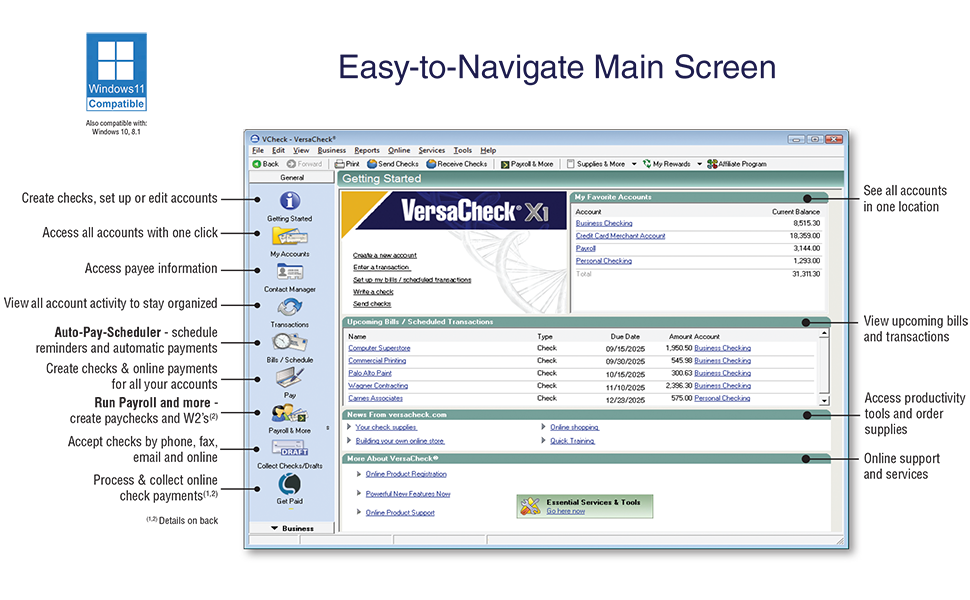
- Account Information: Upon first launch, the software will guide you through setting up your financial accounts. You can create new accounts, enter transactions, and manage bills/scheduled transactions.
The main screen provides an easy-to-navigate interface for managing all your accounts in one location.
4. Operating Instructions
4.1 Creating and Printing Checks
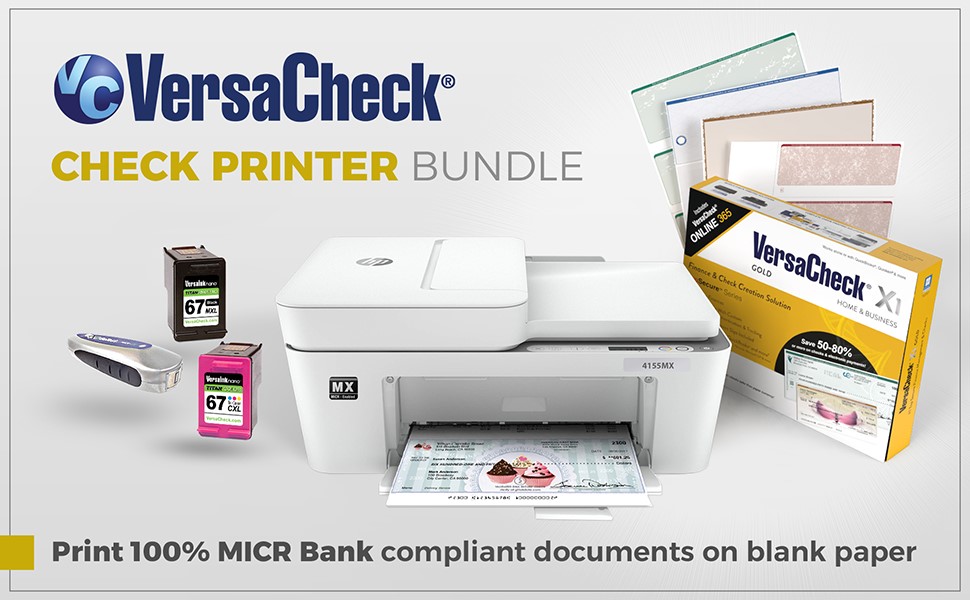
VersaCheck allows you to create and print custom checks with ease. You can either use the software as a stand-alone tool or integrate it with existing financial software like QuickBooks, Quicken, Money, or Sage.
- Select Payee and Amount: In the check creation interface, select the payee from your contacts and enter the check amount.
- Add Details: Include memo and reference details as needed.
- Print or Send: Choose to print the check on blank check paper or send it electronically.
4.2 Financial Management
The software provides tools for comprehensive financial management:
- Track accounts and transactions.
- Manage payables, receivables, payroll, and invoices.
- Set up unlimited accounts for various financial needs.
4.3 VersaCheck ONLINE Usage
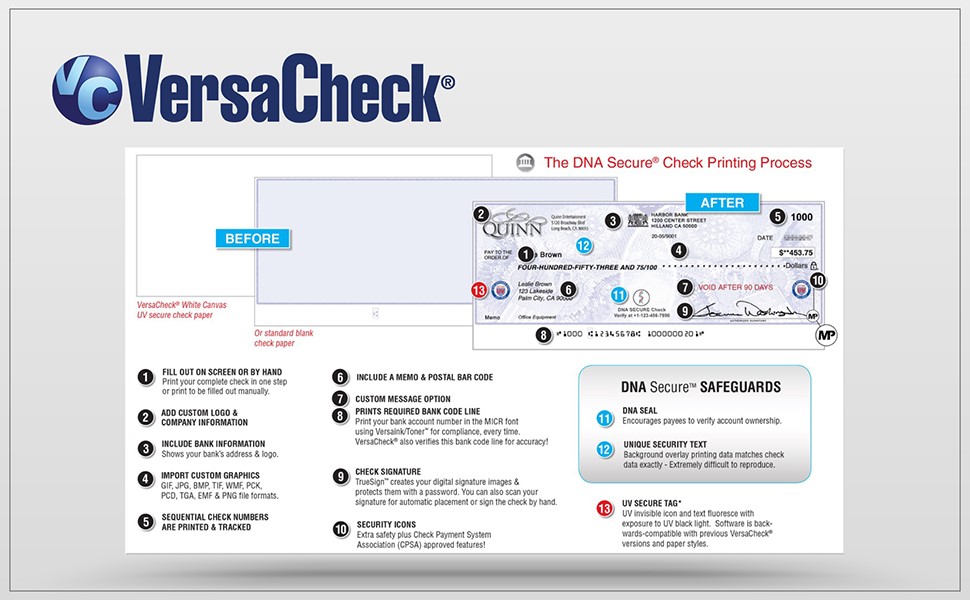
The included one-year subscription to VersaCheck ONLINE extends your check creation capabilities to any mobile or desktop browser. This allows you to create, send, and receive bank-compliant checks anytime, anywhere.
The innovative QuickPass™ feature enables effortless merging of your financial data with your chosen VersaCheck template, producing a ready-to-print check on blank white paper or VersaCheck’s specially designed security check paper.
4.4 Official Product Videos
Video 4.1: This video provides an overview of the VersaCheck 2025 software, demonstrating its core functionalities for creating and printing checks.
Video 4.2: This video highlights the features of VersaCheck Online, including the QuickPass functionality for seamless data integration and check printing.
5. Security Features
VersaCheck prioritizes the security of your financial documents with advanced features:
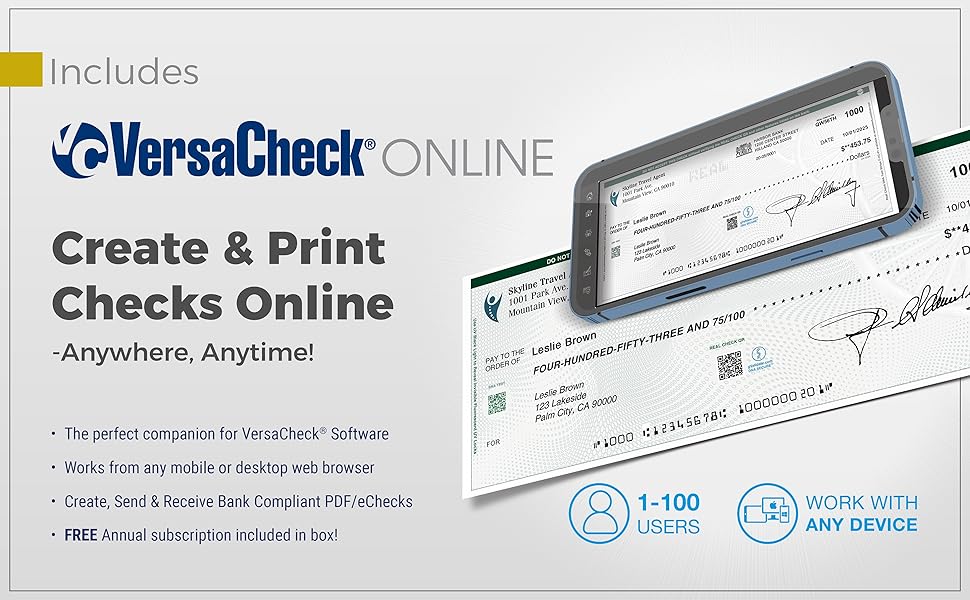
- DNA-Identifiable Security Patterns: Checks feature unique patterns powered by INKcrypt, making them difficult to counterfeit.
- Copy-Safe and Counterfeit-Proof: The design and printing technology ensure that checks are resistant to unauthorized duplication.
- UV Secure Tag: Many VersaCheck products include a UV secure tag, visible under UV light, adding an extra layer of authentication.
6. Compatibility
VersaCheck X1 Gold 2025 is designed for broad compatibility:
- Operating Systems: Compatible with Windows 11, 10, 8, and 7.
- Printers: Supports both laser and inkjet printers.
- Financial Software: Works seamlessly with QuickBooks, Quicken, Money, Sage, QuickBooks ONLINE, XERO, NetSuite, and Microsoft Dynamics GP.
- VersaCheck ONLINE: Accessible via any mobile or desktop browser.
7. Maintenance
To ensure optimal performance and security of your VersaCheck software:
- Software Updates: Regularly check for and install software updates to benefit from the latest features, security enhancements, and bug fixes.
- Data Backup: Periodically back up your financial data to prevent loss. Consult your operating system or third-party backup solutions for best practices.
- Printer Maintenance: Keep your printer in good working condition, ensuring ink/toner levels are adequate and print heads are clean for clear check printing.
8. Troubleshooting
If you encounter issues with VersaCheck, consider the following common solutions:
- Installation Issues: Ensure your system meets the minimum requirements and that no conflicting software is running during installation. Temporarily disable antivirus if necessary.
- Printing Problems: Verify your printer is connected, has sufficient ink/toner, and is selected as the default printer. Check printer settings within VersaCheck.
- Integration Errors: For issues with QuickBooks or other financial software, ensure both applications are updated to their latest versions. Review integration settings within VersaCheck.
- Print Validation Codes: If you run out of print validation codes, remember that additional codes are included free inside VersaCheck Check Refills (not ValueChex).
- VersaCheck ONLINE Access: Ensure you have an active internet connection and that your subscription is current. Clear browser cache and cookies if experiencing login issues.
For persistent issues, refer to the support section below.
9. Specifications
| Attribute | Detail |
|---|---|
| Package Dimensions | 12.32 x 8.94 x 2.32 inches |
| Item Weight | 1.52 Pounds |
| Manufacturer | VersaCheck |
| First Available Date | September 23, 2024 |
| Operating System Compatibility | Windows 11, 10, 8, 7 |
| Printer Compatibility | Laser or Inkjet printers |
| Included Items | Software Download, 1 User License, 150 checks/deposit slips, 165 Print Validation codes, 1-year VersaCheck ONLINE subscription |
10. Warranty
For detailed warranty information regarding your VersaCheck X1 Gold 2025 + VersaCheck ONLINE Gold 1yr Sub Bundle, please refer to the documentation included with your product packaging or visit the official VersaCheck website. Warranty terms and conditions may vary.
11. Support
If you require further assistance or have questions not covered in this manual, please contact VersaCheck customer support. You can typically find contact information on the official VersaCheck website or within the software's help section.
For online resources and FAQs, visit the VersaCheck Store on Amazon or the manufacturer's website.