
Introduction
This manual provides detailed instructions for the operation and maintenance of your SKMEI Men's Digital Sport Watch Model 2225. Please read this manual thoroughly to ensure proper use and to maximize the lifespan of your watch.

Figure 1: Front view of the SKMEI 2225 Digital Sport Watch.
Product Overview
Key Features
- Digital and Analog Display
- Multifunctional Chronograph (Stopwatch)
- Countdown Timer
- Daily Alarm
- EL Backlight for low-light conditions
- Date and Weekday Display
- 50M Water Resistance
- 12/24 Hour Format selection

Figure 2: Overview of the watch's primary functions.
Components and Buttons
The SKMEI 2225 watch features four primary buttons for navigation and function control:

Figure 3: Labeled buttons on the watch for function control.
- Light Button (Top Left): Activates the EL backlight.
- Mode Button (Bottom Left): Cycles through different watch modes (Time, Chronograph, Alarm, Countdown Timer).
- Start/Stop Button (Top Right): Used to start/stop functions in Chronograph and Countdown modes, and to adjust settings.
- Reset Button (Bottom Right): Used to reset functions in Chronograph and Countdown modes, and to adjust settings.

Figure 4: Details of the watch's strap, clasp, and back cover.
Setup
Initial Time and Date Setting
- In Timekeeping Mode, press and hold the Mode Button until the seconds begin to flash. This indicates setting mode.
- Press the Reset Button to cycle through the settings: Seconds → Hour → Minute → Year → Month → Day.
- Use the Start/Stop Button to increase the flashing value. Hold the button to advance rapidly.
- Once all settings are adjusted, press the Mode Button to exit setting mode.
12/24 Hour Format
While in Timekeeping Mode, press the Start/Stop Button to toggle between 12-hour and 24-hour display formats.
Operating Instructions
Mode Navigation
Press the Mode Button repeatedly to cycle through the different operational modes:
- Timekeeping Mode (default display of time, date, day)
- Chronograph Mode (stopwatch)
- Alarm Mode
- Countdown Timer Mode
Chronograph (Stopwatch) Function
- Navigate to Chronograph Mode using the Mode Button. The display will show '00:00:00'.
- Press the Start/Stop Button to start the stopwatch.
- Press the Start/Stop Button again to pause the stopwatch.
- Press the Reset Button to reset the stopwatch to '00:00:00'.
- To record lap times, press the Reset Button while the stopwatch is running to display the lap time. Press Reset Button again to return to the running stopwatch.
Countdown Timer Function
- Navigate to Countdown Timer Mode using the Mode Button.
- To set the countdown time, press and hold the Start/Stop Button until the hours or minutes begin to flash.
- Use the Reset Button to select the hour or minute digit to adjust.
- Use the Start/Stop Button to increase the flashing value.
- Press the Mode Button to confirm the setting and exit setting mode.
- Press the Start/Stop Button to start the countdown.
- Press the Start/Stop Button again to pause the countdown.
- Press the Reset Button to reset the countdown to the set time.
Alarm Function
- Navigate to Alarm Mode using the Mode Button.
- To set the alarm time, press and hold the Start/Stop Button until the hour digit begins to flash.
- Use the Reset Button to switch between setting hours and minutes.
- Use the Start/Stop Button to adjust the flashing value.
- Press the Mode Button to confirm the alarm time and exit setting mode.
- To turn the alarm ON/OFF, press the Reset Button in Alarm Mode. An alarm icon will appear/disappear on the display.
- When the alarm sounds, press any button to stop it.
EL Backlight
Press the Light Button (top left) to illuminate the display for a few seconds in low-light conditions.
Maintenance
Water Resistance
The SKMEI 2225 watch is rated for 50 meters (5 ATM) water resistance. This means it is suitable for daily use, hand washing, rain, and short periods of swimming. It is not suitable for diving, snorkeling, or high-pressure water activities. Do not operate buttons while the watch is submerged in water.
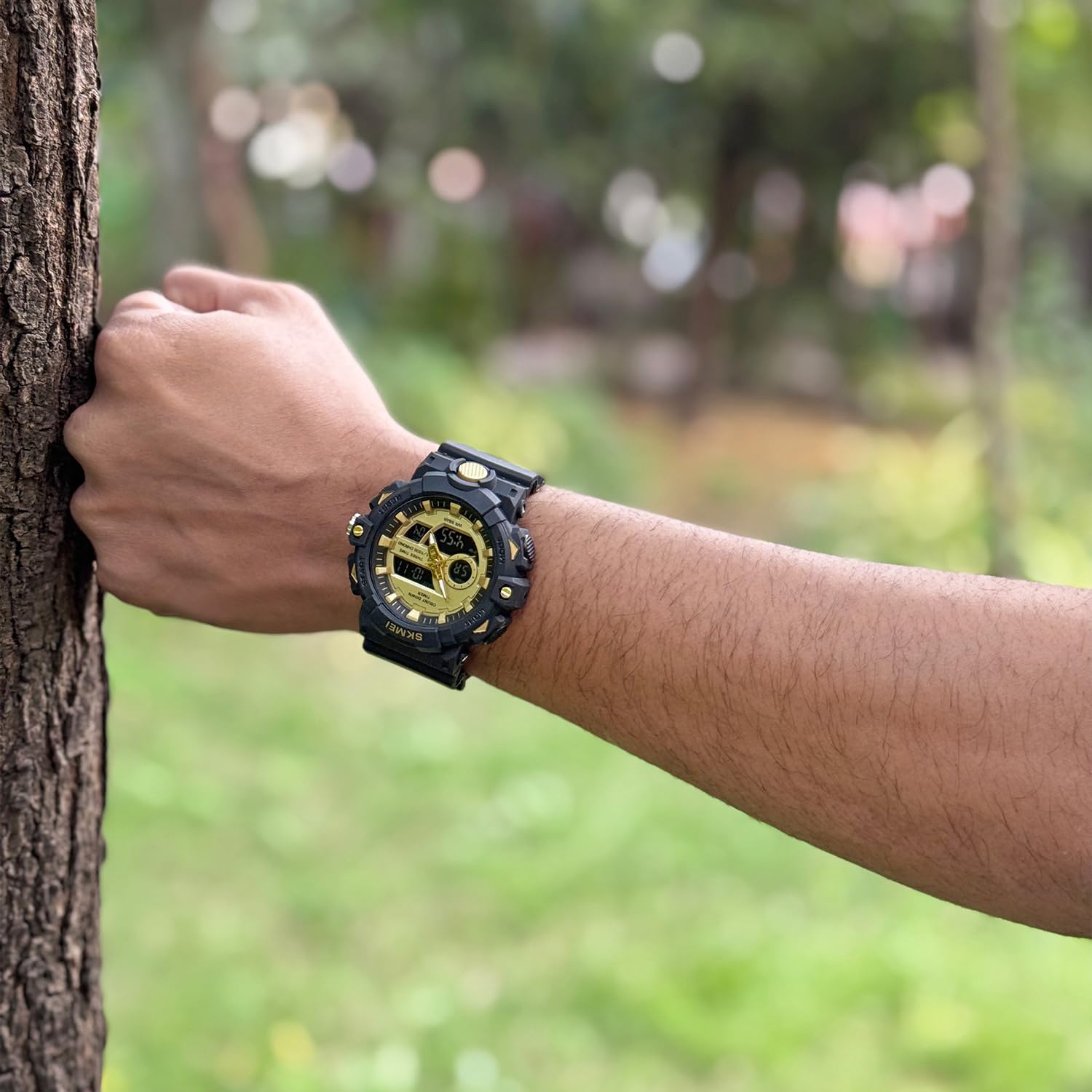
Figure 5: The watch worn on a wrist.
Cleaning and Care
- Wipe the watch regularly with a soft, dry cloth to remove dirt and moisture.
- For stubborn dirt, use a slightly damp cloth and mild soap, then wipe dry immediately.
- Avoid exposing the watch to extreme temperatures, direct sunlight for prolonged periods, or strong magnetic fields.
- Avoid contact with chemicals such as solvents, detergents, perfumes, and cosmetics, as these can damage the watch case and strap.
Troubleshooting
- Display is blank or dim: The battery may be low. Replace the battery at an authorized service center.
- Time is incorrect: Re-set the time and date according to the 'Initial Time and Date Setting' instructions. Ensure the 12/24 hour format is correctly selected.
- Buttons are unresponsive: Ensure the watch is not submerged in water when operating buttons. If the issue persists, the watch may require servicing.
- Water inside the watch: Immediately take the watch to an authorized service center. Do not attempt to open the watch yourself.
Specifications

Figure 6: Watch dimensions.
| Feature | Detail |
|---|---|
| Model Number | SKMEI 2225 |
| Product Dimensions | 26 x 5.2 x 1.85 cm |
| Item Weight | 59.6 g |
| Case Diameter | 5.2 Centimetres |
| Case Thickness | 1.85 Centimetres |
| Band Material Type | Thermoplastic Polyurethane (TPU) |
| Band Colour | Black (for this variant) |
| Watch Movement Type | Quartz |
| Water Resistance Depth | 50 Meters (5 ATM) |
| Country of Origin | China |
| Manufacturer | SKMEI |
Warranty and Support
Your SKMEI 2225 watch comes with a limited warranty provided by the manufacturer. For specific warranty terms and conditions, please refer to the documentation included with your purchase or contact SKMEI customer support.
For technical support or service inquiries, please contact the manufacturer or your point of purchase. Keep your purchase receipt as proof of warranty.

Figure 7: Product packaging.