
1. Introduction
Welcome to the REDMAGIC Nova Gaming Tablet user manual. This document provides essential information for setting up, operating, maintaining, and troubleshooting your new gaming tablet. Designed for high-performance gaming, the REDMAGIC Nova combines cutting-edge hardware with an optimized software experience to deliver an immersive mobile gaming experience.
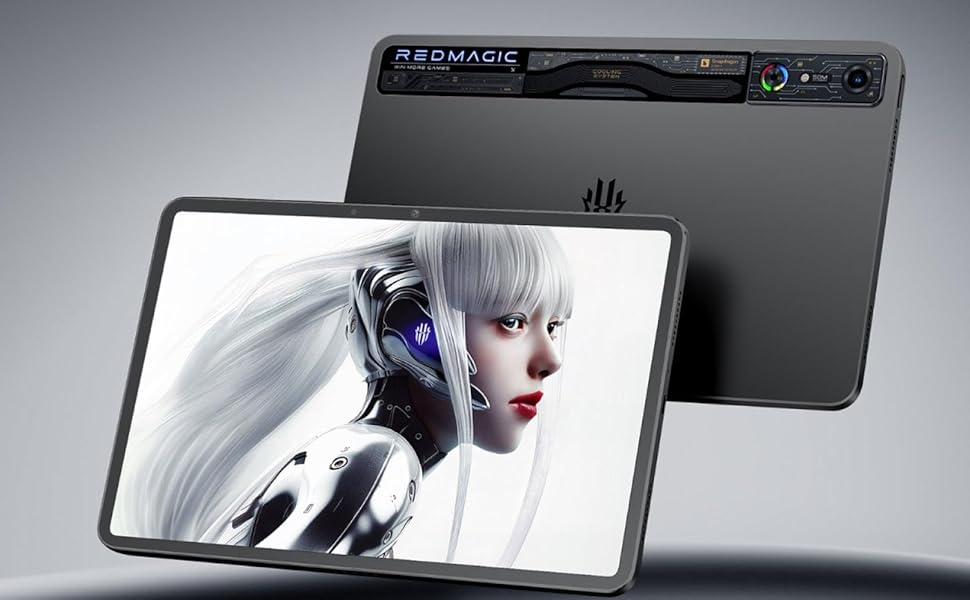
Image: The REDMAGIC Nova Gaming Tablet showcasing its display and sleek design.
2. Setup
2.1 Unboxing and Initial Inspection
Carefully remove all components from the packaging. Ensure the following items are present:
- REDMAGIC Nova Tablet (x1)
- Charging Cable
- Power Adapter
- Quick Start Guide
2.2 Powering On
Press and hold the power button located on the side of the tablet until the REDMAGIC logo appears on the screen. Follow the on-screen prompts to complete the initial setup, including language selection, Wi-Fi connection, and account configuration.
2.3 Charging the Battery
Before first use, it is recommended to fully charge the tablet. Connect the charging cable to the tablet's USB-C port and the power adapter, then plug the adapter into a wall outlet. The charging indicator will illuminate.
3. Operating Instructions
3.1 Navigating the REDMAGIC Space 9.5 OS
The tablet runs on REDMAGIC Space 9.5, an operating system optimized for gaming. Swipe gestures and on-screen navigation buttons allow for intuitive control. Access the app drawer by swiping up from the home screen.
3.2 Performance and Gaming
The REDMAGIC Nova is equipped with the Snapdragon 8 Gen 3 processor, featuring a 3.4 GHz CPU and 1 GHz GPU, ensuring ultra-fast performance for demanding applications and 3A games.
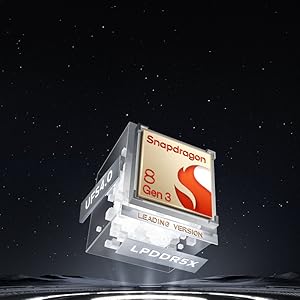
Image: The Snapdragon 8 Gen 3 processor, central to the tablet's high performance.
For optimal gaming, utilize the dedicated Game Space mode, which can be activated via a physical switch or software toggle. This mode optimizes system resources, manages notifications, and provides performance tuning options.
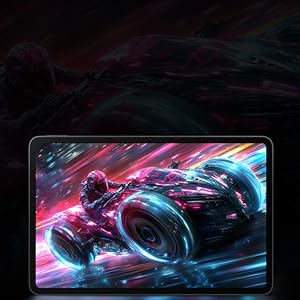
Image: The tablet screen displaying a vibrant game scene, highlighting its gaming capabilities.
4. Advanced Cooling System
The REDMAGIC Nova incorporates an advanced cooling system to maintain peak performance during extended gaming sessions. This system includes:
- 20,000 rpm Turbo Fan: Actively dissipates heat from internal components.
- 3D Heat Pipe Technology: Efficiently transfers heat away from the processor.
- Aerospace Aluminum Components: Contribute to overall thermal management and structural integrity.
The fan operates automatically when high temperatures are detected, ensuring sustained high performance without thermal throttling.
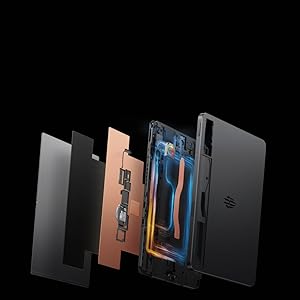
Image: An exploded view illustrating the internal cooling system of the REDMAGIC Nova Tablet.
5. Display and Audio Features
5.1 Visual Experience
The tablet features a 10.9-inch display with a 2.8K resolution (1800x2880 pixels) and a 144Hz refresh rate, providing smooth and vibrant visuals. The display is SGS certified for eye protection, reducing strain during prolonged use.
5.2 Audio and Haptic Feedback
Experience rich audio with DTS-X Ultra technology and four integrated amplifiers. Dual 0815 motors provide 4D vibration feedback, enhancing immersion in games. Three built-in microphones ensure clear communication during online play or video calls.

Image: The tablet screen highlighting DTS-X Ultra audio technology during a gaming session.
6. Battery and Charging
The REDMAGIC Nova is equipped with a 10,100 mAh lithium-ion battery, offering up to 18.7 hours of usage on a single charge. The tablet supports 80W fast charging, allowing it to reach 100% battery capacity in approximately 55 minutes.
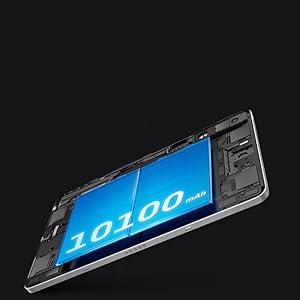
Image: An illustration of the tablet's large 10,100 mAh battery.
6.1 Charging Precautions
- Use only the provided REDMAGIC charger and cable to ensure optimal charging speed and safety.
- Avoid charging in extreme temperatures.
- Do not expose the battery to direct sunlight or high heat sources.
7. Specifications
| Feature | Detail |
|---|---|
| Model Name | RMTABLET512 |
| Processor | Qualcomm Snapdragon 8 Gen 3 (3.4 GHz CPU, Adreno 740 GPU) |
| RAM | 16 GB |
| Storage | 512 GB |
| Display Size | 10.9 Inches |
| Display Resolution | 1800x2880 Pixels (2.8K) |
| Refresh Rate | 144 Hz |
| Operating System | REDMAGIC Space 9.5 |
| Rear Camera | 50 MP |
| Front Camera | 20 MP |
| Battery Capacity | 10100 mAh |
| Fast Charging | 80W |
| Connectivity | Bluetooth, USB, 802.11ax (Wi-Fi 6E), 5G (unlocked) |
| Dimensions (LxWxT) | 25.3 x 16.5 x 0.73 cm |
| Included Components | Nova Tablet X1 |
| Country of Origin | China |
8. Maintenance
8.1 Cleaning the Device
Use a soft, lint-free cloth to clean the screen and body of the tablet. For stubborn smudges, slightly dampen the cloth with water or a screen-safe cleaning solution. Avoid harsh chemicals or abrasive materials.
8.2 Software Updates
Regularly check for and install software updates to ensure optimal performance, security, and access to new features. Updates can typically be found in the tablet's settings menu under "System" or "About Tablet."
8.3 Battery Care
- Avoid completely draining the battery frequently.
- Store the tablet in a cool, dry place when not in use for extended periods.
- Do not expose the tablet to extreme temperatures.
9. Troubleshooting
| Problem | Possible Cause | Solution |
|---|---|---|
| Tablet does not power on | Battery is depleted; device frozen | Charge the tablet for at least 30 minutes. Perform a force restart by holding the power button for 10-15 seconds. |
| Slow performance or lagging | Too many apps running; low storage; overheating | Close background apps. Clear cache and free up storage. Ensure proper ventilation and allow the tablet to cool down. |
| Charging issues | Faulty cable/adapter; dirty charging port | Try a different REDMAGIC charger and cable. Clean the charging port gently with a soft brush. |
| Wi-Fi connectivity problems | Router issue; incorrect password; signal interference | Restart your router. Forget and reconnect to the Wi-Fi network. Move closer to the router. |
10. Warranty and Support
10.1 Product Warranty
The REDMAGIC Nova Gaming Tablet comes with a 3-month warranty from the date of purchase, covering manufacturing defects. Please retain your proof of purchase for warranty claims.
10.2 Customer Support
For further assistance, technical support, or warranty inquiries, please visit the official REDMAGIC website or contact your local REDMAGIC service center. You can also find more information on the official REDMAGIC Amazon store page.
