
Aulzaju cricket icon 6 case
Aulzaju Phone Case User Manual
For Cricket Icon 6 SL219C / ATT Verge SL219A
Introduction
This manual provides detailed instructions for the installation, operation, maintenance, and troubleshooting of your Aulzaju full-body protective phone case. Designed specifically for the Cricket Icon 6 SL219C and ATT Verge SL219A, this case offers robust protection against drops, scratches, and daily wear.

Figure 1: Aulzaju Phone Case (Blue) - Front and Back View
Package Contents
Upon opening the package, please ensure all components are present and undamaged:
- 1 x Front Silicone Frame (with integrated screen protector)
- 1 x Frosted PC Back Case
- 1 x Tempered Glass Screen Protector (additional, if included as per product description)

Figure 2: Tempered Glass Screen Protector Features
Setup and Installation
Follow these steps to properly install your Aulzaju phone case and ensure maximum protection for your device.
- Prepare Your Phone: Ensure your phone screen is clean and free of dust or smudges. If you are using the separate tempered glass screen protector, apply it carefully according to its specific instructions before proceeding.
- Separate Case Components: Gently separate the front silicone frame from the frosted PC back case.
- Insert Phone into Front Frame: Carefully place your Cricket Icon 6 or ATT Verge phone into the front silicone frame. Ensure all edges of the phone are securely seated within the frame.
- Attach Back Case: Align the phone (now in the front frame) with the frosted PC back case. Press firmly around the edges until the front frame snaps securely into the back case. Ensure all clips are engaged and there are no gaps.
- Final Check: Verify that all buttons (power, volume) are accessible and functional, and that all ports (charging, audio) are aligned with the case's cutouts.

Figure 3: Separated Case Components

Figure 4: Assembling the Case
Operating the Case
The Aulzaju phone case is designed for seamless daily use while providing comprehensive protection.
- Button Access: The case features precise cutouts and responsive button covers for easy access to your phone's power and volume buttons.
- Port Accessibility: All essential ports, including charging port, speaker, and camera, have precise cutouts for unobstructed use.
- Wireless Charging: The case is designed to support wireless charging without needing to remove the case.
- Screen Protection: The integrated front silicone frame provides a built-in screen protector, safeguarding your display from scratches and minor impacts.

Figure 5: Precise Button and Camera Access
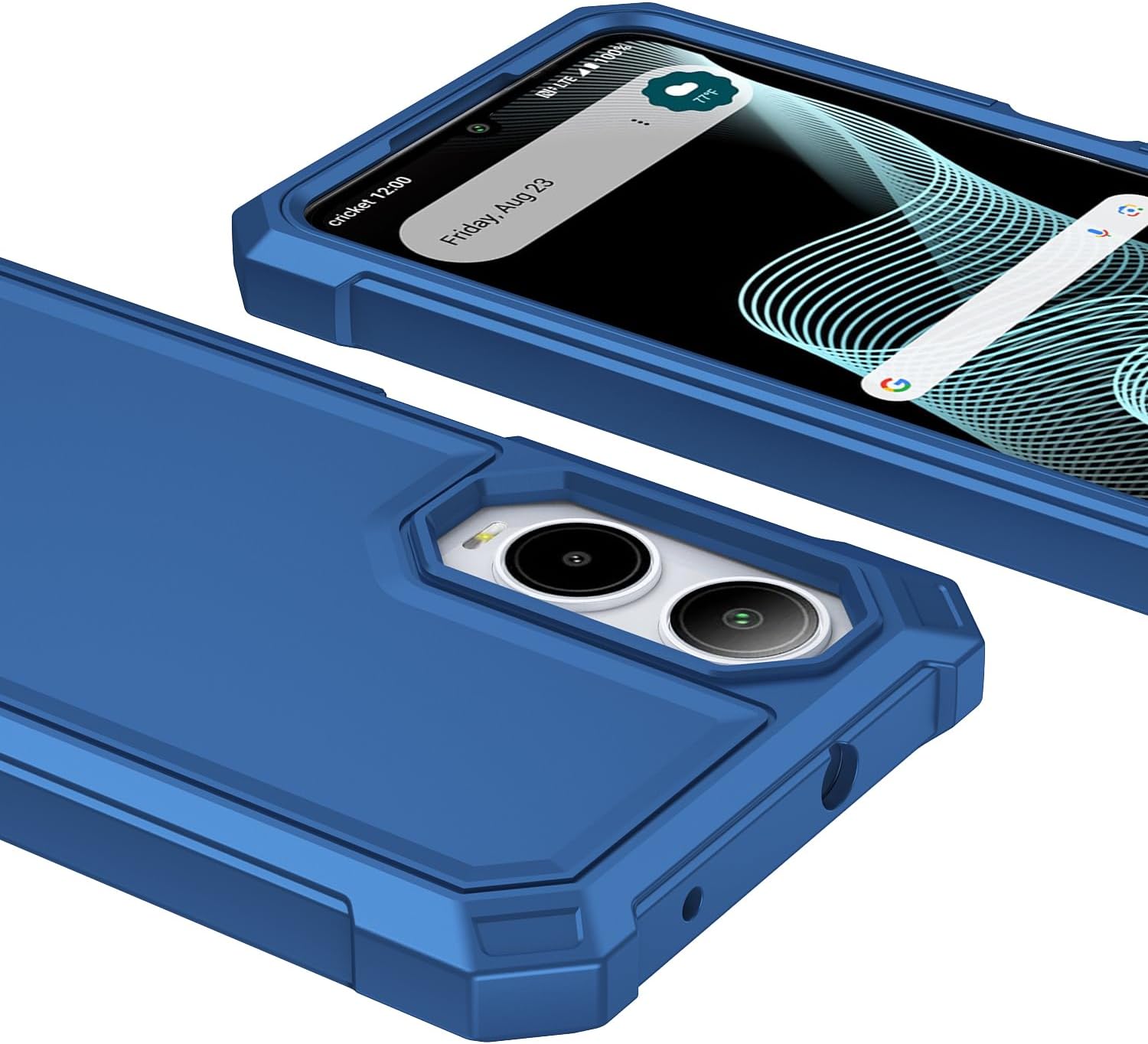
Figure 6: Unobstructed Port Access
Maintenance
To ensure the longevity and appearance of your Aulzaju phone case, follow these simple maintenance guidelines:
- Cleaning: Wipe the case regularly with a soft, damp cloth. For stubborn dirt, a mild soap solution can be used. Avoid harsh chemicals or abrasive cleaners, as these may damage the case material or finish.
- Screen Protector Care: The integrated screen protector can be cleaned with a microfiber cloth. Avoid sharp objects that could scratch the protector.
- Avoid Extreme Conditions: While the case offers robust protection, prolonged exposure to extreme temperatures or direct sunlight may affect its material properties over time.
Troubleshooting
If you encounter any issues with your Aulzaju phone case, refer to the following common problems and solutions:
| Problem | Possible Cause | Solution |
|---|---|---|
| Case does not fit properly. | Incorrect phone model or improper installation. | Ensure your phone is a Cricket Icon 6 SL219C or ATT Verge SL219A. Re-install the case following the "Setup and Installation" steps carefully, ensuring all edges snap into place. |
| Screen protector appears scratched or damaged upon arrival. | Shipping damage or manufacturing defect. | Contact Aulzaju customer service immediately for a replacement. Refer to the "Warranty and Support" section. |
| Buttons are stiff or unresponsive. | Case not fully seated or debris under buttons. | Remove the case, clean around the phone's buttons and the case's button covers, then re-install the case ensuring a snug fit. |
Specifications
Key specifications for the Aulzaju Phone Case:
| Feature | Detail |
|---|---|
| Brand | Aulzaju |
| Compatible Phone Models | Cricket Icon 6 SL219C, ATT Verge SL219A |
| Material | Acrylic, Acrylonitrile Butadiene Styrene, Rubber, Silicone, Thermoplastic Polyurethane |
| Color | Blue (as per current product variant) |
| Form Factor | Bumper |
| Special Features | 360 Degree Protection, Built-in Screen Protector, Heavy Duty Protection, Scratch resistant, Shock-Absorbent |
| Item Weight | 2.08 ounces |
| Package Dimensions | 7.24 x 3.43 x 0.63 inches |

Figure 7: Military Grade Drop Protection

Figure 8: All-Around Protection Features
Warranty and Support
Aulzaju is committed to providing quality products and excellent customer service. If you experience any issues with your product, please do not hesitate to contact us.
- Customer Service: For assistance, please contact Aulzaju customer support. We aim to respond to all inquiries within 24 hours via email.
- Returns and Replacements: We offer refunds or replacements for products with manufacturing defects or issues that prevent proper functionality. Please refer to your purchase platform's return policy for specific details.
- Manufacturer: Aulzaju
Ask a question about this manual
Ask about setup, troubleshooting, compatibility, parts, safety, or missing instructions. Manuals+ will review the question and use this page’s manual context to help answer it.