
MAISONARIA [Unknown MAISONARIA model number]
MAISONARIA Display Cabinet User Manual
Model: [Unknown MAISONARIA model number]
1. Introduction
This user manual provides essential information for the assembly, operation, and maintenance of your MAISONARIA Display Cabinet. Please read this manual thoroughly before beginning assembly or use to ensure safe and proper functionality of your new display cabinet.
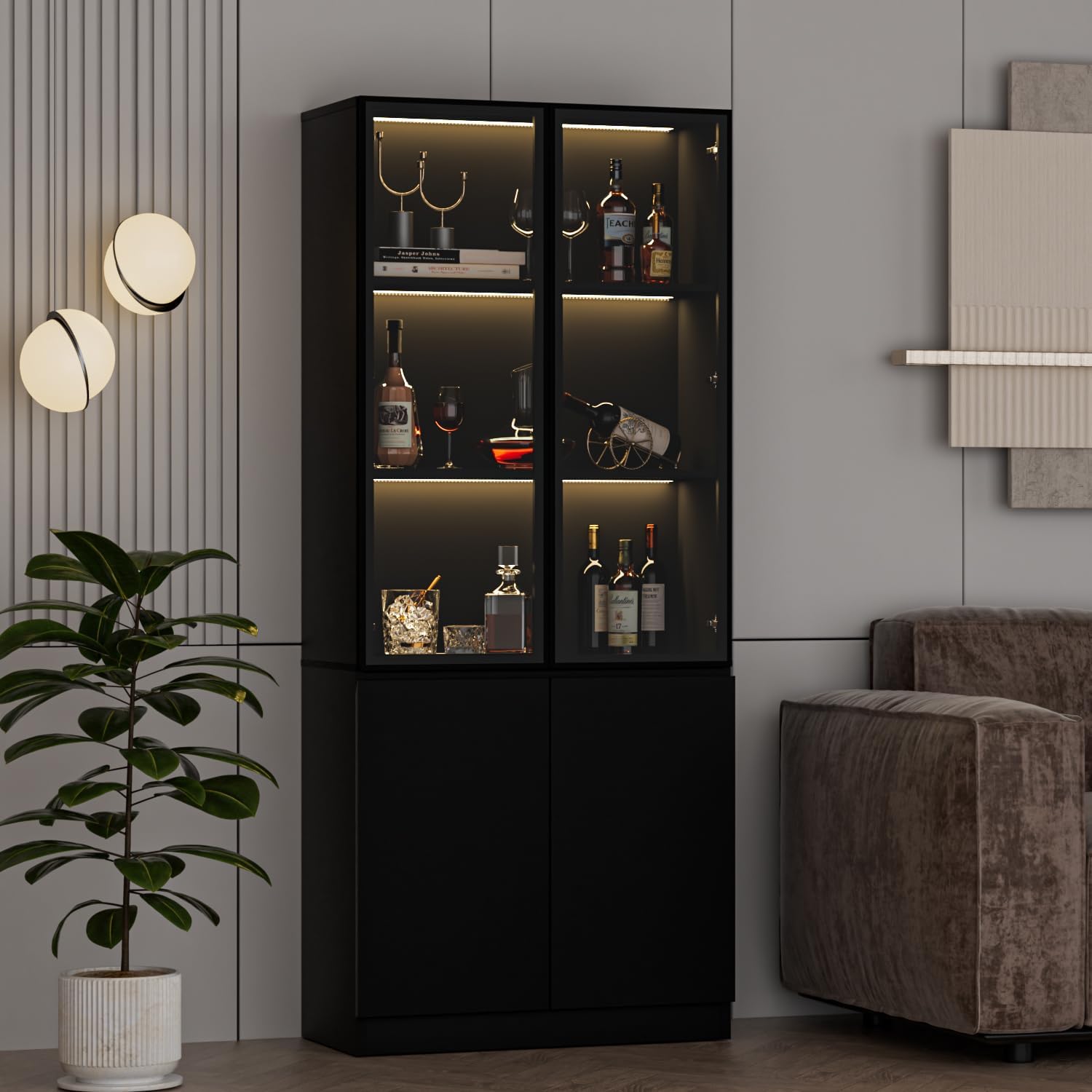
Image 1.1: The MAISONARIA Display Cabinet, featuring glass doors and integrated lighting.
2. Safety Information
Your safety is paramount. Please adhere to the following safety guidelines:
- Proper Installation: Ensure the cabinet is assembled and installed according to the instructions to prevent instability.
- Handling Glass Doors: Exercise extreme caution when handling the tempered glass doors. Glass can break if mishandled or subjected to impact, leading to injury.
- Tipping Hazards: This cabinet must be securely anchored to a wall using the provided anti-tip device to prevent accidental tipping, especially in households with children or pets.
- Weight Capacity: Do not exceed the maximum weight capacity for each shelf (35 lbs). Overloading can compromise the cabinet's stability and structural integrity.
- Electrical Safety: For models with LED lighting, ensure all electrical connections are secure and follow local electrical codes. Do not attempt to modify the lighting system.

Image 2.1: Key safety and design features including tempered glass and the anti-tip design.
3. Setup and Assembly
Assembly is required for this display cabinet. Please follow these steps carefully:
- Unpack and Verify: Carefully unpack all components. Refer to the included hardware list to ensure all screws, boards, and parts are present and undamaged.
- Prepare Workspace: Choose a clean, flat, and spacious area for assembly. Lay down a soft cloth or cardboard to protect the cabinet parts and your floor.
- Follow Instructions: Adhere strictly to the step-by-step assembly instructions provided in the separate assembly guide. Assemble the item gently to avoid any potential damage from rough handling.
- Secure Anti-Tip Device: Once assembled, securely attach the anti-tip device to the cabinet and the wall as instructed. This is a critical safety step.
- Install LED Lights: Follow the specific instructions for installing the LED strip lights. Ensure they are properly secured and connected.

Image 3.1: Dimensions and weight capacities for the MAISONARIA Display Cabinet.
4. Operating Instructions
4.1. Pop-Up Glass Doors
The display cabinet features a convenient pop-up mechanism for its glass doors. To open a glass door, simply apply a gentle press to the door panel. The door will automatically pop open.
If you wish to adjust the sensitivity of the pop-up mechanism, locate the knob on the pop-up device (refer to assembly guide for exact location) and rotate it to achieve your desired opening sensitivity.
4.2. LED Strip Lights
The integrated LED strip lights offer multiple colors and lighting modes to enhance your display. Control the lights using the provided remote control or by downloading the dedicated application on your smartphone.
- Remote Control: Use the remote to switch between various color combinations, adjust brightness, and select different lighting modes such as flash, fade, and jump.
- Smartphone App: Scan the QR code provided in the lighting instructions to download the companion app. The app allows for more advanced control, including music synchronization and custom DIY lighting settings.

Image 4.1: Controlling the LED lights via a smartphone application.

Image 4.2: The display cabinet illuminated with blue LED lights, displaying books and decorative items.

Image 4.3: The display cabinet illuminated with warm white LED lights, displaying bottles and glassware.
5. Maintenance and Care
Regular cleaning and proper care will ensure the longevity and appearance of your display cabinet.
- Glass Surfaces: Clean glass doors and shelves with a soft, lint-free cloth and a non-abrasive glass cleaner. Avoid spraying cleaner directly onto the glass; instead, apply it to the cloth first.
- Cabinet Frame: Wipe the MDF frame with a soft, damp cloth. For stubborn marks, use a mild, non-abrasive cleaner. Dry immediately with a clean cloth.
- Avoid Harsh Chemicals: Do not use abrasive cleaners, solvents, or ammonia-based products, as these can damage the finish and materials.
- Dusting: Regularly dust all surfaces with a dry, soft cloth to prevent dust buildup.
- LED Lights: The LED lights are designed for long life and typically require no maintenance. If a light strip malfunctions, contact customer support for assistance.
6. Troubleshooting
| Problem | Possible Cause | Solution |
|---|---|---|
| LED lights do not turn on. |
|
|
| Glass door does not pop open smoothly. |
|
|
| Cabinet feels wobbly or unstable. |
|
|
7. Product Specifications
| Feature | Detail |
|---|---|
| Brand | MAISONARIA |
| Model Number | [Unknown MAISONARIA model number] |
| Color | Black |
| Product Dimensions (D x W x H) | 15.7"D x 31.5"W x 78.7"H |
| Material | Engineered Wood (Frame), Tempered Glass (Doors/Shelves) |
| Number of Shelves | 2 (visible display shelves) |
| Number of Doors | 4 (2 glass, 2 solid) |
| Assembly Required | Yes |
| Special Features | Glass Doors, LED Lights, Pop-Up Door Mechanism, Anti-tip Design |
8. Warranty and Support
For detailed warranty information regarding your MAISONARIA Display Cabinet, please refer to the warranty card included with your product or contact MAISONARIA customer support directly. Warranty terms and conditions may vary.
If you require technical assistance, have questions about assembly, or need to report a missing/damaged part, please contact MAISONARIA customer service through the retailer where you purchased the product or visit the official MAISONARIA store page on Amazon: MAISONARIA Store.
Ask a question about this manual
Ask about setup, troubleshooting, compatibility, parts, safety, or missing instructions. Manuals+ will review the question and use this page’s manual context to help answer it.