
Introduction
Thank you for purchasing the SSmall Metal Cardbot S BLUE COP S Transforming Robot Figure. This toy is designed to transform between a robot mode and a police car vehicle mode, offering dynamic play. It also includes special Metal Cards for engaging secret weapon features. Please read this manual carefully to ensure proper assembly, operation, and enjoyment of your new toy. Note: While this manual is provided in English, the physical manual included in the product box may be in Korean.
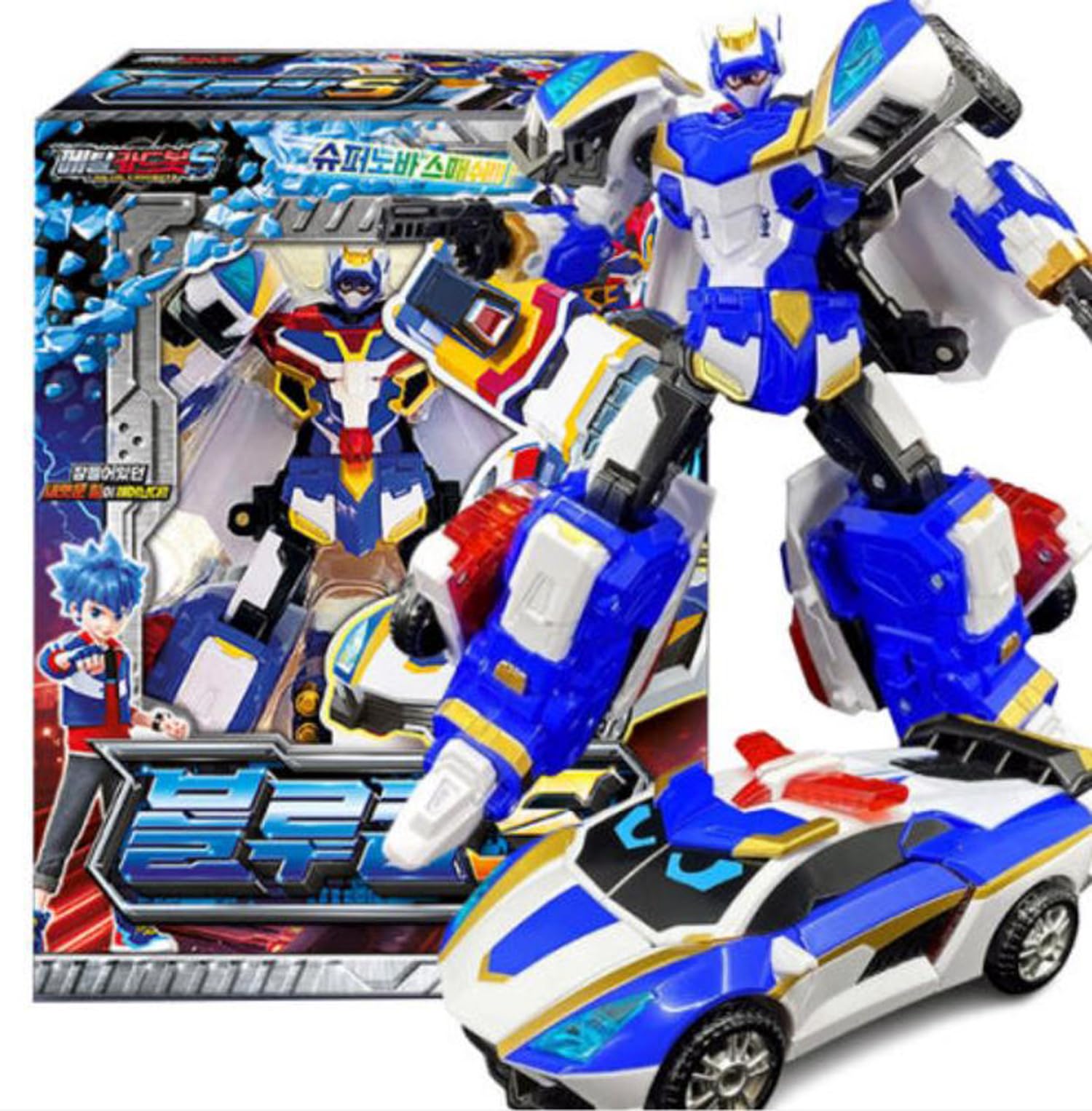
Image: The BLUE COP S figure in its powerful robot form, with its police car vehicle mode displayed prominently. This figure can transform between these two exciting modes.
Components and Package Contents
Before you begin, please ensure all components are present in the package. The standard package for the BLUE COP S includes the following:
- 1 x BLUE COP S Transforming Robot Figure
- 1 x BLUE COP S Robot Card
- 1 x BLUE COP S Weapon Card
- 1 x Instruction Manual (this document)
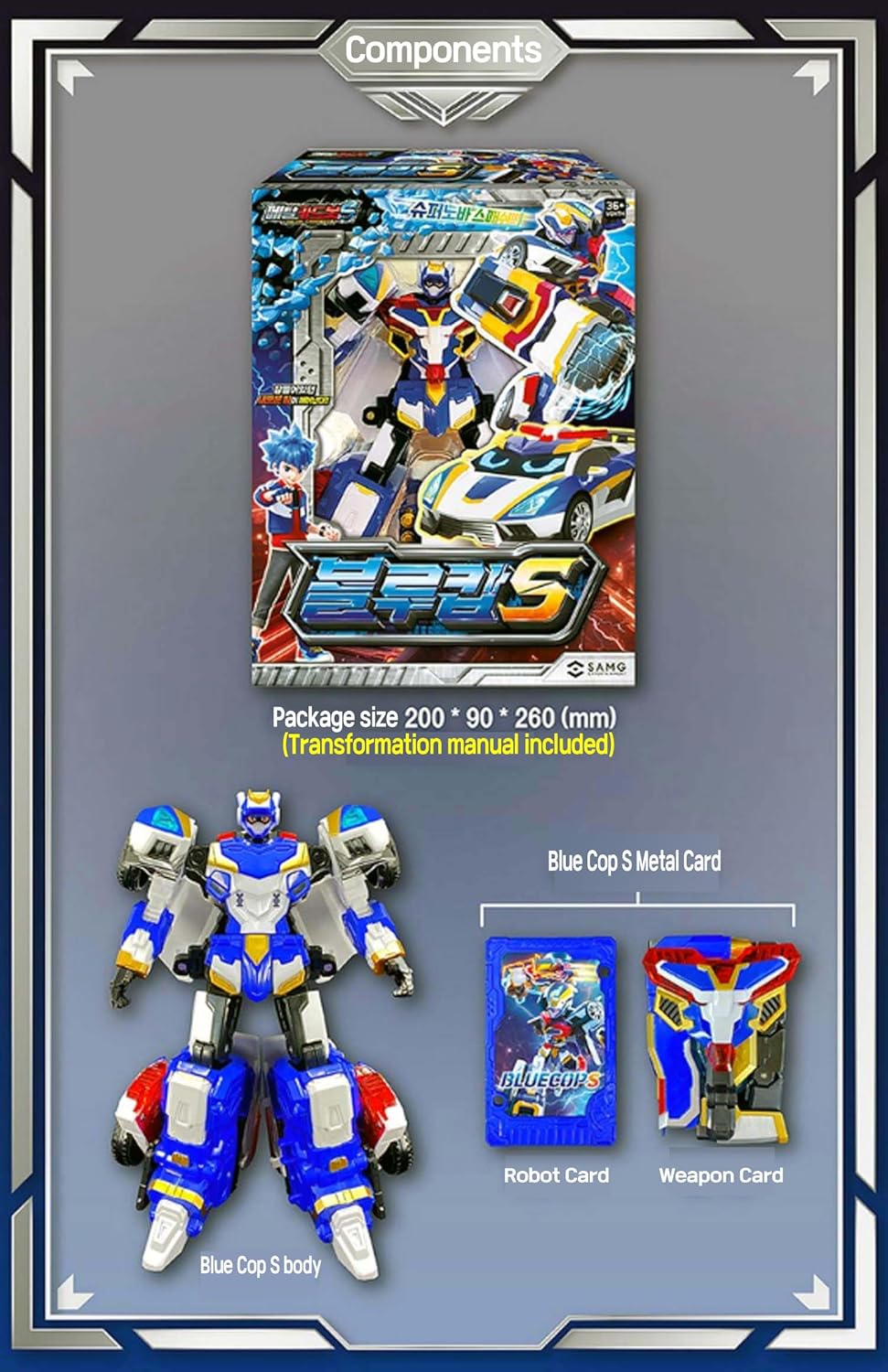
Image: A visual representation of the package contents, including the BLUE COP S robot body, its corresponding Robot Card, and Weapon Card. The package dimensions are approximately 200 x 90 x 260 mm.
Setup and Transformation
The BLUE COP S figure can be transformed between its robot mode and police car vehicle mode. Follow the steps below for transformation. Handle all parts carefully to avoid damage.
Transformation from Vehicle Mode to Robot Mode:
- Carefully extend the front section of the police car to form the robot's legs.
- Rotate and position the side panels to form the robot's arms and shoulders.
- Lift the roof section to reveal and position the robot's head.
- Adjust all joints and panels until the robot stands securely in its full robot mode.
Transformation from Robot Mode to Vehicle Mode:
- Fold the robot's head down and secure it within the chest cavity.
- Collapse the arms and shoulders, aligning them with the body to form the sides of the vehicle.
- Bring the legs together and fold them to form the front and rear sections of the police car.
- Ensure all panels snap into place to form a compact and secure police car vehicle.

Image: A detailed visual guide illustrating the transformation process between robot mode and vehicle mode, as well as the "Burst Armor" and "Burst Gauntlet" weapon card transformations.
Operating Modes and Weapon Engagement
The BLUE COP S offers two primary play modes: Robot Mode and Vehicle Mode. Additionally, it features a unique weapon engagement system using Metal Cards.
Robot Mode:
In robot mode, the BLUE COP S is ready for action. Its articulated joints allow for various poses. You can attach the included Metal Cards to activate special weapon features.
Vehicle Mode (Police Car):
In vehicle mode, the BLUE COP S transforms into a police car. The wheels are functional, allowing for rolling play. Ensure all parts are securely locked in place for a smooth vehicle form.
Engaging Secret Weapons with Metal Cards:
The BLUE COP S comes with special Metal Cards that can be used to transform into secret weapons. The specific weapon for BLUE COP S is the Supernova Smash!
- Identify the designated slot or attachment point on the robot figure for the weapon card.
- Insert the BLUE COP S Weapon Card into the slot.
- Follow the visual cues on the card or the figure to transform the card into the "Supernova Smash" weapon, such as "Burst Armor" or "Burst Gauntlet" as shown in the transformation image.
- Once transformed, the weapon can be attached to the robot for enhanced play.
Maintenance and Care
To ensure the longevity and optimal performance of your Metal Cardbot S BLUE COP S, please follow these maintenance guidelines:
- Cleaning: Wipe the figure with a soft, dry cloth. Avoid using harsh chemicals or abrasive cleaners, as these can damage the paint and plastic.
- Storage: Store the figure in a cool, dry place away from direct sunlight and extreme temperatures.
- Handling: Handle the transforming parts gently. Do not force any joints or connections, as this may cause breakage.
- Joints: If joints become stiff, do not apply lubricants. Gentle manipulation should suffice. If a joint is too loose, it may indicate wear.
Troubleshooting
If you encounter any issues with your BLUE COP S figure, please refer to the following common solutions:
- Difficulty Transforming: Ensure you are following the transformation steps carefully. Do not apply excessive force. Sometimes, parts need to be aligned precisely before they can move. Refer to the visual guide in the "Setup and Transformation" section.
- Loose Parts: Check if any parts are not fully snapped into place. For transforming toys, some parts are designed to be detachable for transformation and can be reattached.
- Weapon Card Not Engaging: Ensure the Metal Card is inserted correctly into the designated slot and that the transformation mechanism for the weapon is properly aligned.
If problems persist, please contact customer support (see "Warranty & Support" section).
Specifications
| Product Name: | Metal Cardbot S BLUE COP S Transforming Robot Figure |
| Model Number: | BLUE COP S |
| Brand: | SSmall |
| Product Dimensions: | 9.65 x 4.25 x 11.81 inches (Robot Mode, approximate) |
| Item Weight: | 1.23 pounds |
| Recommended Age: | 16 years and up |
| Material: | Mainly plastic with some metal pins for articulation. |
Safety Information
Please observe the following safety precautions:
- Choking Hazard: This product contains small parts and is not suitable for children under 3 years of age. The manufacturer recommends an age of 16 years and up.
- Ingestion: Do not put any parts of the toy in your mouth.
- Impact: Do not throw the toy or use it to strike other objects or people.
- Supervision: Adult supervision is recommended during play, especially for younger users.
Warranty and Support
Information regarding specific warranty details for the SSmall Metal Cardbot S BLUE COP S is not provided in this manual. For warranty claims or technical support, please refer to the contact information provided on the product packaging or the retailer's website where the product was purchased.
For general inquiries or assistance, please visit the official SSmall website or contact their customer service department.