
1. Introduction
This manual provides essential instructions for the safe and effective installation, operation, and maintenance of your WPTGODGB NSX250F TMD 250 4P3D Molded Case Circuit Breaker. This device is designed to protect electrical circuits from overcurrent, which can result from overload or short circuit. It also functions as a ground fault circuit interrupter, enhancing safety by detecting and interrupting ground faults. Please read this manual thoroughly before installation and use, and retain it for future reference.
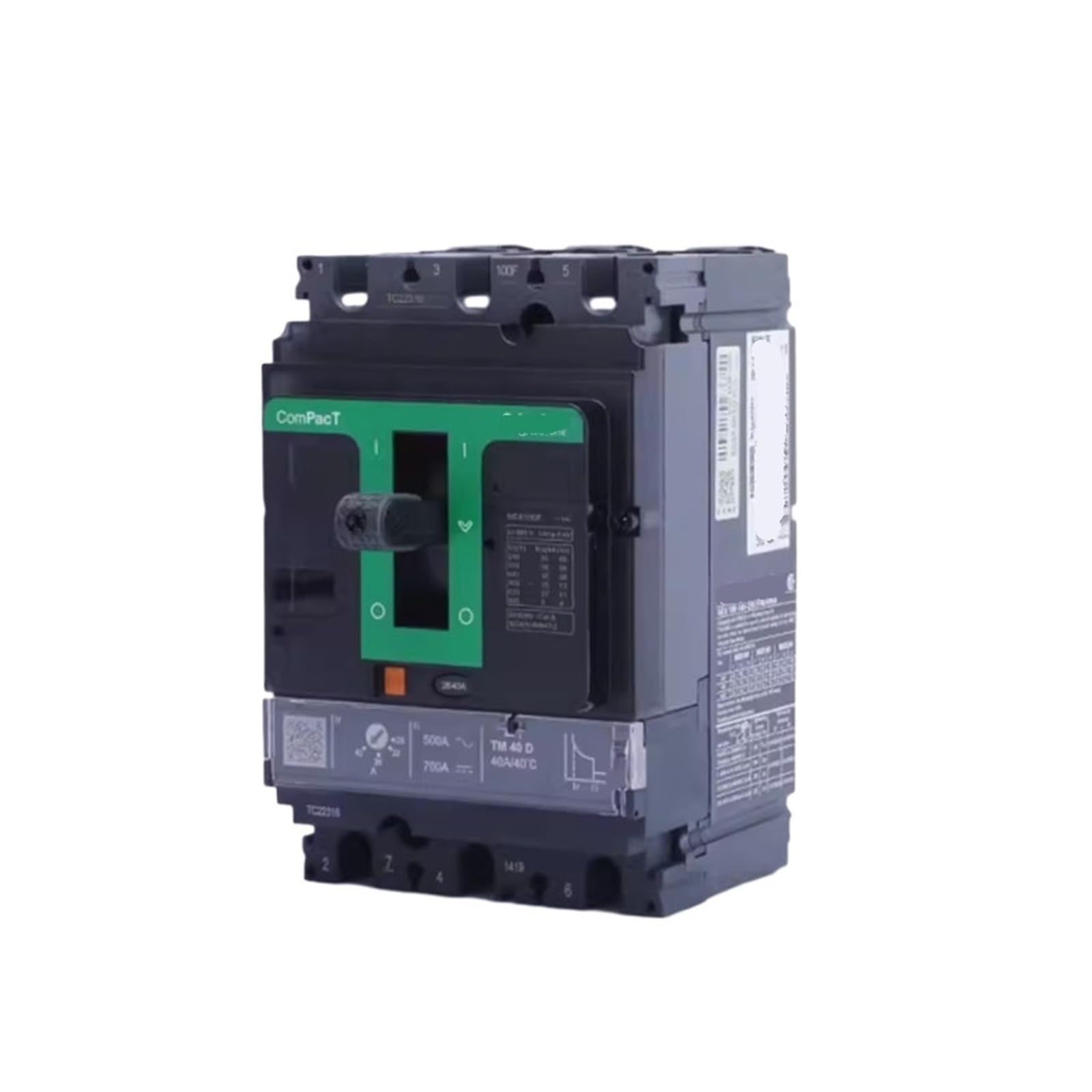
Figure 1: WPTGODGB NSX250F TMD 250 4P3D Molded Case Circuit Breaker. This image shows the front view of the circuit breaker, highlighting its robust construction and clear labeling for current ratings and model identification.
2. Safety Information
WARNING: Electrical shock hazard. Installation and servicing must be performed by qualified personnel only. Failure to follow these instructions can result in serious injury or death.
- Always disconnect power at the main service panel before working on or near the circuit breaker.
- Use appropriate personal protective equipment (PPE), including insulated gloves and eye protection.
- Ensure all wiring connections are secure and comply with local and national electrical codes.
- Do not operate the circuit breaker if it appears damaged or has been exposed to moisture.
- Verify the circuit breaker's ratings (voltage, current, interrupting capacity) match the application requirements.
3. Setup and Installation
Proper installation is critical for the safe and reliable operation of the circuit breaker. Refer to the wiring diagram provided with your specific electrical panel or enclosure.
- Power Disconnection: Ensure all power to the installation area is completely disconnected and locked out.
- Mounting: Mount the circuit breaker securely within an appropriate electrical enclosure, ensuring adequate ventilation and clearance.
- Wiring: Connect the incoming power lines to the designated line terminals and the outgoing load lines to the load terminals. Ensure correct phase sequence for multi-phase systems.
- Grounding: Connect the ground fault circuit interrupter (GFCI) sensing wires, if applicable, according to the specific model's instructions. Ensure proper grounding of the enclosure.
- Torque Settings: Tighten all terminal screws to the manufacturer's specified torque values to prevent loose connections and overheating.
- Verification: Double-check all connections for correctness and security before restoring power.
4. Operating Instructions
The circuit breaker is designed for automatic protection and manual operation.
- Turning ON: Push the operating handle firmly to the "ON" position.
- Turning OFF: Push the operating handle firmly to the "OFF" position.
- Trip Indication: If an overload or short circuit occurs, the circuit breaker will automatically trip, moving the handle to an intermediate "TRIPPED" position.
- Resetting After a Trip: To reset a tripped breaker, first move the handle completely to the "OFF" position, then push it to the "ON" position. Investigate and resolve the cause of the trip before resetting.
- Test Button (GFCI models): For models with ground fault protection, a "TEST" button is typically present. Press this button monthly to ensure the ground fault protection mechanism is functioning correctly. The breaker should trip immediately. Reset the breaker after testing.
5. Maintenance
Regular maintenance ensures optimal performance and longevity of your circuit breaker.
- Visual Inspection: Periodically inspect the circuit breaker for any signs of physical damage, discoloration, or loose connections.
- Cleaning: Keep the circuit breaker and its enclosure clean and free from dust and debris. Use a dry, non-abrasive cloth. Do not use liquids or solvents.
- Terminal Tightness: Annually, or as recommended by local codes, verify the tightness of all terminal connections. Ensure power is disconnected before performing this check.
- GFCI Test: Perform the GFCI test monthly as described in the Operating Instructions.
6. Troubleshooting
If you encounter issues with your circuit breaker, refer to the following common problems and solutions.
| Problem | Possible Cause | Solution |
|---|---|---|
| Breaker trips frequently | Overload, short circuit, or ground fault | Reduce load on the circuit, inspect wiring for short circuits, check for ground faults. Consult a qualified electrician. |
| Breaker does not reset | Persistent fault, internal damage | Ensure the handle is moved fully to "OFF" before attempting to reset. If it still doesn't reset, there may be a continuous fault or internal damage. Do not force. Replace the breaker if damaged. |
| No power to circuit | Breaker is OFF or tripped, loose connection | Check breaker position and reset if tripped. Verify all wiring connections are secure. |
7. Specifications
- Model: NSX250F TMD 250 4P3D
- Type: Molded Case Circuit Breaker (MCCB) with Ground Fault Circuit Interrupter (GFCI) functionality
- Current Rating: 250A (TMD 250)
- Poles: 4P (4-Pole)
- Dimensions (Package): 1.18 x 0.79 x 0.39 inches
- Item Weight: 1.76 ounces
- Manufacturer: WPTGODGB
- ASIN: B0DHNBJRX1
8. Warranty Information
Specific warranty details for the WPTGODGB NSX250F TMD 250 4P3D Molded Case Circuit Breaker are not provided in the product listing. Please refer to the seller's return policy or contact the manufacturer directly for warranty terms and conditions. Generally, electrical components may come with a limited manufacturer's warranty covering defects in materials and workmanship.
The buybox winner indicates a return policy of 30 days for refund/replacement. This is typically for initial purchase issues, not a long-term warranty.
9. Customer Support
For technical assistance, troubleshooting beyond this manual, or inquiries regarding your WPTGODGB NSX250F TMD 250 4P3D Molded Case Circuit Breaker, please contact the seller or manufacturer directly. Refer to your purchase documentation for contact information.