
Adol
User Manual: ASUS Adol Noise Cancelling Earbuds
Model: Adol | Brand: Generic
Introduction
The ASUS Adol Noise Cancelling Earbuds are designed to provide a superior audio experience with advanced features for daily use. These earbuds feature 13mm dynamic drivers for rich, clear sound, advanced touch controls for easy management, and effective noise-canceling technology for an immersive listening experience. With an ergonomic design and long-lasting battery life, they offer both comfort and functionality, powered by Bluetooth 5.0 technology for stable wireless connectivity.
What's Included
Your package should contain the following items:
- ASUS Adol Noise Cancelling Earbuds (Left and Right)
- Rotatable Charging Case
- USB Type-C Charging Cable
- User Manual
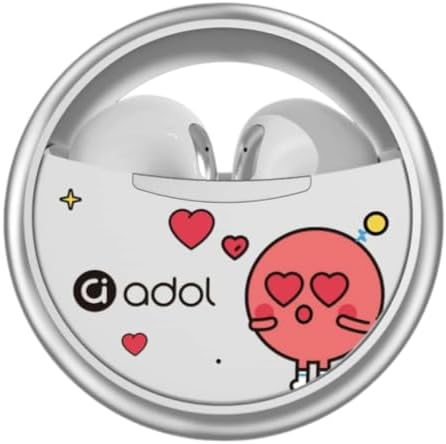
Image: The ASUS Adol earbuds nestled within their unique rotatable charging case, showcasing the compact and stylish design.
Product Overview
The ASUS Adol earbuds are engineered for optimal performance and user comfort. Key features include:
- Superior Sound Quality: Equipped with large 13mm dynamic drivers for rich, clear, and powerful audio.
- Advanced Touch Control: Intuitive touch system for media management and call handling.
- High-Quality Microphone: Ensures clear voice transmission during calls and gaming, with effective noise reduction.
- Type-C Charging Interface: Fast and efficient charging with the included charging bay.
- Ergonomic Design: Lightweight PP material and in-ear style for comfortable, secure fit during extended use.
- Effective Noise Cancelling: Sound isolation technology to minimize background noise for focused listening.
- Long Battery Life: Rechargeable UN 3481 battery provides extended audio playback.
- Latest Bluetooth 5.0 Technology: Stable and quick wireless connection with enhanced audio quality and reduced latency.
- Sleek Aesthetic: Classic white color with a minimalist design.

Image: The earbuds and charging case displayed with text highlighting "ACS panoramic sound" and "Clear sound," indicating advanced audio technology.

Image: A collage showing individuals using the earbuds, emphasizing features like comfortable fit, clear voice calls, and minimal sound leakage.

Image: A diagram illustrating the "Golden 45 elevation angle" and "3D radian grinding" for an optimal and comfortable earbud fit.

Image: An exploded view of the earbud highlighting the "Super-large moving coil" component, indicating advanced speaker technology for sound quality.

Image: A comparison chart detailing the advancements in Bluetooth chip technology, contrasting features like transmission speed, power consumption, and communication distance between Bluetooth 5.0 and 5.3. The ASUS Adol earbuds utilize Bluetooth 5.0 technology.
Setup Guide
1. Initial Charging
Before first use, ensure the earbuds and charging case are fully charged.
- Place both earbuds into the charging case.
- Connect the USB Type-C charging cable to the charging port on the case and the other end to a compatible USB power source (e.g., computer USB port, wall adapter).
- The indicator light on the case will show charging status. Once fully charged, the light will change or turn off.
2. Bluetooth Pairing
Follow these steps to pair your earbuds with a Bluetooth-enabled device:
- Ensure the earbuds are charged and inside the charging case.
- Open the charging case. The earbuds will automatically enter pairing mode, indicated by a flashing light (refer to specific light indicators in the product's quick start guide if available).
- On your device (smartphone, tablet, computer), go to Bluetooth settings and turn Bluetooth on.
- Search for available devices. You should see "ASUS Adol" or a similar name appear in the list.
- Select "ASUS Adol" to connect. Once connected, a voice prompt or indicator light will confirm successful pairing.
- If pairing fails, place the earbuds back in the case, close it, wait a few seconds, and then repeat the steps.
Operating Instructions
The ASUS Adol earbuds feature intuitive touch controls for managing audio playback, calls, and voice assistant functions.
Touch Controls
| Action | Gesture | Function |
|---|---|---|
| Play/Pause | Click the left or right earbud once. | Starts or pauses audio playback. |
| Next/Previous Track | Double-click any earbud. | Skips to the next track or returns to the previous one (functionality may vary by app). |
| Voice Assistant | Long press (2 seconds) the left or right earbud. | Activates your device's voice assistant (e.g., Siri, Google Assistant). |
| Reject/Hang Up Call | Click the left or right earbud once during an incoming call or active call. | Rejects an incoming call or ends an active call. |
| Increase/Decrease Volume | Tap the left or right earbud three times. | Adjusts the volume level. |
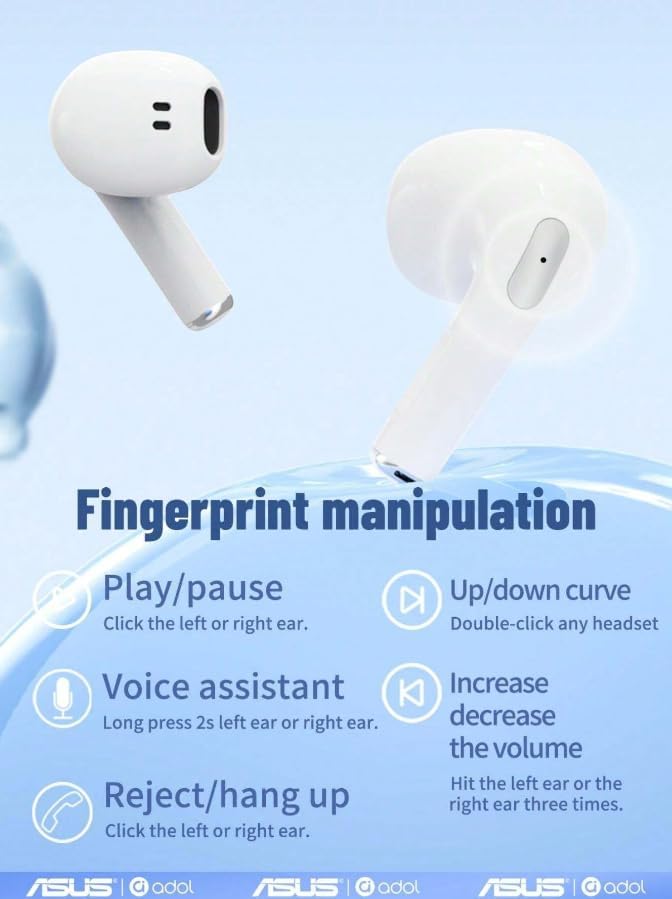
Image: A visual guide detailing the "Fingerprint manipulation" touch controls for the earbuds, including play/pause, track control, voice assistant, call management, and volume adjustment.
Maintenance and Care
Proper maintenance ensures the longevity and optimal performance of your ASUS Adol earbuds.
- Cleaning: Regularly clean the earbuds and charging case with a soft, dry, lint-free cloth. Do not use abrasive cleaners, alcohol, or chemical solvents. Gently remove any earwax or debris from the earbud tips and speaker mesh using a small, soft brush or cotton swab.
- Storage: When not in use, always store the earbuds in their charging case to protect them from dust, dirt, and physical damage. Store the case in a cool, dry place away from direct sunlight and extreme temperatures.
- Charging: Use only the provided USB Type-C cable and a certified power adapter. Avoid overcharging or completely draining the battery frequently, as this can reduce battery lifespan.
- Water Exposure: These earbuds are not waterproof. Avoid exposing them to water, sweat, or high humidity. If they get wet, dry them thoroughly before placing them back in the charging case or using them.
- Handling: Handle the earbuds and case with care. Avoid dropping them or subjecting them to strong impacts.
Troubleshooting
If you encounter issues with your ASUS Adol earbuds, try the following solutions:
| Problem | Possible Cause | Solution |
|---|---|---|
| Earbuds not pairing/connecting. | Earbuds not in pairing mode, out of range, or low battery. |
|
| No sound or low volume. | Volume too low, earbud placement, or debris blocking speaker. |
|
| Charging case not charging. | Faulty cable, power source, or dirty charging port. |
|
| One earbud not working. | Low battery, connection issue, or earbud not properly seated in case. |
|
Technical Specifications
| Feature | Detail |
|---|---|
| Brand | Generic |
| Model Name | Adol |
| Colour | White |
| Headphone Form Factor | In Ear |
| Connectivity Technology | Wireless (Bluetooth 5.0) |
| Special Features | Ergonomic, Noise Cancelling, Touch Control |
| Included Components | Charging Cable, User Manual, Wireless Charging Case |
| Battery Type | Rechargeable UN 3481 battery |
| Driver Size | 13mm Dynamic Drivers |
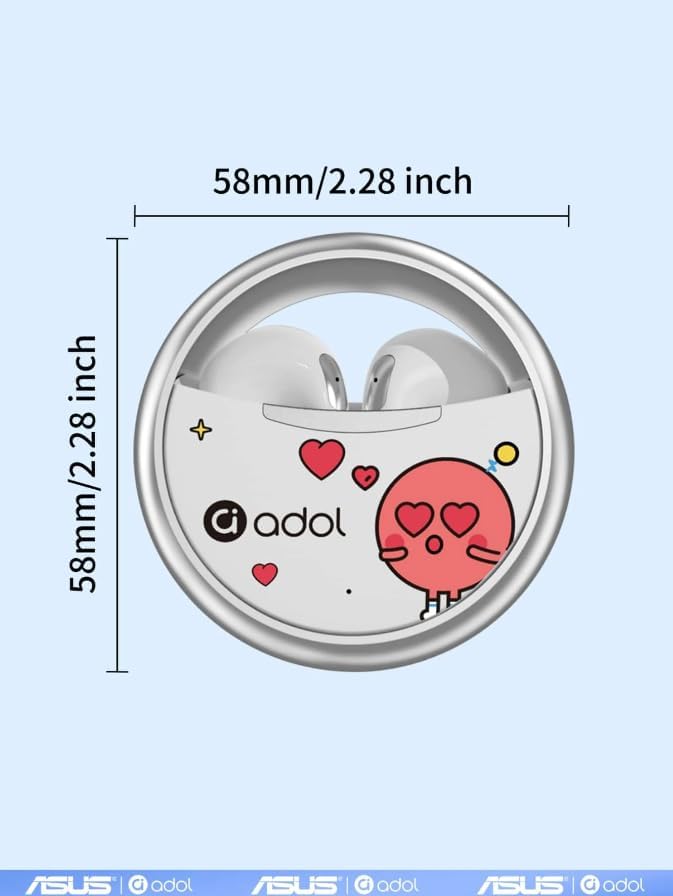
Image: A diagram showing the dimensions of the rotatable charging case, measuring 58mm (2.28 inches) in both width and height.
Warranty and Support
Manufacturer's Warranty
This product comes with a manufacturer's warranty of 6 Months from the date of purchase. Please retain your proof of purchase for warranty claims. The warranty covers defects in materials and workmanship under normal use. It does not cover damage caused by misuse, accidents, unauthorized modifications, or normal wear and tear.
Customer Support
For technical assistance, warranty claims, or any other inquiries, please contact your retailer or the manufacturer's customer support. Refer to the packaging or the retailer's website for specific contact information.
Spare part information is not available or provided for this product.
Related Documents - Adol
 |
Adol TWS-T75 Wireless Bluetooth Earphones User Manual Explore the features, specifications, and operation of the Adol TWS-T75 wireless Bluetooth earphones. This manual covers connectivity, audio quality, battery life, ANC, and safety guidelines. |
 |
Adol AS-172 Wireless Stereo Earbuds User Guide Comprehensive user guide for Adol AS-172 wireless stereo earbuds, covering product specifications, functions, pairing, charging, and precautions. Includes FCC compliance information. |
 |
TWS-R03 Wireless Earphones User Guide Comprehensive user guide for the TWS-R03 wireless earphones by Shenzhen Yinzhihang Technology Co., Ltd., covering features, specifications, operation, troubleshooting, and compliance information. |
 |
adol AS-J18 Wireless Earbuds: User Guide, Specifications, and Warranty Comprehensive user guide for adol AS-J18 wireless earbuds, including technical specifications, multi-function key definitions, charging instructions, toxic substance information, warranty details, and FCC compliance. |
 |
Adol Airpro3 Wireless Earphones User Guide and Specifications Comprehensive user guide and technical specifications for Adol Airpro3 wireless earphones, covering features, functions, charging, warranty, and FCC compliance. Includes detailed operational instructions and product details. |