
1. Introduction
Thank you for choosing the Itel IEB55 Pro Bluetooth In-Ear Earphones. This manual provides detailed instructions for setting up, operating, and maintaining your device to ensure optimal performance and longevity. The IEB55 Pro features 48 hours of playback, 10mm bass boost drivers, fast charging capabilities, and an IPX5 water resistance rating, designed for a superior audio experience.
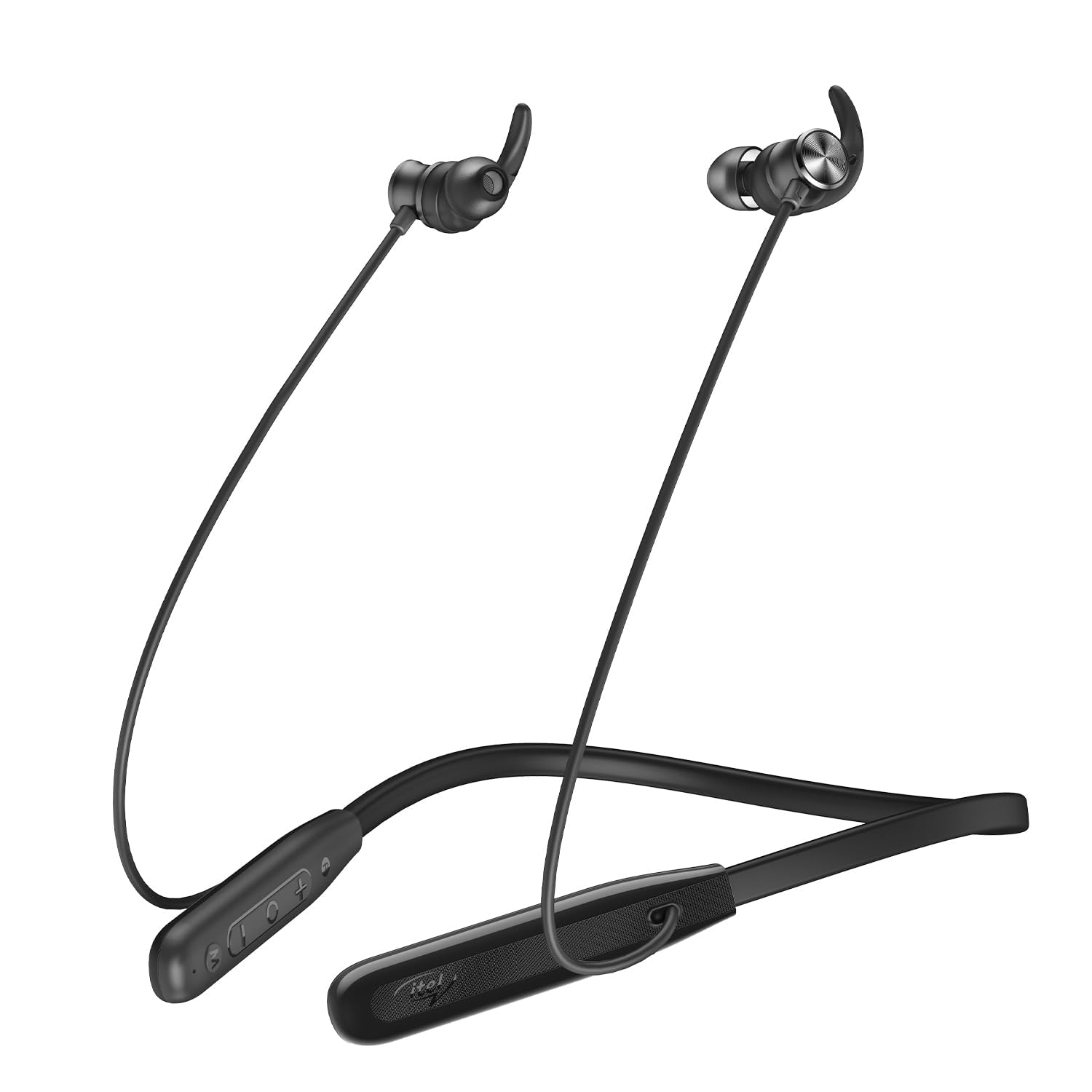
Image: Itel IEB55 Pro Bluetooth In-Ear Earphones in black, showcasing the neckband and earbud design.
2. What's in the Box
Please check the package contents upon unboxing:
- Itel IEB55 Pro Bluetooth In-Ear Earphones
- C-type Charging cable
- User Manual (this document)
Video: An overview of the Itel IEB55 Pro earphones, highlighting key features and package contents. This video demonstrates the product's design, available colors (blue, black, green), battery life, fast charging, 10mm bass boost drivers, and the included C-type charging cable.
3. Product Features
- AI ENC Technology: Advanced Environmental Noise Cancellation for clear calls by minimizing background noise.
- 48 Hours Playback: Enjoy extended listening with up to 48 hours of continuous audio on a single charge.
- 10mm Bass Boost Drivers: Delivers deep, powerful bass and crisp highs for an immersive audio experience.
- Fast Charging: A quick 10-minute charge provides up to 10 hours of playback.
- Magnetic Earbuds: Keeps earphones neatly secured around your neck, preventing tangling.
- IPX5 Water Resistance: Designed to withstand splashes, sweat, and light rain, making them suitable for workouts and outdoor use.
- EQ Modes: Customizable sound profiles to tailor your listening experience to different music genres or preferences.
- Vibration Alert: Notifies you of incoming calls or messages.
4. Setup
4.1 Charging the Earphones
Before first use, fully charge the earphones. Use the provided C-type charging cable to connect the earphones to a compatible USB power source (e.g., wall adapter, computer USB port).
- Connect the USB-C end of the cable to the charging port on the earphones.
- Connect the USB-A end to a power source.
- The LED indicator will show charging status (refer to device for specific light patterns).
- A full charge takes approximately 2 hours. For quick power, 10 minutes of charging provides up to 10 hours of playback.
4.2 Bluetooth Pairing
Follow these steps to pair your Itel IEB55 Pro earphones with your device:
- Ensure the earphones are sufficiently charged.
- Press and hold the multi-function button (usually the power button) on the earphones until the LED indicator flashes blue and red alternately, indicating pairing mode.
- On your smartphone or Bluetooth-enabled device, go to the Bluetooth settings.
- Search for available devices and select "Itel IEB55 Pro" from the list.
- Once connected, the LED indicator will typically show a solid blue light or flash blue slowly.
- If prompted for a password, enter "0000".
The earphones will automatically reconnect to the last paired device when powered on, if the device's Bluetooth is active and within range.
5. Operating Instructions
5.1 Basic Controls
- Power On/Off: Press and hold the multi-function button for approximately 3-5 seconds.
- Play/Pause: Short press the multi-function button.
- Volume Up: Short press the "+" button.
- Volume Down: Short press the "-" button.
- Next Track: Long press the "+" button.
- Previous Track: Long press the "-" button.
- Answer/End Call: Short press the multi-function button.
- Reject Call: Long press the multi-function button.
- Activate Voice Assistant (Google Assistant): Double-press the multi-function button.
5.2 EQ Modes
The Itel IEB55 Pro features multiple EQ modes to customize your audio experience. Refer to the device's control panel for the dedicated EQ mode button or combination press. Typically, a short press of a specific button (often marked "EQ") will cycle through available sound profiles such as Bass Boost, Vocal, or Balanced modes.
5.3 Vibration Alert
The neckband is equipped with a vibration alert feature. When an incoming call is received, the neckband will vibrate gently to notify you, even if the sound is muted or you are in a noisy environment.
6. Maintenance
6.1 Cleaning
- Wipe the earphones and neckband with a soft, dry, lint-free cloth.
- Do not use harsh chemicals, cleaning solvents, or strong detergents.
- Regularly clean the ear tips to prevent wax buildup, which can affect sound quality.
6.2 Storage
- Store the earphones in a cool, dry place away from direct sunlight and extreme temperatures.
- Avoid storing with sharp objects that could damage the cables or earbuds.
7. Troubleshooting
| Problem | Possible Solution |
|---|---|
| Cannot power on | Ensure the earphones are fully charged. |
| Cannot pair with device |
|
| No sound or low volume |
|
| Charging issue |
|
8. Specifications
| Feature | Detail |
|---|---|
| Model Name | ROAR 55 (IEB 55 Pro) |
| Bluetooth Version | 5.3 |
| Bluetooth Range | Up to 10 meters |
| Audio Driver Size | 10 mm |
| Impedance | 32 Ohms |
| Battery Life (Playback) | Up to 48 hours |
| Fast Charging | 10 mins charge = 10 hours playback |
| Water Resistance | IPX5 |
| Control Type | Google Assistant (Built-In Voice Assistant) |
| Material | Polycarbonate (PC) |
| Item Weight | 30 Grams |
9. Warranty and Support
The Itel IEB55 Pro Bluetooth In-Ear Earphones come with a 1 Year Manufacturer Warranty from the date of purchase. This warranty covers manufacturing defects. For warranty claims or technical support, please contact Itel customer service or visit their official website.
Please retain your purchase receipt as proof of purchase for warranty purposes.