
1. Introduction
The Dioche S1 Fingerprint Smart Door Lock provides advanced security and convenient access for your home or office. This smart lock integrates multiple unlocking methods including fingerprint recognition, IC card, mobile application (Tuya APP), and traditional mechanical keys. Designed for durability with aluminum alloy and brass, it offers reliable performance and enhanced security features such as automatic locking and emergency power options.
2. Package Contents
Before installation, please verify that all components are present in the package:
- Door Lock x 1
- Keycard x 2
- Manual Key x 2
- Sucker x 2
- Wrench x 1
- Manual x 1 (This document)
3. Product Overview
Familiarize yourself with the components of your Dioche S1 Smart Door Lock.

Image: Labeled diagram of the smart door lock, showing the lock knob, fingerprint reader, card sensing area, emergency key, and USB charging port.
The lock features a fingerprint reader, an IC card sensing area, a lock knob, an emergency key slot, and a Type-C USB charging port for emergency power.

Image: Overview of the S1 Keyless Smart Cylinder features, including Tuya BLE Version, Fingerprint Unlocking, Mechanical Key, IC/NFC, Adjustable Cylinder, Emergency Power Supply, Waterproof, High Security Cylinder, Automatic Locking, and Easy Maintenance.
Key features include Tuya BLE connectivity, multiple unlocking methods, an adjustable cylinder for various door thicknesses, emergency power, waterproof design, and automatic locking.
4. Installation
This section provides general guidance for installing the Dioche S1 Smart Door Lock. Professional installation is recommended if you are unfamiliar with door hardware installation.
4.1. Door Thickness Compatibility
The lock is designed for doors with a thickness between 35mm and 50mm. Ensure your door falls within this range. The cylinder length can be adjusted using the provided components to fit different door thicknesses.

Image: Diagram illustrating how to check and adjust the cylinder length using various spacers (5mm, 10mm, 20mm) to accommodate different door thicknesses, showing standard and customized cylinder beams.
4.2. Replacing an Existing Lock
The Dioche S1 Smart Door Lock is designed to replace most standard door knobs or cylinders. Follow these general steps:
- Remove your existing door knob or cylinder.
- Insert the new smart cylinder into the door.
- Secure the internal and external components according to the detailed instructions in the included printed manual.
- Ensure the lock operates smoothly before closing the door.

Image: A visual comparison showing an original door lock with a traditional keyhole and handle, next to the Dioche S1 Smart Door Lock installed as a replacement, demonstrating its compact design.
4.3. Installation Video Guide
For a visual guide on the installation process, please refer to the video below:
Video: An official product video demonstrating the features and potentially the installation of the Dioche S1 Smart Door Lock. This video provides a visual overview of the product's functionality and design.
5. Setup and Configuration
After installation, configure your smart lock for various unlocking methods.
5.1. Tuya APP Setup
The Dioche S1 Smart Door Lock integrates with the Tuya APP for remote management and advanced features.
- Download the Tuya Smart APP from your device's app store.
- Register or log in to your Tuya account.
- Follow the in-app instructions to add your Dioche S1 Smart Door Lock. Ensure Bluetooth is enabled on your smartphone.
- Once connected, you can manage users, view unlock records, and remotely unlock the door.

Image: Screenshots demonstrating Tuya App features, including user member management, notifications for "Back Home" alerts, general alarm alerts, and a "Hijack Alarm" feature with password or fingerprint.
5.2. Fingerprint Registration
The lock uses a semiconductor fingerprint sensor for quick and accurate recognition.
- Access the fingerprint management section within the Tuya APP or follow the lock's on-device instructions (refer to the detailed manual for specific steps).
- Place your finger on the sensor multiple times as prompted to register your fingerprint.
- Ensure your entire fingerprint is scanned for optimal recognition.
- You can register up to 100 users.
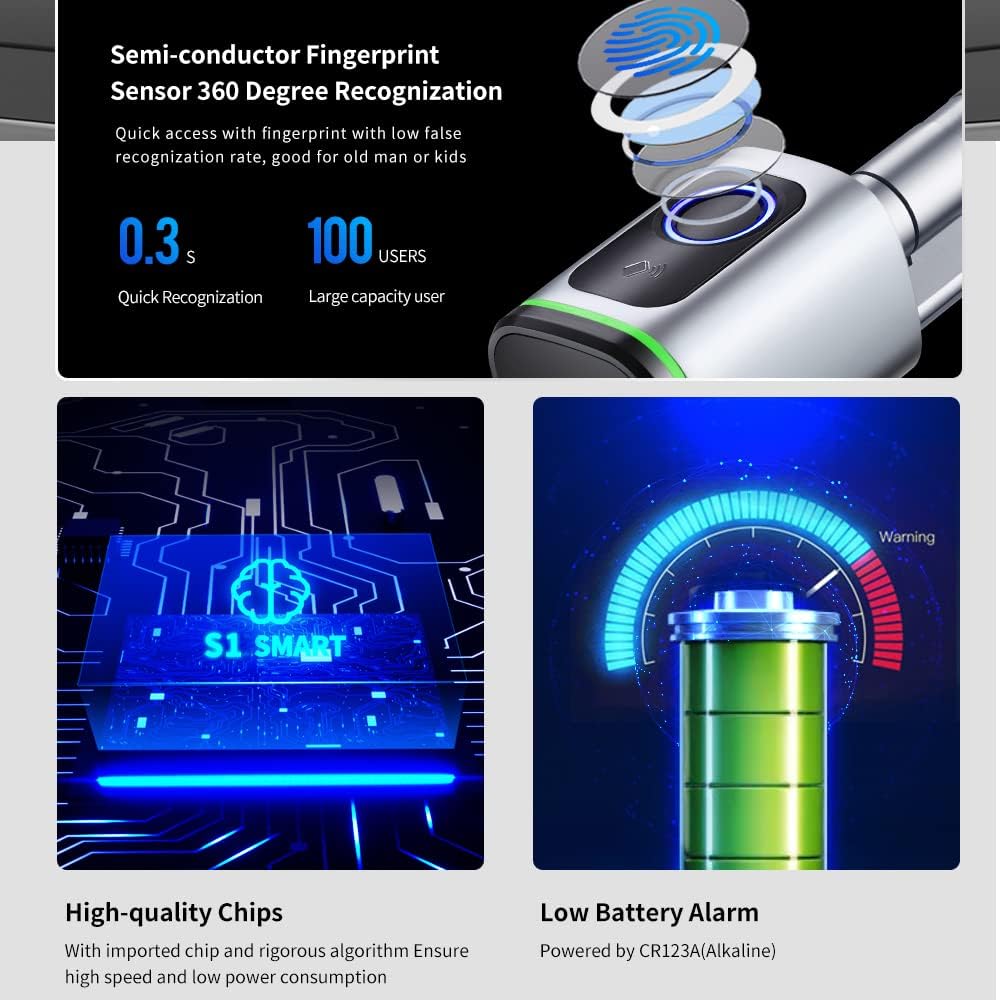
Image: Illustration of the semi-conductor fingerprint sensor with 360-degree recognition, highlighting quick recognition (0.3s) and large user capacity (100 users). Also shows high-quality chips and a low battery alarm indicator.
5.3. IC Card Registration
Register the included IC cards for convenient tap-to-unlock access.
- Initiate IC card registration through the Tuya APP or the lock's interface.
- Present the IC card to the card sensing area on the lock when prompted.
- Confirm successful registration.
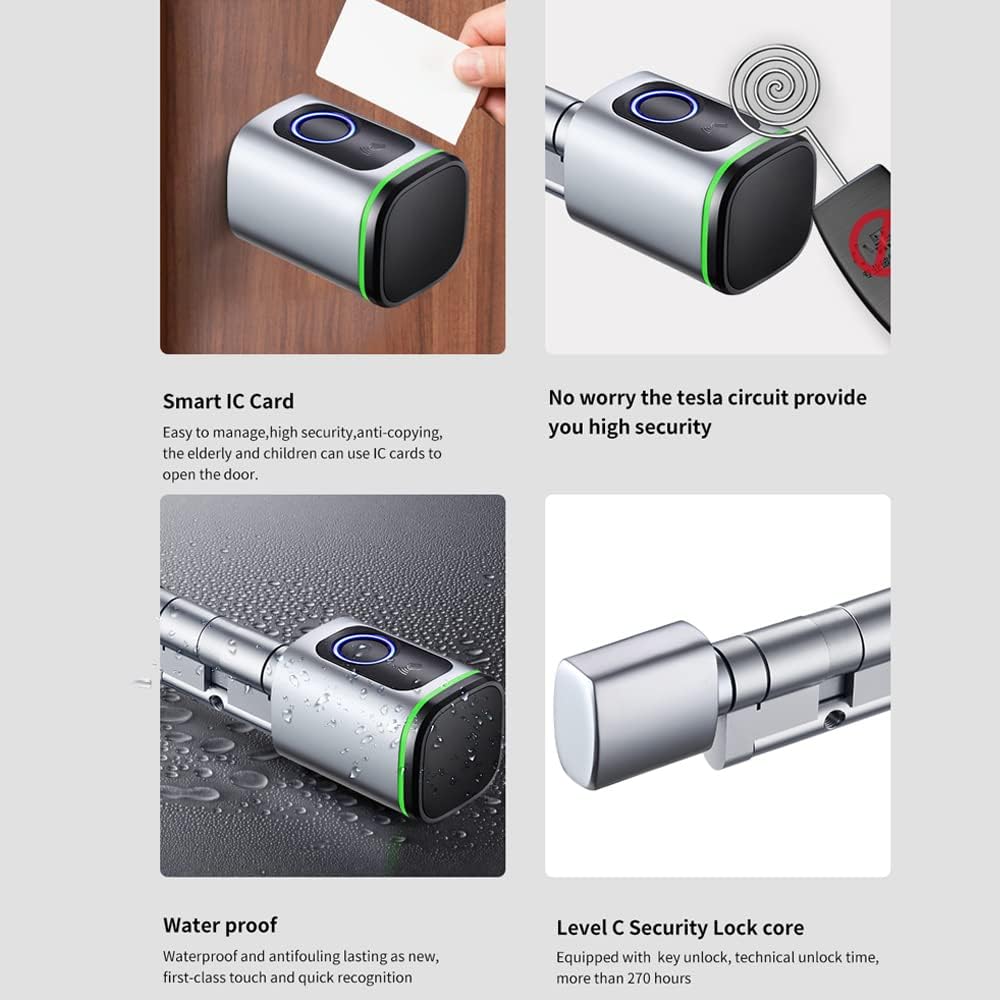
Image: Displays the use of a Smart IC Card for unlocking and highlights the waterproof design of the lock. Also mentions Level C Security Lock core.
6. Operation
The Dioche S1 Smart Door Lock offers four primary methods for unlocking.

Image: A collage showing the four unlocking methods: Fingerprint Unlock, IC Card Unlock, Tuya APP Unlock, and Key Unlock.
6.1. Fingerprint Unlock
Place your registered finger on the fingerprint sensor. The lock will unlock within 0.3 seconds if the fingerprint is recognized.
6.2. IC Card Unlock
Hold a registered IC card near the card sensing area on the lock. The lock will unlock upon successful recognition.
6.3. Tuya APP Unlock
Open the Tuya Smart APP on your smartphone. If within Bluetooth range, you can tap and hold the unlock button in the app to open the door. Remote unlocking is also possible if a compatible gateway is configured (sold separately).
6.4. Mechanical Key Unlock
In case of battery depletion or electronic malfunction, use the provided mechanical keys to unlock the door manually. Insert the key into the emergency key slot and turn to unlock.
6.5. Automatic Locking
For added security, the lock automatically engages after 5 seconds of unlocking.
7. Maintenance
7.1. Battery Replacement
The lock is powered by a CR123A battery. When the battery level is low, the lock will provide a warning. Replace the battery promptly to ensure continuous operation.
Image: A visual representation of a battery with a warning indicator for low battery level, powered by CR123A (Alkaline).
7.2. Emergency Power
If the battery completely depletes, you can provide emergency power using a Type-C USB cable connected to a power bank. Connect the cable to the Type-C emergency power interface on the lock to temporarily power it and gain access.
7.3. Cleaning
Wipe the lock's surface with a soft, dry cloth. Avoid using abrasive cleaners or solvents that could damage the finish or electronic components. The lock has an IP5X rating, indicating protection against dust ingress, but it is not fully waterproof for submersion.
8. Troubleshooting
| Problem | Possible Cause | Solution |
|---|---|---|
| Lock does not respond. | Low or depleted battery. | Replace the CR123A battery or use the Type-C emergency power interface. |
| Fingerprint not recognized. | Finger is wet, dirty, or improperly placed. Fingerprint not registered. | Ensure finger is clean and dry, and placed correctly on the sensor. Re-register fingerprint if issues persist. |
| IC card not working. | IC card not registered or damaged. | Register the IC card via the Tuya APP. Try a different registered card. |
| Tuya APP cannot connect to the lock. | Bluetooth is off. Lock is out of range. App not paired. | Ensure Bluetooth is enabled on your phone. Move closer to the lock. Re-pair the device in the Tuya APP. |
| Lock is stiff or difficult to turn. | Improper installation or alignment. | Check the installation and alignment of the cylinder and components. Consult the detailed manual or a professional. |
9. Specifications
- Model: Diocheghea1iv675-5S
- Color: Silver
- Material: Aluminum Alloy + Brass
- Unlock Methods: APP, Fingerprint, Key-card, Manual Key
- Fingerprint Sensor: Semiconductor, 360-degree recognition
- Fingerprint Recognition Speed: 0.3 seconds
- User Capacity: Up to 100 users (fingerprints)
- IP Class: IP5X (Dust protected)
- Door Thickness Compatibility: 35-50mm
- Power Supply: CR123A Battery
- Emergency Power: Type-C USB Interface
- Automatic Locking: Yes, after 5 seconds
- Product Dimensions: Approximately 10.24"L x 3.94"W
10. Warranty and Support
For warranty information and technical support, please refer to the warranty card included in your package or contact Dioche customer service through the official website or your point of purchase. Please have your model number (Diocheghea1iv675-5S) and purchase date available when contacting support.