
1. Introduction
The Edifier V80 Hybrid Active Noise Cancelling Headphones are designed to provide a superior audio experience with advanced noise cancellation technology and comfortable wear. This manual provides essential information for setting up, operating, and maintaining your headphones.
- Hybrid ANC & Clear Calls: Block out unwanted noise with hybrid active noise cancellation featuring multiple modes. The built-in mic with AI noise cancellation technology ensures crystal-clear calls.
- Hi-Res Audio: 40mm dynamic driver with a titanium-coated composite diaphragm delivers high-fidelity sound, certified for Hi-Res audio in wired mode.
- Bluetooth 5.4 & Multipoint Connection: Seamless audio streaming and stable dual-device connection, allowing instant switching between music, videos, and calls on two devices simultaneously.
- 45H Playtime & Fast Charging: Get up to 45 hours of playtime with ANC off (26 hours with ANC on) and 8 hours of use from just 15 minutes of charging. Enjoy 0.06s low latency for immersive gaming.
- Comfortable & User-Friendly Design: Lightweight, foldable, and comfortable design with soft ear cushions. Compatible with the EDIFIER ConneX app for personalized settings, EQ presets, and more.
2. Product Overview
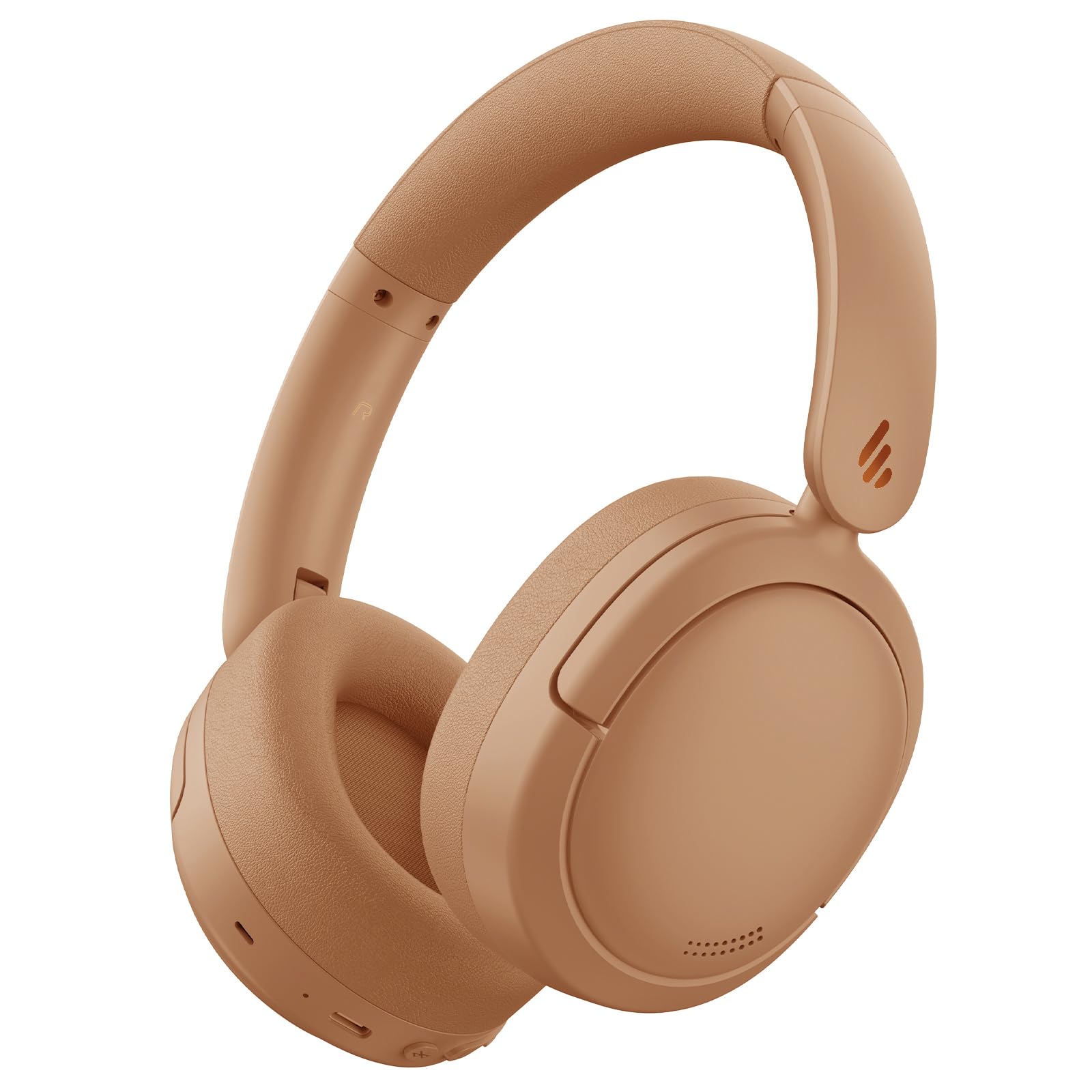
Figure 1: Edifier V80 Hybrid Active Noise Cancelling Headphones in Brown.

Figure 2: Overview of Edifier V80 headphones highlighting Hybrid ANC, Hi-Res Audio, Bluetooth V5.4, Ultra-Low Latency Gaming, 45 hours playtime, 10 mins fast charging, and clear calls.
Key Features
- Hybrid Active Noise Cancellation (ANC): Reduces ambient noise by up to 44dB, offering High Noise Cancellation Mode and Ambient Sound Mode. Features a built-in microphone with AI noise cancellation for clear calls.
- Hi-Res Audio: Equipped with 40mm dynamic drivers and titanium-coated composite diaphragms for high-fidelity sound, certified for Hi-Res audio when used in wired mode.
- Bluetooth 5.4: Provides stable and efficient wireless connectivity.
- Multipoint Connection: Allows simultaneous connection to two devices, enabling seamless switching between audio sources.
- Long Battery Life: Up to 45 hours of playback with ANC off, and 26 hours with ANC on.
- Fast Charging: 15 minutes of charging provides up to 8 hours of playtime.
- Low Latency Gaming: Offers an ultra-low latency of 0.06s for an immersive gaming experience.
- Comfortable Design: Lightweight, foldable, and portable with soft, protein-like leather ear cushions and an adjustable headband for extended wear.
- EDIFIER ConneX App: Customize settings, EQ presets, and manage noise control modes via the dedicated mobile application.
3. Setup
3.1 Charging the Headphones
Before first use, fully charge your headphones. Use the provided USB-C charging cable to connect the headphones to a power source. A full charge provides up to 45 hours of playtime (ANC off) or 26 hours (ANC on). A quick 15-minute charge can provide up to 8 hours of use.

Figure 3: Edifier V80 headphones connected for fast charging, indicating 15 minutes of charge provides 8 hours of playtime.
3.2 Bluetooth Pairing
- Ensure the headphones are charged.
- Press and hold the power button (usually the play/pause button) until the indicator light flashes, indicating pairing mode.
- On your device (smartphone, tablet, laptop), enable Bluetooth and search for "Edifier V80".
- Select the headphones to connect. Once connected, the indicator light will show a steady blue.
3.3 Multipoint Connection
The Edifier V80 supports connecting to two Bluetooth devices simultaneously. After pairing with the first device, put the headphones back into pairing mode and connect to the second device. The headphones will intelligently switch between devices for calls and media playback.

Figure 4: Edifier V80 headphones demonstrating multipoint connection, seamlessly switching between a laptop and a smartphone.
3.4 EDIFIER ConneX App
Download the EDIFIER ConneX app from your device's app store to unlock full customization options, including EQ presets, noise control settings, and more. Download the EDIFIER ConneX App

Figure 5: Screenshot showing the EDIFIER ConneX app interface for personalized settings.
4. Operating Instructions
4.1 Controls
The main controls are located on the right earcup:
- Power/Play/Pause Button: Press and hold to power on/off. Press once to play/pause music or answer/end calls.
- Volume Up (+): Increase volume.
- Volume Down (-): Decrease volume.
- ANC Button: Cycle through noise control modes (Hybrid ANC, Ambient Sound, ANC Off).
- 3.5mm Audio Jack: For wired connection (Hi-Res Audio certified in this mode).
- USB-C Port: For charging.
4.2 Noise Control Modes
Press the ANC button to switch between the following modes:
- Hybrid ANC: Actively reduces ambient noise for an immersive listening experience.
- Ambient Sound Mode: Allows you to hear your surroundings while listening to audio, useful for awareness in busy environments.
- ANC Off: Disables noise cancellation, extending battery life.

Figure 6: Visual representation of the three noise control modes: High Noise Cancellation, Ambient Sound Mode, and Noise Cancellation Off.
4.3 Foldable Design
The headphones feature a foldable design for easy storage and portability. Gently fold the earcups inwards to make them compact for travel or storage in a bag.

Figure 7: Edifier V80 headphones demonstrating their foldable design for convenient storage.
5. Media Integration
5.1 Product Images

Figure 8: A woman wearing Edifier V80 headphones, illustrating the enhanced hybrid active noise cancellation feature with up to 44 dB noise suppression.

Figure 9: A detailed view of the 40mm dynamic driver with a titanium-coated composite diaphragm, highlighting its Hi-Res Audio certification for wired connections.
5.2 Official Product Videos
Video 1: This 30-second video from the Edifier Online Store provides a brief overview of the Edifier V80 Active Noise Cancelling Bluetooth Headphones, showcasing their design and key features.
Video 2: This 1-minute 14-second video from the Edifier Online Store offers a more detailed look at the V80 Hybrid Active Noise Cancelling Bluetooth Headphones, highlighting their comfort, sound quality, and noise cancellation capabilities.
6. Specifications
| Feature | Detail |
|---|---|
| Model Name | V80 |
| Noise Control | Hybrid Noise Cancellation |
| Connectivity Technology | Wireless (Bluetooth 5.4) |
| Bluetooth Range | 10 Meters |
| Audio Driver Size | 40 Millimeters |
| Frequency Response | 20 Hz - 40 KHz |
| Battery Life | 45 Hours (ANC off), 26 Hours (ANC on) |
| Charging Time | 15 minutes for 8 hours playtime |
| Headphones Jack | 3.5 mm Jack |
| Audio Latency | 60 Milliseconds |
| Item Weight | 0.43 Kilograms (15.1 ounces) |
| Material | Faux Leather |
| Included Components | Headphones, USB-C Charging Cable, 3.5mm Audio Cable |
7. Maintenance
7.1 Cleaning
Regularly clean your headphones to ensure optimal performance and hygiene. Use a soft, dry cloth to wipe the earcups and headband. For stubborn dirt, a slightly damp cloth can be used, but ensure no moisture enters the ports or speaker grilles. Avoid harsh chemicals or abrasive materials.
7.2 Storage
When not in use, store the headphones in a cool, dry place away from direct sunlight and extreme temperatures. Utilize the foldable design to minimize space and protect them from damage.
8. Troubleshooting
8.1 Pairing Issues
- Ensure headphones are in pairing mode (flashing indicator light).
- Check that Bluetooth is enabled on your device.
- Move headphones closer to your device.
- If previously paired, try forgetting the device on your phone and re-pairing.
8.2 No Sound
- Check headphone and device volume levels.
- Ensure headphones are properly connected via Bluetooth or 3.5mm cable.
- Restart both the headphones and your audio device.
8.3 Charging Problems
- Verify the USB-C cable is securely connected to both the headphones and the power source.
- Try a different USB-C cable or power adapter.
- Ensure the charging port on the headphones is clean and free of debris.
9. Warranty and Support
Edifier products typically come with a limited warranty. Please refer to the warranty card included in your product packaging or visit the official Edifier website for detailed warranty information and support options. For technical assistance, product registration, or to find authorized service centers, please visit www.edifier.com.


