
1. Introduction
The CRESSI Raffaello is an advanced diving computer designed for divers seeking comprehensive data and ease of use. It features a large, high-contrast rectangular screen for maximum readability and supports multiple dive modes including Air, Nitrox, Gauge, and Free/Apnea. This manual provides essential information for the safe and effective operation of your Raffaello diving computer.
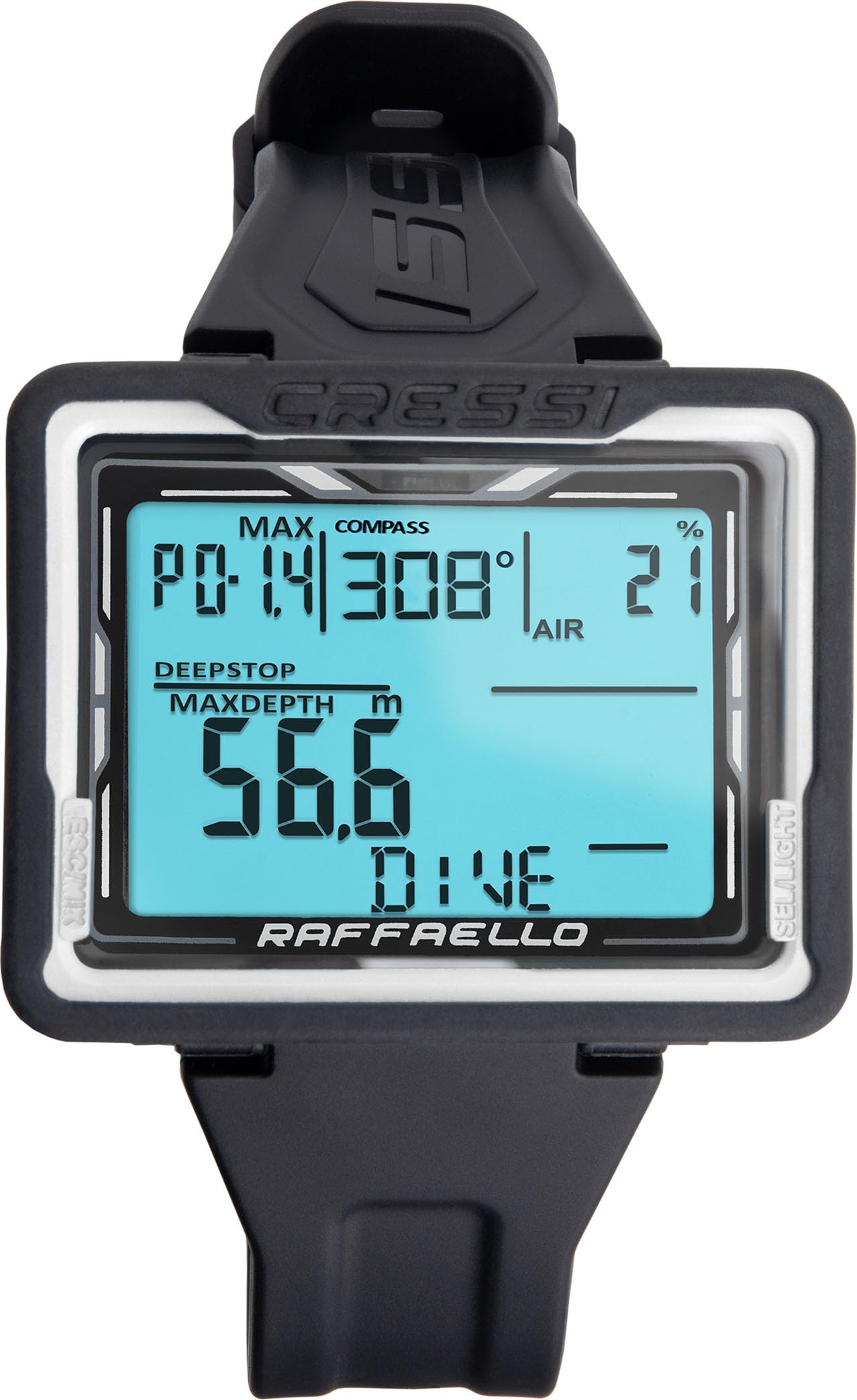
Image 1.1: Front view of the CRESSI Raffaello Diving Computer displaying key dive information, including depth, no-decompression limit, and current gas mixture. Indicators for compass and battery life are also visible.
2. Setup
2.1 Initial Inspection
Before first use, carefully inspect the diving computer for any signs of damage. Ensure the screen is clear and the buttons operate smoothly. If any damage is found, do not use the device and contact CRESSI support.
2.2 Battery Installation/Check
The Raffaello diving computer is equipped with a user-replaceable battery designed for approximately 4 years of life. Ensure the battery is correctly installed and has sufficient charge before diving. Refer to the Maintenance section for battery replacement instructions.
2.3 Strap Adjustment
Adjust the silicone strap for a comfortable and secure fit on your wrist. The long strap is designed to accommodate use over dry suits or thick wetsuits.
2.4 Initial Settings
Upon first activation or after a battery change, you may need to set basic parameters. Navigate through the menu using the side buttons to configure:
- Time and Date: Set the current time and date.
- Units: Select your preferred measurement units (e.g., meters/feet, Celsius/Fahrenheit).
- PPO2 Range: Adjust the partial pressure of oxygen limit, typically between 1.2 and 1.6 bar.

Image 2.1: Angled view of the CRESSI Raffaello Diving Computer, highlighting the large screen and the two control buttons on the side for menu navigation and settings adjustment.
3. Operating Modes
The CRESSI Raffaello offers four distinct operating modes to suit various diving activities:
3.1 Air Mode
This is the standard mode for scuba diving using regular compressed air. The computer calculates no-decompression limits, ascent rates, and safety stops based on air as the breathing gas.
3.2 Nitrox Mode
For diving with enriched air nitrox mixtures. The Raffaello can manage up to three different Nitrox gas mixtures, allowing for flexible gas switching during a dive. Ensure the oxygen percentage for each mixture is correctly programmed before diving.
3.3 Gauge Mode
In Gauge mode, the computer functions as a digital depth gauge and bottom timer. It displays current depth, maximum depth, and dive time, but does not provide decompression information. This mode is suitable for technical diving where decompression is planned manually or with other devices.
3.4 Free/Apnea Mode
Dedicated mode for freediving and spearfishing. This mode tracks dive time, surface interval, and depth, optimized for repetitive breath-hold dives.
3.5 Navigation and Data Display
The large, high-contrast screen provides essential dive data at a glance, including:
- Current and Maximum Depth
- Water Temperature
- Dive Time
- Surface Interval between dives
- No-Decompression Limits (NDL)
- Ascent Rate Indicator
- Built-in Compass: For underwater navigation.

Image 3.1: The CRESSI Raffaello Diving Computer worn on a wrist, displaying essential dive data such as current depth, no-decompression time, and gas mixture. The image also highlights the use of Cressi's RGBM algorithm for precise dive planning.
3.6 Logbook
The internal logbook automatically records and stores data for up to 50 dives, allowing you to review your dive profiles and statistics after each session.
4. Maintenance
4.1 Cleaning and Storage
After each dive, rinse the Raffaello diving computer thoroughly with fresh water to remove salt, sand, and other debris. Allow it to air dry completely before storing. Store the computer in a cool, dry place away from direct sunlight and extreme temperatures.
4.2 Battery Replacement
The Raffaello features a user-replaceable battery. When the low battery indicator appears, replace the battery promptly. To replace, carefully unscrew the two screws on the battery compartment cover located on the back of the unit. Replace with a new CR2450 battery, ensuring the O-ring seal is clean and properly seated before securely fastening the cover. Incorrect battery replacement can compromise water resistance.

Image 4.1: Rear view of the CRESSI Raffaello Diving Computer, showing the battery compartment cover with two screws and the 'Made in Italy' inscription. This area is where the user-replaceable battery is accessed.
4.3 Screen Care
The computer features a durable, tempered glass screen. Avoid abrasive cleaners or materials that could scratch the display. If necessary, clean with a soft, damp cloth.
4.4 Regular Checks
Periodically inspect the strap for wear and tear, and ensure all buttons are functioning correctly. Check the integrity of the housing for any cracks or damage that could affect water resistance.
5. Troubleshooting
If you encounter issues with your CRESSI Raffaello diving computer, consider the following common troubleshooting steps:
- Display Not Working: Check the battery level. If the battery is low or depleted, replace it as described in the Maintenance section.
- Inaccurate Readings: Ensure the computer is properly calibrated (if applicable, refer to the full product manual for calibration procedures). Verify that the correct dive mode and gas mixtures are selected.
- Buttons Unresponsive: Ensure no debris is lodged around the buttons. If the issue persists, contact customer support.
- Water Leakage: If you suspect water ingress, immediately rinse the computer with fresh water and contact CRESSI support. Do not attempt to open the unit beyond the battery compartment.
For more detailed troubleshooting or issues not covered here, please refer to the comprehensive manual available on the CRESSI website or contact CRESSI customer support.
6. Specifications
| Feature | Specification |
|---|---|
| Brand | CRESSI |
| Model Number | KS880053 |
| Material | Plastic |
| Dimensions (L x W x H) | 22.9 x 10.2 x 7.6 cm |
| Dive Modes | Air, Nitrox, Gauge, Free/Apnea |
| Nitrox Gas Mixtures | Up to 3 |
| Battery Life | Approx. 4 years (user-replaceable CR2450) |
| Logbook Capacity | Up to 50 dives |
| Screen Type | Large, high-contrast, backlit rectangular tempered glass |
| Algorithm | Cressi RGBM |
| Country of Origin | Italy |
7. Warranty and Support
7.1 Warranty Information
The CRESSI Raffaello Diving Computer comes with a 2-year manufacturer warranty. This warranty covers defects in materials and workmanship under normal use. Please retain your proof of purchase for warranty claims. The warranty does not cover damage caused by misuse, improper maintenance, or unauthorized modifications.
7.2 Customer Support
For technical assistance, warranty claims, or further information regarding your Raffaello diving computer, please contact CRESSI customer support or your authorized CRESSI dealer. You can also visit the official CRESSI website for additional resources and the full product manual.
The Raffaello also offers optional Bluetooth connectivity for tracking and storing dive data in the Cressi app. Information on the Bluetooth docking station interface can be found through CRESSI support channels.
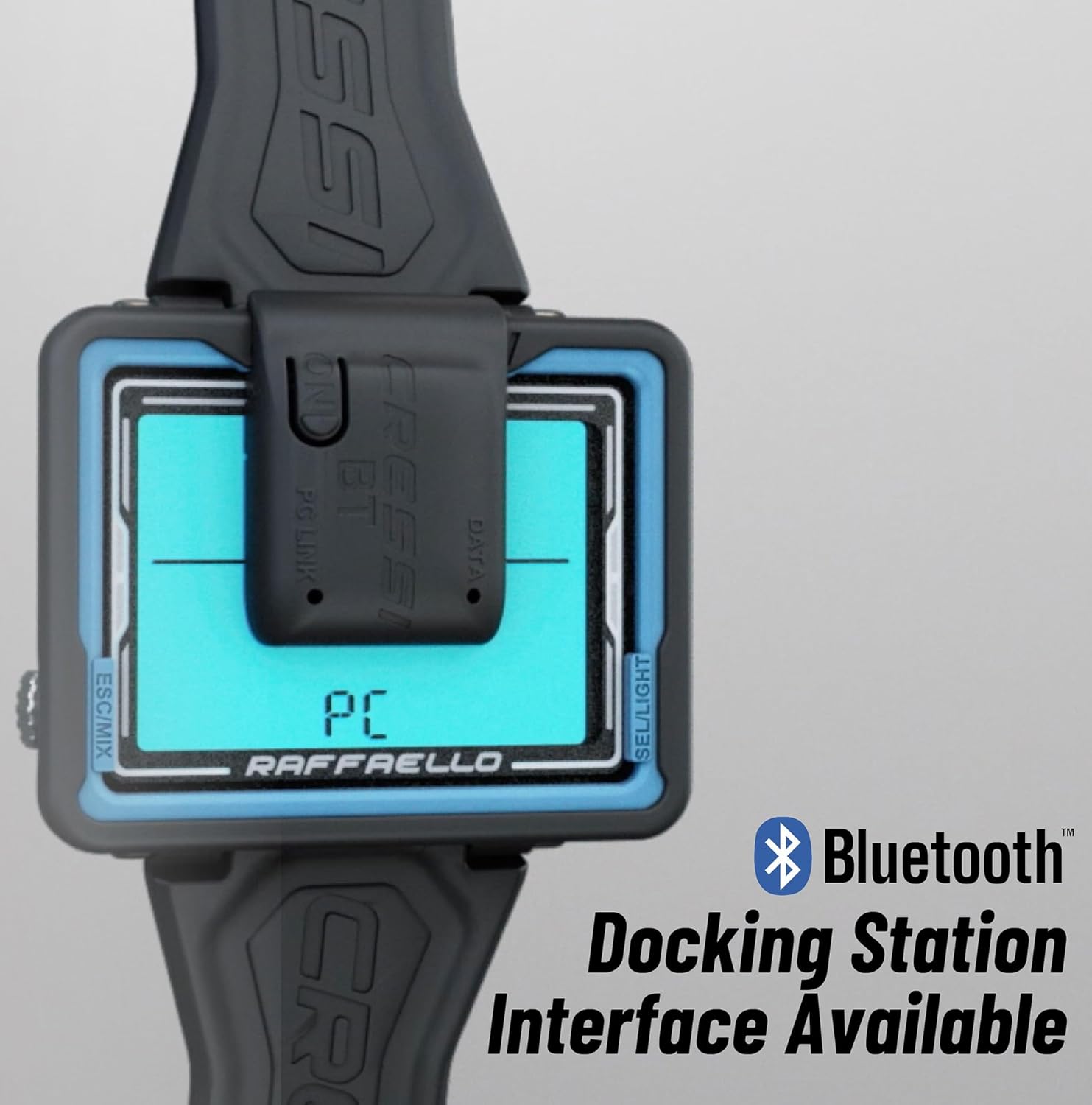
Image 7.1: The CRESSI Raffaello Diving Computer connected to an optional Bluetooth docking station interface, enabling data transfer to a PC or the Cressi app for dive logging and analysis.


