
1. Introduction
The XWXLIJV MS5902A is a multifunctional device designed to assist in identifying circuit breakers and testing electrical outlets. It consists of a receiver (circuit breaker finder) and a transmitter (socket tester). This tool features automatic sensitivity adjustment for efficient circuit breaker location and indicator lights for clear outlet condition assessment, including low battery warnings. Its robust ABS construction ensures durability, making it suitable for various applications in homes, offices, and industrial settings.
2. Safety Information
- Always exercise caution when working with electricity. If you are unsure about any electrical task, consult a qualified electrician.
- Do not use the device if it appears damaged or if any part is missing.
- Ensure the socket tester is correctly plugged into a live outlet before using the circuit breaker finder.
- The device is designed for 110-250V AC circuits. Do not use it on circuits outside this voltage range.
- Keep the device dry and clean. Do not expose it to moisture or extreme temperatures.
- Replace the battery when the low battery indicator is active to ensure accurate readings.
3. Package Contents
Verify that all items listed below are present in your package:
- 1 x Circuit Breaker Finder (Receiver)
- 1 x Socket Tester (Transmitter)
- 1 x Storage Bag
- 1 x User Manual (This document)

Image 3.1: The complete package contents, including the circuit breaker finder, socket tester, and storage bag.
4. Product Overview
4.1. Circuit Breaker Finder (Receiver)
The receiver unit is handheld and used to scan circuit breakers in an electrical panel. It features:
- Sensitivity Adjustment Dial: Allows for fine-tuning the detection sensitivity (LO/HI) to accurately pinpoint the correct breaker.
- Indicator Lights: Provide visual feedback on signal strength and detection.
- Flashlight: Aids in visibility in dimly lit areas, such as electrical panels.
- NCV (Non-Contact Voltage) Function: For detecting live wires without direct contact.

Image 4.1: Detailed view of the circuit breaker finder (receiver) showing its controls and indicators.
4.2. Socket Tester (Transmitter)
The transmitter unit plugs into a standard electrical outlet and sends a signal to the receiver. It also functions as an outlet tester, indicating wiring conditions:
- Wiring Indicator Lights: Three lights (green/red) indicate various wiring conditions such as Correct, Open Ground, Open Live, Open Neutral, Live/Ground Reverse, Live/Neutral Reverse, and Live/Ground/Neutral Missing.
- Breaker Find Switch: Activates the signal for the receiver to detect.
- Socket Test Switch: Activates the wiring test function.

Image 4.2: Detailed view of the socket tester (transmitter) showing its indicator lights and switches.
5. Setup
5.1. Battery Installation
The Circuit Breaker Finder (receiver) requires one 9V battery (6F22 type), which is not included in the package.
- Locate the battery compartment on the back of the receiver unit.
- Open the battery compartment cover.
- Insert a new 9V battery, ensuring correct polarity (+ and -).
- Close the battery compartment cover securely.
The Socket Tester (transmitter) does not require batteries as it draws power directly from the outlet.
6. Operating Instructions
6.1. Using the Socket Tester (Transmitter)
Before finding a circuit breaker, it is recommended to test the outlet's wiring.
- Plug the socket tester into the outlet you wish to test.
- Observe the indicator lights on the socket tester. Refer to the legend on the device for the meaning of each light combination (e.g., two green lights for "CORRECT").
- If the wiring is incorrect, address the issue before proceeding with circuit breaker identification.

Image 6.1: The socket tester plugged into an electrical outlet, indicating the wiring condition.
6.2. Using the Circuit Breaker Finder (Receiver)
To locate the circuit breaker corresponding to a specific outlet:
- Plug the socket tester (transmitter) into the outlet you want to trace.
- Ensure the switch on the socket tester is set to the "Breaker Find" position.
- Turn on the circuit breaker finder (receiver) and set the sensitivity dial to a low (LO) setting initially.
- Go to your electrical service panel.
- Slowly scan the receiver along the circuit breakers in the panel. The receiver will emit an audible tone and/or illuminate indicator lights when it detects the signal from the transmitter.
- The strongest signal (loudest tone, brightest lights) indicates the correct circuit breaker. If the signal is too broad, adjust the sensitivity dial to a higher (HI) setting to narrow down the detection.
- To confirm, flip the identified breaker to the OFF position. The socket tester's lights should turn off, confirming the correct breaker has been found.
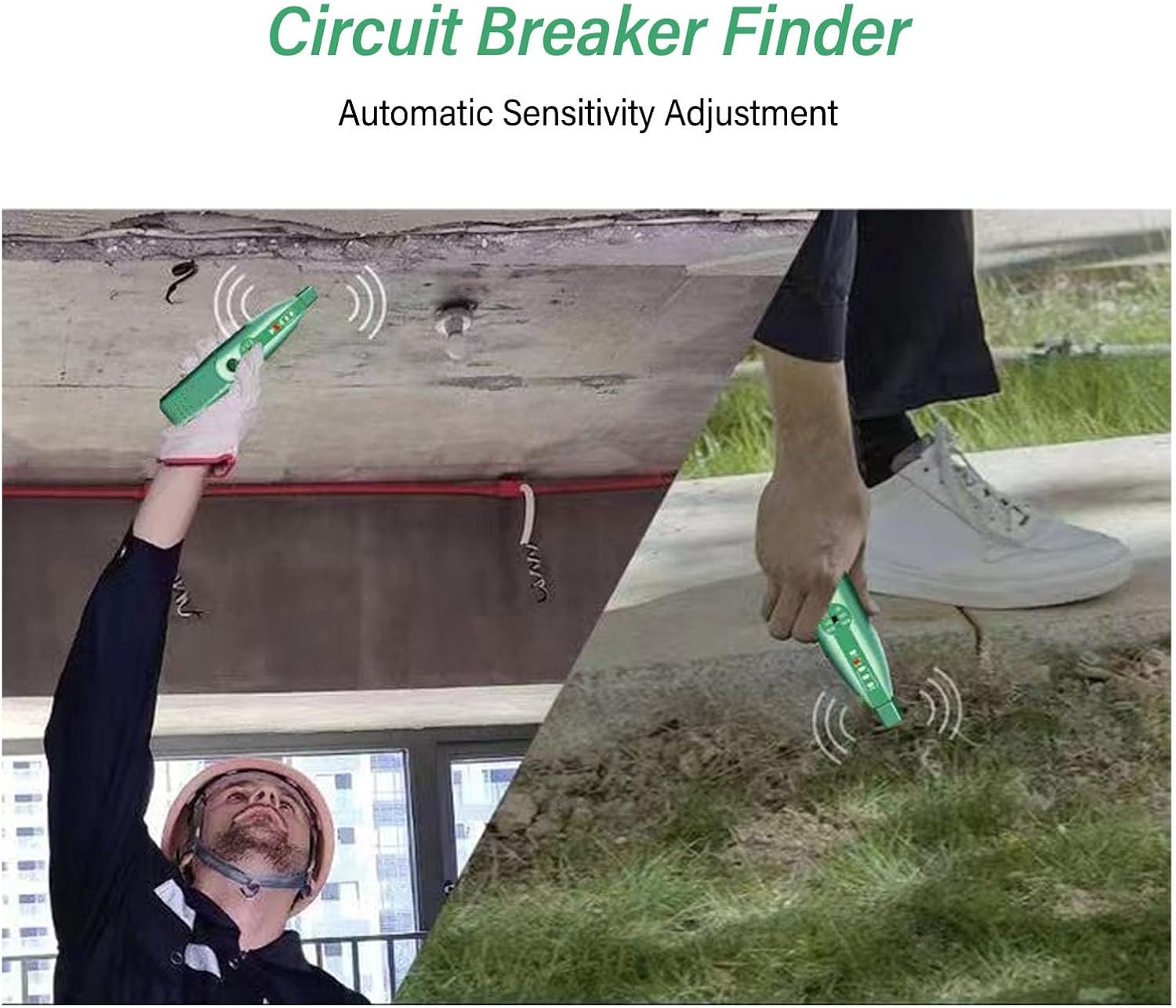
Image 6.2: An individual using the circuit breaker finder to locate a breaker associated with an overhead light fixture.

Image 6.3: An individual using the circuit breaker finder to trace a circuit within a wall.
7. Maintenance
- Cleaning: Wipe the device with a dry, soft cloth. Do not use abrasive cleaners or solvents.
- Storage: Store the device in its provided storage bag in a cool, dry place away from direct sunlight and extreme temperatures.
- Battery Replacement: Replace the 9V battery in the receiver unit when the low battery indicator appears or if the device does not power on. Remove the battery if the device will not be used for an extended period to prevent leakage.
8. Troubleshooting
| Problem | Possible Cause | Solution |
|---|---|---|
| Receiver does not turn on. | Dead or incorrectly installed 9V battery. | Replace the 9V battery, ensuring correct polarity. |
| Receiver cannot find the breaker. | 1. Sensitivity too low. 2. Transmitter not plugged in or not sending signal. 3. Outlet wiring issue. | 1. Adjust sensitivity to HI. 2. Ensure transmitter is plugged in and switch is on "Breaker Find". 3. Use the socket test function to check outlet wiring. |
| Receiver detects multiple breakers. | Sensitivity too high. | Adjust sensitivity to LO and scan again slowly. |
| Socket tester shows incorrect wiring. | Faulty outlet wiring. | Consult a qualified electrician to inspect and correct the outlet wiring. Do not use the outlet until repaired. |
9. Specifications
| Feature | Specification |
|---|---|
| Model | MS5902A |
| Voltage Range | 110-250V AC |
| Frequency | 50/60Hz |
| Receiver Battery | 1 x 9V (6F22) (Not included) |
| Alarm Mode | Sound and Light Alarm |
| Neutral Wire/Live Wire Judgment | Yes |
| FIND Adjustment Sensitivity | Yes |
| Material | ABS |
| Package Dimensions | 1.18 x 0.79 x 0.39 inches (approximate) |
| Item Weight | 1.76 ounces (approximate) |
10. Warranty and Support
This product is covered by a standard manufacturer's warranty against defects in materials and workmanship. For specific warranty details, return policies, or technical support, please refer to the retailer's website where the product was purchased or contact XWXLIJV customer service directly. Please retain your proof of purchase for warranty claims.