
PROCET PoE System PT-PEX01G-OT
PROCET Gigabit PoE Extender Outdoor Waterproof User Manual
Model: PT-PEX01G-OT
1. Introduction
This manual provides detailed instructions for the installation, operation, and maintenance of the PROCET Gigabit PoE Extender (Model: PT-PEX01G-OT). This outdoor-rated device is designed to extend Power over Ethernet (PoE) and network connectivity to remote devices such as wireless access points, PTZ cameras, webcams, and base stations, especially in harsh environments.
2. Key Features
- Outdoor PoE Extender: Supports IEEE802.3af/at/PoE+ pass-through for extending power and network.
- Wide Working Temperature: Operates reliably from -40℉ to 149℉ (-40℃ to 65℃).
- IP67 Waterproof & Aluminum Alloy Construction: Ensures durability and protection in harsh outdoor conditions.
- Gigabit Network Speed: Supports 10/100/1000Mbps data transfer rates.
- Long Range Expansion: Extends total effective distance by an additional 328 feet (100 meters) over CAT5e/CAT6 cables.
- 6KV Surge Protection: Provides robust lightning protection for connected devices.
3. Product Overview
The PROCET PT-PEX01G-OT is a cylindrical, robustly built PoE extender designed for outdoor deployment. It features two RJ45 ports, one for PoE input and one for PoE output, both protected by waterproof connectors.

Figure 3.1: PROCET Gigabit PoE Extender (PT-PEX01G-OT) - Overall View. This image shows the main body of the extender with its waterproof connectors on both ends, labeled "PoE IN" and "PoE OUT". The model number and brand are visible on the device's label.

Figure 3.2: Top-down view of the PoE Extender, highlighting the PoE IN and PoE OUT ports. The PoE IN port supports PoE++ 60W/60V DC Max, while the PoE OUT port supports IEEE802.3af/at with 15.4W/30W output and 1 Gigabit support.

Figure 3.3: Exploded view of the PoE Extender's waterproof connector, illustrating its robust aluminum alloy construction. This design ensures durability and protection against environmental elements.
4. Installation and Setup
Follow these steps for proper installation and setup of your PoE Extender:
- Site Selection: Choose a suitable outdoor location for mounting the extender. Ensure it is within the maximum cable length from both the PoE injector/switch and the powered device (PD). The device is IP67 rated for outdoor use.
- Mounting: Securely mount the extender using appropriate brackets or straps. The device features mounting ears for easy installation on poles or walls.
- Cable Connection (PoE IN):
- Connect a CAT5e/CAT6 Ethernet cable from your PoE injector or PoE switch to the "PoE IN" port of the extender.
- Ensure the waterproof connector is properly sealed to prevent moisture ingress.
- Cable Connection (PoE OUT):
- Connect another CAT5e/CAT6 Ethernet cable from the "PoE OUT" port of the extender to your powered device (e.g., IP camera, wireless AP).
- Again, ensure the waterproof connector is securely fastened.
- Power On: Once all connections are secure, power on your PoE injector or switch. The extender will draw power and pass it through to the connected device.
- Verification: Confirm that the powered device receives both power and network connectivity. Check the status indicators on your PoE injector/switch and the powered device, if available.

Figure 4.1: Connection diagram illustrating the PoE Extender's role in extending network and power. A PoE Switch/Injector connects to the "PoE IN" side, and an Outdoor IP Camera/Wireless AP connects to the "PoE OUT" side, extending the range by up to 328 feet with 6KV surge protection.
5. Operation
The PROCET Gigabit PoE Extender operates transparently, extending both power and data signals without requiring any configuration. Once properly installed and connected, it functions as an inline repeater for your PoE network.
- Automatic Detection: The extender automatically detects and adapts to the connected PoE standard (IEEE802.3af/at).
- Gigabit Speed: It maintains Gigabit (10/100/1000Mbps) network speeds over the extended distance.
- Power Passthrough: Power is passed through from the PoE source to the powered device, ensuring sufficient power delivery for compatible devices.
6. Maintenance
The PROCET PoE Extender is designed for minimal maintenance due to its robust outdoor construction.
- Regular Inspection: Periodically inspect the cable connections and the extender's housing for any signs of damage, wear, or loose connections.
- Cleaning: If necessary, gently wipe the exterior with a damp cloth. Do not use harsh chemicals or abrasive cleaners. Ensure the device is powered off before cleaning.
- Environmental Protection: Ensure the waterproof seals on the connectors remain intact and properly tightened to maintain IP67 rating.
7. Troubleshooting
If you encounter issues with your PoE Extender, consider the following:
| Problem | Possible Cause | Solution |
|---|---|---|
| No power to PD / No network connectivity |
|
|
| Slow network speed |
|
|
8. Specifications
| Attribute | Value |
|---|---|
| Model Number | PT-PEX01G-OT |
| Brand | PROCET PoE System |
| Product Dimensions | 8.2 x 1.5 x 2.1 inches (20.8 x 3.8 x 5.3 cm) |
| Item Weight | 14.4 ounces (408 grams) |
| Data Transfer Rate | 1 Gigabits Per Second (10/100/1000Mbps) |
| PoE Standard | IEEE 802.3af/at (PoE/PoE+) pass-through |
| Max Extension Distance | 328 feet (100 meters) per extender |
| Surge Protection | 6KV Lightning-Proof |
| Operating Temperature | -40℉ to 149℉ (-40℃ to 65℃) |
| Ingress Protection (IP) Rating | IP67 (Waterproof) |
| Construction Material | Aluminum Alloy |
| Connector Type | RJ45 |
| Color | White |
| What's in the Box | Gigabit PoE Extender IP67 |

Figure 8.1: Visual representation of key specifications including 1 Gigabit speed, 802.3af/at output, IP67 rating, and PoE 6KV Surge Protection.
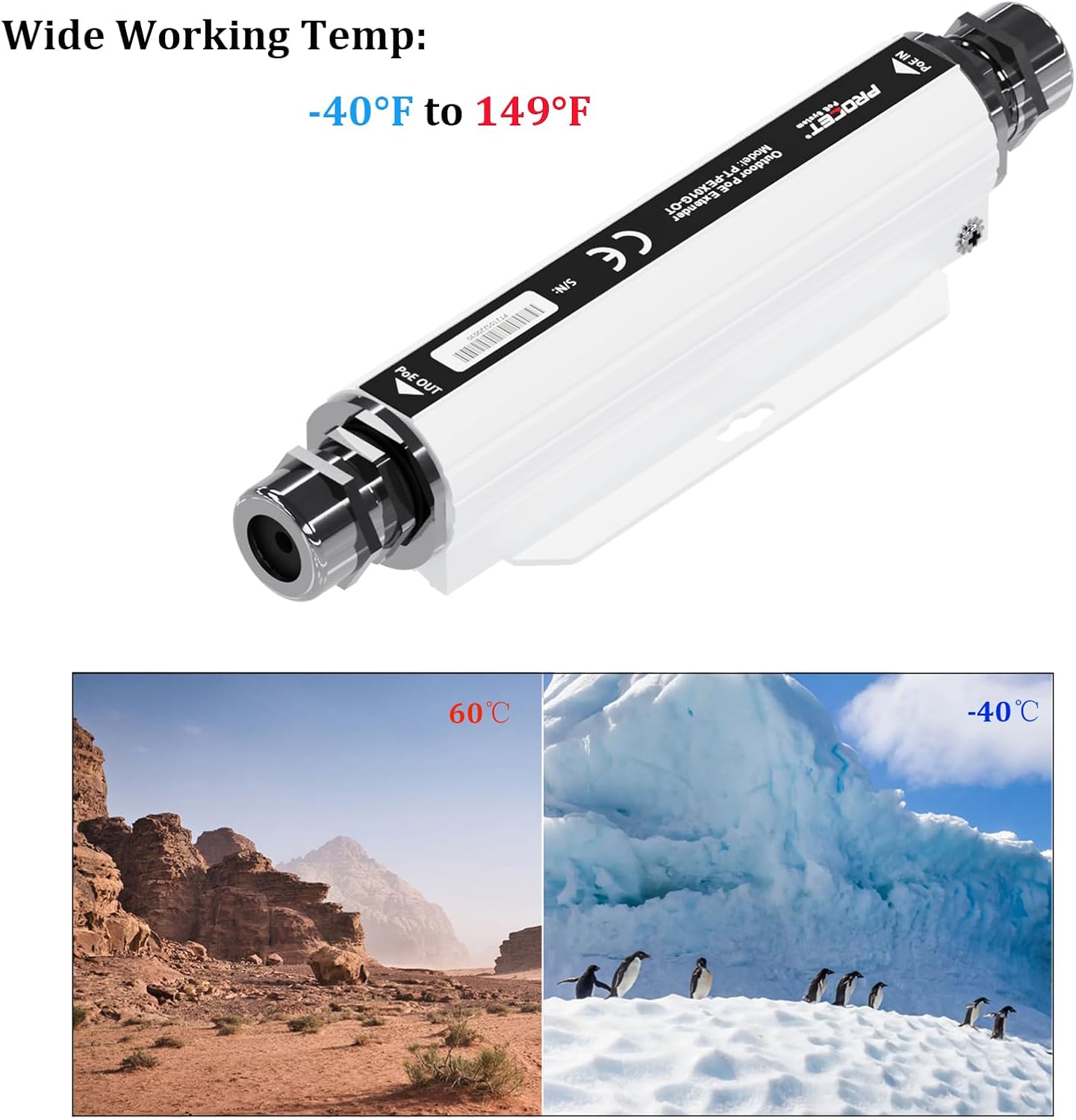
Figure 8.2: The PoE Extender is designed to operate in a wide temperature range from -40℉ to 149℉, suitable for extreme hot and cold environments.
9. Warranty and Support
For warranty information and technical support, please refer to the official PROCET PoE System website or contact their customer service directly. You can also visit the official PROCET PoE System store on Amazon for product details and support resources.
Official Brand Store: PROCET PoE System Store
Ask a question about this manual
Ask about setup, troubleshooting, compatibility, parts, safety, or missing instructions. Manuals+ will review the question and use this page’s manual context to help answer it.