
Introduction
This instruction manual provides comprehensive guidance for the safe and effective use of your NEEWER Z2-S TTL Round Head Flash Speedlite. Please read this manual thoroughly before operation to ensure optimal performance and longevity of the product. The NEEWER Z2-S is a versatile flash unit designed for Sony cameras, offering advanced features such as TTL automatic flash, manual control, high-speed sync, and a built-in 2.4G wireless system.

Image: The NEEWER Z2-S Speedlite shown with its magnetic dome diffuser, lithium-ion battery, USB-C cable, and protective case.
Package Contents
Verify that all items listed below are included in your package:
- 1 x NEEWER Z2-S Flash Speedlite
- 1 x Protective Case
- 1 x Lithium Battery (7.2V/3000mAh)
- 1 x Half Dome Diffuser
- 1 x Mini Stand
- 1 x USB Cable (Type-C)
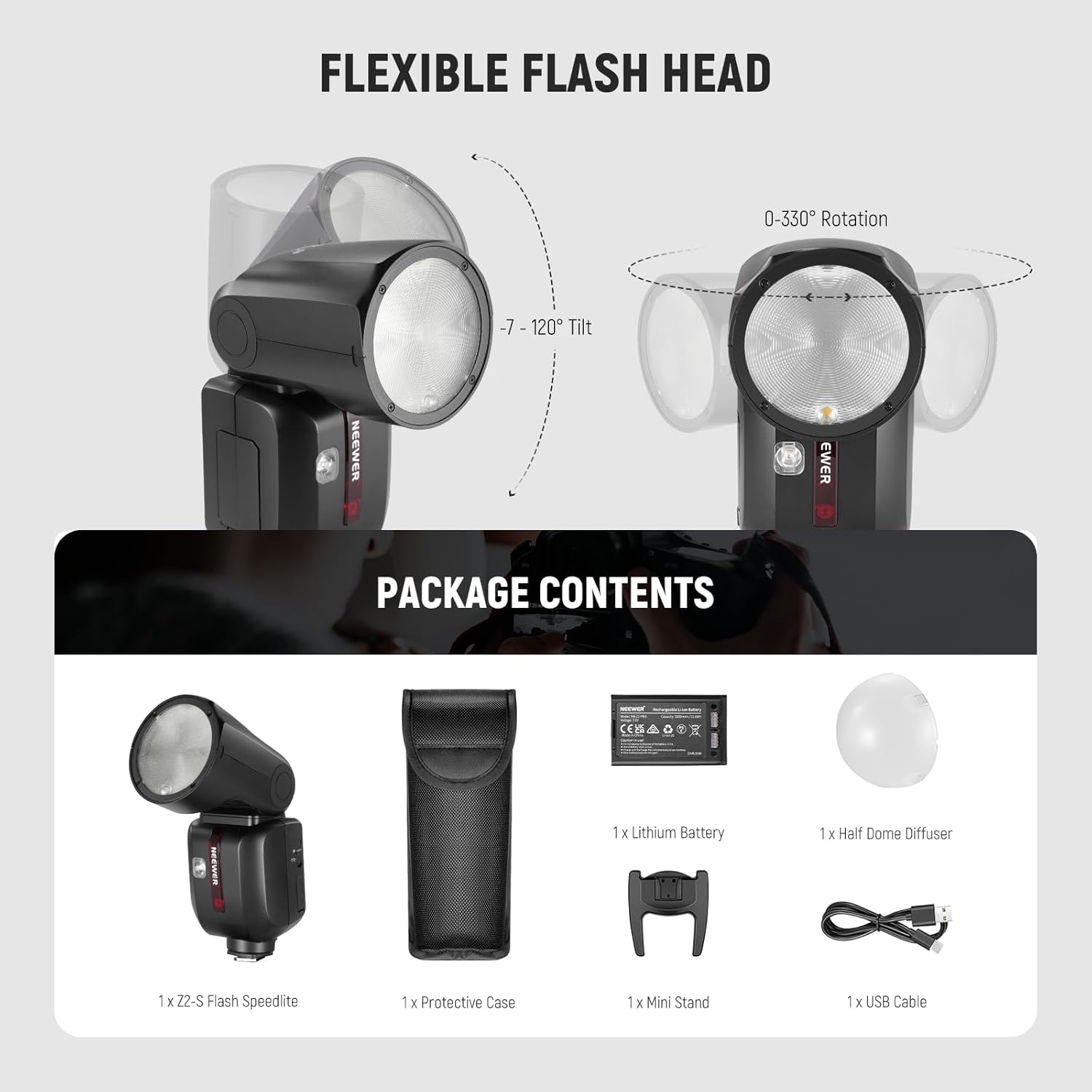
Image: A visual representation of all components included in the NEEWER Z2-S Speedlite package, including the flash unit, battery, diffuser, and cables.
Product Overview
Key Components
- Circular Fresnel Flash Head: Provides even light distribution. Rotates 0-330° and tilts -7-120°.
- Magnetic Dome Diffuser: Attaches to the flash head for softer light.
- LCD Display: Shows current settings, modes, and battery status.
- TCM Toggle Key: Quick switch between TTL and Manual modes.
- Control Dial and Buttons: For navigation and setting adjustments.
- Hot Shoe Mount: For attaching to compatible camera hot shoes.
- USB Type-C Port: For battery charging and firmware updates.
- Modeling Lamps: Two 2W 3300K LED modeling lamps with 10 brightness levels.
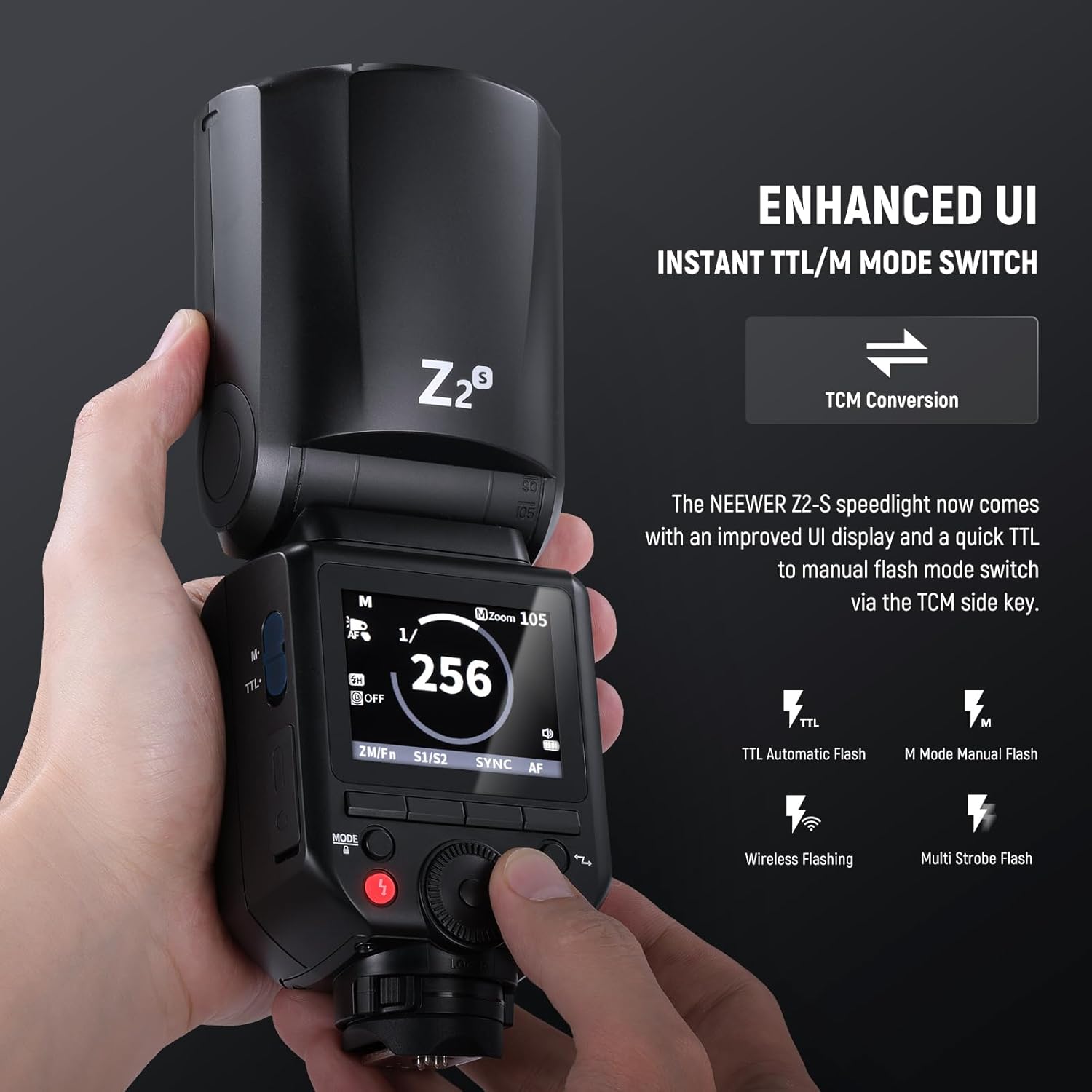
Image: The improved user interface of the Z2-S Speedlite, highlighting the display and the TCM (TTL/Manual Conversion) switch for quick mode changes.
Setup
Battery Installation and Charging
- Ensure the flash unit is powered off.
- Locate the battery compartment on the side of the flash unit.
- Insert the 7.2V/3000mAh lithium-ion battery, ensuring correct polarity.
- Close the battery compartment securely.
- To charge, connect the included USB Type-C cable to the flash unit's USB port and to a 5V/2A USB power adapter (not included). A full charge takes approximately 2.5 hours.

Image: The lithium-ion battery for the Z2-S Speedlite, illustrating its capacity and the USB-C charging port for convenient recharging.
Mounting to Camera
- Slide the flash unit's hot shoe mount into your Sony camera's hot shoe.
- Secure the flash by rotating the locking ring or lever on the hot shoe mount until it is firmly attached.

Image: The NEEWER Z2-S Speedlite securely mounted on a compatible Sony mirrorless camera, demonstrating its hot shoe lock design.
Operating Instructions
Power On/Off
Press and hold the power button to turn the flash unit on or off.
Mode Selection (TTL/M)
Use the dedicated TCM (TTL/M) toggle key on the side of the flash to quickly switch between TTL (Through-The-Lens) automatic flash mode and Manual flash mode.
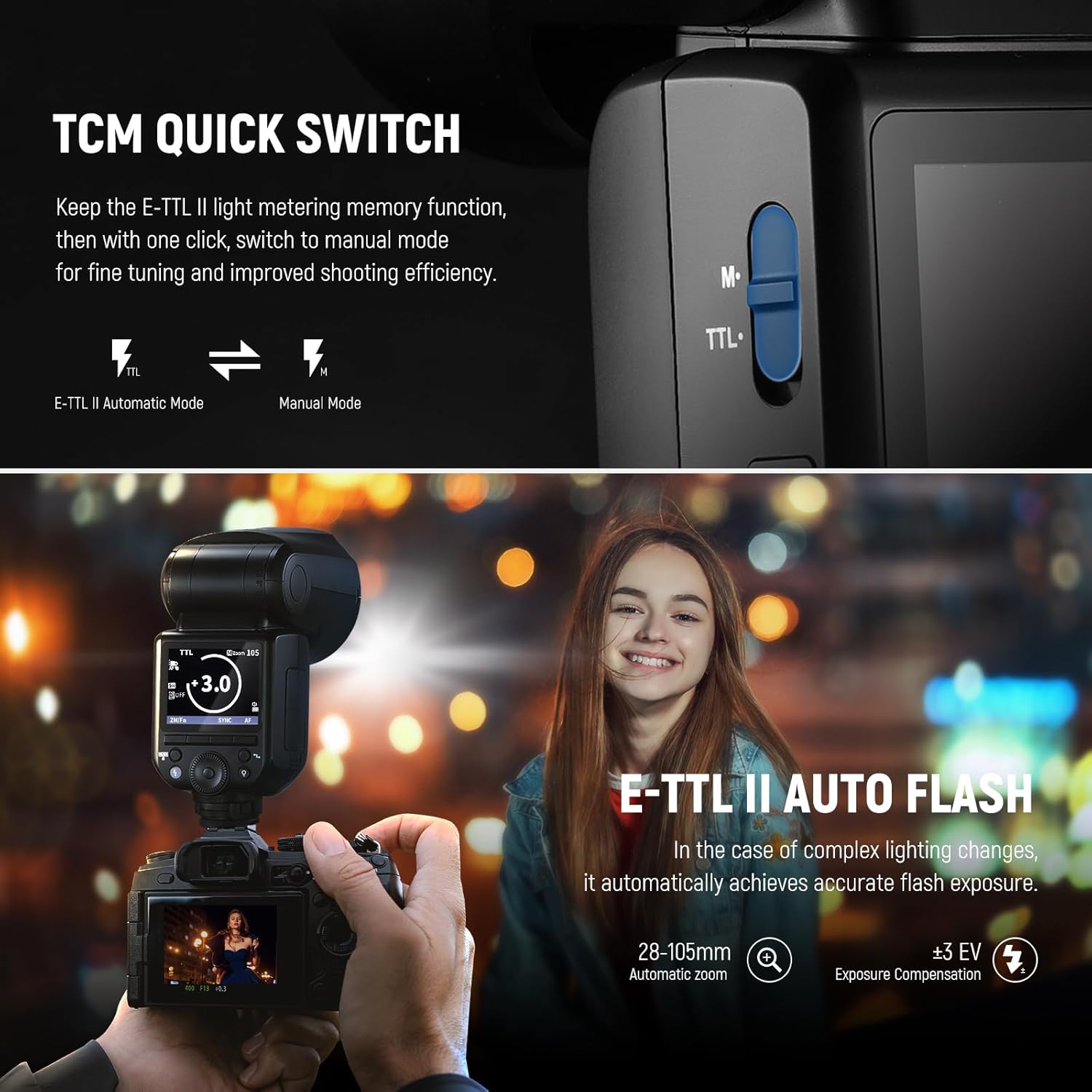
Image: A visual guide to the TCM Quick Switch, illustrating its function in converting between E-TTL II automatic metering and manual flash mode for precise control.
Flash Output Adjustment
In Manual mode, rotate the control dial to adjust the flash output from 1/1 (full power) to 1/256. In TTL mode, use Flash Exposure Compensation (FEC) to fine-tune exposure.
Zoom Adjustment
The flash coverage can be adjusted automatically or manually for lenses between 28-105mm. Refer to the display for current zoom settings.
Modeling Lamps
The Z2-S features two 2W 3300K LED modeling lamps. Use the dedicated button to cycle through 10 brightness levels (01-10) to preview lighting effects.
Wireless System (2.4G)
The flash unit supports the NEEWER Q system and Godox 2.4G X system (RX COMPAT menu). It can function as a master or slave unit. Control up to four groups (A/B/C/D), 32 channels, and 99 IDs with compatible transmitters (e.g., QPRO-S TTL transmitters, not included) up to 328'/100m.

Image: An overview of the NEEWER 2.4G wireless system, showing the Z2-S flash as a master unit and its compatibility with other Q system flashes and QPRO triggers.
High-Speed Sync (HSS)
The Z2-S supports 1/8000s HSS, allowing for flash synchronization at shutter speeds faster than the camera's native sync speed. This is useful for overpowering ambient light or using wide apertures in bright conditions.
Stroboscopic Flash
This mode allows the flash to fire multiple times during a single exposure, creating a stroboscopic effect. Adjust the frequency and number of flashes via the menu.
S1/S2 Optical Slave Modes
The flash can be triggered optically by another flash. S1 mode triggers on the first flash, while S2 mode ignores the pre-flash of a TTL system and triggers on the main flash.
Maintenance
Cleaning
Use a soft, dry cloth to clean the flash unit. For stubborn dirt, a slightly damp cloth can be used, followed by a dry cloth. Do not use strong detergents or solvents. Keep the flash tube and optical sensor clean for optimal performance.
Storage
When not in use for extended periods, remove the battery and store the flash unit in a cool, dry place, away from direct sunlight and extreme temperatures. Use the provided protective case for storage and transport.
Battery Care
To prolong battery life, avoid fully discharging the battery frequently. Recharge the battery regularly, even if not in use, to maintain its capacity. Store the battery in a cool, dry place.
Troubleshooting
| Problem | Possible Cause | Solution |
|---|---|---|
| Flash does not fire. | Low battery; incorrect mode; flash not securely mounted; camera settings. | Charge battery; switch to appropriate mode (TTL/M); ensure flash is locked onto hot shoe; check camera flash settings. |
| Flash output is inconsistent. | Battery low; flash head zoom incorrect; environmental factors. | Recharge battery; ensure zoom matches lens focal length; adjust flash exposure compensation. |
| Wireless triggering not working. | Incorrect group/channel/ID; distance too far; interference. | Verify group, channel, and ID settings on both flash and trigger; reduce distance; change channel. |
| Modeling lamps not working. | Lamp setting off; low battery. | Check modeling lamp settings on the flash; recharge battery. |
If you encounter issues not listed here or if solutions do not resolve the problem, please contact NEEWER customer support.
Specifications
| Feature | Detail |
|---|---|
| Model | Z2-S |
| Maximum Flash Power | 76Ws |
| Flash Coverage | 28-105mm (Automatic/Manual Zoom) |
| Rotating Angle of Light Head | 0°-330° |
| Light Head Tilt Angle | -7°-120° |
| Flash Duration | 1/180s - 1/20000s |
| Flash Light Color Temperature | 5600K (±200K) |
| Exposure Control System | TTL auto flash, manual flash |
| Synchronous Method | High-speed sync (up to 1/8000s), front curtain synchronization, back curtain synchronization |
| Wireless Function | TX, RX, OFF (2.4G System) |
| Main Control Unit Group | M, A, B, C |
| Controlled Subordinate Unit Group | A, B, C, D, E (Group E can use the QPRO series of flashes to control) |
| Transmission Range | 328ft/100m (no obstacles) |
| Channel | 32 groups (01-32) |
| ID | 99 (01-99) |
| Modeling Light Power | 2W |
| Modeling Light Color Temperature | 3300K |
| Battery | 7.2V/3000mAh lithium battery |
| Number of Full Power Flashes | Approx. 600 times |
| Synchronous Trigger | Hot shoe, 2.5mm synchronous line |
| Dimensions | 2.9" x 2.9" x 8.1" / 76 x 76 x 206mm |
| Weight (including battery) | 1.27lb / 580g |
Warranty and Support
NEEWER products typically come with a limited warranty. Please refer to the warranty card included with your product or visit the official NEEWER website for detailed warranty terms and conditions. For technical support, troubleshooting assistance, or service inquiries, please contact NEEWER customer service through their official channels. Keep your purchase receipt as proof of purchase for warranty claims.
Important Notes
- Q and X wireless systems cannot be used simultaneously.
- Ensure the latest firmware is installed for full compatibility with all features and accessories. Firmware updates are available via the USB Type-C port.
- No official product videos were found in the provided data for embedding in this manual.
