Introduction
This manual provides comprehensive instructions for the SYMYNELEC Y3 3K Pan/Tilt Indoor Security Camera. Designed for indoor surveillance, this camera offers advanced features such as 3K Ultra HD resolution, dual-band Wi-Fi connectivity (5GHz/2.4GHz), 360° motion tracking, one-touch call functionality, AI human detection, two-way talk, IR night vision, and a siren. Each camera comes with a 256GB TF card for local storage. Please read this manual thoroughly before operating your device to ensure proper setup and optimal performance.
Package Contents
Verify that all items are present in your package:
- SYMYNELEC Y3 3K Pan/Tilt Indoor Security Camera (2 units)
- 256GB SYMYNELEC TF Card (2 units)
- USB Power Cable (6.56 feet) (2 units)
- Power Adapter (2 units) (Note: Power adapters are typically included with corded electric devices, though not explicitly listed in the product description, it's a standard accessory for USB-powered cameras.)
- Mounting Accessories (screws, wall anchors)
- User Manual (this document)
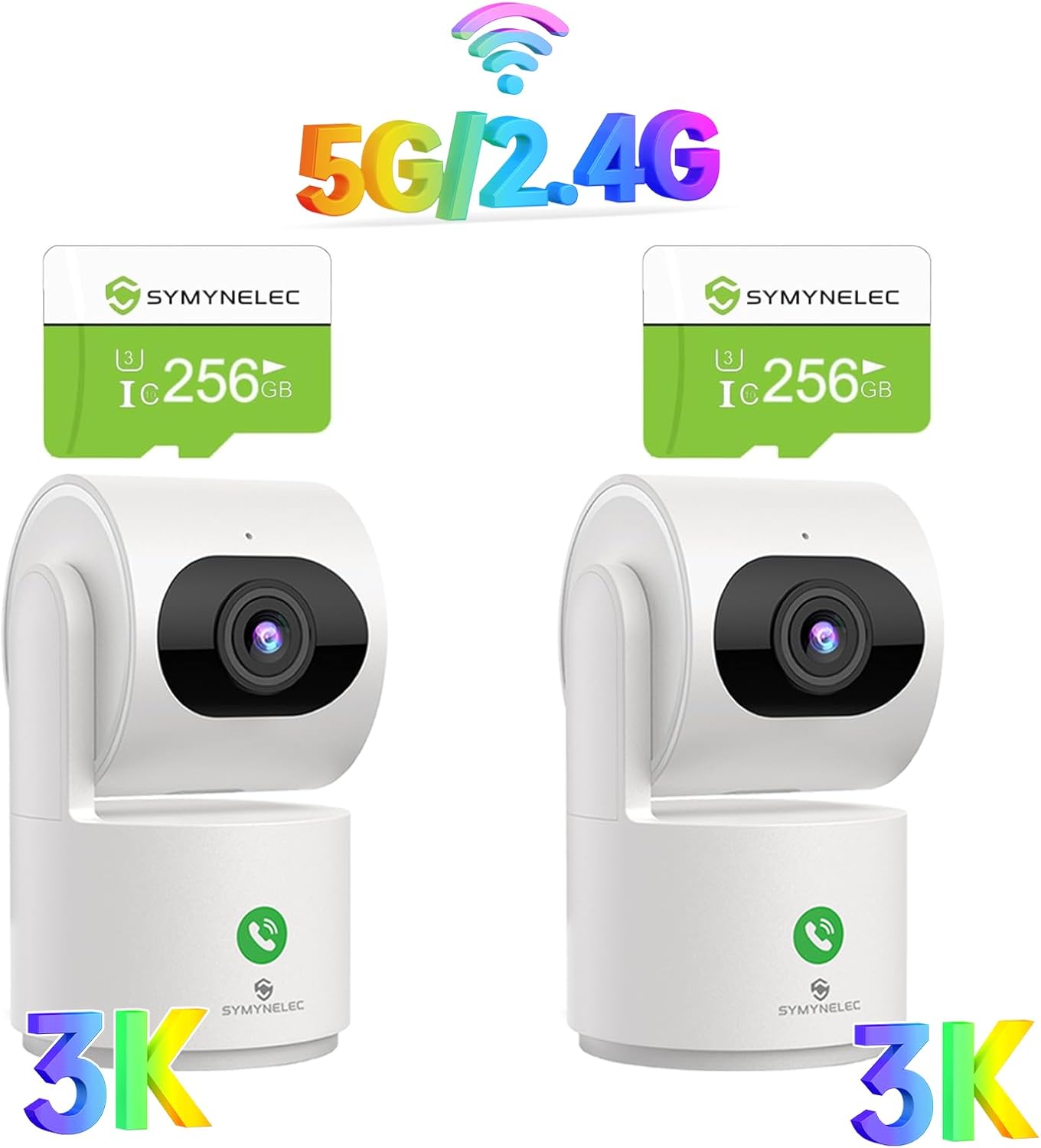
Figure 1: Overview of the SYMYNELEC Y3 camera package contents, including two cameras and two 256GB TF cards.
Setup Guide
- Insert TF Card: Locate the TF card slot on the camera. Gently insert the provided 256GB TF card until it clicks into place. Ensure the card is oriented correctly.

Figure 2: Location of the TF card slot on the SYMYNELEC Y3 camera.
- Power Connection: Connect the USB power cable to the camera's power port and plug the other end into the provided power adapter. Plug the adapter into a standard electrical outlet. The camera will power on and initiate its startup sequence.
- Download SYMYNELEC App: Scan the QR code provided in the quick start guide (or search "SYMYNELEC" in your device's app store) to download and install the official SYMYNELEC application on your smartphone or tablet.
- Account Registration: Open the SYMYNELEC app and follow the on-screen instructions to register a new account or log in if you already have one.
- Add Device: In the app, tap the "+" icon to add a new device. Select your camera model from the list. Follow the in-app prompts to connect the camera to your Wi-Fi network. The camera supports both 5GHz and 2.4GHz Wi-Fi bands for flexible connectivity.
- Placement: Position the camera on a flat surface, mount it on a wall, or attach it to the ceiling using the provided mounting accessories. Ensure it has a clear line of sight to the area you wish to monitor.
Operating Instructions
App Interface and Live View
Once connected, access the live view of your camera through the SYMYNELEC app. The app interface allows you to control various camera functions.
Pan and Tilt Control
The camera features 360° horizontal pan and 150° vertical tilt capabilities. Use the directional controls within the app's live view to remotely adjust the camera's angle. You can also set up to 6 preset viewing angles for quick navigation.

Figure 3: Remote Pan and Tilt control via the SYMYNELEC app.
Two-Way Talk and One-Touch Call
Engage in real-time two-way communication through the camera. Tap the microphone icon in the app to speak, and the camera's built-in speaker will transmit your voice. The camera also supports a "One-Touch Call" feature, allowing someone near the camera to initiate a call to your connected device.

Figure 4: Demonstrating the One-Touch Call feature for rapid communication.
Motion Tracking and AI Detection
Enable motion tracking to have the camera automatically follow detected movement within its field of view. The AI human detection feature helps distinguish human figures from other moving objects, reducing false alarms. The camera also includes AI Sound Detection to alert you to significant audio events, such as a baby crying.

Figure 5: Automatic motion tracking and AI human detection.

Figure 6: AI Sound Detection for monitoring audio events.
IR Night Vision
The camera is equipped with infrared (IR) night vision, allowing clear visibility up to 33 feet in low-light or complete darkness. This feature activates automatically when ambient light levels are insufficient.
Siren Function
Activate the built-in siren through the app to deter intruders or draw attention to an event.
Privacy Mode
For enhanced privacy, activate "Privacy Mode" via the app. In this mode, the camera lens will automatically tilt downwards, and video/audio recording will pause, ensuring your personal space is respected.

Figure 7: Activating Privacy Mode for personal space.
Local Storage and ONVIF Support
Video footage is stored locally on the included 256GB TF card, supporting up to 30 days of continuous recording without additional cloud subscriptions. The camera also supports ONVIF protocol for integration with compatible network video recorders (NVRs) or surveillance systems.
Alexa Compatibility
The SYMYNELEC Y3 camera is compatible with Alexa. Follow the instructions in the SYMYNELEC app or Alexa app to link your camera for voice control and viewing on compatible Alexa-enabled devices.
Maintenance
- Cleaning: Use a soft, dry cloth to clean the camera lens and body. Avoid abrasive cleaners or solvents that could damage the surface.
- Firmware Updates: Regularly check the SYMYNELEC app for available firmware updates. Keeping your camera's firmware up-to-date ensures optimal performance, security, and access to new features.
- TF Card Management: Periodically review recorded footage on the TF card. While the 256GB card offers extensive storage, you may choose to back up important clips to another device or format the card through the app if needed.
- Power Supply: Ensure the camera remains connected to a stable power source. This is a corded electric camera and requires continuous power to operate.
Troubleshooting
| Problem | Possible Cause / Solution |
|---|---|
| Camera is offline or frequently disconnects. |
|
| Poor image quality or blurry video. |
|
| Motion detection is too sensitive or not detecting. |
|
| Two-way talk audio is unclear or distorted. |
|
| TF card not recording or recognized. |
|
Specifications
| Feature | Detail |
|---|---|
| Model | Y3 |
| Brand | SYMYNELEC |
| Resolution | 3K 5MP Ultra HD |
| Pan/Tilt Range | 360° Horizontal Pan, 150° Vertical Tilt |
| Digital Zoom | Up to 8X |
| Night Vision | IR Night Vision, up to 33 feet (10 meters) |
| Wi-Fi Connectivity | 5GHz/2.4GHz Dual-Band Wi-Fi |
| Storage | 256GB TF Card (included), Local Storage |
| Power Source | Corded Electric (6.56 feet USB cable) |
| Special Features | Motion Sensor, AI Human Detection, AI Sound Detection, One-Touch Call, 2-Way Talk, Siren, Motion Tracking, HDR, Privacy Mode, ONVIF Support, Alexa Compatibility |
| Recommended Use | Indoor Security, Baby Monitoring, Pet Monitoring |
| Compatible Devices | Smartphones, Tablets |
Warranty and Support
SYMYNELEC provides a 1-year warranty for this product, covering manufacturing defects and malfunctions under normal use. For any technical assistance, troubleshooting, or warranty claims, please contact SYMYNELEC customer support. Free 24/7 technical support is available to assist you.
For support, please visit the official SYMYNELEC website or refer to the contact information provided in the SYMYNELEC app.
Online Resources: