
Osim uSurf
OSIM uSurf Wave Vibration Plate Massager
Model: uSurf | Brand: Osim
1. Introduction
The OSIM uSurf Wave Vibration Plate Massager is an innovative fitness and wellness device designed to provide a full-body workout experience. It integrates advanced wave vibration technology to assist in muscle toning, calorie burning, massaging, and pain relief. This manual provides essential information for the safe and effective use of your uSurf device.
2. Important Safety Information
Please read all instructions carefully before using the OSIM uSurf. Failure to follow these safety guidelines may result in injury or damage to the device.
- Consult a physician before starting any new exercise program, especially if you have pre-existing medical conditions.
- Do not use the device if you are pregnant, have a pacemaker, or suffer from severe heart conditions, epilepsy, or acute thrombosis.
- Ensure the device is placed on a flat, stable surface during operation.
- Keep children and pets away from the device during use.
- Do not insert any objects into the device openings.
- Unplug the device from the power outlet when not in use and before cleaning.
- Do not use the device in wet or damp environments.
- If you experience any discomfort or pain during use, stop immediately and consult a physician.
3. Package Contents
Verify that all items are present in the package:
- OSIM uSurf Wave Vibration Plate Massager
- Power adapter
- User Manual (this document)
- Warranty Card
4. Product Overview and Features
The OSIM uSurf is designed for ease of use and effective results. Familiarize yourself with its main components and features.

Image 4.1: The OSIM uSurf Wave Vibration Plate Massager. This image displays the compact design of the uSurf device, highlighting its main platform and base.

Image 4.2: Key features of the OSIM uSurf. This image illustrates a user standing on the uSurf, with icons indicating features such as maximum user weight (90 Kgs), 4 program modes, speed levels (0-118 rpm), and remote control functionality.
Key Features:
- Advanced Wave Vibration Technology: Provides a unique surfing-like motion for effective muscle engagement.
- Multiple Speed Settings: Customizable intensity with a range of 0-118 RPM.
- 4 Program Modes: Pre-set programs for varied workout experiences.
- Built-in Auto-Timer: Optimal 15-minute duration for each exercise session.
- Compact and Lightweight Design: Easy to store and move.
- Easy-to-Use Controls: Intuitive interface for operation.
- Remote Control: For convenient adjustment during use.
5. Setup
Follow these steps to set up your OSIM uSurf for first use:
- Unpack: Carefully remove all components from the packaging. Retain packaging for future storage or transport.
- Placement: Place the OSIM uSurf on a firm, level, and non-slip surface. Ensure there is adequate space around the device for safe movement.
- Power Connection: Connect the power adapter to the power input port on the device. Plug the other end of the power adapter into a suitable electrical outlet.
- Initial Check: Before stepping on, ensure the device is stable and the power cable is not obstructed.
6. Operating Instructions
The OSIM uSurf features automatic operation and multiple program modes.
Getting Started:
- Power On: Press the power button on the device or remote control to turn on the uSurf.
- Select Mode: Use the mode selection button on the device or remote to cycle through the 4 available program modes. Each mode offers a different vibration pattern and intensity.
- Adjust Speed: If in manual mode, use the speed adjustment buttons to increase or decrease the vibration intensity (RPM).
- Begin Session: Carefully step onto the platform. Maintain a balanced stance, synchronizing with the surf-motion of the board.
- Automatic Timer: Each session is automatically set for an optimal duration of 15 minutes. The device will stop automatically after the session concludes.
- Power Off: Press the power button again to turn off the device after your session.
Remote Control Usage:
The remote control allows for convenient adjustment of settings during your workout. Ensure the remote has working batteries and is pointed towards the device's receiver.
- Power Button: Turns the device On/Off.
- Mode Button: Cycles through the 4 program modes.
- Speed +/- Buttons: Adjusts vibration intensity.
7. Usage Guidelines and Benefits
The OSIM uSurf is designed to provide various benefits through its whole-body vibration technology.

Image 7.1: Benefits of using the OSIM uSurf. This image shows a user on the device, accompanied by icons illustrating benefits such as improving cardio fitness, improving metabolic rate, total body muscle relaxation, and foot massage.
Benefits of Regular Use:
- Muscle Toning: The wave vibration engages various muscle groups, contributing to improved muscle definition.
- Calorie Burning: Increased muscle activity can aid in calorie expenditure.
- Massaging & Relaxation: The vibrations provide a soothing massage effect, promoting relaxation and reducing muscle tension.
- Pain Relief: Can help alleviate minor aches and discomfort through improved circulation and muscle relaxation.
- Improved Cardio Fitness: Regular use can contribute to overall cardiovascular health.
- Enhanced Metabolic Rate: Muscle engagement can positively influence metabolic processes.
- Whole Body Vibration: Stimulates muscles throughout the body, suitable for a comprehensive workout.
8. Maintenance
Proper maintenance ensures the longevity and optimal performance of your OSIM uSurf.
- Cleaning: Wipe the surface of the device with a soft, damp cloth. Do not use abrasive cleaners or solvents. Ensure the device is unplugged before cleaning.
- Storage: Store the device in a cool, dry place away from direct sunlight and extreme temperatures.
- Power Cord: Regularly inspect the power cord for any damage. If damaged, contact customer support for replacement.
- No User Serviceable Parts: Do not attempt to open or repair the device yourself. Refer all servicing to qualified personnel.
9. Troubleshooting
If you encounter any issues with your OSIM uSurf, refer to the following common problems and solutions:
| Problem | Possible Cause | Solution |
|---|---|---|
| Device does not power on. | Power cord not properly connected; Power outlet not working; Device malfunction. | Ensure power cord is securely plugged into both the device and the outlet. Test the outlet with another appliance. If problem persists, contact customer support. |
| Vibration is weak or inconsistent. | Incorrect mode selected; Device overloaded; Internal issue. | Check the selected program mode and adjust speed settings. Ensure user weight does not exceed the maximum limit (90 Kgs). If issue continues, contact customer support. |
| Remote control not working. | Dead batteries; Obstruction between remote and device; Remote malfunction. | Replace batteries in the remote control. Ensure a clear line of sight to the device's receiver. If still unresponsive, contact customer support. |
10. Specifications
Technical details of the OSIM uSurf Wave Vibration Plate Massager:
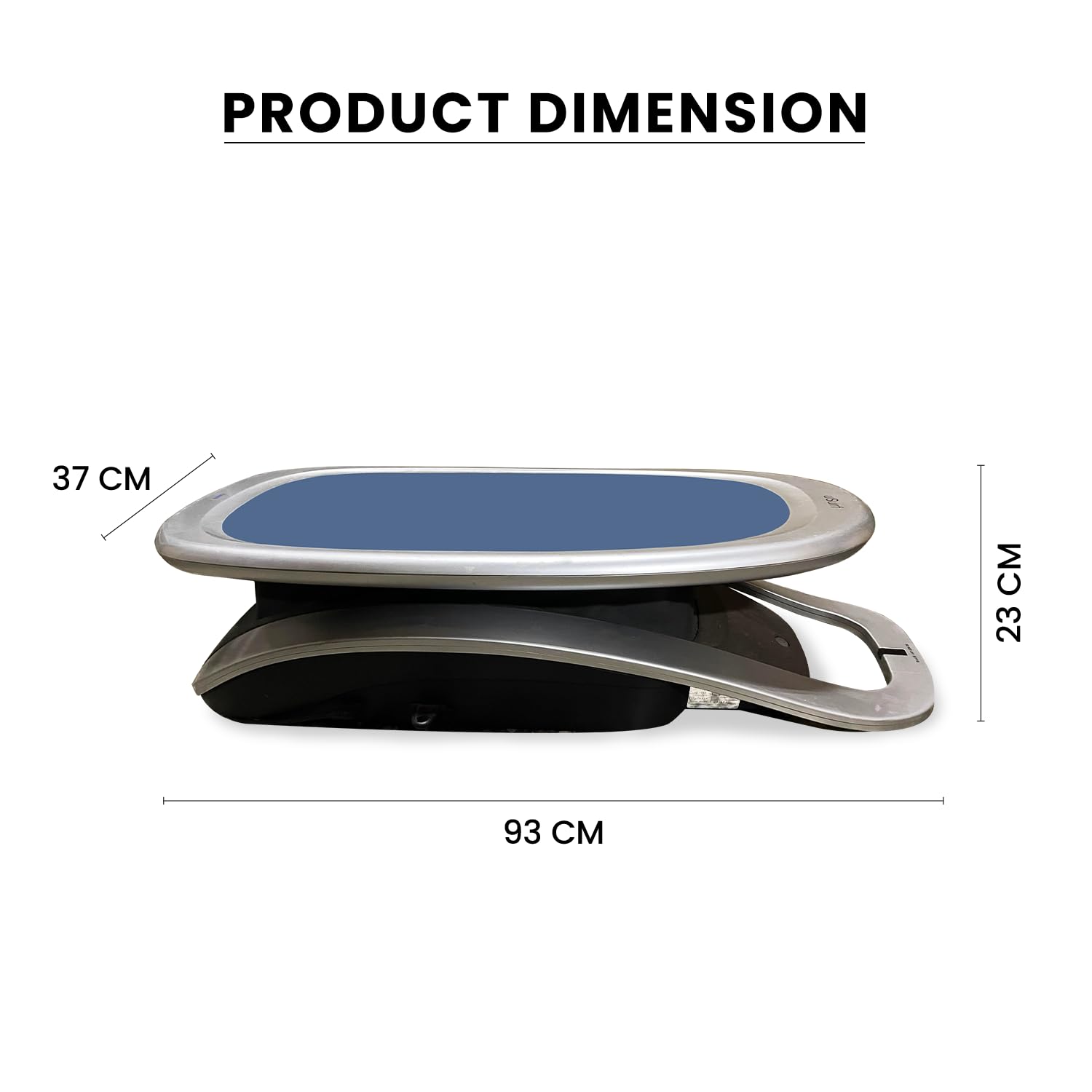
Image 10.1: Dimensions of the OSIM uSurf. This image provides a visual representation of the product's length (93 cm), width (37 cm), and height (23 cm).
| Feature | Detail |
|---|---|
| Model Number | uSurf |
| Generic Name | Vibration Plate Massager |
| Controls Type | Automatic |
| Operation Mode | Automatic |
| Power Source | Corded Electric |
| Minimum Speed | 90 RPM |
| Maximum Speed | 118 RPM |
| Item Weight | 23 kg (23 Kilograms) |
| Product Dimensions (LxWxH) | 93 x 37 x 23 Centimeters |
| Colour | Blue |
| Material | ABS Plastic (housing and frame), Aluminum (adjustable arms and legs), Rubber (vibration dampeners and anti-slip feet), Steel (base and structural support) |
| Country of Origin | Singapore |
| Manufacturer | Osim International-Health care Company: Headquarters: 65 Ubi Avenue 1, 408939, Singapore |
| Importer | Osim India (A Division Of Paramount Surgimed Limited) No. 1, L. S. C., Okhla Industrial Area, Phase- 2, New Delhi – 110020 |
11. Warranty and Support
Your OSIM uSurf Wave Vibration Plate Massager comes with a 1 Year Warranty from the date of purchase. Please refer to the included Warranty Card for detailed terms and conditions.
For technical assistance, warranty claims, or any other inquiries, please contact OSIM customer support:
- Manufacturer: Osim International
- Importer (India): Osim India (A Division Of Paramount Surgimed Limited)
- Contact Number (Packer): 09311660866
- Online Support: Visit the official Osim website for support resources and contact information.
Please have your purchase receipt and product model number (uSurf) ready when contacting support.