
1. Introduction
Thank you for choosing the MALFT Self Cleaning Litter Box. This automatic litter box is designed to provide a clean and convenient solution for cat owners, featuring self-cleaning capabilities, app control, and safety mechanisms. This manual provides essential information for the proper setup, operation, and maintenance of your device. Please read it thoroughly before use and retain it for future reference.

Image 1.1: The MALFT Self Cleaning Litter Box with a cat and the accompanying mobile application interface.
2. Safety Information
Your safety and the safety of your pet are paramount. This litter box incorporates several safety features:
- Infrared and Gravity Sensors: The system detects when a cat is inside the litter box. Cleaning cycles will automatically pause or not initiate if a cat is detected, resuming only after the cat has exited.
- Automatic Stop: The machine will immediately stop operation if a cat enters during a cleaning cycle.
- Ensure the litter box is placed on a stable, level surface.
- Do not allow children to play with or operate the litter box.
- Use only the provided power adapter.
- Keep the area around the litter box clear of obstructions.
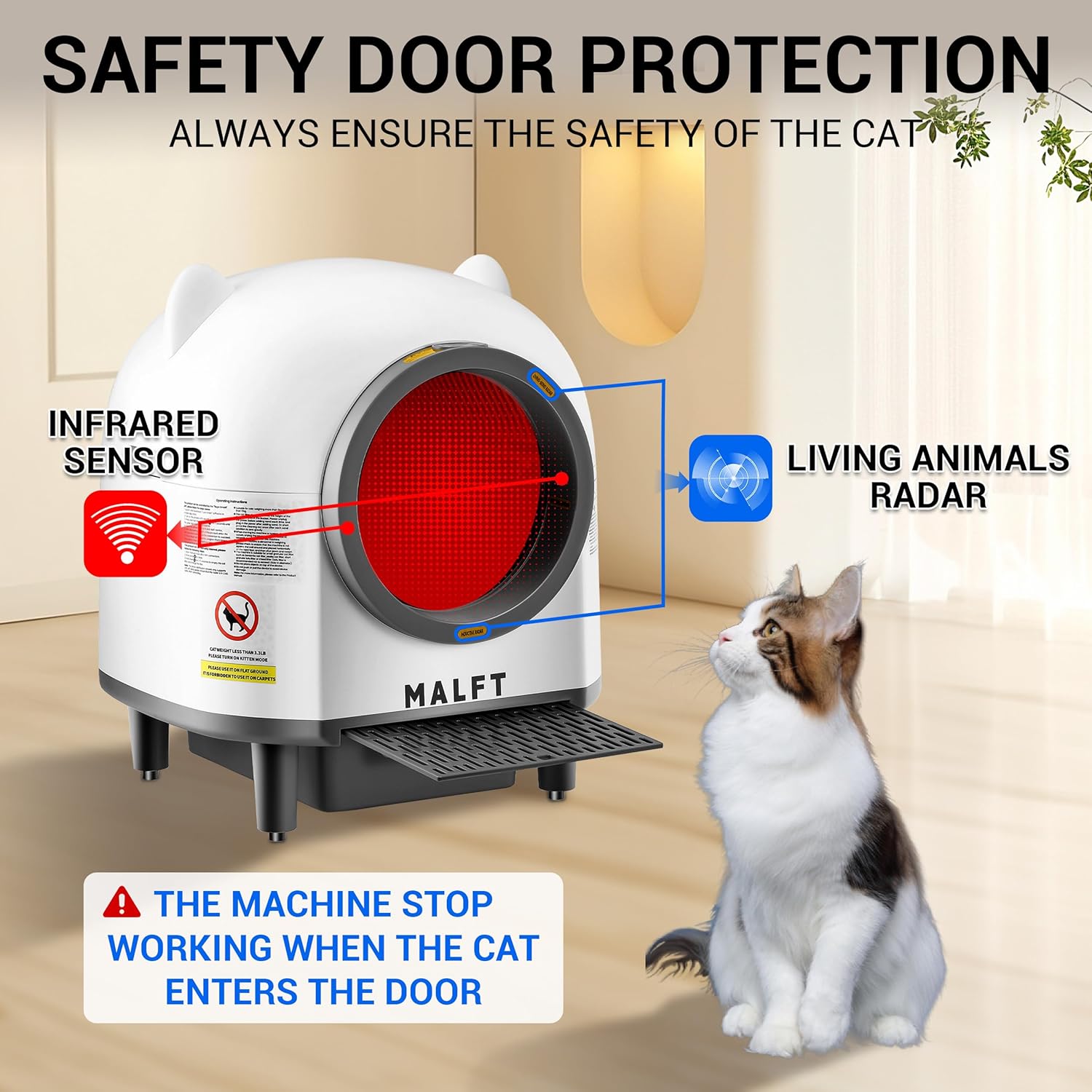
Image 2.1: Illustration of the safety door protection system, highlighting infrared and living animal radar sensors.
3. Package Contents
Please check the package to ensure all items are present and undamaged:
- MALFT Automatic Cat Litter Box Unit
- Cat Litter Mat
- Instruction Manual
- Power Adapter
- Solid Aromatherapy Box
- 1 Roll of Garbage Bags
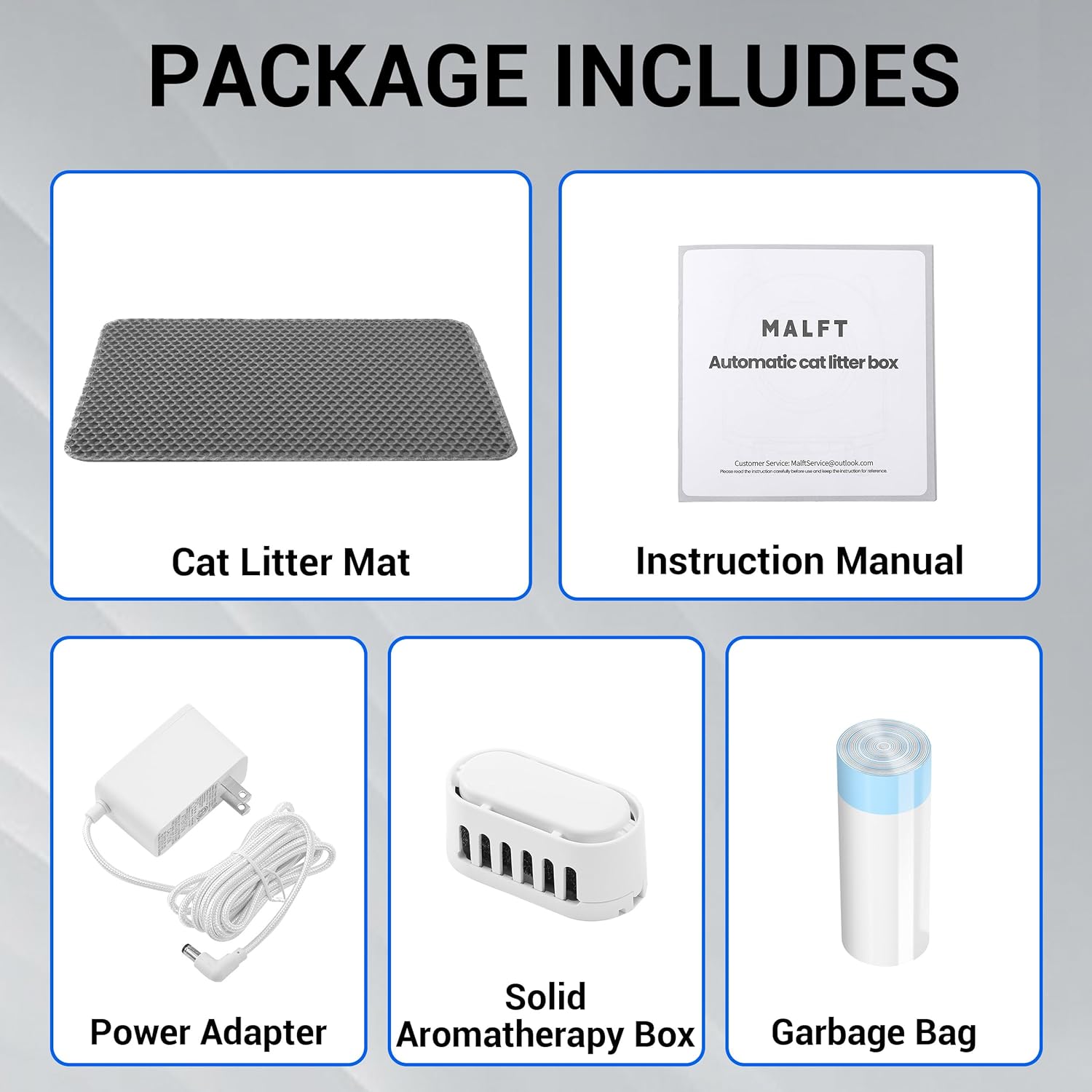
Image 3.1: Contents of the MALFT Self Cleaning Litter Box package.
4. Product Features
- Automatic Self-Cleaning: Eliminates the need for manual scooping by separating waste and depositing it into a sealed waste bin.
- Large Capacity: Features an 80L roller capacity and a 10L waste bin, suitable for cats weighing 2.2 lbs to 33 lbs, and ideal for multiple cats or extended periods away.
- Odor Control: An odor-proof cover and scented gel help contain unpleasant smells, maintaining a fresh environment.
- Quiet Operation: Operates at a noise level below 44dB, ensuring minimal disturbance.
- Smart App Control: Connects via 2.4G Wi-Fi for remote control and health monitoring of your cat's litter box usage.
- Multi-Litter Compatibility: Compatible with various types of cat litter, including Tofu, Mineral, Mixed, and Bentonite.
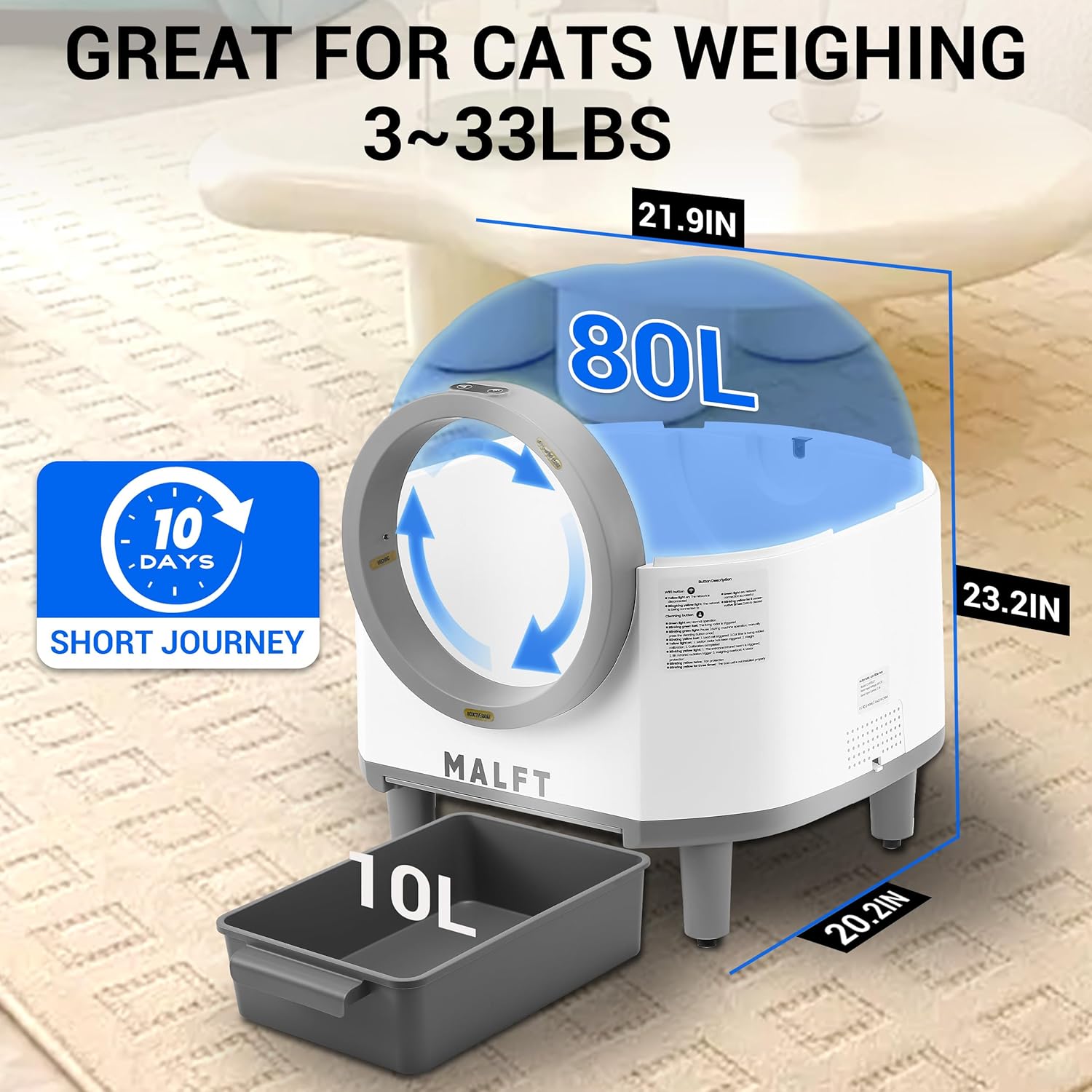
Image 4.1: Product dimensions and capacity, highlighting the 80L roller and 10L waste bin.
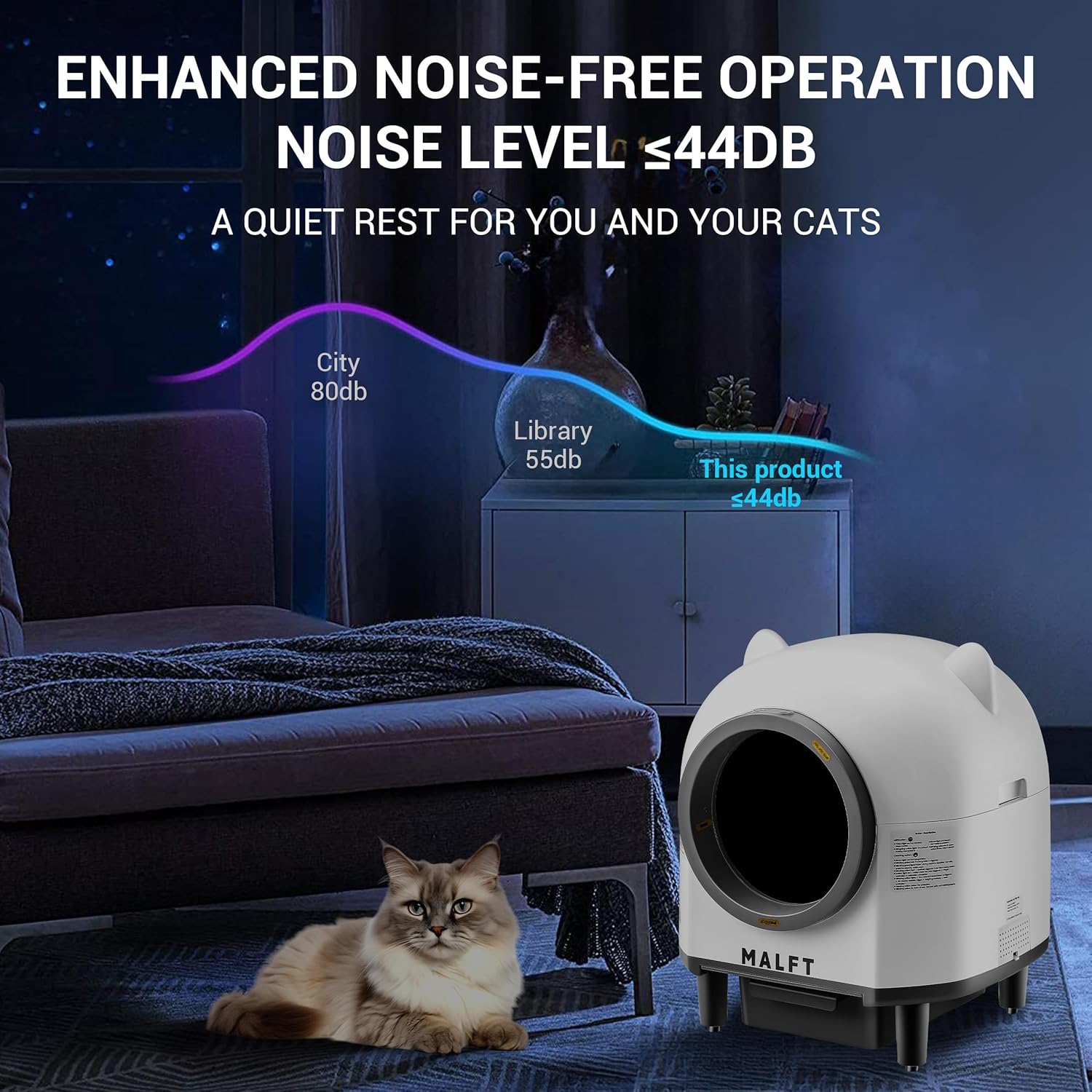
Image 4.2: Noise level comparison, demonstrating the quiet operation of the litter box.
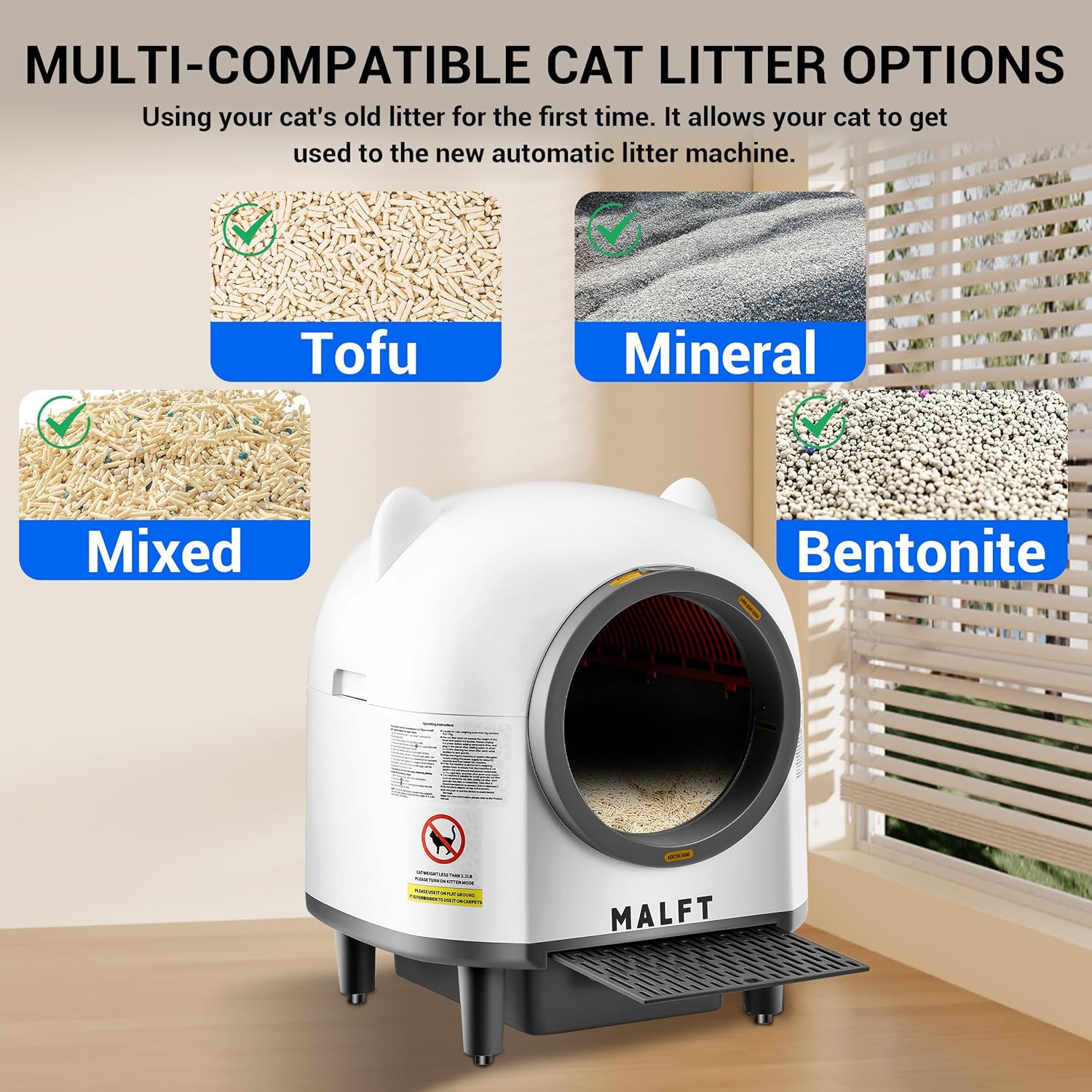
Image 4.3: Examples of multi-compatible cat litter options.
5. Setup Guide
Follow these steps for initial setup:
- Unpack: Carefully remove all components from the packaging.
- Placement: Place the litter box on a firm, level surface in a well-ventilated area, away from direct sunlight or heat sources.
- Install Waste Bin: Slide the waste collection bin into its designated slot at the bottom front of the unit. Ensure a garbage bag is properly installed inside the bin.
- Add Litter: Pour your preferred compatible cat litter into the main drum. Do not overfill; ensure the litter level is below the maximum fill line indicated inside the drum.
- Connect Power: Plug the power adapter into the litter box and then into a wall outlet. The unit will perform an initial calibration cycle.
- App Connection (Optional): Download the MALFT app from your smartphone's app store. Follow the in-app instructions to connect your device to a 2.4G Wi-Fi network.
6. Operation
The MALFT Self Cleaning Litter Box offers both automatic and manual operation modes.
Automatic Cleaning
After your cat uses the litter box and exits, the system will automatically detect the presence of waste. After a preset delay (configurable via the app), the internal drum will rotate, sifting the clean litter and depositing waste into the sealed collection bin.
Manual Cleaning
You can initiate a cleaning cycle manually by pressing the designated button on the unit or through the mobile application.
App Control and Health Tracking
The MALFT app provides enhanced control and monitoring features:
- Remote Control: Start/stop cleaning cycles, empty the waste bin, and activate deodorizer functions remotely.
- Health Monitoring: Track your cat's toilet visits, frequency, timing, and weight changes. This data can help you monitor your cat's health in real-time.
- Notifications: Receive alerts for full waste bins, cleaning cycle completion, or other status updates.
Note: The app connects only to 2.4G Wi-Fi networks.
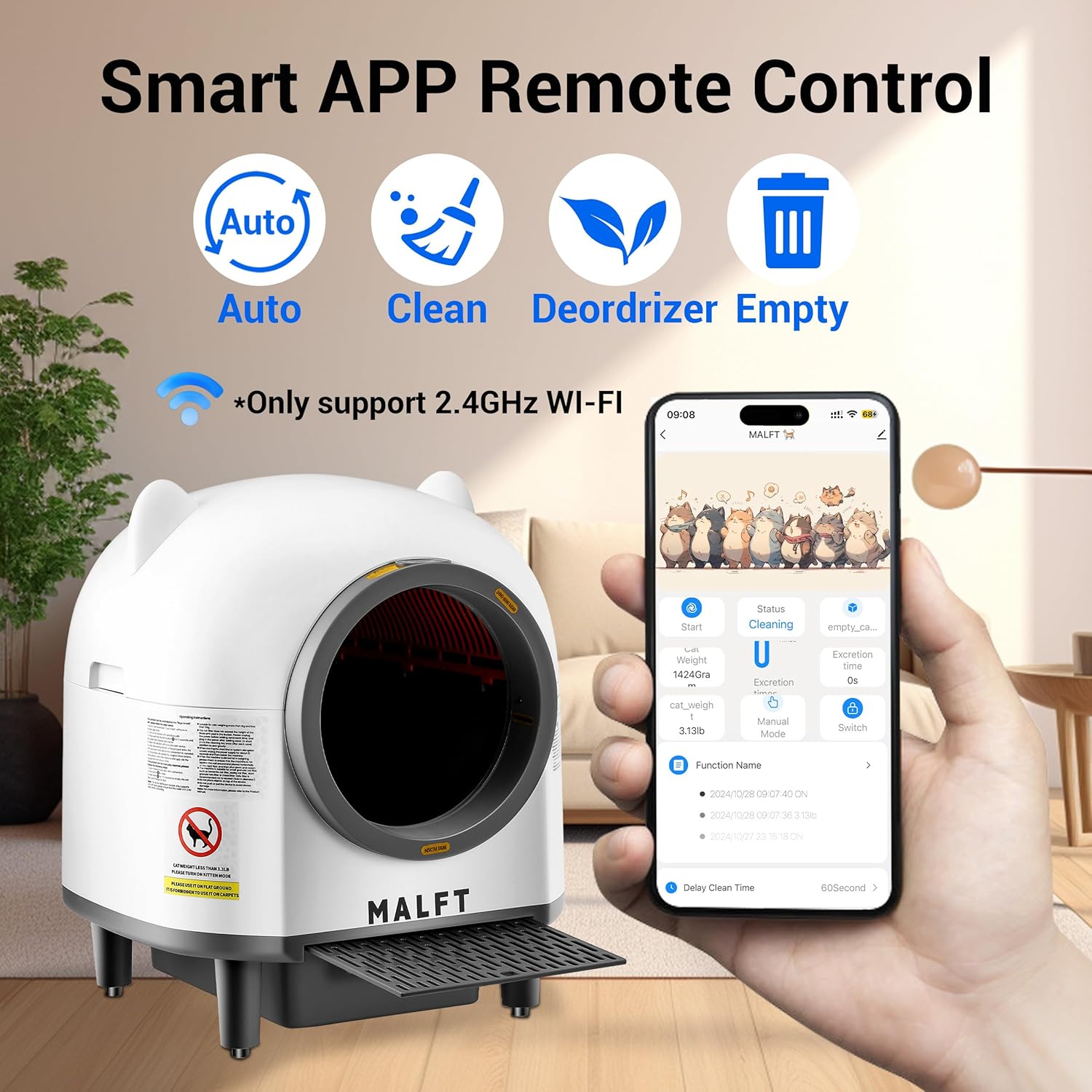
Image 6.1: Smart App Remote Control interface.
7. Maintenance and Cleaning
Regular cleaning ensures optimal performance and hygiene.
Waste Bin Emptying
The 10L waste bin can hold waste for up to 10 days for a single cat. When the app or indicator light signals the bin is full, slide it out, tie the garbage bag, dispose of it, and replace it with a new bag.
Deep Cleaning the Inner Drum
For thorough cleaning, the inner drum can be easily disassembled:
- Power Off: Disconnect the power adapter before cleaning.
- Remove Drum: Follow the instructions in the diagram to detach the rotary cylinder from the main unit.
- Clean Components: Wash the rotary cylinder and the sifting screen with mild soap and water. Rinse thoroughly and ensure they are completely dry before reassembly.
- Wipe Down: Use a damp cloth to wipe the exterior and interior surfaces of the main unit. Do not immerse the main unit in water.
- Reassemble: Carefully reassemble the components, ensuring they are securely in place.
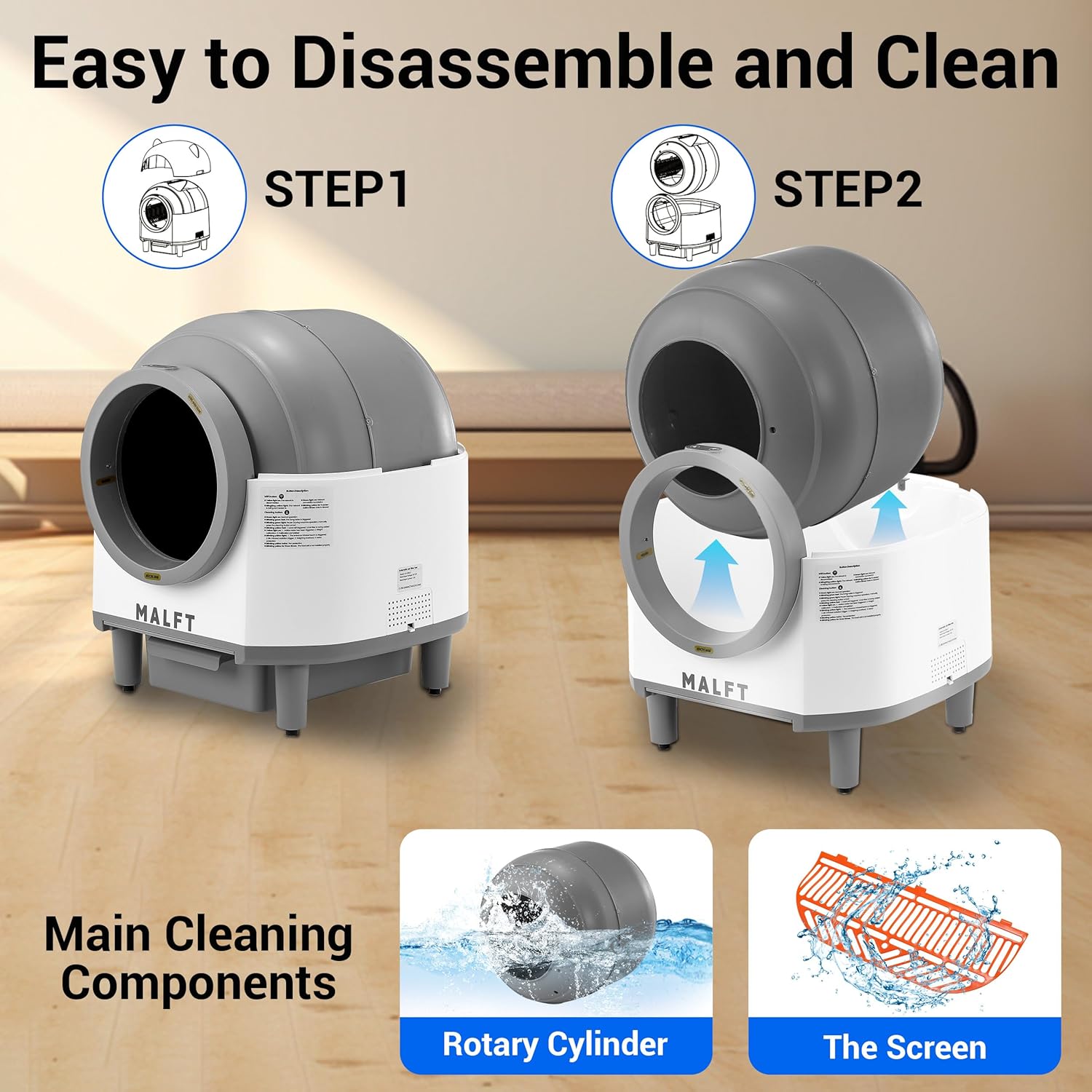
Image 7.1: Steps for easy disassembly and cleaning of main components.
8. Troubleshooting
If you encounter issues with your MALFT Self Cleaning Litter Box, refer to the following common solutions:
| Problem | Possible Cause | Solution |
|---|---|---|
| Unit not powering on | Power adapter not connected; power outlet issue | Ensure power adapter is securely plugged in; try a different outlet. |
| Cleaning cycle not starting | Cat detected inside; waste bin full; litter level too high/low | Wait for cat to exit; empty waste bin; adjust litter level. |
| Odor persists | Waste bin not emptied; aromatherapy box needs replacement; poor quality litter | Empty waste bin regularly; replace aromatherapy gel; use high-quality clumping litter. |
| App not connecting | Incorrect Wi-Fi band; weak signal; incorrect password | Ensure 2.4G Wi-Fi; move unit closer to router; re-enter Wi-Fi password. |
If the problem persists, please contact customer support.
9. Specifications
| Feature | Detail |
|---|---|
| Model Number | CH-ICB017 |
| Brand | MALFT |
| Dimensions (L x W x H) | 55.9 cm x 55.9 cm x 63.5 cm (22 in x 22 in x 25 in) |
| Weight | 13.15 kg (29 lbs) |
| Material | Plastic |
| Roller Capacity | 80 L |
| Waste Bin Capacity | 10 L |
| Recommended Cat Weight | 2.2 lbs - 33 lbs |
| Noise Level | < 44 dB |
| Connectivity | 2.4G Wi-Fi only |
10. Warranty and Support
For warranty information, technical support, or service inquiries, please refer to the contact details provided on the product packaging or the official MALFT website. Keep your purchase receipt as proof of purchase for warranty claims.